ChatGPT
 Claude
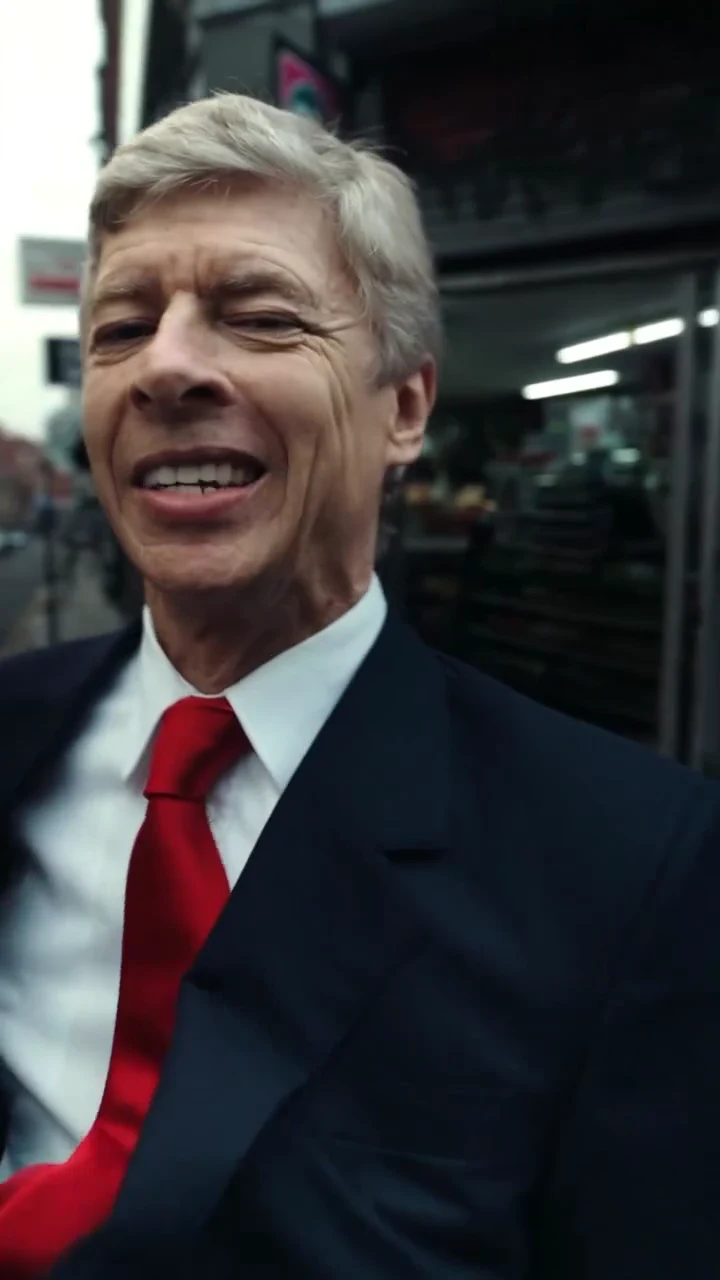
The Thatched At Night AI trend is a 25-second vertical parody: an older man in a navy suit, white shirt and red tie walks down a London high street, glances at his watch, tucks his hands in his pockets and lip-syncs a UK rap verse into a handheld camera. Oakgen's Thatched At Night template keeps the street, the camera moves, the five shots and the original song, and puts your photo in the walker's place. The preview is an AI-made parody clip, not real footage of any real person, and none of this is affiliated with or endorsed by anyone it resembles, by the song's artist, label or publisher, or by any club, brand or sponsor.
Take the walk yourself
Add one photo for the Street rapper, review your credit quote and make the 25-second Thatched At Night AI parody with the original song.
What the template gives you
One vertical 9:16 clip, 25 seconds long, with five shots. Only the walker is replaced. The pavement, the shops, the lamp post, the camera moves, the cuts and the soundtrack stay. The reference has no subtitles, so the file has no on-screen text, and the template asks for shop signs, an ATM and road markings to stay blank or unreadable.
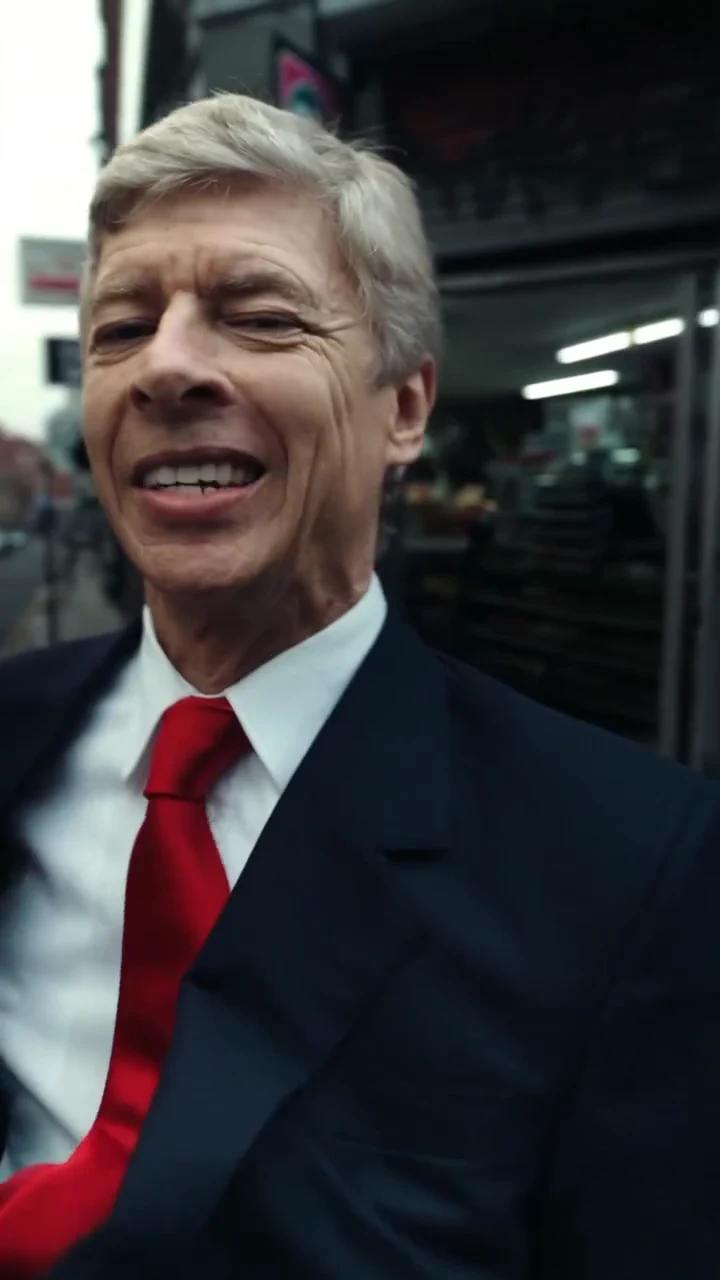
A close-up from the AI parody reference clip, not an Oakgen output and not real footage of any real person. In your video this is the person in your Street rapper photo.
| Time (about) | What happens | What to check |
|---|---|---|
| 0 to 3.25 s | Full-length shot: he walks toward the camera by a lamp post, hands in his jacket | Your face on a small figure, outfit matches your photo |
| 3.25 to 6.5 s | Close-up: a sideways glance and a smirk | Face clearly yours, natural eyes |
| 6.5 to 14.92 s | Long handheld tracking shot: he walks toward the camera, checks his watch, pockets his hands and lip-syncs | Mouth in time, normal hands, unreadable shop signs |
| 14.92 to 21.08 s | Close-ups in side profile, hand gestures, a raised hand | Profile still looks like you, five fingers |
| 21.08 to 25 s | Wide shot on a street corner by a corner shop: he stops and poses as the verse ends | Full outfit, face at distance, blank shop front |
A longer version of this timeline, with notes for each shot, is on the suit street walk lip sync AI video shot list.
Step 1: Choose the photo
Use one sharp head-and-shoulders photo: face forward, hair fully visible, mouth uncovered, no hat and no sunglasses. Two of the five shots are close-ups and the long tracking shot fills the middle of the video, so the face carries most of it.
Here is where this breaks: a photo with a hand, a cup or a phone near the mouth. The lip-sync is the whole joke, and the model needs a clear mouth to follow the reference's mouth.
Your photo's outfit is worn in every shot. The reference walker wears a suit and tie; your version keeps one outfit so you read as the same person after every cut. A dark jacket and tie in the photo gets you closest to the look, but any outfit works. If the photo only shows your top, plain dark trousers and shoes are added for the full-length shots. The reference's gold watch and rings are not kept, and a watch or rings appear only if they are in your photo.
Do not upload a photo of a public figure or anyone who has not agreed to appear. The template is built to put you in the moves, not to recreate anyone.
Step 2: Read the quote and generate
Open the Thatched At Night trend, add the photo and choose 720p or 1080p. It is a Kling V4 edit of the real parody clip, and the quote covers the full 25 seconds. I would run 720p first to check the face and the mouth, then make the 1080p version you post: the long tracking shot and the final wide shot gain the most from it.
Step 3: Check the result
Watch it once with sound and once muted:
- The opening walk: your face should read even though the figure is small, and the outfit should look the same as in your photo.
- The smirk: a close-up, so the face must be clearly yours with no leftover grey hair or reference features.
- The tracking shot: the longest shot. The mouth should keep time with the verse, the hand that checks the wrist should look normal and the signs behind should show nothing readable. Lip sync is not guaranteed, because no separate audio is sent to the model and the mouth follows the reference instead.
- The gestures: hands in the close-ups are where models slip. Count the fingers.
- The final pose: the frame people pause on. Check the whole outfit and a blank shop front.
If the face drifts after a cut, generate again with a clearer, more front-facing photo rather than posting.
About the sound
Your video keeps the original soundtrack, Confz's recording of Thatched At Night, put back on the finished file. No separate audio or voice sample goes to the video model, the model's own sound is thrown away and Oakgen does not clone or generate a voice. The track is marked explicit on streaming services, so check each platform's music rules for your account before you post. For the background on the song, read Thatched At Night: the song, UK rap and the AI walk trend.
Step 4: Post it as a labelled parody
The file is already 9:16, so upload it directly. Say in the caption that it is an AI parody, or turn on the platform's AI label. Do not suggest that a real person, the song's artist, a label or a brand is involved, and use only photos of people who agreed to appear. Caption ideas, cut points and hashtags are on the Thatched At Night AI video posting guide.
This is good enough for a fun post, not for anything that could be mistaken for real footage. That is also why the template never keeps the reference man's likeness.
Related reading
For what the clip shows and why it carries the song's name, read the Thatched At Night trend, explained. The short version of these steps is how to do the Thatched At Night trend, and the song is covered in Confz's Thatched At Night: the song behind the AI clip.
Frequently asked questions
How many photos do I need for the Thatched At Night video?
One, and it is required. It replaces the walker in all five shots. The man in the reference clip is never kept.
Is the preview real footage?
No. The preview is an AI-made parody clip, not real footage of any real person. Oakgen is not affiliated with or endorsed by anyone the clip resembles, or by any artist, label, publisher, club, brand or sponsor.
Does the video keep the song?
Yes. Your video keeps the original soundtrack, Confz's recording of Thatched At Night. No separate audio is sent to the model; the original track is put back on the finished file.
Does Oakgen clone the voice?
No. Oakgen does not clone or generate a voice for this template. The voice you hear is the original recording, and the person in your video lip-syncs to it.
How long is the video and what shape is it?
25 seconds in vertical 9:16, with five shots. It is ready for Reels, TikTok and Shorts without reframing.
Can I use a pet photo?
A clear photo of a dog or cat is accepted, but the clip is built around a person's posture and hands, so a photo of a person gives the most reliable result.
Is the preview video made by Oakgen?
No. It is the AI parody reference clip the template is built from. Nothing in this guide is an Oakgen result.