ChatGPT
 Claude
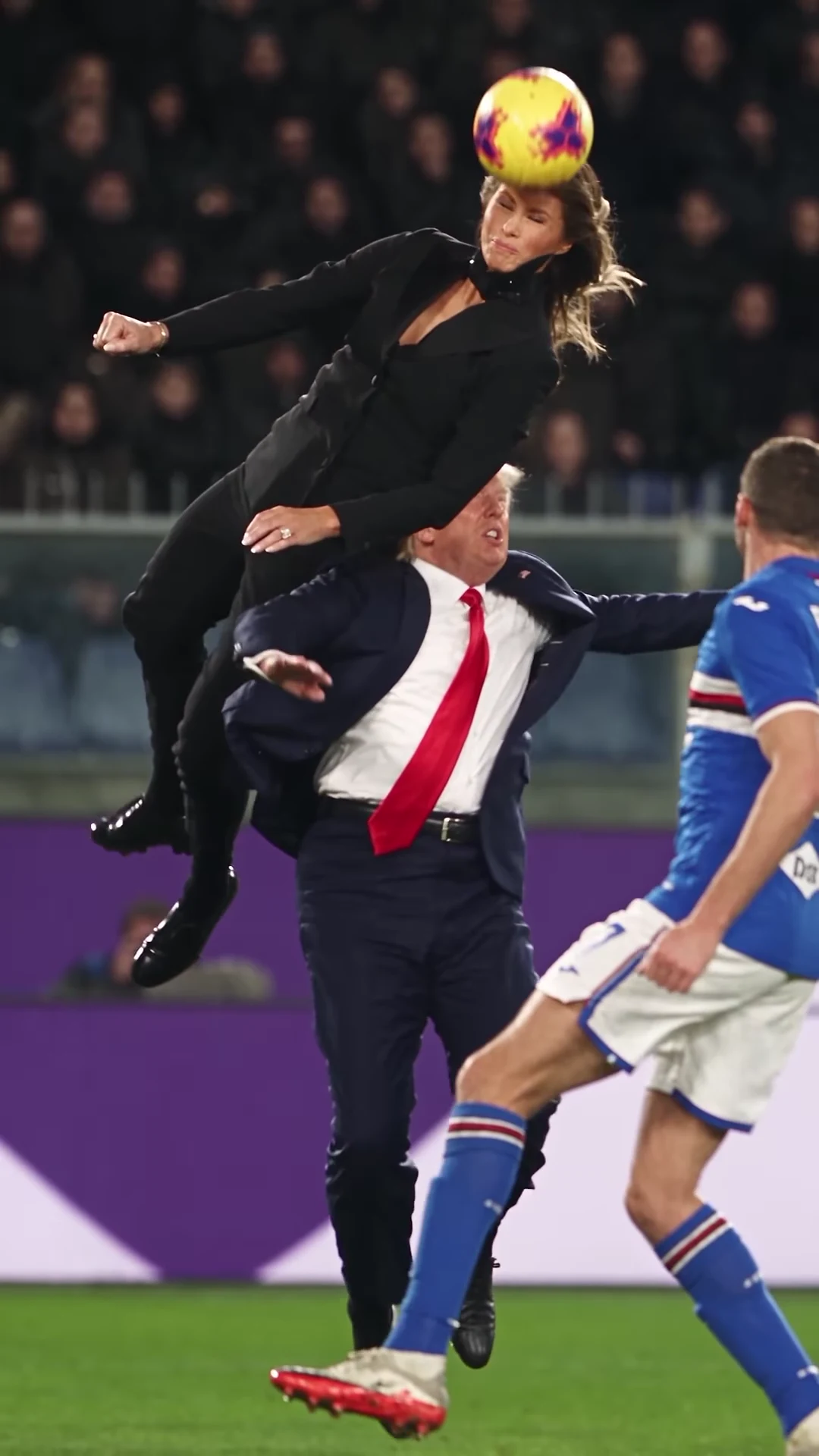
The Cristiano Ronaldo AI header video is an 8-second parody of one of the most famous headers in football: one person rises far above another, seems to hang in the air in slow motion and heads the ball, under the floodlights of a night match. Oakgen's Cristiano Ronaldo Header template keeps the leap, the hang time, the header and the camera and puts your photo into the jumper's moves, with a friend as the defender underneath. The preview is an AI-made parody, not real footage of Cristiano Ronaldo or of the people it resembles, and none of this is affiliated with or endorsed by them or by any club, league or sponsor.
Take the leap in the header parody
Add a photo for the Jumper and the Defender, review your credit quote and make the 8-second Cristiano Ronaldo AI header video with the original sound.
The short answer
- Open the Cristiano Ronaldo Header trend.
- Drop a head-and-shoulders photo on the Jumper slot and another on the Defender slot.
- Pick 720p or 1080p and read the quote.
- Generate, then check the header itself at about 6.8 seconds.
- Download the 9:16 MP4, label it as AI-made and post.
For the real 2019 header, the meme wave and the parody rules, see the Cristiano Ronaldo AI header trend guide.
That is the whole job. The rest of this guide covers the choices that make the result look good and the moments where it can go wrong.
What you are making
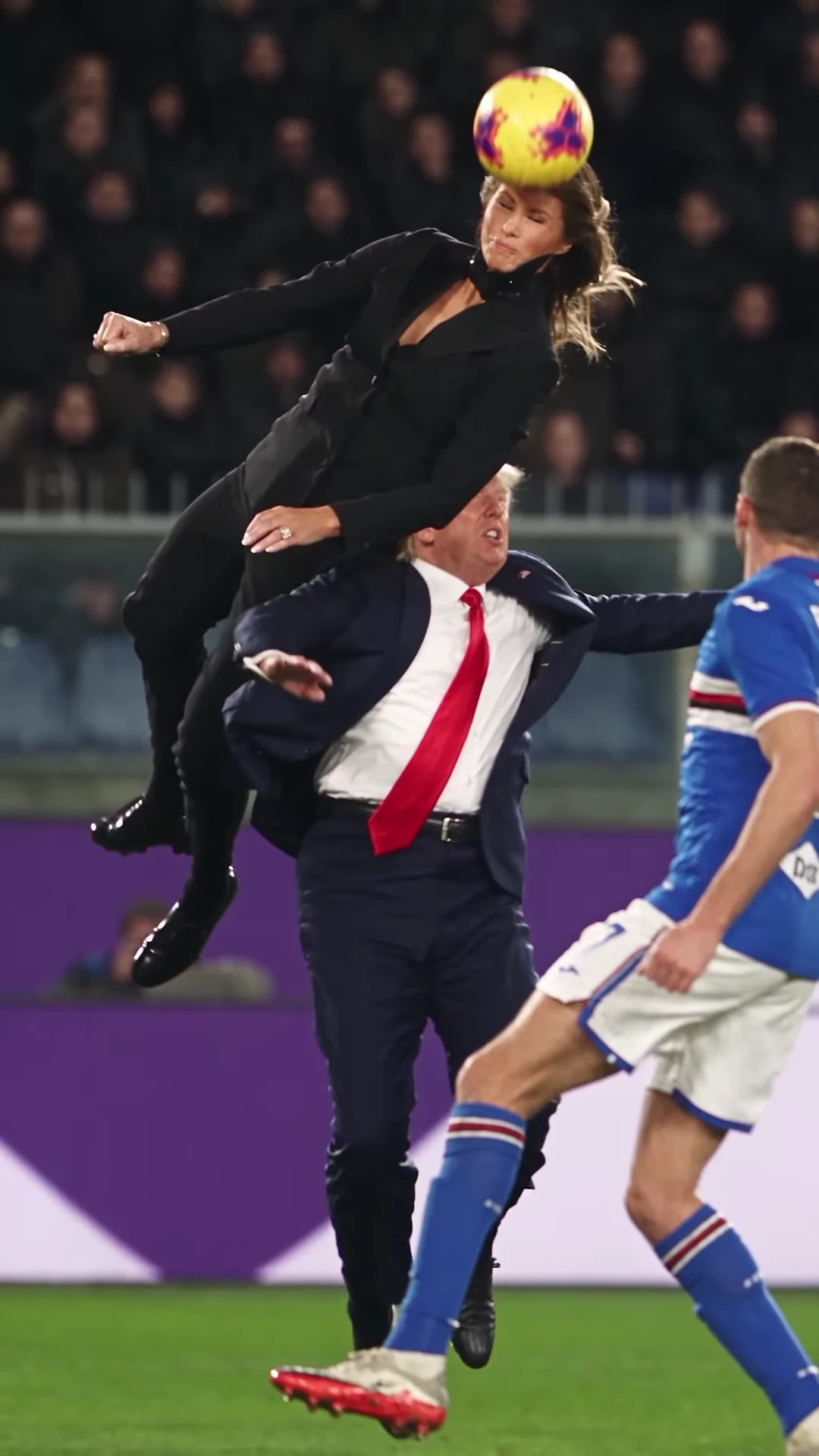
The moment of the header in the AI parody reference clip. It is not an Oakgen output and not real footage of anyone it resembles.
| Detail | What the template does |
|---|---|
| Length | 8 seconds, all of it, no trimming |
| Shape | Vertical 9:16 |
| Camera | One slow-motion shot from pitch level, no cuts |
| People | Two, both required: Jumper (in the air) and Defender (underneath) |
| Faces, hair, outfits | From your photos only |
| Background | The running player, the crowd and the photographers stay as scenery |
| Sound | The reference clip's own soundtrack, put back at the end |
| Quality | 720p or 1080p |
| Price | Shown as a credit quote before you generate; one price for the full video |
Why this format works
The real header behind the meme is famous for one number: Ronaldo's head met the ball about 2.56 metres off the ground in 2019, and he seemed to stay up there far longer than anyone expected. Fans have been pasting that pose onto other backgrounds ever since. The AI version turns the pose into motion and slows it right down, so the joke is the hang time. Because the whole clip is one slowed moment, it works with almost any two people, which is exactly what makes it easy to recast with your own photos.
Step 1: Decide who jumps
The two roles are not equal, and this decision changes the video more than anything else.
- Jumper. High in the frame for all 8 seconds. Gets the climb, the pause at the top, the header with eyes shut and the twist away with a fist raised. This is the hero shot.
- Defender. Underneath, seen mostly from the chest up. Crouches, looks up, throws both hands in the air and gets pressed down at the moment of contact. This is the comedy role.
What I would do: give the Jumper slot to the person the video is about, and the Defender slot to the friend who will laugh hardest at being jumped over. If it is your video, you jump.
Step 2: Pick photos that survive slow motion
Slow motion gives viewers time to look at faces, so weak photos show. The rules that matter:
- One person per photo, face forward, sharp.
- Hair fully visible and no hat, so the template knows the real hairline and length.
- No sunglasses. The jumper's eyes shut at the header and open again after, and the model has to draw them throughout.
- A head-and-shoulders crop is enough.
Each person keeps the outfit from their photo. There is no costume, so nobody ends up in a black suit or a red tie unless their own photo shows one. If a photo only shows the upper body, the template gives that person plain dark trousers and shoes. Long hair is a bonus for the Jumper: it streams in the air during the twist at the end.
Step 3: Read the quote
Choose 720p or 1080p. The quote covers the full 8 seconds with both people replaced, and nothing is charged until you confirm. If you are testing photos, 720p is enough to judge faces and the header; use 1080p for the version you post.
Step 4: Generate and check three moments
Pause the result at three points.
About 1 second. Both people are clearly visible: the Jumper rising with knees tucked, the Defender crouching and looking up. Check that each face matches its photo.
About 5 seconds. The Jumper hangs at the top of the leap, chin up, eyes on the ball dropping in. This is the frame people screenshot, so it is where the Jumper's face and hair matter most.
About 6.8 seconds. The header. The ball should meet the Jumper's forehead cleanly while the Defender is pressed down underneath. The Defender's face is partly hidden here, so check that what you can see is still them.
Also check the roles. The Jumper is always the one in the air and the Defender always underneath. If they look swapped, the photos went into the wrong slots.
If something is off, the fix is usually the photo: a sharper one, a straighter face, hair not hidden by a hat. Our photo and fixes guide goes through the common problems one by one.
Step 5: Handle the sound
Your download keeps the reference clip's soundtrack, a sung vocal track. We have not been able to identify it, so we do not name it, and Oakgen does not license it for your posts. Before you share:
- Check the platform's music rules for uploaded audio.
- If the platform flags it, mute the clip and add a sound from the platform's own library. Anything dramatic and slow suits the hang time.
How the sound works inside the template: no audio is sent to the video model. Nobody speaks or sings on screen, and the original soundtrack is put back on the finished file.
Step 6: Post it as a parody
- Turn on the platform's AI-generated label, or write AI-made in the caption.
- Use only photos of people who agreed to appear. Never upload photos of footballers, politicians or other public figures.
- Keep the caption about you and your friend. Do not suggest that a real player, club, league or politician is involved, and do not tag them.
- If you post it next to the reference, say which clip is yours.
Common mistakes
| Mistake | What happens | Fix |
|---|---|---|
| Group photo in one slot | The wrong face or a merged face | Crop to one person before uploading |
| Hat or hood | Hair is guessed and can change between frames | Use a photo with hair fully visible |
| Side profile | The face drifts when the head tilts back | Use a face-forward photo |
| Photos in the wrong slots | Your friend gets the glory | Put the hero in the Jumper slot |
| Posting without a label | Viewers think it is real | Use the AI label every time |
Why your video does not show the people in the reference
The template edits the parody clip in one pass and tells the video model to replace both people entirely: face, skin, age, build, hair and clothes all come from your two photos, and neither reference face may remain or be blended in, even for a frame. Both roles need a photo for exactly that reason. The running player, the crowd and the photographers stay as background, and the model is asked to keep the kit, the ball and the pitch-side boards free of readable crests, sponsor names and logos.
Related guides
- Every moment of the 8 seconds, move by move
- Who should jump and who should defend
- Is the viral Ronaldo header AI video real?
- Cristiano Ronaldo AI header: photos, casting and fixes
- Another football parody to try: Pitch Invader Tackle
Your photo in the air
Two photos, one leap, 8 seconds of slow motion. Not real footage of Cristiano Ronaldo and not affiliated with him or any club, league or sponsor.
Frequently asked questions
How many photos do I need for the Cristiano Ronaldo AI header video?
Two, and both are required: one for the Jumper, who leaps and heads the ball, and one for the Defender underneath. Neither of the people in the reference clip is kept.
Will my video show Cristiano Ronaldo?
No. The jumper in your video is the person in your Jumper photo. The template replaces both people in the reference clip completely, and Ronaldo was never in the reference in the first place: it is an AI parody of his famous header.
Is the preview real footage?
No. The preview is an AI-made parody clip, not real footage of Cristiano Ronaldo or of the people it resembles, and it is not affiliated with or endorsed by them or by any club, league or sponsor.
Do I have to add the sound myself?
No. Your video keeps the reference clip's own soundtrack, a sung vocal track. No audio is sent to the model; the original soundtrack is put back on the finished file.
How long is the video and what shape is it?
8 seconds in vertical 9:16, one continuous slow-motion shot, ready for Reels, TikTok and Shorts without cropping.
Can a pet do the header?
Yes. A clear photo of a dog or cat works in either role. A pet jumper springs up and meets the ball with the top of its head.
Can I upload a photo of a footballer or politician?
No. Use your own photo or photos of people who agreed to appear. Do not upload photos of public figures.
Is the preview video made by Oakgen?
No. It is the AI parody reference clip the template is built from. Nothing in this guide is an Oakgen result.