ChatGPT
 Claude
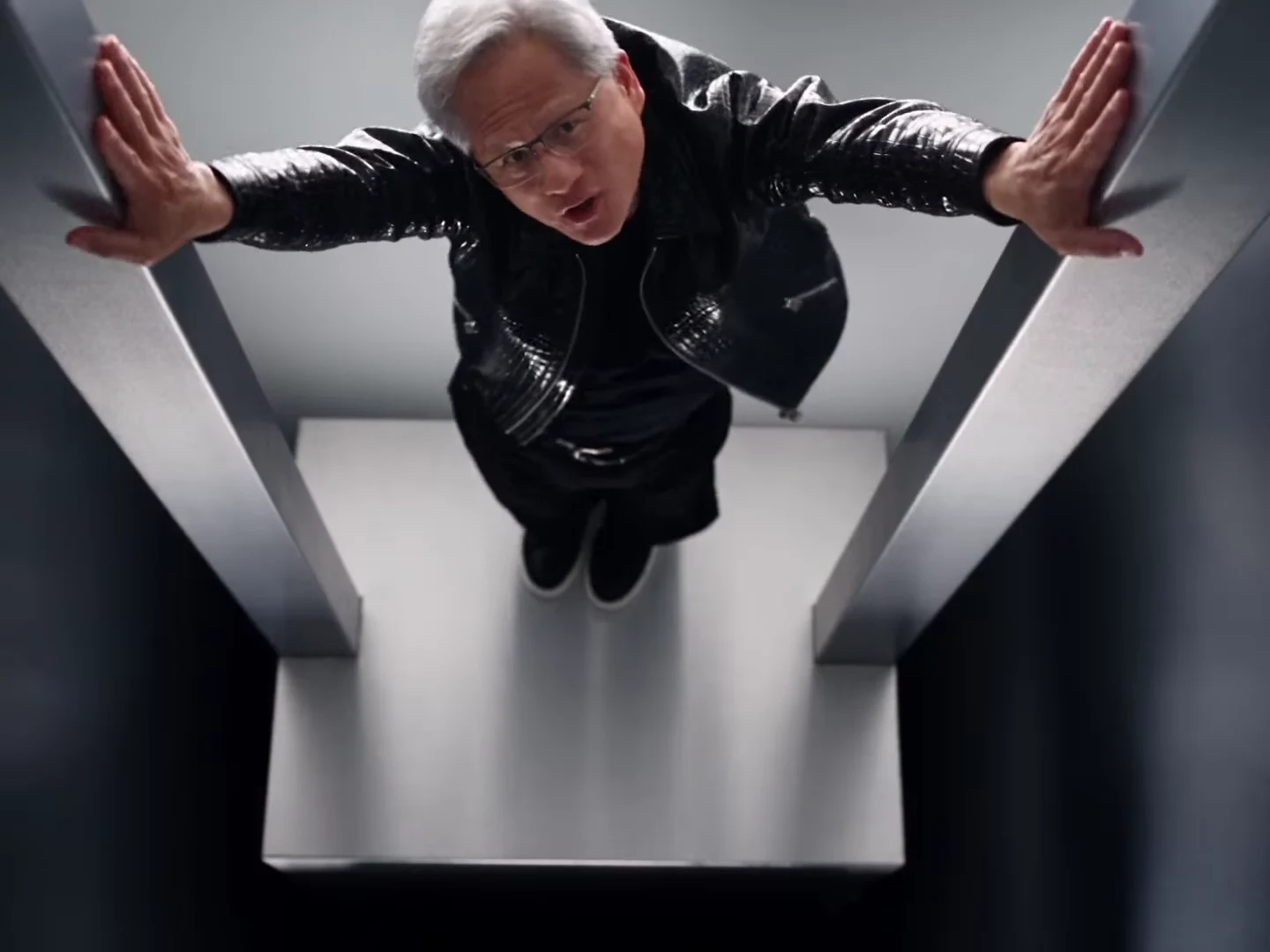
The AI No Scrubs parody is a 23-second music video: a grey-haired lead in glasses and a black leather jacket dances to the chorus of TLC's No Scrubs with two backup dancers in a white chrome studio, sings a close-up straight into the lens and then dances alone in a chrome shaft, a chrome tunnel and a chrome doorway. Oakgen's template keeps the moves, the camera and the cuts and puts your photo in the lead, with two friends as the dancers. The preview is an AI-made parody, not real footage, and it was not made or endorsed by any real person or company.
Take the lead in the No Scrubs parody
Add a photo for the Lead and both dancers, review your credit quote and make the 23-second AI No Scrubs parody with the original sound.
What the template gives you
You get one landscape 4:3 clip, 23 seconds long, cut into 18 shots. All three people are replaced. The white studio, the chrome tunnel and doorway, the camera moves, the cuts and the soundtrack stay exactly as they are.
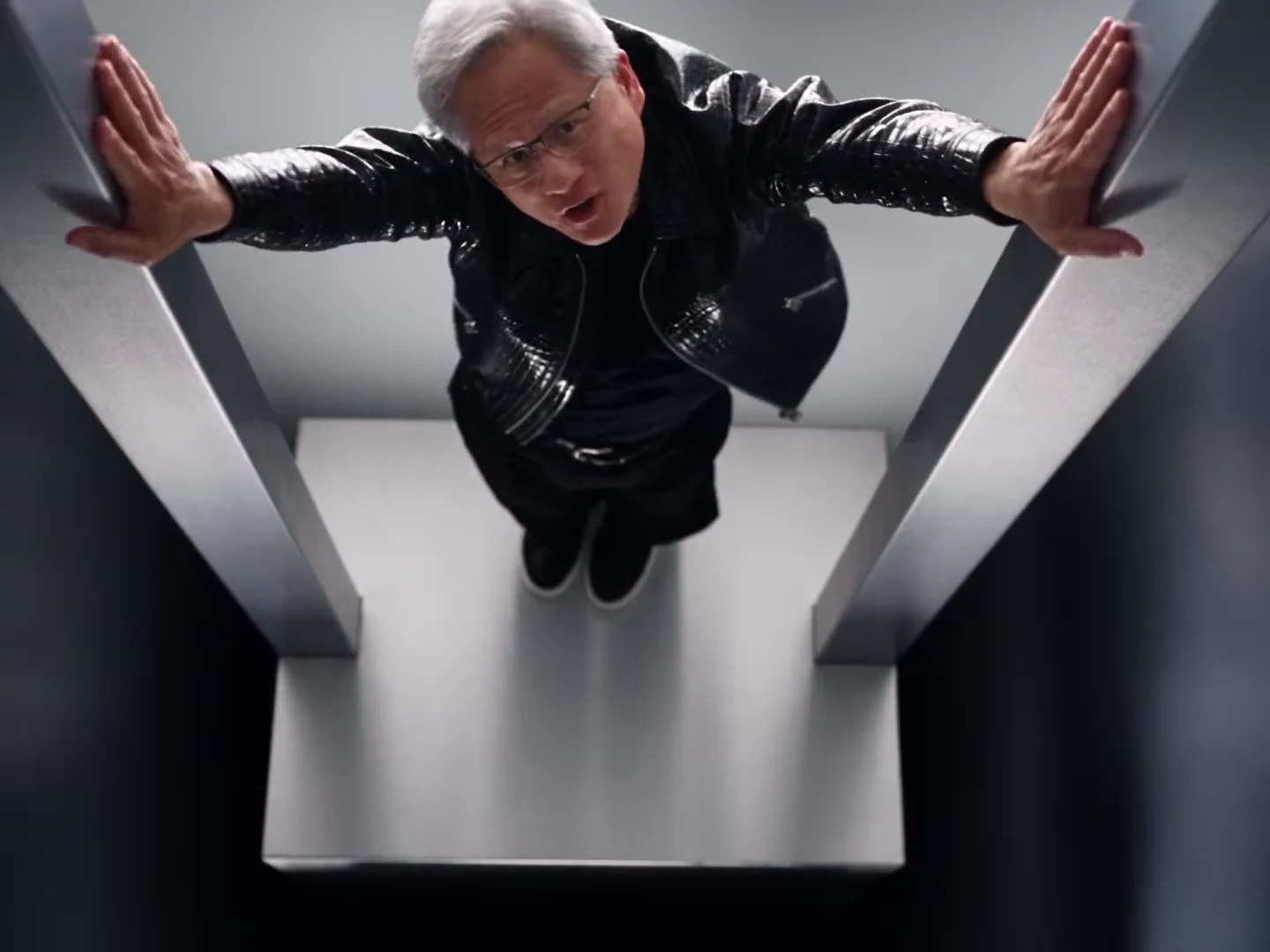
The lead's chrome shaft shot from the AI parody reference clip, not an Oakgen output and not real footage. In your video this spot belongs to your Lead photo. In the group shots your Left dancer stands on the left, your Lead in the middle and your Right dancer on the right.
| Time (about) | What happens | Who is on screen |
|---|---|---|
| 0 to 1.8 s | Opening close-up sung to the camera, finger pointed at the lens | Lead |
| 1.8 to 7.5 s | Wide and low-angle trio dances, arms up, hips swinging | All three |
| 7.5 to 9.4 s | In a chrome shaft, filmed from above, arms pressed against the walls | Lead |
| 9.4 to 12.7 s | Low-angle, medium and wide trio dances with side steps | All three |
| 12.7 to 13.9 s | Close-up sung to the camera, a hand swept across the lens | Left dancer |
| 13.9 to 17.3 s | Trio dances, the right dancer kicks a leg out | All three |
| 17.3 to 18 s | Close-up sung to the camera | Right dancer |
| 18 to 19.8 s | Full body in a taller chrome tunnel, a wide crouch | Lead |
| 19.8 to 21.3 s | Second close-up, a hand pushed toward the lens | Left dancer |
| 21.3 to 23 s | Dancing out of a chrome doorway, then a shouting crouch in front of the set | Lead |
The same timings, together with the song and the set, are laid out in TLC No Scrubs AI video: the song, the set and the shots.
Step 1: Decide who stands where
The three places are not equal, so cast them on purpose:
- Lead (centre): the opening close-up, the middle of every group shot and all three solo chrome shots. Most people make this video to star in this role, so put yourself here.
- Left dancer: two solo close-ups and the arms-over-the-head moment. This is the second-biggest part.
- Right dancer: one close-up and the leg kick. This person is briefly hidden behind the lead in one shot.
Not sure who should take which spot? No Scrubs AI video with friends: who should take which spot goes through the casting in more detail.
Step 2: Choose the photos
Use one head-and-shoulders photo per person: face forward, hair fully visible, no hat, no sunglasses and even light. The close-ups fill the frame, so a sharp face matters more here than in a trend built on wide shots.
The outfit in each photo is the outfit in the video. Nobody is dressed in the reference performers' clothes, and the lead's grey haircut, glasses and leather jacket are not added. If a photo shows only the top half of a person, the template fills in plain dark trousers and shoes.
One thing that goes wrong: three photos of people who look alike. In the wide shots the faces are small, so pick three people with clearly different hair or outfits.
Use only photos of people who agreed to appear, and do not upload photos of public figures, executives or celebrities. The template is built to put you in the moves, not to recreate anyone else.
Step 3: Review the quote and generate
Open the AI No Scrubs trend, add all three photos and choose 720p or 1080p. The quote covers the full 23-second video with all three people replaced. I would run 720p first to check the faces, then make the 1080p version you actually post.
Step 4: Check the result
Watch it once with sound and once on mute:
- The close-ups: each one should show the right person. The Lead's opens the video, the Left dancer has two and the Right dancer has one.
- The chrome tunnel and doorway: these belong to the Lead alone, so the face, hair and outfit should match the opening close-up.
- The quick low-angle group shots: hands and feet are where AI video slips. Look for extra fingers or a foot that melts into the floor.
- The set: the giant chrome sculpture behind the dancers should read as plain chrome shapes, with no readable letters or logo.
- Mouths: the song is not sent to the model, so mouths follow the singing in the reference clip rather than the audio. Expect the close-ups to look sung, not perfectly lip-synced.
If a face drifts after a cut, generate again instead of posting.
Step 5: Post it as a labelled parody
Turn on the platform's AI-generated content label and say in the caption that it is an AI parody. The soundtrack is a commercial recording, so each platform's music rules apply; if a platform mutes it, swap in licensed music in your editor.
This is good enough for a fun post with friends, not for anything that could be mistaken for real footage of a real person. Keep the caption honest too: never suggest that anyone real did or said something in the video.
Related reading
To see what the parody is, where the No Scrubs AI trend came from and what is real and what is not, read the AI No Scrubs parody trend explained. The No Scrubs AI trend page covers the background of the look itself.
Frequently asked questions
How many photos do I need for the AI No Scrubs parody?
Three, and all three are required: the Lead, who gets the middle spot and the solo tunnel and doorway shots, plus the Left and Right dancers. None of the performers in the reference clip is kept.
Will my video show the grey-haired man from the reference clip?
No. The lead in your video is the person in your Lead photo. All three reference performers are replaced, so your video keeps none of their faces, hair or outfits.
Is the preview real footage?
No. The preview is an AI-made parody clip, not real footage of anyone. It was not made or endorsed by any real person or company.
Do I have to add the No Scrubs song myself?
No. Your video keeps the reference clip's soundtrack, the chorus of No Scrubs by TLC. The song is never sent to the model; it is put back on the finished file.
How long is the video and what shape is it?
23 seconds in landscape 4:3, with 18 shots cut to the chorus. You can crop it to 9:16 for Reels, TikTok or Shorts in any editor.
Can I upload a photo of a famous person to make the lead look like them?
No. Use your own photo or photos of people who agreed to appear. Do not upload photos of public figures, executives or celebrities.
Is the preview video an Oakgen result?
No. It is the AI parody reference clip the template is built from. Nothing shown in the preview is an Oakgen output.