ChatGPT
 Claude
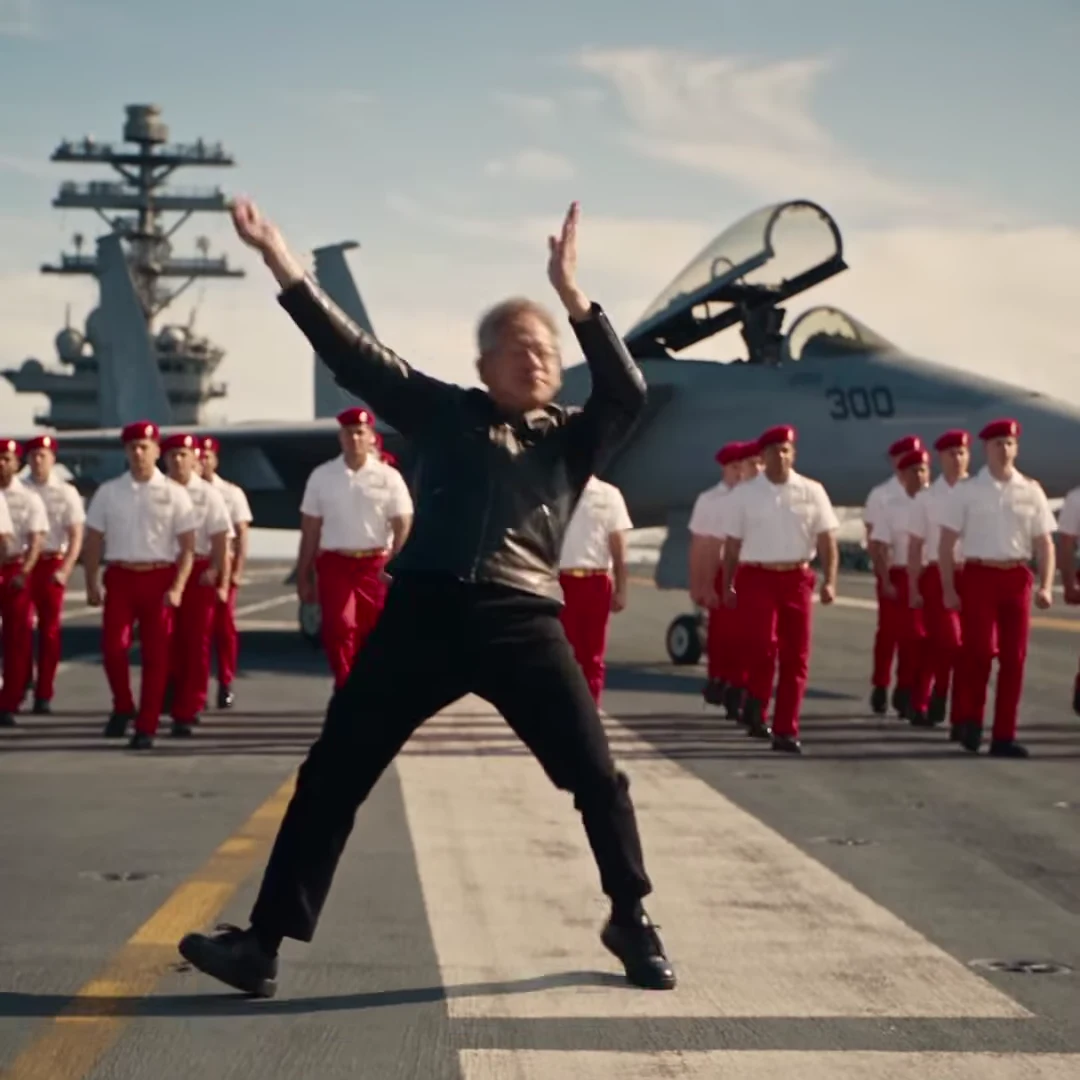
The AI aircraft carrier dance is a 25-second parody clip. A grey-haired man in glasses and a black leather jacket dances alone on a carrier's flight deck, lunging and crouching in front of rows of sailors in white shirts, red trousers and red berets. He then mugs for a close-up, and the whole crew salutes at the end. It spread in November 2026 as one of several AI-made dance clips. Oakgen's template puts YOUR photo into those moves, and this guide covers the photo, the quote and the checks worth doing before you post.
First, a note on what the preview is: an AI-made parody, not real footage, and not made or endorsed by any real person or company. Your own video does not show the man from the reference clip either. It shows the person in your photo.
Take over the flight deck
Add one Dancer photo, review your credit quote and make the 25-second AI aircraft carrier dance with the original sound.
What you get from the template
You get one square 1:1 clip, 25 seconds long, with two cuts. Only the dancer changes. The deck, the fighter jet, the island tower, the sailors, the camera moves and the soundtrack all stay as in the reference.
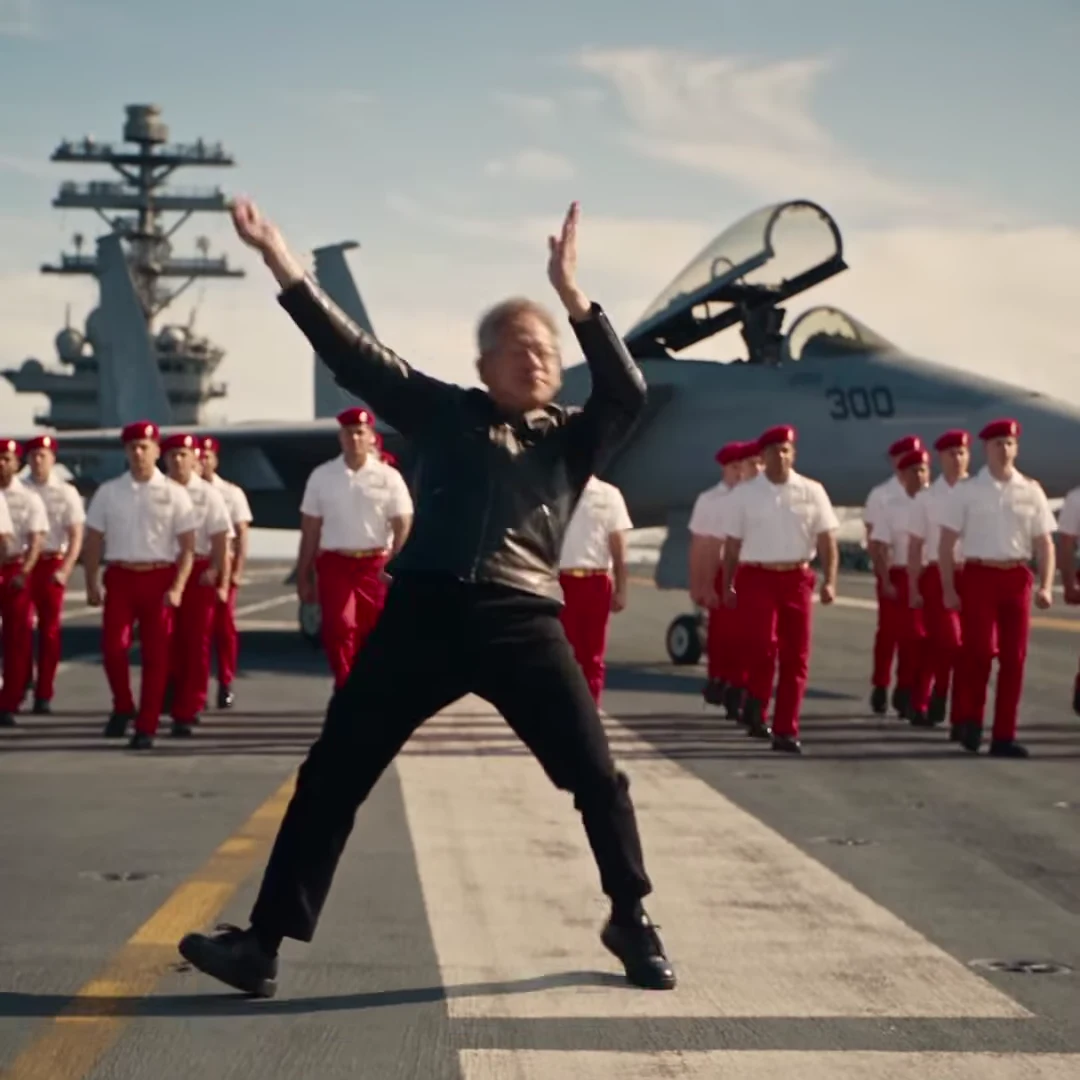
A frame from the AI-made parody reference clip, not an Oakgen output and not real footage. In your video the dancer has your face, hair and outfit.
| Time (about) | Shot | What happens |
|---|---|---|
| 0 to 5 s | Tracking wide | Springy lunges across the deck while a line of sailors sways |
| 5 to 9 s | Low wide | Deep crouches, one arm up, a drop to one knee |
| 9 to 13 s | Tracking wide | A fast crouch-walk between the sailors, then a pause in the middle |
| 13 to 18 s | Close-up | A squat into the lens, a pout, a shout, a finger to the temple |
| 18 to 21 s | Symmetrical wide | Arms flung overhead, a jump, side shuffles |
| 21 to 25 s | Symmetrical wide | The dancer and the sailors salute together |
To see each beat up close, read Aircraft carrier dance AI video, second by second.
Why the original dancer does not come back
The reference clip features a grey-haired dancer, and the template is built to replace him entirely. The video model edits the real clip and is told to swap the whole person, not just the face, for the person in your photo. The moves, the expression and the timing are kept. The sailors, the jet and the deck stay as they are, because they are the scene rather than the dancer.
The model gets three inputs: the reference clip, your photo and a written description of the shots. It draws your dancer where the reference dancer was. The grey hair, glasses, watch, bracelet and leather jacket are not meant to return, and the prompt names each one so the model removes it.
Step 1: Choose the photo
The dancer is small in the wide shots and fills the frame in the close-up, so the photo has to work at both sizes:
- Face forward, even light. A head-and-shoulders photo with your whole face visible gives the close-up the most detail.
- Hair visible, no hat. Your hairline, length and colour carry over. Long hair stays long and swings with the lunges.
- Full length helps. A full-length photo lets the wide shots show your real trousers and shoes. With a top-half photo, plain dark trousers and shoes are added.
- Your outfit is the costume. There is no leather jacket unless your photo has one.
- Pets work too. A clear dog or cat photo makes the animal the dancer, up on its hind legs for the salute.
Use only photos of people who agreed to appear, such as yourself or a friend. Do not upload photos of public figures, executives or celebrities. For more on picking the picture, see Flight deck dance AI: which photo works best.
Step 2: Check the quote and generate
Open the Aircraft Carrier Dance trend, add your photo and pick 720p or 1080p. The quote covers the whole 25-second video, and both qualities cost the same.
Behind the scenes the full clip is edited in a single pass and the original soundtrack is added back afterwards. Even so, check both sides of each cut, because a cut is where a look is most likely to drift.
Step 3: Review the result
Watch it twice, once with sound and once muted:
- The lunges in the first nine seconds: whole legs, feet on the deck, and a face that still reads at a distance.
- The first cut at about 13 seconds: the outfit and hair in the close-up should match the wide shot before it.
- The close-up: the face should match your photo, the fingers at the temple and chin should look natural, and the mouth should move only where the reference dancer's does.
- The salute at the end: still exactly one dancer, the same outfit as the opening shot, and sailors who keep their own faces.
- No text: no new lettering on clothes or on the deck.
If a face drifts or a hand looks wrong, generate again instead of posting.
Step 4: Post it as an AI parody
Label the video as AI-made, for example with "AI parody" in the caption, and switch on the platform's AI label if it has one. Never present the video, or the reference clip, as real footage of a real person, ship or crew. The soundtrack is a commercial recording, so each platform's music rules apply. See You Again dance AI: the flight deck song explains what to do if a platform mutes it.
Related reading
To learn what the clip is and why the ending works so well, read the AI aircraft carrier dance clip explained.
Frequently asked questions
How many photos do I need for the AI aircraft carrier dance video?
One, and it is required. The template drops your photo into the dancer's moves, and the dancer from the reference clip is never kept.
Will my video show the man from the reference clip?
No. The video model swaps out the whole reference dancer for the person in your photo, so the dancer in your result has the face, hair and outfit from your photo.
Is the preview real footage?
No. It is an AI-made parody clip used only as the motion reference. It is not real footage, and it is not made or endorsed by any real person or company.
Do I have to add the song myself?
No. Your video keeps the reference clip's soundtrack, See You Again by Tyler, The Creator featuring Kali Uchis. The song is not sent to the video model; it is put back on the finished video.
How long is the video and what shape is it?
25 seconds in a 1:1 square frame, in three shots: a tracking wide shot, a close-up and a closing wide shot with the salute.
Can I use a photo of a celebrity or an executive?
No. Use only photos of people who agreed to appear, such as yourself or a friend. Do not upload photos of public figures, executives or celebrities.