

 ChatGPT
 Claude
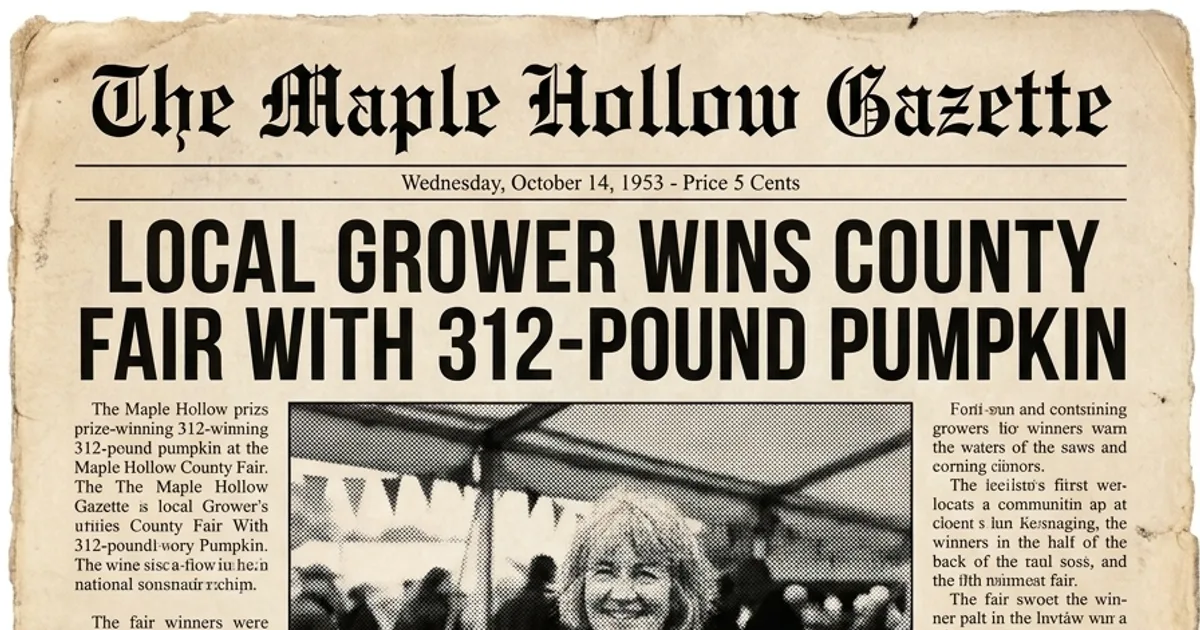
To make a weekly sports recap graphic, start with one game photo, one short headline and the confirmed score. Use a newspaper-style rendering for the cover image, and place the official score, opponent and match date in editable text. Save that layout so next week's volunteer only has to change the match details.
Oakgen's Newspaper Front Page Generator takes a photo, a headline and a choice of Modern News, Vintage News or Tabloid. Use Modern News for a club recap. A layout editor is useful for the details people need to read and for making copies for different channels.
What should go into the weekly recap brief?
Save one brief in a shared club folder. Fill it from the official match sheet before you open the image tool.
| Field | What to enter | Example for a fictional game |
|---|---|---|
| Match result | Team names and score, with the same team order throughout | Rivermill 2, Northbank 1 |
| Headline | One moment from the game in a few words | Rivermill win it late |
| Photo | Approved file and photographer credit if required | A touchline photo of the team celebrating |
| Date and competition | The actual date and competition name | 12 November, club league |
| Sponsor | Approved artwork or exact credit line | Use the sponsor's approved logo file |
| Next fixture | Confirmed opponent, location and time, if you include it | Saturday at 3 p.m., home pitch |
Pick an image that still works when you crop it. A celebration near the center of the frame usually survives a tight feed crop better than a group stretched across the whole touchline. Keep rights and credit information with the source image so the next person can reuse it correctly. For youth teams, follow the club's publication and consent rules.
How do you make the first newspaper-style graphic?
Generate the header image in Oakgen, then build the score and club details in the editor where you'll reuse them.
- Open the Newspaper Front Page Generator. Upload the approved game photo, enter a short headline and choose Modern News.
- Review the credit quote for your settings before you generate. Inspect the picture and headline at phone size. Switch to a simpler headline if it wraps badly, and use the original photo if the effect changes a person or detail that matters to the story.
- Place the image in your editable layout. Add the score, date, opponent and any approved sponsor logo as separate elements. Put the result high enough to be read in a feed crop.
- Add the official result to the caption as well. A reader should be able to get the score from the post text alone. If the graphic goes in a newsletter, give the image useful alt text or put the same information in nearby text.
For the fictional Rivermill example, the generated cover can say Rivermill win it late. The editable strip below it can say Rivermill 2, Northbank 1 and show the club competition. The full caption can carry the scorer, the match date, and next week's fixture after those details are checked.
Use your club's own name for the masthead. Make the club's role clear to anyone who sees the image out of context. The newspaper generator guide covers photo choice and the three style options.
How do you hand off the graphic every week?
Keep the editable file, export and source photo together under the same game date. Save a separate blank master with fields for result, opponent and date. If you publish a bad score, your volunteer can correct it in the editable file and export a new version without rerunning the image.
Ask a second person to compare the final graphic and caption with the match sheet. The useful check is simple. Read aloud the two teams and the two numbers in order. Then check that the sponsor's artwork matches the approved file. Preview the export on a phone before posting.
If you need a full page of readable body copy or a handout with fixed print dimensions, start with an editable newspaper layout such as one of the templates listed by Adobe Express. Then bring in the photo or generated cover as an image.
How we checked this
On November 19, 2026, we checked the Oakgen template, its documented fields, current pricing, and Adobe Express's newspaper template options. Rivermill and Northbank are fictional. We did not generate or print this example. Use photos and sponsor assets you have permission to publish. Commercial use of eligible Oakgen outputs depends on the terms, applicable law, model provider terms and rights in the inputs.
Make the first game recap cover
Bring your game photo and headline, then review the credit quote for the style you select.
Frequently asked questions
Can I use one layout for home and away matches?
Yes. Keep the score box, club name and sponsor placement fixed. Replace the game photo, headline, date and opponent each week. Check which team appears first in the score before export.
Can I make a match recap without a game photo?
Use an approved club image or make a text-first score graphic in a layout editor. If you use an older photo, label it as an archive photo when readers could mistake it for the latest game.
How much does the Oakgen newspaper template cost?
On November 19, 2026, Oakgen's newspaper template used credits from a paid plan. Review the credit quote for the selected model and settings before generating.
Can I print the same graphic for the club noticeboard?
Keep an editable layout for print. Ask for the final paper size and margins, place the image in the layout, and proof the headline and score before sharing the printable file.

