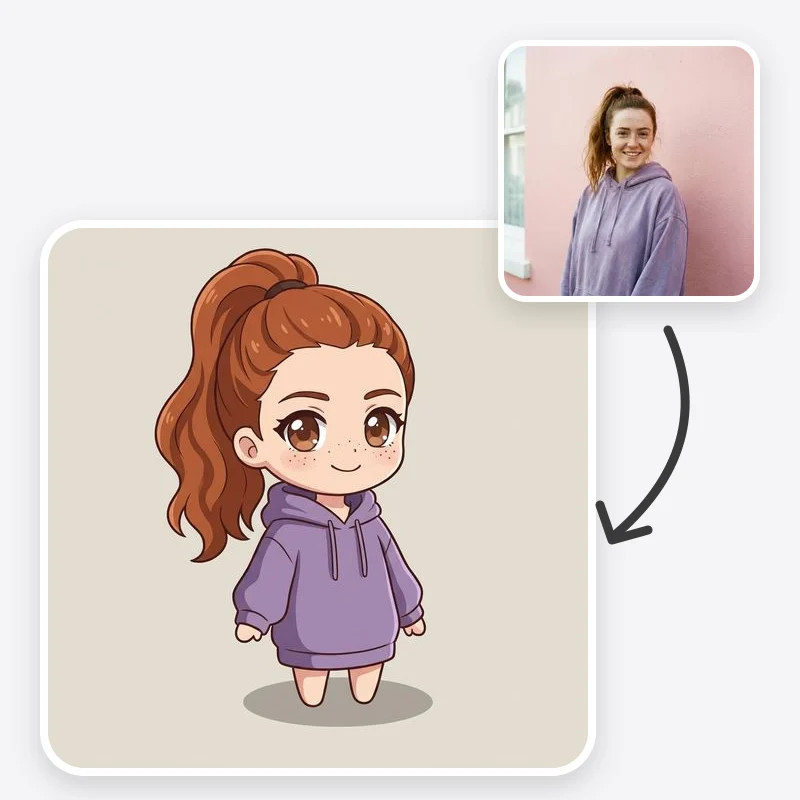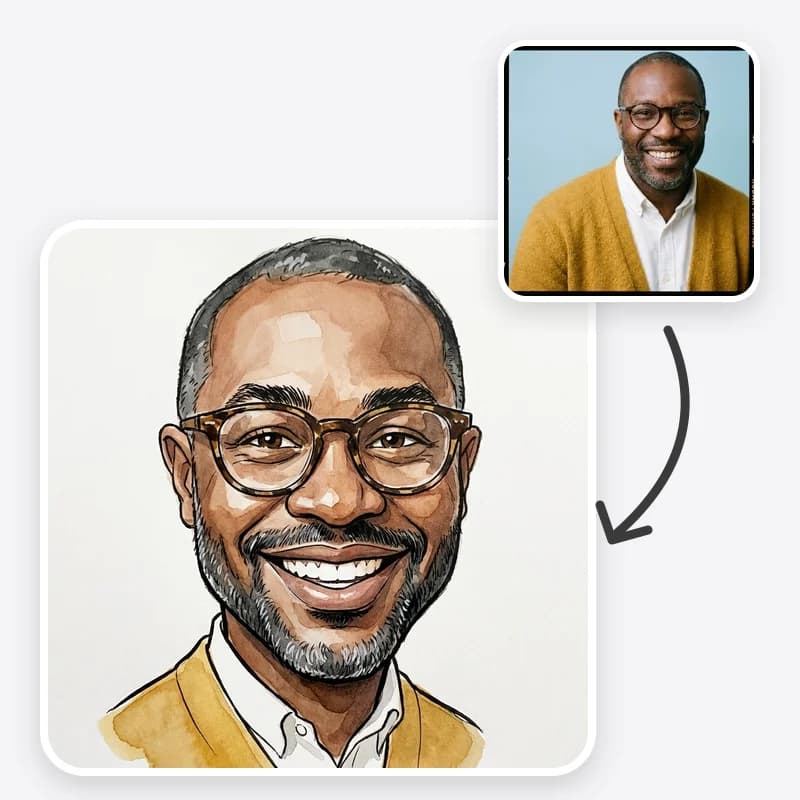
A good caricature is a drawing where one look tells you who it is, and a second look makes you smile. Most of that comes from two decisions: which features get pushed, and how far. This guide walks through the Caricature Maker option by option, from choosing the photo to checking the result before you share it.
If you want ready-made prompt text for a general image generator instead, our AI caricature prompts post collects those. If you are planning a card, wedding or farewell around a caricature, read the companion guide on caricature gift and event ideas.
What the Caricature Maker actually does
You upload one photo and make three choices: a drawing style, an exaggeration level and a background. The preset then asks the model to redraw the person with a bigger head, push only what is already distinctive about them, and keep their hairstyle, glasses, facial hair and expression, plus their hair, eye, skin and outfit colours in the colour styles. Pencil Sketch has no colour, so it keeps the same light and dark tones instead.
The preset also tells the model not to exaggerate or mock skin colour, ethnicity, disability or body weight. That is a deliberate choice. A caricature should feel like it was drawn by someone who likes the person, and the humour should come from expression, hair, style and personality.
What you get back is one generated still image. It is not a hand-drawn original or a vector file, and likeness varies between runs, so plan on generating a few versions and keeping the best.
Step 1: Choose a photo that gives the model enough to work with
The photo matters more than any option. Caricature works by exaggerating real features, so the model has to see them clearly first.
Use:
- One person, face clearly in focus
- Front-facing or a slight three-quarter turn
- Even light without hard shadows across the face
- The full hairline and hairstyle visible, no hat unless the hat is part of who they are
- Upper body in frame if you want the outfit to carry over
Avoid:
- Sunglasses, heavy filters, beauty-mode smoothing
- Tiny faces in a group shot
- Strong side lighting, which can get exaggerated into odd shapes
- Photos of people who have not agreed to be caricatured
A natural expression works better than a forced pose. A real laugh gives the model a smile worth exaggerating; a stiff passport face gives it very little.
Step 2: Pick the drawing style
| Style | What it looks like | Good for |
|---|---|---|
| Classic Ink & Watercolor | Black ink outlines with loose watercolor washes on white paper, like a fair or event caricaturist | Cards, guest books, anything printed |
| Digital Painted | Smooth, blended, colourful painted portrait with soft rim light | Profile pictures, posters, framed digital prints |
| Big Head, Small Body | Head two to three times normal size on a small cartoon body that keeps the real outfit | Showing a uniform, sports kit or hobby outfit |
| Pencil Sketch | Graphite lines and light hatching, no colour | Black-and-white printing, a hand-drawn feel |
If you plan to add a job or hobby prop, Big Head, Small Body has the most room to show it, because the body and hands are in the frame. Ink and Watercolor and Pencil Sketch usually crop tighter around the head and shoulders.
Turn your photo into a caricature
Upload a clear photo, pick a style and exaggeration level, and get a playful caricature that keeps the likeness.
Step 3: Set the exaggeration level
This is the option people most often get wrong, usually by starting too strong.
- Subtle pushes one or two features slightly. The result reads as a flattering cartoon portrait. Use it for profile pictures, people who are unsure about being caricatured, and work settings.
- Medium is a classic caricature: a clearly bigger head and two or three features pushed, while the face stays instantly recognisable. Start here.
- Strong stretches proportions a lot. It is the funniest when it works and the most likely to lose the likeness. Use it with a sharp photo and named features.
A quick test: show the result to someone who knows the person without telling them who it is. If they cannot name the person in a couple of seconds, step down one level.
Step 4: Choose a background and describe the prop
Plain keeps the attention on the face and is easiest to place on a card or poster.
Party adds balloons, streamers and confetti in the same drawing style. It suits birthdays and celebration posts.
Hobby or Profession Prop adds one or two props and a simple setting based on what you write in Additional Instructions. If you leave the instructions empty, the preset falls back to a plain background, so describe the prop.
Write props the way you would brief an illustrator: concrete, visual and short.
- "nurse in blue scrubs with a stethoscope"
- "holding a road bike, wearing a cycling cap"
- "behind a DJ deck with headphones round the neck"
- "teacher at a whiteboard with a coffee mug"
One or two props work. A list of six hobbies produces a cluttered scene where nothing reads clearly.
Step 5: Steer it with Additional Instructions
The preset decides which features look distinctive. You often know better. Name them.
- To push: "exaggerate the wide grin and the big curly hair"
- To protect: "keep the nose and jaw natural size"
- To keep: "keep the round red glasses and the grey beard"
- To set the mood: "cheerful, mid-laugh expression"
Keep the humour about personality and style. Avoid instructions that target weight, age, skin, accent or disability. Those jokes land badly with the person in the picture, and the preset is written to steer away from them anyway.
How to check the result honestly
Before you download or share, compare the caricature with the original photo, feature by feature.
- Recognition. Can someone who knows the person name them quickly?
- Fixed features. Are hairstyle, glasses and facial hair the same as in the photo, and (in the colour styles) hair colour and skin tone? For Pencil Sketch, check that light and dark areas match.
- Exaggeration target. Did the model push the features you wanted, and leave the rest alone?
- Tone. Would the person laugh, or wince? If you are unsure, it is a wince.
- Hands and props. Look for extra fingers, melted objects and gibberish text on signs or shirts.
- Print size. If you plan to print, check that the downloaded resolution is enough for the size you need.
Troubleshooting common problems
| Problem | Likely cause | Fix |
|---|---|---|
| Doesn't look like the person | Strong exaggeration, small or blurry face | Drop to Subtle or Medium; use a sharper, closer photo |
| Wrong feature exaggerated | Model guessed what is distinctive | Name the features to push and the ones to keep natural |
| Hair or glasses changed | Hat, shadow or reflection hid them | Use a photo with the hair and glasses clearly visible, and name them in instructions |
| Prop missing or wrong | No prop described, or a vague one | Pick Hobby or Profession Prop and describe one concrete object |
| Busy, cluttered scene | Too many props or a party scene with a detailed photo background | Use Plain, or limit to one prop |
| Distorted hands | Common weak spot for image models | Generate again, or ask for "hands in pockets" or "arms folded" |
| Text on signs is garbled | Image models are unreliable with lettering | Ask for no text and add lettering afterwards in an editor |
If a result is close but not quite right, change one thing at a time. Swapping style, level and instructions all at once makes it hard to tell what helped.
Couples, groups and pets
The preset is written for one person. With two people in a photo, the big-head style can work, but likeness on each face is less reliable. For a couple, the more dependable method is one caricature per person, same style and background, placed side by side in an editor.
For pets, a caricature preset aimed at human faces is not the best fit. Our animated-film pet portrait guide covers a style built for animals.
Caricature, bobblehead or chibi?
These big-head looks are close cousins, and picking the right one saves time.
- Caricature exaggerates the person's own features for humour. Use the Caricature Maker.
- 3D bobblehead portrait puts the real you next to a glossy, toy-like caricature of yourself in a fixed studio scene. That is the 3D Bobblehead-Style trend; our bobblehead vs 3D caricature comparison and bobblehead photo ideas explain it in detail.
- Chibi makes you cute rather than funny: big head, tiny body and a simplified face. Use the Chibi Maker.
- 3D animated character keeps normal-ish proportions with an animated-movie finish. Use the 3D Cartoon tool.
Privacy and consent
Only upload photos of yourself or of people who agreed. Crop out other people, ID badges, screens and anything with an address or employer name you would not post publicly. Before sharing a caricature of a colleague or friend, show it to them first. If they ask you not to post it, don't.
Next steps
Generate three versions at Medium with the same photo, keep the one where the likeness is strongest, and adjust from there. When you have one you like, the gift and event ideas guide covers how to use it on cards, wedding stationery and farewell gifts.
Make your caricature now
One clear photo, four drawing styles and three exaggeration levels. Download the version that looks most like the person.
Frequently asked questions
What kind of photo makes the best caricature?
A sharp, front-facing or slightly turned photo of one person, with even light, the full hairline visible and no sunglasses. Upper-body photos also give the model the outfit and posture to work with.
Which exaggeration level should I start with?
Start with Medium. If the result stops looking like the person, drop to Subtle. If it looks like a normal cartoon portrait, try Strong and name the one or two features you want pushed.
Why did the caricature exaggerate the wrong feature?
The model guesses which features are distinctive. Tell it directly in Additional Instructions, for example 'exaggerate the wide smile and curly hair, keep the nose natural size', and generate again.
Can I add a job or hobby to the caricature?
Yes. Choose the Hobby or Profession Prop background and describe one or two concrete props in Additional Instructions, such as 'holding a road bike' or 'chef's whites and a frying pan'.