Oakgen.ai

Photo retake guide

Look like yourself in every candid.

Great light, a great place, and a face caught mid-bite or mid-word. Keep the photo and retake just the expression. Same moment, a face you'd post.
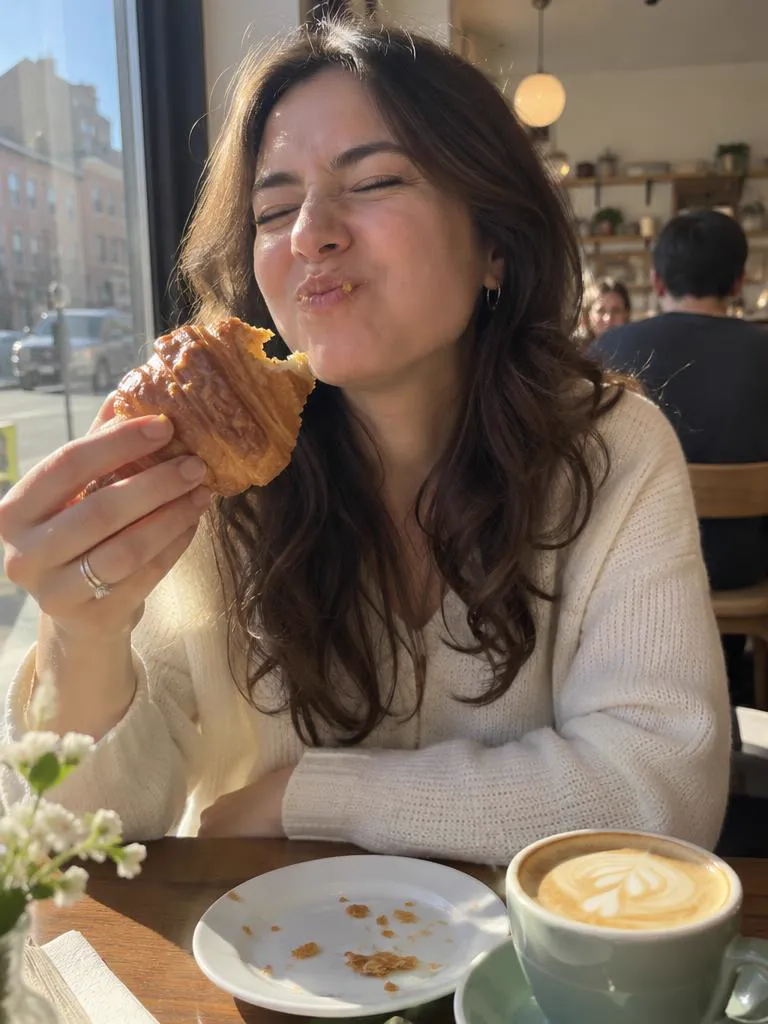
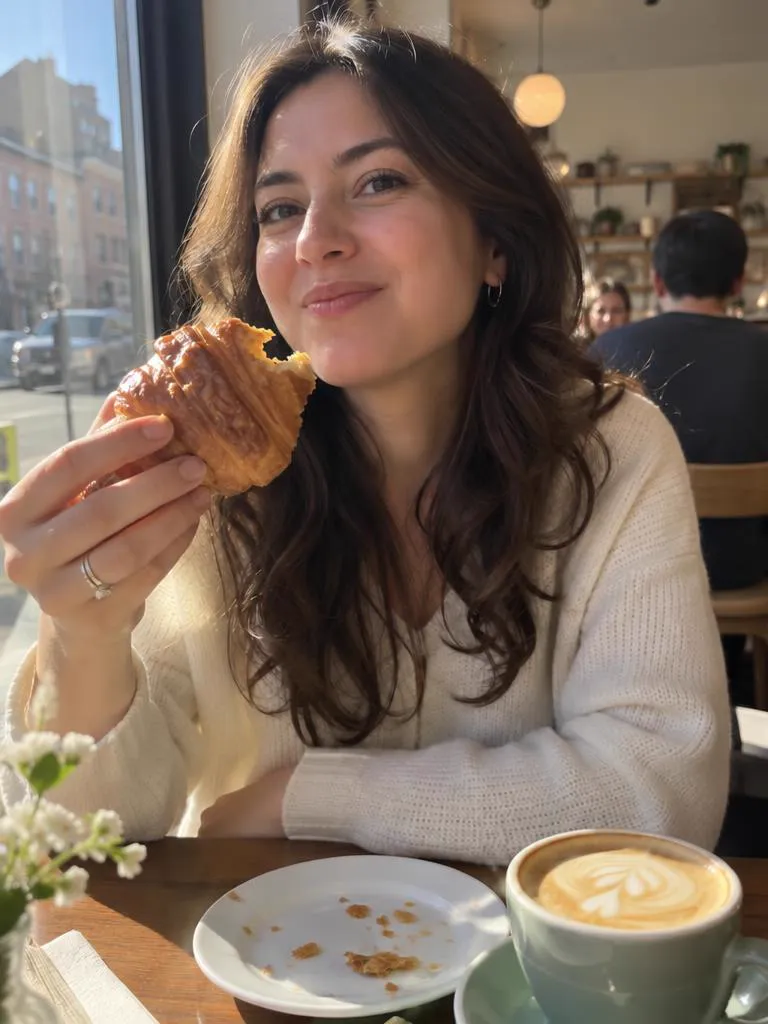
01 Your photo
02 What to fix

21 credits per retake for a standard phone photo. You check the prompt in Create before anything runs.

Take 1: a woman at a sunny café table caught mid-bite of a croissant, eyes squeezed shutTake 2: the same café photo after a retake, her eyes open and her mouth closed in a relaxed smile
TAKE 1
01 / 03
Mid-bite at a café
Original

Why candids catch the in-between face

A camera freezes one instant of a face that never stops moving. Talking, chewing and laughing all pass through expressions that last a split second and look nothing like the face people see when they talk to you. Feeling "not photogenic" is often bad timing, not your face.

A retake keeps the moment you chose, with its light, place and outfit, and redraws only the expression. You pick what it fixes, and you can read the exact prompt in Create before anything runs.

  1. Start from the photo with the best light and setting. The expression is the part a retake can change. The light and the place are the part worth keeping.
  2. Tick only what is wrong. "Close mouth" and "Natural smile" cover most mid-bite and mid-word faces. Fewer fixes keep more of your own expression.
  3. Keep it believable. The prompt asks for the same unedited phone photo, with no beauty filter, no skin smoothing and no slimming.
  4. Compare Take 1 and Take 2 at full size. If the smile looks forced, untick it in Create's prompt and generate again.

What a retake fixes

Hover or tap a photo to see Take 1. Each Take 2 is a real GPT Image 2.5 retake of Take 1. The people shown are AI-generated.
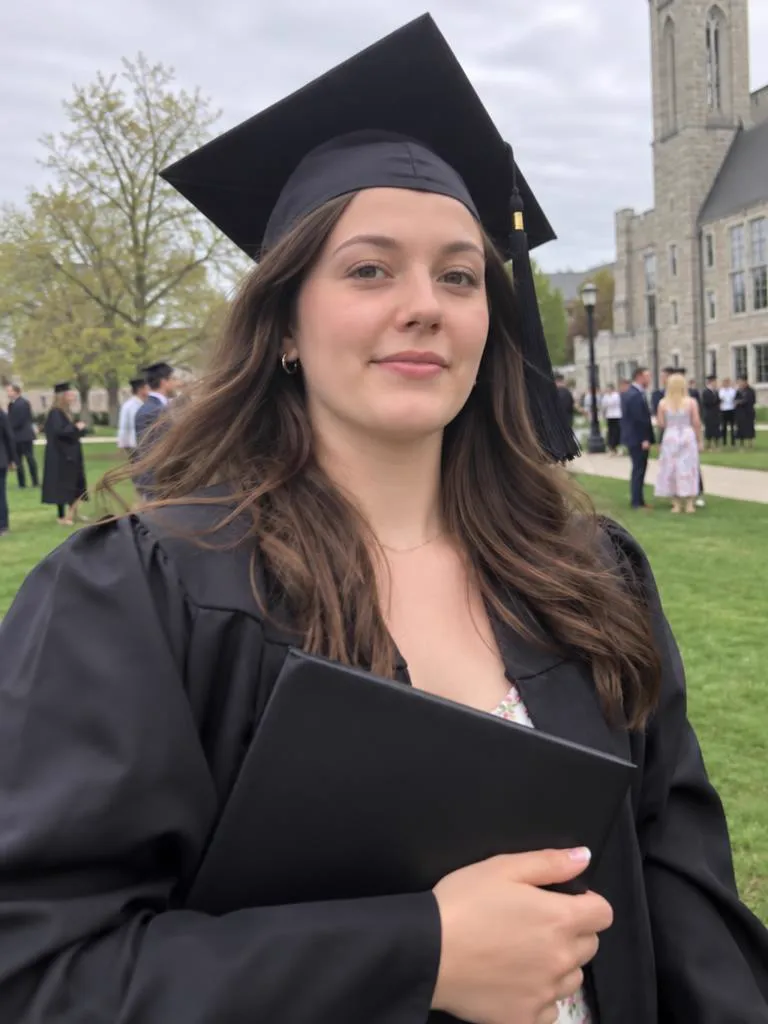
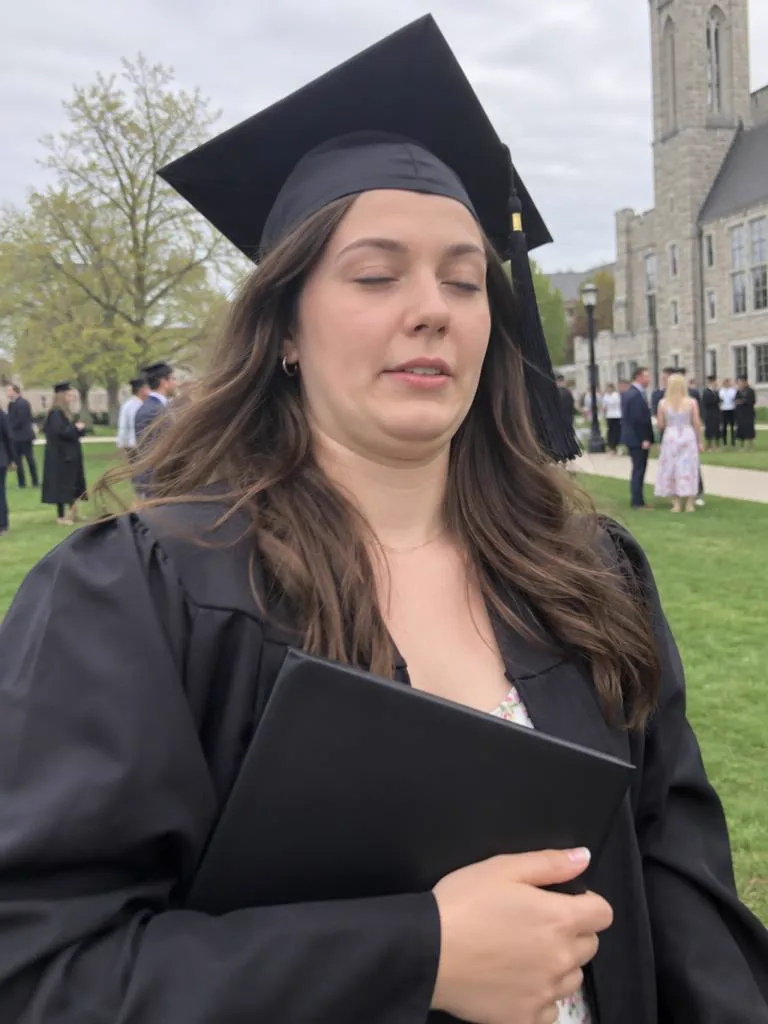
Take 2: the same graduation photo after a retake, her eyes open and a proud smileTake 1: a graduate in a black cap and gown holding her diploma, eyes closed mid-blink

Closed eyes

The blink in the one photo everyone wanted.

Read the guide
Take 2: the same café photo after a retake, her eyes open and her mouth closed in a relaxed smileTake 1: a woman at a sunny café table caught mid-bite of a croissant, eyes squeezed shut

Mid-bite faces

Keep the croissant, lose the chewing face.

Read the guide
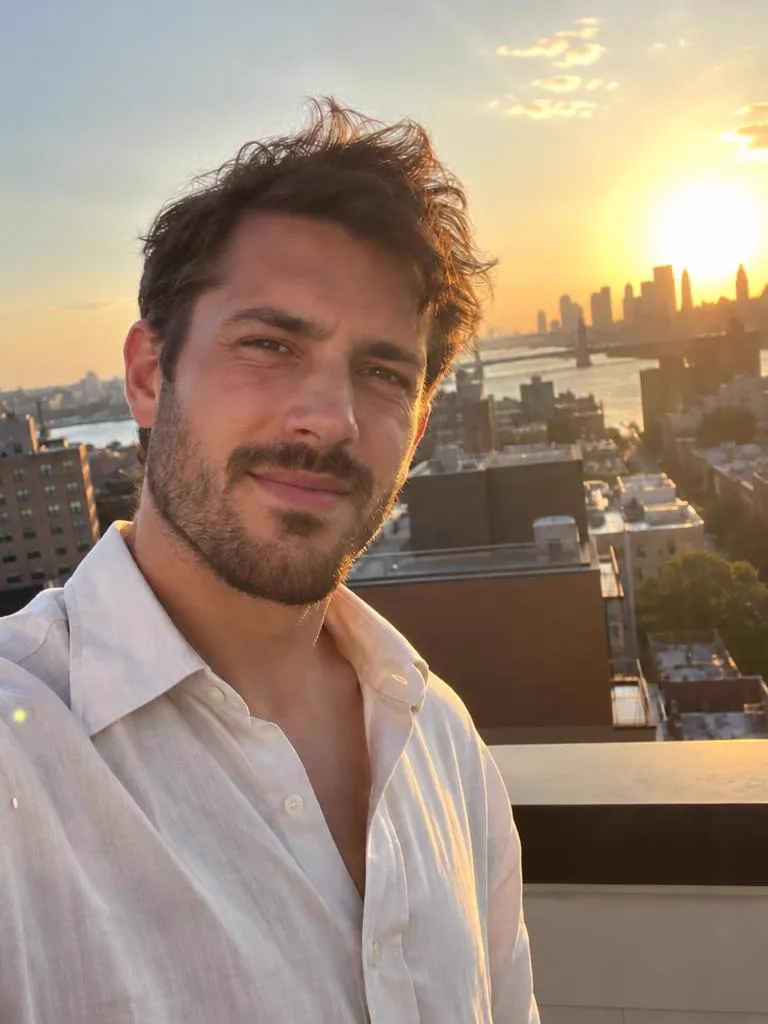
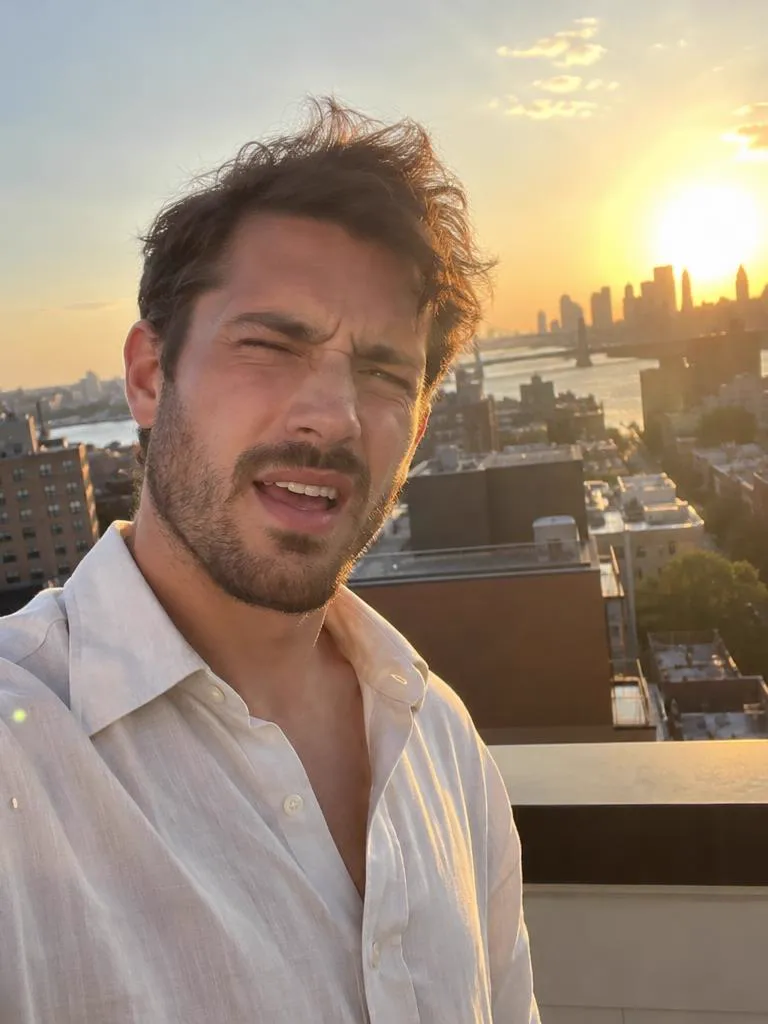
Take 2: the same rooftop sunset selfie after a retake, his eyes open and a relaxed smileTake 1: a man taking a rooftop selfie at sunset, squinting with one eye shut and his mouth open

Squinting in the sun

Golden hour without the golden-hour squint.

Read the guide
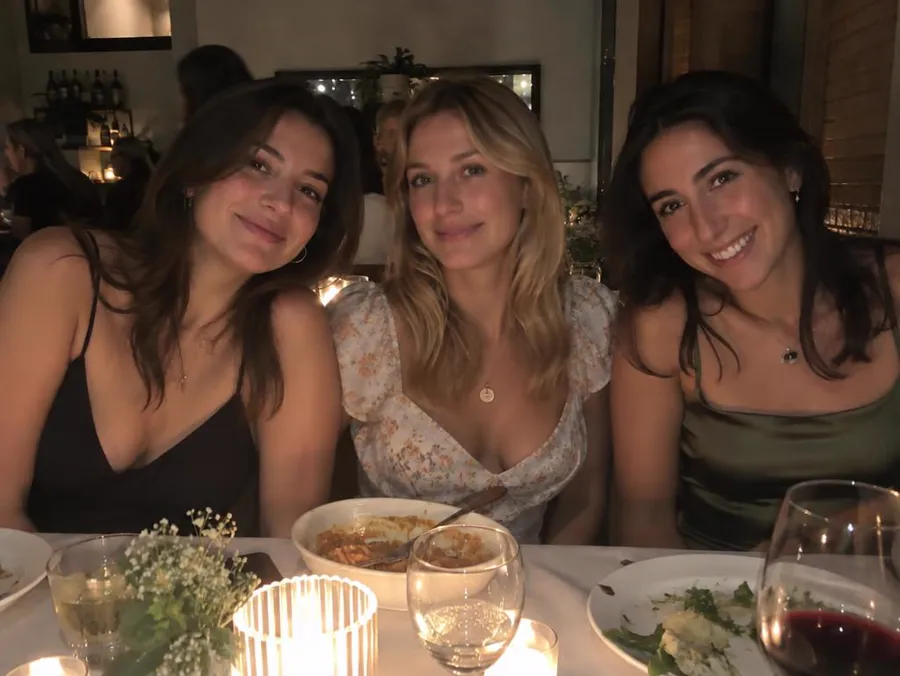
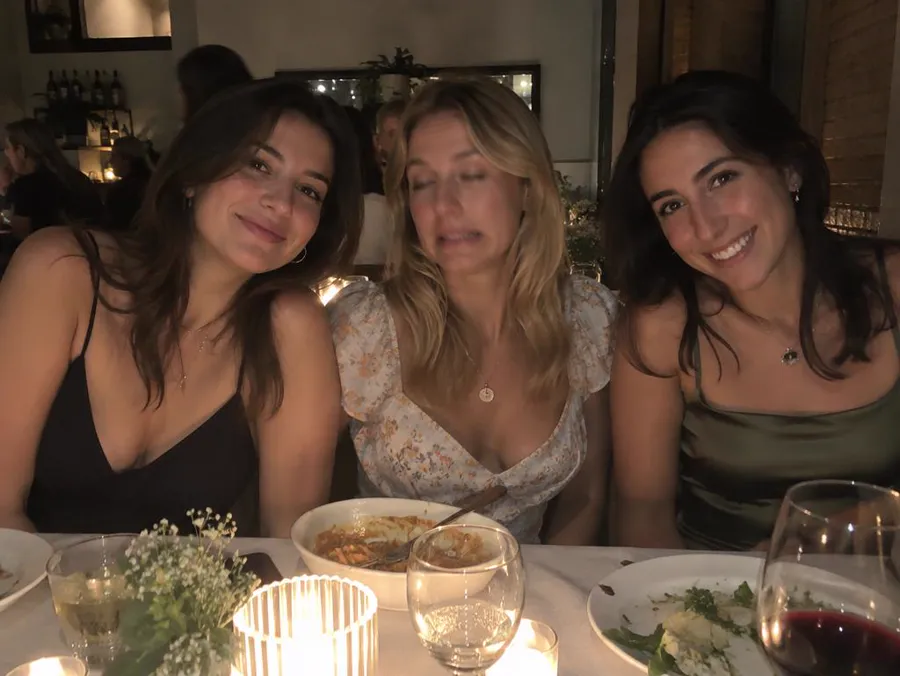
Take 2: the same dinner photo after a retake of only the woman in the middle, now smiling with her eyes openTake 1: three friends at a candlelit dinner table, the woman in the middle with half-closed eyes and a grimace

One face in a group

Fix the one person who blinked. Nobody else is meant to change.

Read the guide

Only the face you pick changes

Name who to fix and the prompt asks for everyone else to stay as they were. Move the lens over the photo to see Take 1 underneath.

  • FIXEDThe woman in the middle
  • KEPTHer two friends, the table, the candles and the framing
  • PROMPT“Change only the facial expression of the woman in the middle”

Three steps. You press Generate.

The prompt is written for you, and you can read it and change it in Create before anything runs.

01

Upload the photo

Any photo you'd keep if it weren't for the face. It waits on your device until you continue.

02

Pick what to fix

Tap what's wrong. For a group photo, say who. That becomes your prompt.

03

Generate in Create

Create opens with your photo attached, GPT Image 2.5 selected and the prompt filled in.

Photo retake guides

Every guide opens the same tool with the right fixes already picked.

Questions

Can AI make me look more photogenic?

It fixes timing: open eyes, a relaxed smile, a closed mouth. The prompt tells it not to change your face shape or body and not to add a beauty filter or slimming.

Will the retake look fake?

The prompt asks for the same unedited smartphone photo with no skin smoothing and no makeup change. Check it at full size, and if it looks posed, tick fewer fixes and generate again.

Can it fix a face caught mid-bite or mid-word?

Yes. Tick "Close mouth", and "Natural smile" if you want one. The prompt keeps the food, the drink and your hands in the photo.

How much does a retake cost?

One retake of a standard 4:3 phone photo costs 21 credits. Other photo shapes cost 19 to 26 credits. This page shows the price for your photo before you continue, and Create shows it again before you press Generate.

Your best take is one upload away.

Keep the moment. Fix the face.