Oakgen.ai

Photo retake guide

Fix closed eyes in a photo.

Someone blinked in the one shot that mattered? Upload it and the retake opens the eyes and keeps everything else. No reshoot, no second photo.

01 Your photo
02 What to fix

21 credits per retake for a standard phone photo. You check the prompt in Create before anything runs.

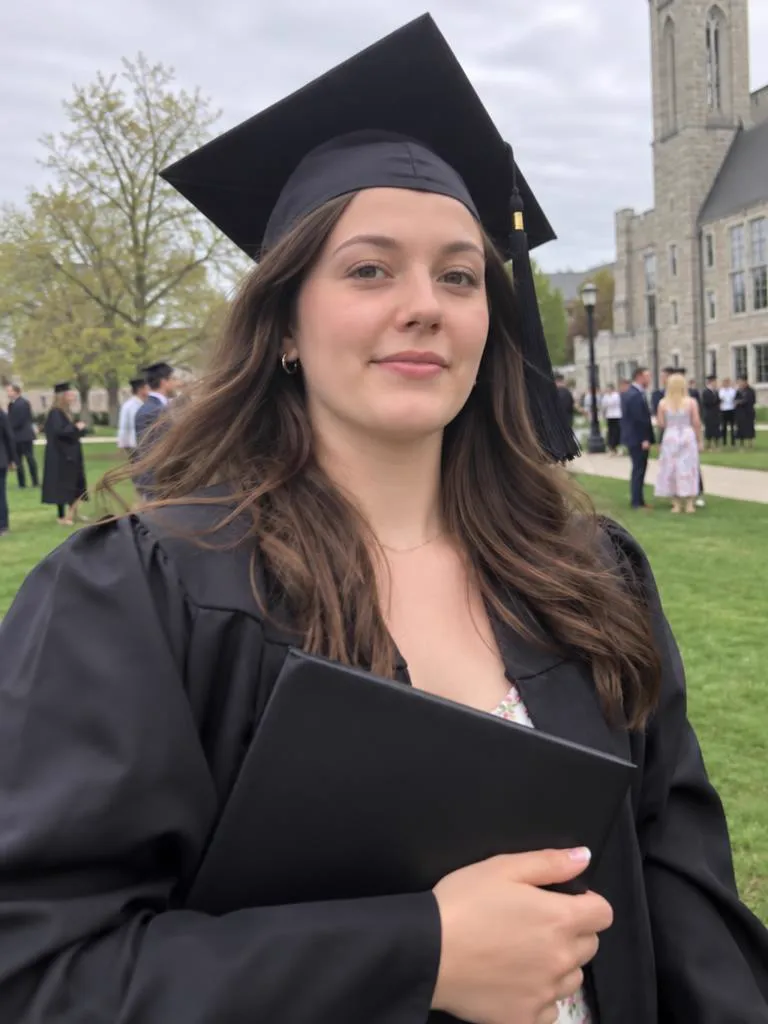
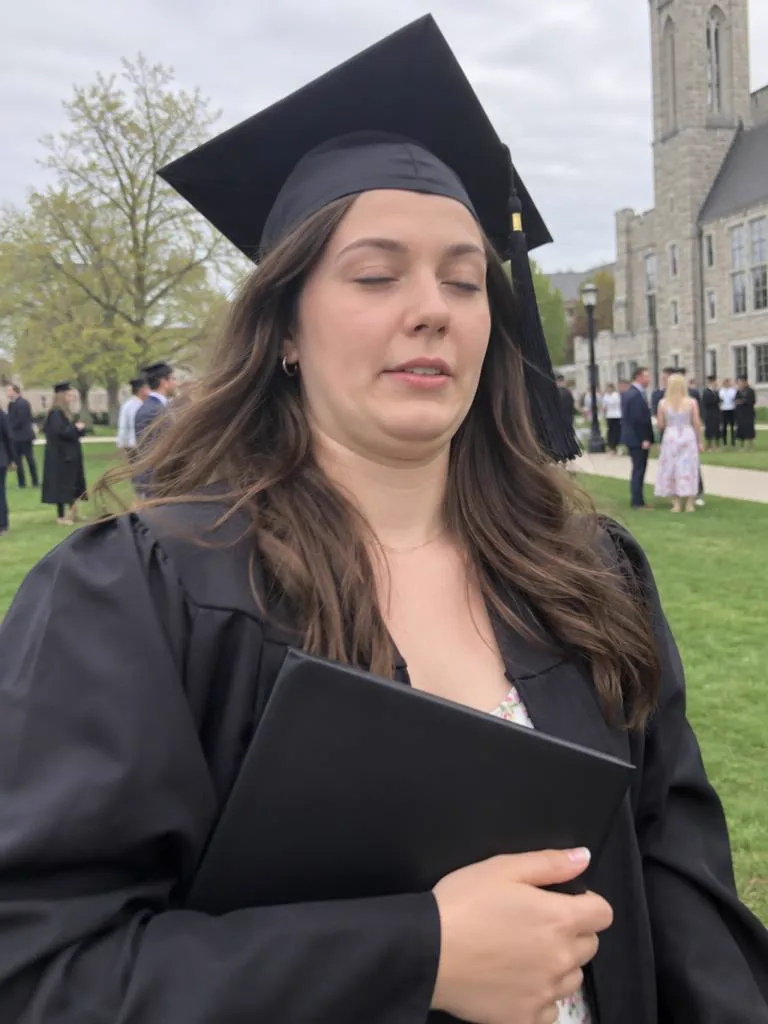
Take 1: a graduate in a black cap and gown holding her diploma, eyes closed mid-blinkTake 2: the same graduation photo after a retake, her eyes open and a proud smile
TAKE 1
03 / 03
Blinked at graduation
Original

Why eyes close in photos, and how a retake fixes it

A blink takes a fraction of a second, and most people blink many times a minute. Every extra face in the frame is another chance that someone's eyes are shut, which is why the best moment of the day is so often the one with a blink in it.

A retake keeps the photo you took and redraws only the eyes and the expression, using the rest of the face so it still looks like you. You don't need a second photo, and you don't need to reshoot.

  1. Pick the photo you actually want to keep. Composition and light matter more than the face. The face is the part the retake fixes.
  2. Leave "Open eyes" and "Look at camera" on. Add "Natural smile" only if the mouth looks off too.
  3. In a group photo, name the person. "The man on the left in the blue shirt" tells the retake to leave everyone else alone.
  4. Check the result at full size before you post. If something drifts, edit one line of the prompt in Create and generate again.

What a retake fixes

Hover or tap a photo to see Take 1. Each Take 2 is a real GPT Image 2.5 retake of Take 1. The people shown are AI-generated.
Take 2: the same graduation photo after a retake, her eyes open and a proud smileTake 1: a graduate in a black cap and gown holding her diploma, eyes closed mid-blink

Closed eyes

The blink in the one photo everyone wanted.

Read the guide
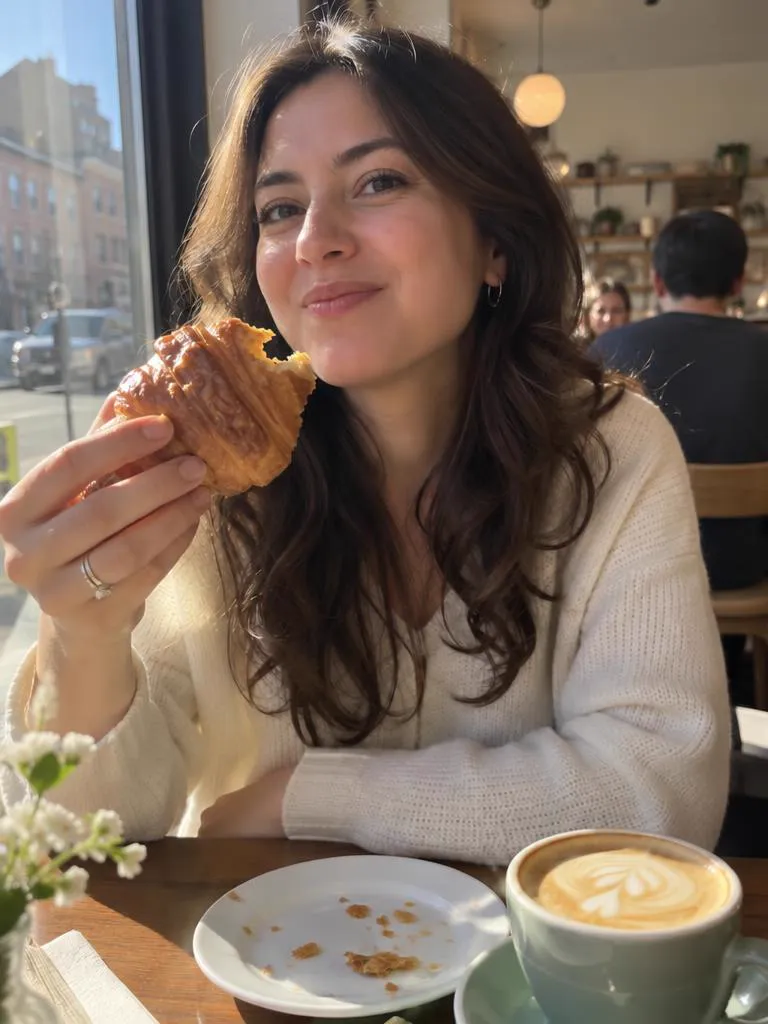
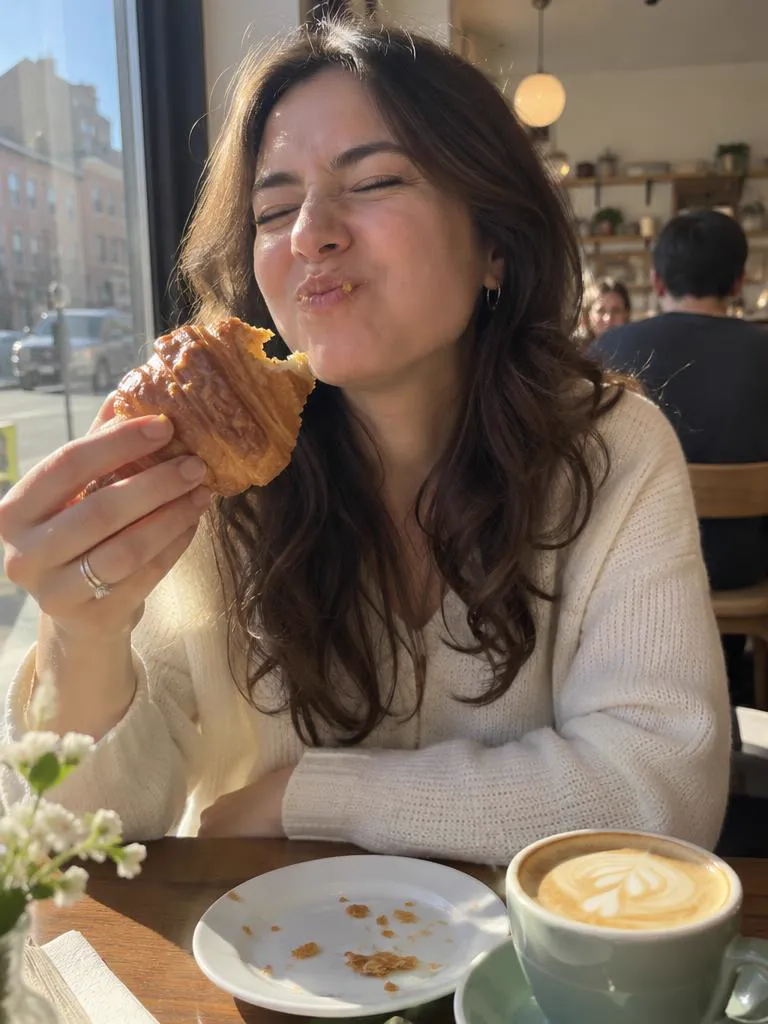
Take 2: the same café photo after a retake, her eyes open and her mouth closed in a relaxed smileTake 1: a woman at a sunny café table caught mid-bite of a croissant, eyes squeezed shut

Mid-bite faces

Keep the croissant, lose the chewing face.

Read the guide
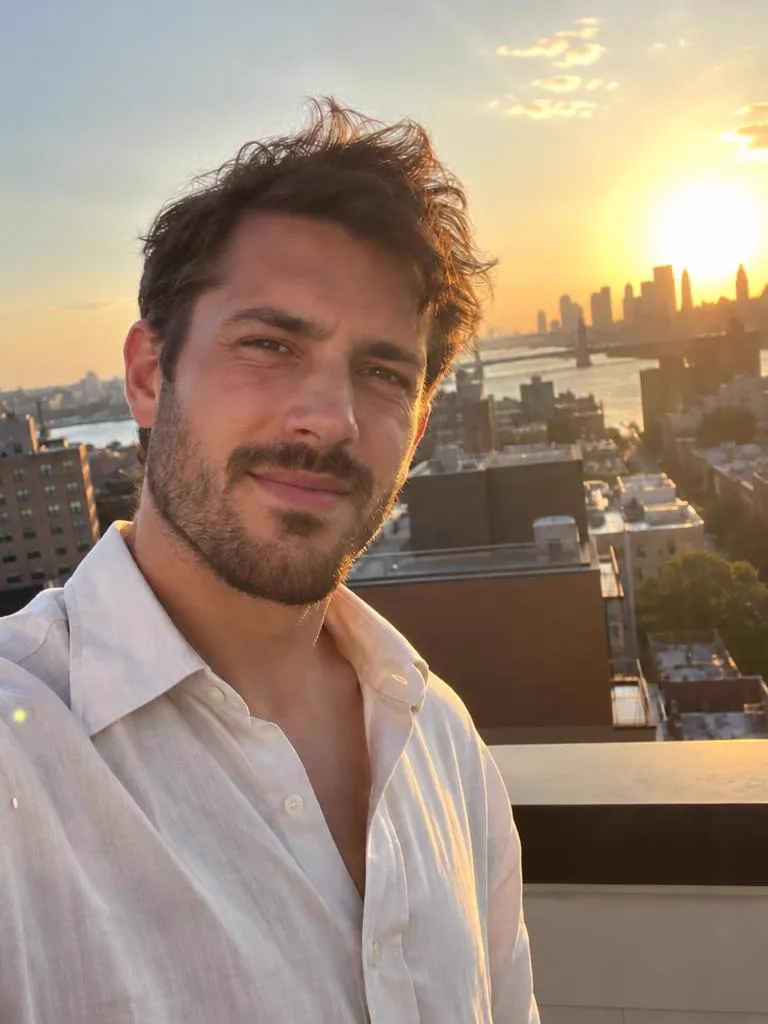
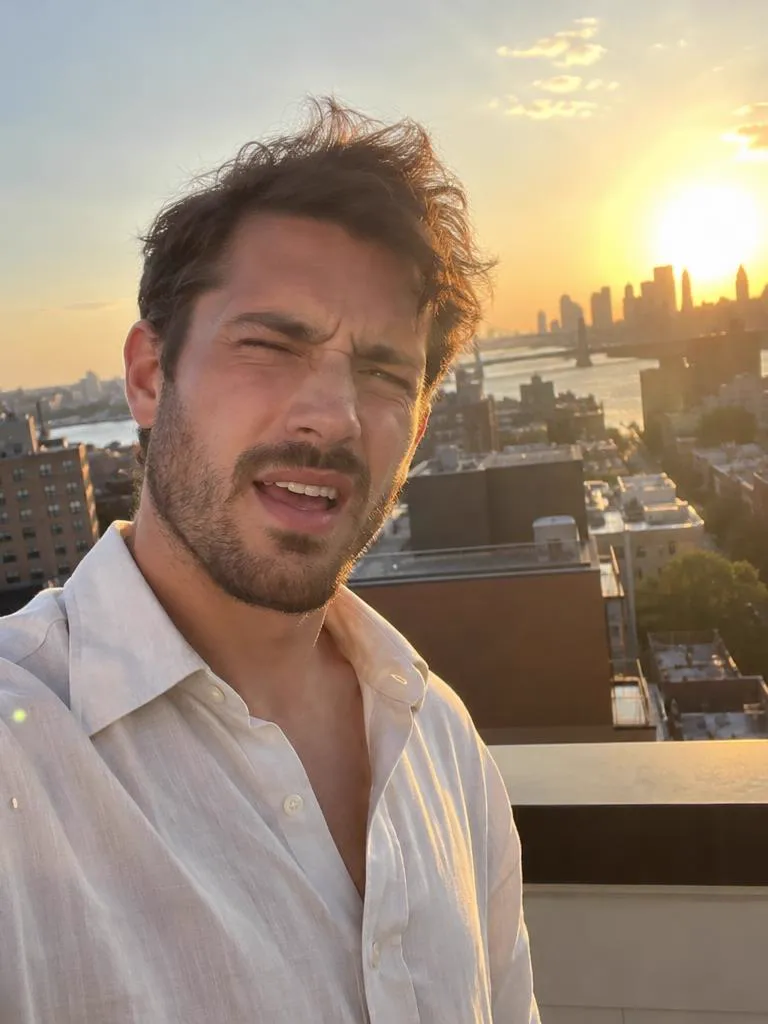
Take 2: the same rooftop sunset selfie after a retake, his eyes open and a relaxed smileTake 1: a man taking a rooftop selfie at sunset, squinting with one eye shut and his mouth open

Squinting in the sun

Golden hour without the golden-hour squint.

Read the guide
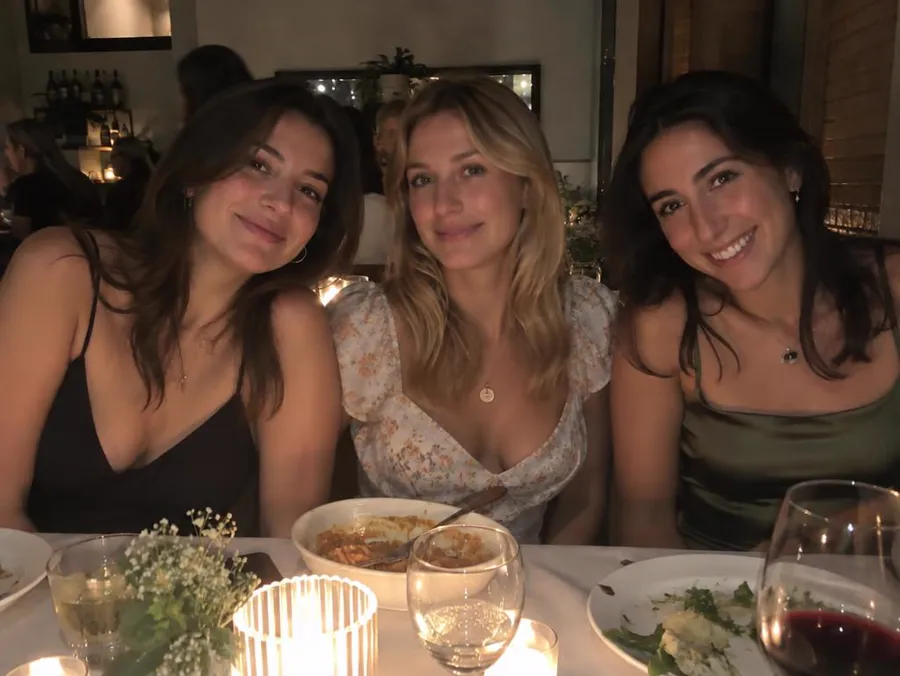
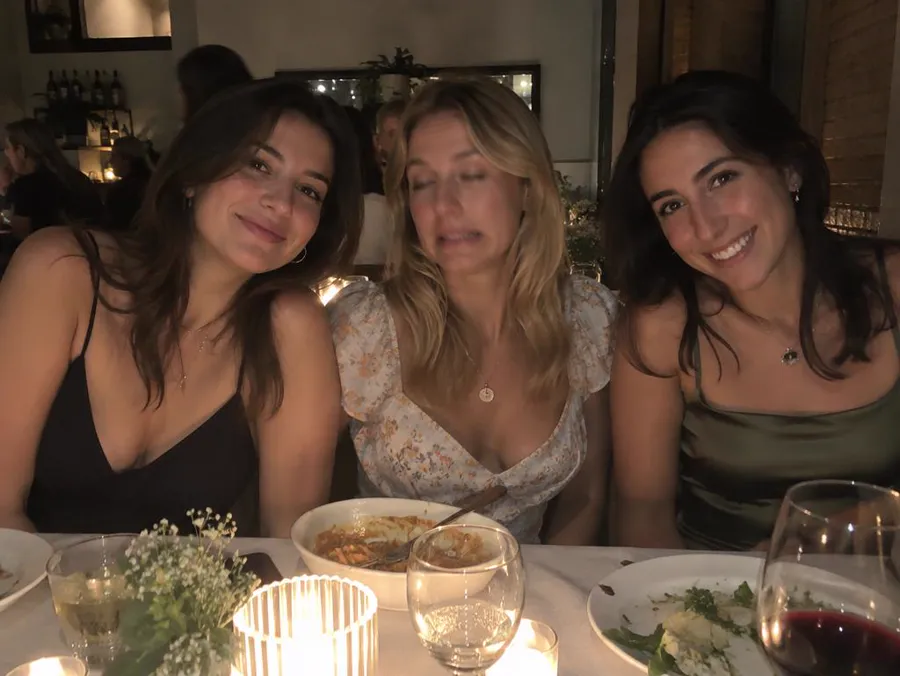
Take 2: the same dinner photo after a retake of only the woman in the middle, now smiling with her eyes openTake 1: three friends at a candlelit dinner table, the woman in the middle with half-closed eyes and a grimace

One face in a group

Fix the one person who blinked. Nobody else is meant to change.

Read the guide

Only the face you pick changes

Name who to fix and the prompt asks for everyone else to stay as they were. Move the lens over the photo to see Take 1 underneath.

  • FIXEDThe woman in the middle
  • KEPTHer two friends, the table, the candles and the framing
  • PROMPT“Change only the facial expression of the woman in the middle”

Three steps. You press Generate.

The prompt is written for you, and you can read it and change it in Create before anything runs.

01

Upload the photo

Any photo you'd keep if it weren't for the face. It waits on your device until you continue.

02

Pick what to fix

Tap what's wrong. For a group photo, say who. That becomes your prompt.

03

Generate in Create

Create opens with your photo attached, GPT Image 2.5 selected and the prompt filled in.

Photo retake guides

Every guide opens the same tool with the right fixes already picked.

Questions

Can AI open closed eyes in a photo?

Yes. A retake redraws the eyes and expression using the rest of your face, so the eyes are drawn to match you. It works best when the face is not tiny in the frame.

Do I need a photo with my eyes open?

No. One photo is enough. The model uses the visible face to draw open eyes.

Can I fix closed eyes for one person in a group photo?

Yes. Type who to fix, and the prompt tells the model to leave everyone else as they were.

How much does a retake cost?

One retake of a standard 4:3 phone photo costs 21 credits. Other photo shapes cost 19 to 26 credits. This page shows the price for your photo before you continue, and Create shows it again before you press Generate.

Your best take is one upload away.

Keep the moment. Fix the face.