Oakgen.ai

Photo retake guide

Fix one face in a group photo.

One person blinked and everyone else looks great. Name who to fix and the retake changes only that face. Nobody else needs to pose again.

01 Your photo
02 What to fix

21 credits per retake for a standard phone photo. You check the prompt in Create before anything runs.

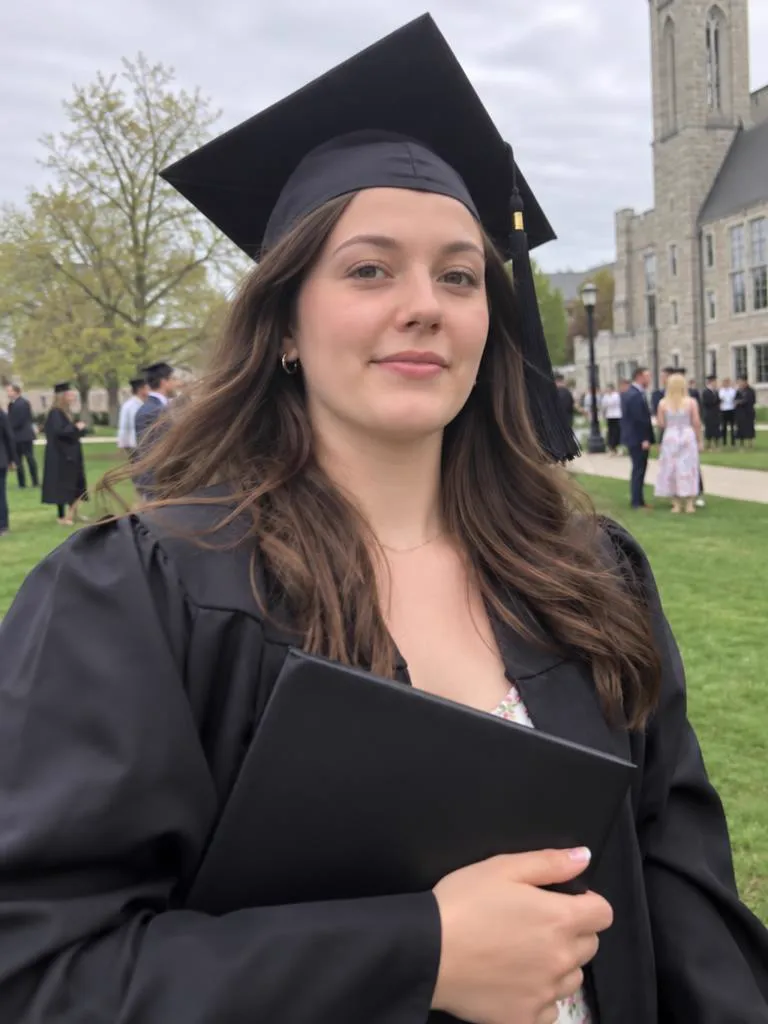
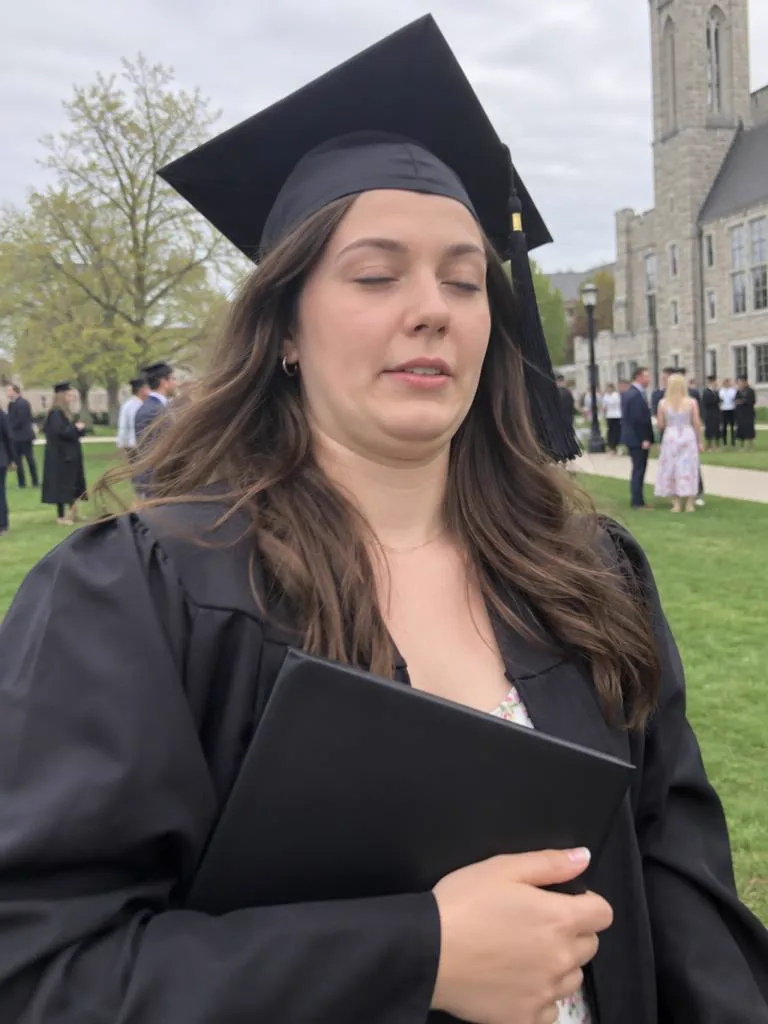
Take 1: a graduate in a black cap and gown holding her diploma, eyes closed mid-blinkTake 2: the same graduation photo after a retake, her eyes open and a proud smile
TAKE 1
03 / 03
Blinked at graduation
Original

Why group photos rarely have everyone's eyes open

Every extra face is another chance that someone blinks, looks away or is mid-word when the photo is taken. In a big group, a frame where everyone looks good can be rare.

Instead of swapping a face in from a second photo, a retake works on the one photo you have. You name the person, and the prompt asks the model to change only that person's expression and to keep everyone else, the table and the framing as they are.

  1. Describe the person by position and clothing. "The woman in the middle in the floral dress" works. A name does not, because the model cannot know who anyone is.
  2. Tick only what that person needs. Usually "Open eyes" and "Look at camera".
  3. Fix one person per retake. For a second person, open the finished retake in Create and retake it again with their description.
  4. Check the people around them. Compare Take 1 and Take 2 for the neighbours and the overall brightness. If anything shifted, generate again.

What a retake fixes

Hover or tap a photo to see Take 1. Each Take 2 is a real GPT Image 2.5 retake of Take 1. The people shown are AI-generated.
Take 2: the same graduation photo after a retake, her eyes open and a proud smileTake 1: a graduate in a black cap and gown holding her diploma, eyes closed mid-blink

Closed eyes

The blink in the one photo everyone wanted.

Read the guide
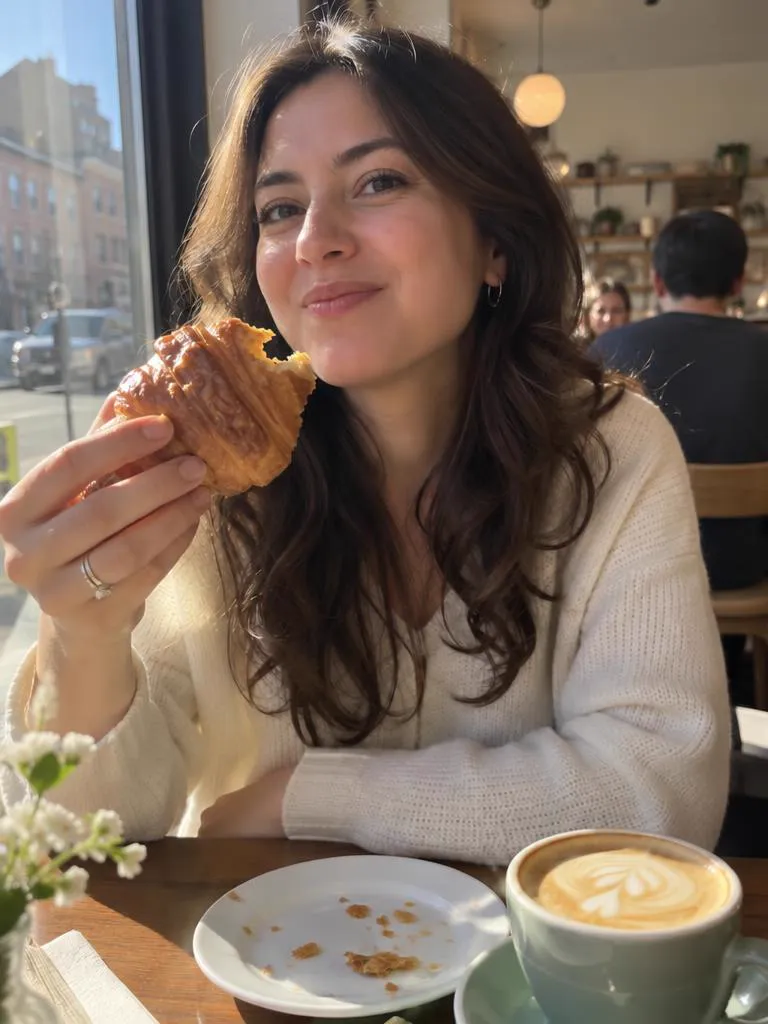
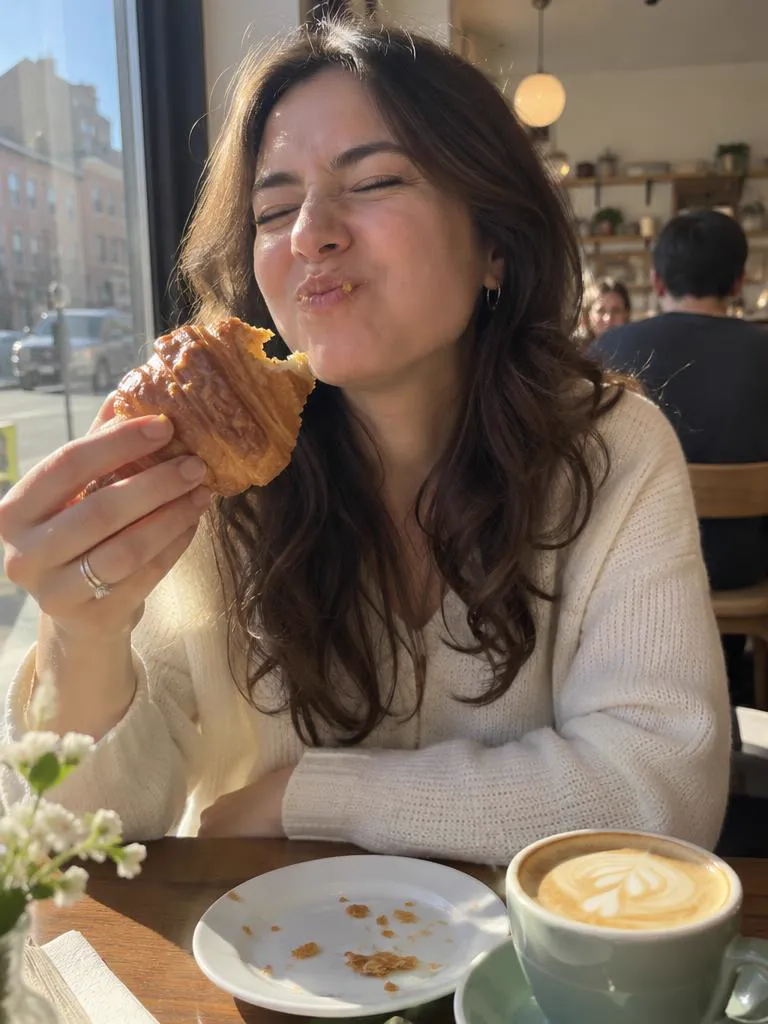
Take 2: the same café photo after a retake, her eyes open and her mouth closed in a relaxed smileTake 1: a woman at a sunny café table caught mid-bite of a croissant, eyes squeezed shut

Mid-bite faces

Keep the croissant, lose the chewing face.

Read the guide
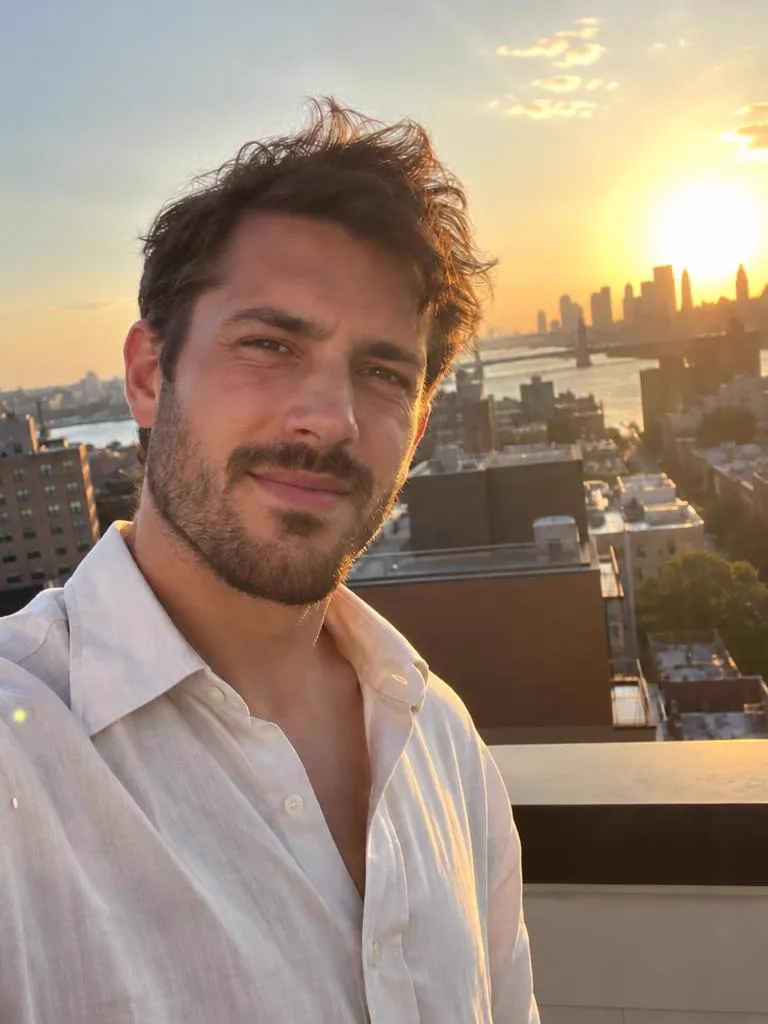
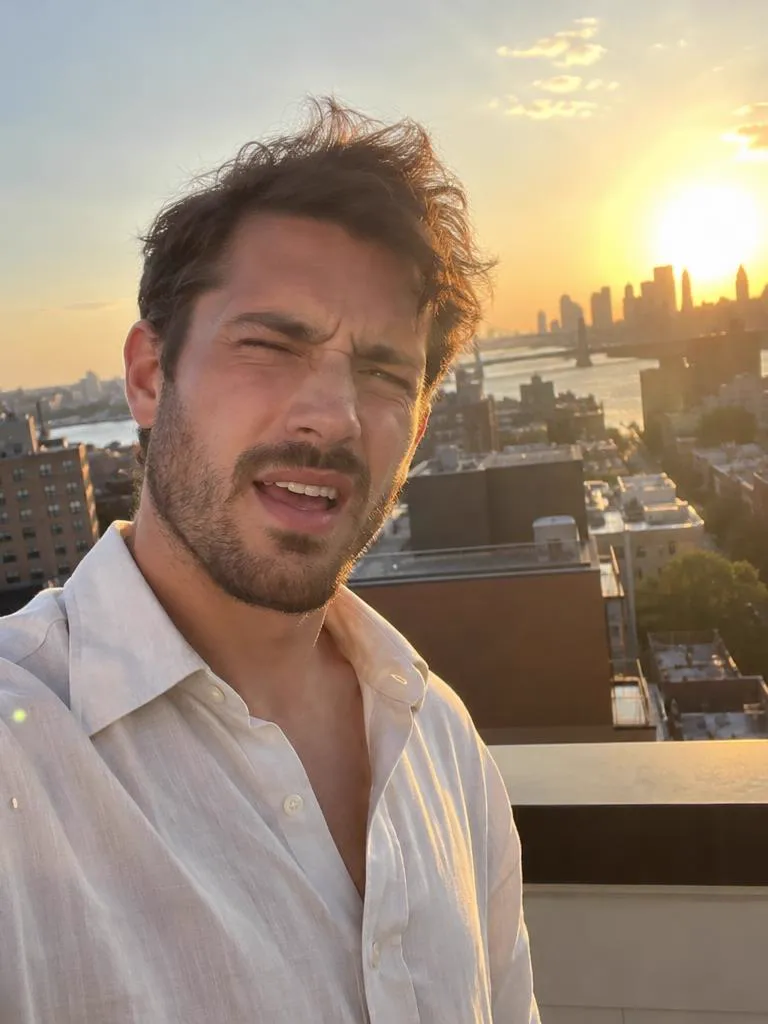
Take 2: the same rooftop sunset selfie after a retake, his eyes open and a relaxed smileTake 1: a man taking a rooftop selfie at sunset, squinting with one eye shut and his mouth open

Squinting in the sun

Golden hour without the golden-hour squint.

Read the guide
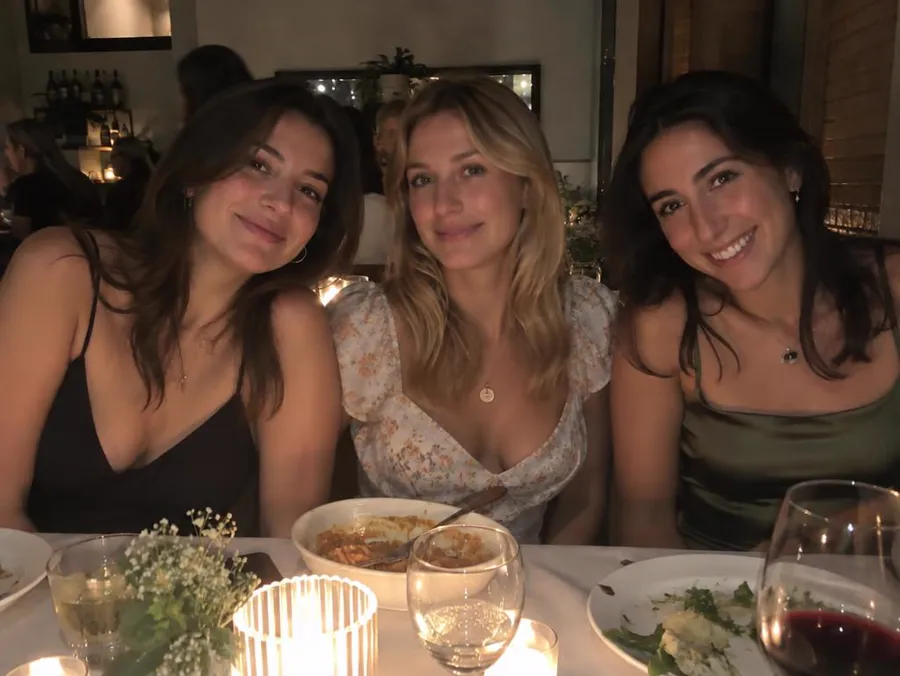
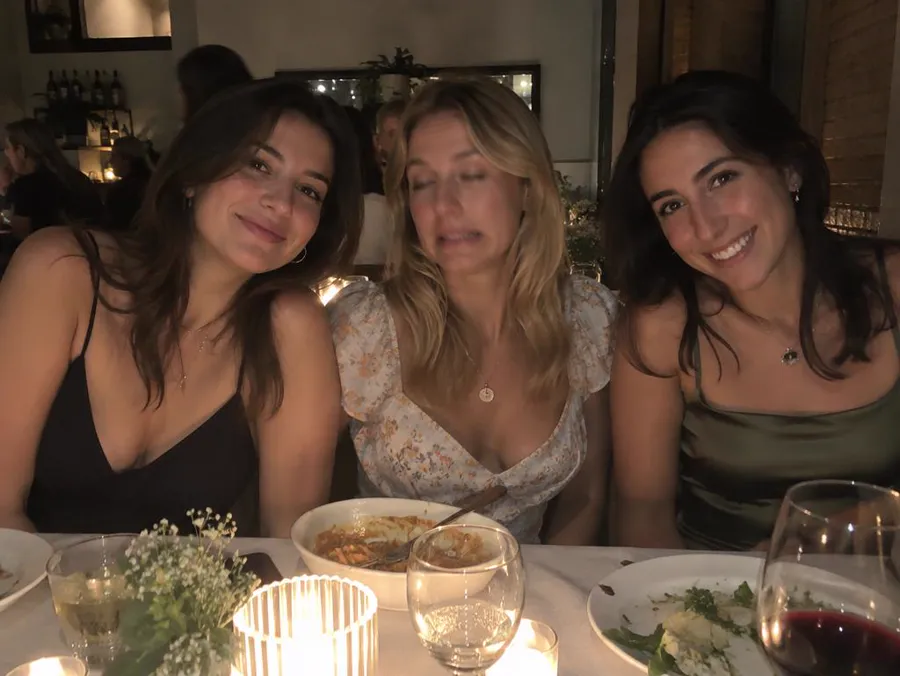
Take 2: the same dinner photo after a retake of only the woman in the middle, now smiling with her eyes openTake 1: three friends at a candlelit dinner table, the woman in the middle with half-closed eyes and a grimace

One face in a group

Fix the one person who blinked. Nobody else is meant to change.

Read the guide

Only the face you pick changes

Name who to fix and the prompt asks for everyone else to stay as they were. Move the lens over the photo to see Take 1 underneath.

  • FIXEDThe woman in the middle
  • KEPTHer two friends, the table, the candles and the framing
  • PROMPT“Change only the facial expression of the woman in the middle”

Three steps. You press Generate.

The prompt is written for you, and you can read it and change it in Create before anything runs.

01

Upload the photo

Any photo you'd keep if it weren't for the face. It waits on your device until you continue.

02

Pick what to fix

Tap what's wrong. For a group photo, say who. That becomes your prompt.

03

Generate in Create

Create opens with your photo attached, GPT Image 2.5 selected and the prompt filled in.

Photo retake guides

Every guide opens the same tool with the right fixes already picked.

Questions

Can AI fix just one person in a group photo?

Yes. Type who to fix, for example "the man on the left in the blue shirt". The prompt tells the model to change only that person and not to change anyone else.

How do I say which person to fix?

Use position and clothing: left, right, middle, back row, plus a shirt colour or hair. The model cannot know people's names.

Can I fix two people in the same photo?

Fix one at a time. Retake the first person, then open that result in Create and retake the second person.

How much does a retake cost?

One retake of a standard 4:3 phone photo costs 21 credits. Other photo shapes cost 19 to 26 credits. This page shows the price for your photo before you continue, and Create shows it again before you press Generate.

Your best take is one upload away.

Keep the moment. Fix the face.