You look fine in the mirror and fine on a video call. Then someone shows you a candid from dinner and your eyes are half shut, your mouth is mid-word and your face looks wider than you remember. It is tempting to decide you are "not photogenic". Mostly, you are not the problem. A still photo is a strange way to look at a face, and candid photos hit its worst cases on purpose. This guide explains what goes wrong, how to shoot around it, and what to do when the only good photo of the night has your eyes closed.
Retake the photo you already have
Upload one candid photo, tick what to fix, and check the written prompt before you press Generate.
A photo freezes a face that is always moving
When you watch someone talk, you see a face in motion. A photo picks one instant out of that motion and holds it still. Researchers have a name for what happens next. In a 2012 study, Post and colleagues found that a paused frame of someone speaking usually looks less flattering than the video it came from. They called it the frozen face effect. In their tests, people rated the videos as more attractive than the still images.
So a bad candid is often an in-between moment that nobody would notice in real life. A half blink, a vowel shape or a chew lasts a fraction of a second when you see it live. In a photo it lasts forever.
There is a second reason the same person can look great in one photo and odd in the next. Jenkins and colleagues showed people many photos of the same faces. They found that the differences between photos of one person were often larger than the differences between people. In one experiment, how attractive a face looked varied more from photo to photo of the same person than between different people. Being "photogenic" is partly luck about which frame got saved.
And your own photos may look off to you for a simple reason. You know your face mostly from the mirror. In a 1977 study by Mita, Dermer and Knight, summarised in Frontiers in Psychology, people preferred mirror-image photos of their own faces, while their friends preferred the normal ones. The photo shows the face your friends see. It is the flipped version that feels familiar to you.
The five faces candids catch
Closed eyes
You blink a lot more than you notice. A blink usually lasts between 100 and 400 milliseconds, according to a 2013 review in Clinical Ophthalmology. A 2021 study in PLoS One describes a rate of about 17 blinks a minute at rest, rising to about 26 a minute in conversation. Candids are mostly taken while people talk and laugh, so they land in the busiest blinking time. Each blink is short, but there are a lot of them, and the camera does not know to wait.
Our guide to fixing closed eyes in a photo covers this case on its own.
Squinting
Bright light makes people squint. A 2011 paper in Investigative Ophthalmology and Visual Science opens by noting that humans usually deal with glare by squinting and blinking more often. The classic squint photo is a sunset or a beach shot with the sun in front of the person. They are looking straight into the light you wanted in the picture. See how to fix squinting in a photo for that one.
Mid-word and mid-bite
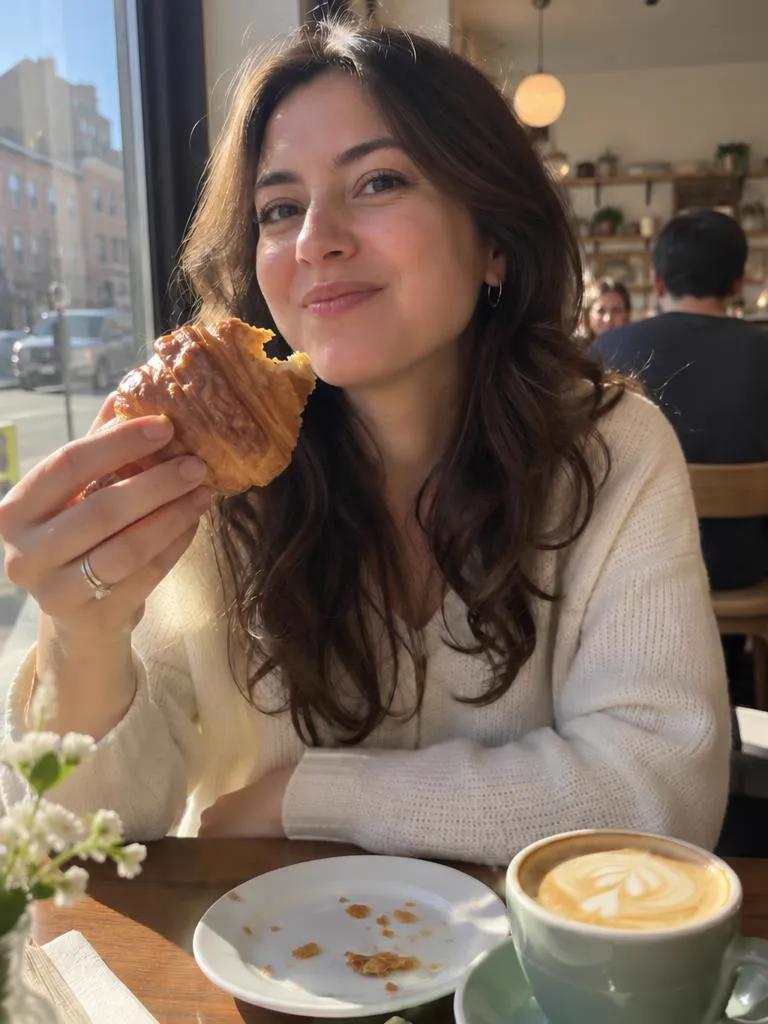
These are the frozen face effect at its worst. Speech and chewing move the mouth through shapes that never settle, and a photo can catch any of them. A dinner or café candid is almost always taken while someone is eating, talking or both.
The close-up selfie face
A phone held at arm's length is close to your face, and closeness changes proportions. Rutgers researchers reported in 2018 that a selfie taken about 12 inches from the face makes the base of the nose look about 30 percent wider than a photo taken at 5 feet. That is a lens and distance effect, not your face. Someone taking a candid of you from across the table is usually farther away, which helps. A quick selfie at arm's length does not.
One person blinking in the group
Every face in a group is another chance of a blink. CSIRO researchers Nic Svenson and Piers Barnes worked out a rule of thumb for how many shots to take, reported by Reviewed.com. For groups under 20, divide the number of people by three in good light, or by two in low light. So a group of 12 at an evening dinner needs about six shots for a decent chance that nobody blinks. Barnes himself called the formula "a gross simplification", so treat the number as a floor. Fixing one face without touching the others is covered in how to fix a face in a group photo.
How to get a better candid while you shoot
None of this needs a better camera. It needs more frames and better light.
- Take more than one. A burst gives you a choice of frames. On iPhone 11 and later, Apple says you slide the shutter button to the left and hold it to take a burst. For groups, use the rule of thumb above as your minimum.
- Leave Live Photos on. Apple says a Live Photo records what happens 1.5 seconds before and after you take the picture. Later you can open the photo, tap Edit, tap the Live Photo button and pick a different frame as the key photo. That is often enough to skip a blink.
- Let the phone pick. Some phones keep frames from around the tap. Google's Top Shot on Pixel captures up to 90 images from 1.5 seconds before and after the shutter press and suggests alternatives, scoring things like whether the subject's eyes are open. Android also gives camera apps a zero-shutter-lag mode that saves the buffered frame closest to the moment you pressed the button.
- Turn the person away from the sun. Put the light behind or beside them instead of in their eyes. PictureCorrect suggests shooting with the light at the subject's back, or closer to sundown when the light is lower and softer.
- Use the count of three. For posed shots in bright light, the same PictureCorrect article suggests having the person close their eyes, then open them and smile on three. Shoot right as the eyes open, before the squint comes back.
- Step back for selfies. Hold the phone farther away, or prop it up and use the timer. Distance is what changes the proportions.
- Wait for the pause. At a meal, shoot between bites and between sentences, not during them.
How to fix the shot afterwards
Sometimes the shot is gone. The light was perfect, everyone is in frame, and your eyes are shut. You have a few options.
If you have a burst, a Live Photo or a few near-identical shots, pick a better frame first. It is the most faithful fix because nothing is generated. Some apps can also combine faces from a sequence of similar shots. We compare those tools, and the apps that need a set of selfies first, in how to fix a blink in a photo.
If you only have one photo, an AI image editor can retake the face. That is what Oakgen Photo Retake is for:
- Upload the photo.
- Tick what to fix: open eyes, a natural smile, looking at the camera, no squint or a closed mouth. In a group photo, say which person to change.
- Oakgen opens its Create workspace with GPT Image 2.5 Sunburst Edit selected, your photo attached and the prompt already written. You can read and change every line of it.
- Press Generate. Nothing runs before that.
The written prompt asks the model to keep everything else the same: the person, face shape, hair, clothes, pose, background, framing and light. It also asks for no beauty filter, no skin smoothing and no slimming.
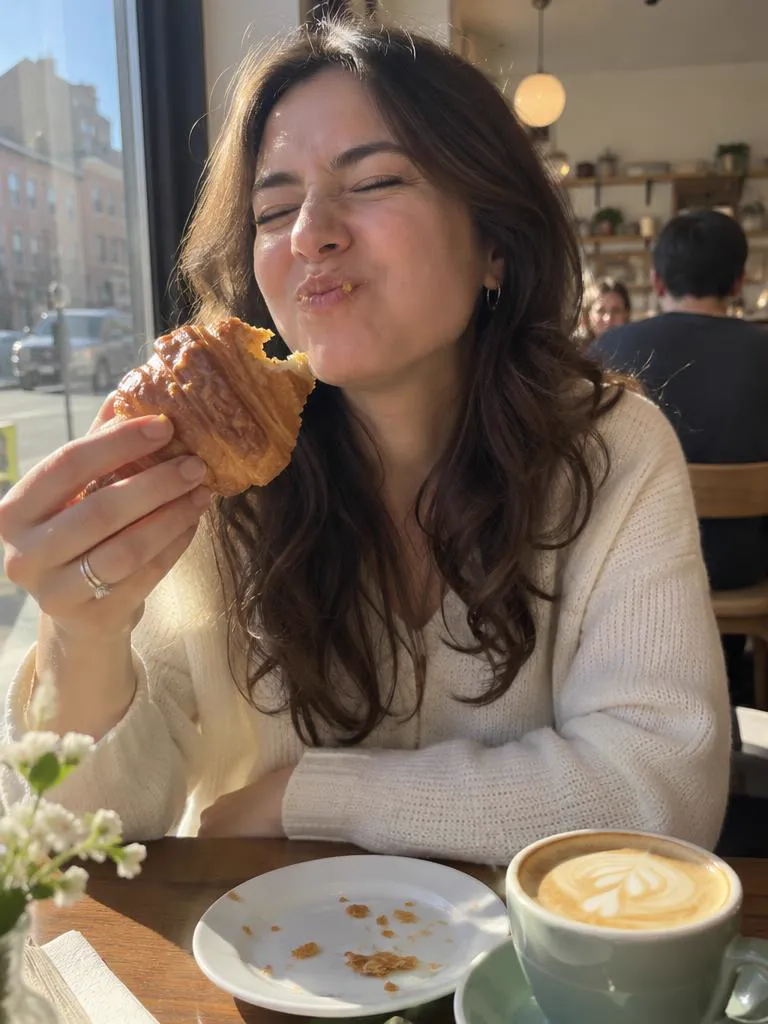
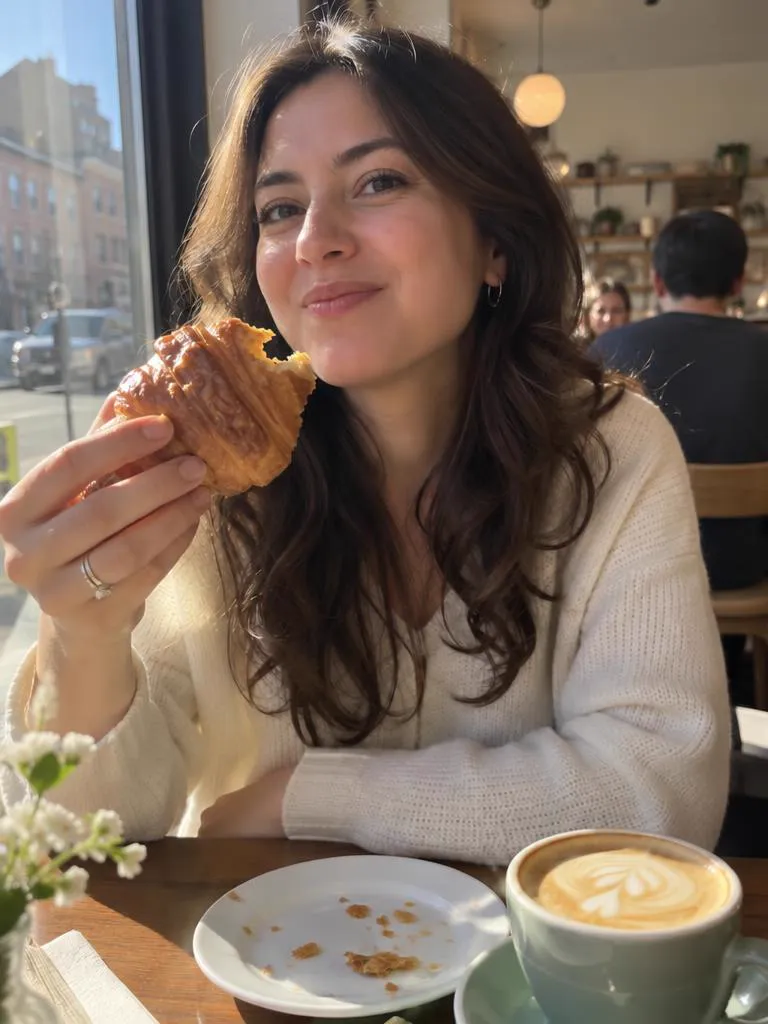
Before and after. The "before" is an AI-generated sample candid, not a real person's photo. The "after" is GPT Image 2.5 Sunburst Edit at high quality with the prompt Photo Retake writes.
What we saw when we tested it
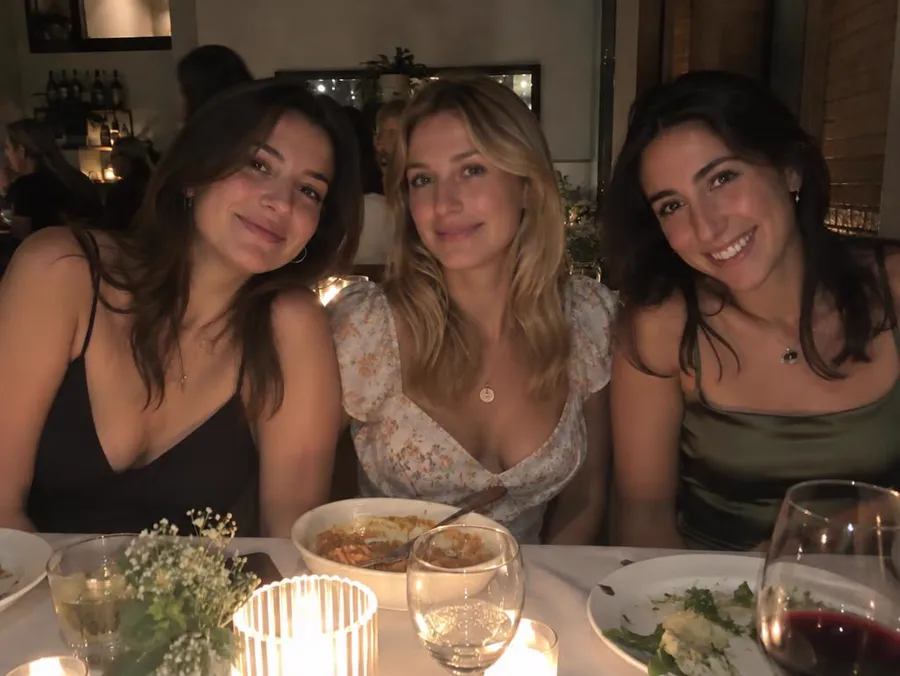
On 28 October 2026 we ran four sample candids through GPT Image 2.5 Sunburst Edit at high quality. Each retake cost 21 credits. The samples were a woman mid-bite at a café, a man squinting into a rooftop sunset, a woman blinking at her graduation and three friends at dinner with the middle one blinking.
The people stayed recognisable in all four. In the dinner photo, only the woman we named changed. Her two friends, the table and the candles stayed as they were, though the whole frame came out slightly brighter.
One result went too far. The graduation retake also made her face slimmer, which nobody asked for. That is why the prompt says "same face shape" and "no slimming", and why you should keep those lines if you edit it. Before you post a retake, open it at full size and compare it with the original. Look at face shape, teeth, hands and anyone in the background. If something drifted, change one line of the prompt and generate again.
Two last things. A retake is an edited photo, so do not use one where an unedited photo is required, such as an ID or a passport photo. And retake other people's faces only with their blessing.
The short version
You are probably not unphotogenic. Candids freeze one instant of a face that is always moving, and they keep blinks, squints and chewing that you would never notice in person. Take more frames, keep the sun out of people's eyes and step back for selfies. When the best photo still has the wrong face, retake just that face and check the result before you share it. If you want the long list of apps that do this, start with our comparison of blink fixes, or see how to look photogenic in the photo you already took.
Frequently asked questions
Why do I look worse in photos than in the mirror?
Partly because you know your mirror image best. In a 1977 study by Mita, Dermer and Knight, people preferred mirror-image photos of their own faces, while their friends preferred the normal, unflipped photos. A photo shows you the version other people see, which looks slightly wrong to you.
Why do my eyes close in so many photos?
You blink many times a minute, and more when you talk. A blink takes only a fraction of a second, but a photo freezes one instant, so any frame that lands on a blink keeps it. In a group, every extra face adds another chance of a blink.
How many photos should I take of a group so nobody blinks?
A rule of thumb from CSIRO researchers Nic Svenson and Piers Barnes says that for groups under 20, divide the number of people by three in good light, or by two in low light. The researchers called it a gross simplification, so treat it as a minimum.
Can AI fix closed eyes in a photo I already took?
Yes. An AI image editor can redraw the eyes and expression from a single photo. Oakgen Photo Retake writes the edit prompt for you and opens GPT Image 2.5 Sunburst Edit with your photo attached. Check the result at full size, because AI edits can change more than you asked for.
Do selfies really distort your face?
At close range, yes. Rutgers researchers reported in 2018 that a selfie taken about 12 inches from the face makes the base of the nose look about 30 percent wider than a photo taken at 5 feet.
Sources
- Rodriguez et al., Clinical Ophthalmology (2013), on blink duration
- Brych, Murali and Händel, PLoS One (2021), on blink rate at rest and in conversation
- Post, Haberman, Iwaki and Whitney, Frontiers in Psychology (2012), the frozen face effect
- Jenkins, White, Van Montfort and Burton, Cognition (2011), variability in photos of the same face
- Amestoy, Bouvard and Cazalets, Frontiers in Psychology (2010), citing Mita, Dermer and Knight (1977)
- Rutgers University, selfies and nasal distortion (2018)
- Reviewed.com, CSIRO formula for blink-free group photos (2007)
- Dolgonos, Ayyala and Evinger, Investigative Ophthalmology and Visual Science (2011), on glare and squinting
- PictureCorrect, tips to eliminate closed eyes and squinting in portraits
- Apple Support, take and edit Live Photos
- Apple Support, take burst photos on iPhone
- Google Research, Top Shot on Pixel 3 (2018)
- Android Developers, Zero-Shutter Lag in CameraX