

 ChatGPT
 Claude
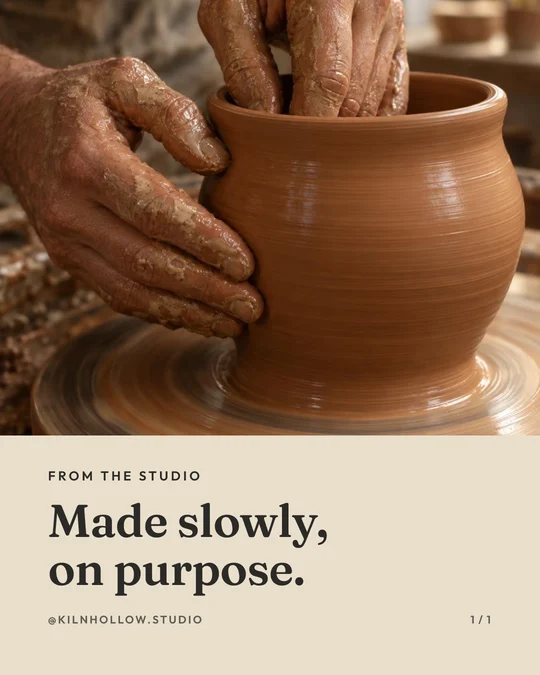
Start a pottery class ad with the student's hands on the clay. Then cut to a finished piece and label when it can actually go home. That single edit answers the question a glossy shelf of pots often leaves open: what do I get to do during my booking?
Separate the class from the firing schedule
Ask the instructor to trace one booking from arrival to collection. Mark the stages students handle and the stages studio staff complete later. Film an instructor with a practice piece if there is no student release. Pick an example that represents the booked session. An advanced vase can set the wrong expectation for a first wheel lesson.
A useful set of shots is an empty workstation, hands shaping a simple form, the work on a labeled drying shelf, and an example returned after firing. Label the last shot “finished example.” A fast cut between wet clay and the glazed pot can otherwise imply that the piece is ready the same day.
A short spot for a beginner wheel session
Opening, wheel turning
“Wondering what happens in your first wheel class? Pull up a stool.”

Instructor positions clay, then forms the rim
“We work on a simple bowl together. Here is the point where you choose the shape.”

Drying shelf, then a finished example
“Your piece stays here for finishing. We send collection details when it’s ready.”

Closing card
[Class name] · [session date and duration] · [what the booking includes]
[Working booking button or profile link]
Swap the finishing line if glazing is a separate session or firing is optional. A viewer booking for two also needs to know whether the price covers a seat or a group. Confirm that at checkout and add the unit beside any price shown.
Recut for a second workshop
For a hand-building class, take out the wheel footage entirely. Open with a slab becoming the side of a mug and use the first question people ask at your counter as the headline. Enter that question and the class inclusions in Oakgen's script builder. Work through the spoken copy once aloud, then record a quiet voice take after class if wheel noise covers the instructor.
Count paid seats by class date. Also note booking questions that arrive after the ad runs. Several questions about pickup may justify holding the finished-example shot longer and adding the collection arrangements in captions. Use availability from the booking system each time you show a date.
About this example
The wheel-session dialogue is a sample for an instructor. Oakgen’s script tool supports editable spoken copy and separate shot beats. Class inclusions, firing times, and pickup arrangements come from the studio.
Draft your pottery class invitation
Start with the student activity, what the ticket covers, and the collection step.
Frequently asked questions
Can I make this without filming students?
Ask an instructor to demonstrate at a practice wheel. Hands, tools, and a workstation can tell the whole story.
Which finished pot should appear?
Use an example from the actual class and label it as a finished example. Show the kind of piece a beginner is invited to attempt.
Should I name a collection date?
Use the timeline the studio can support. If work is released after firing checks, explain how the studio contacts students.
Can the same ad sell hand-building?
Keep the booking card and replace the wheel shots with the hand-building steps included in that workshop.
How do I advertise a private class?
Specify whether the booking buys one seat or the private session and send viewers to that booking option.


