Impressionist Painting Generator

Convert any photo into a soft impressionist painting with visible brushwork, dappled light, and the dreamy quality of late-19th-century landscape painting. Eligible outputs can be used commercially under Oakgen's Terms and provider terms.

Open in Oakgen
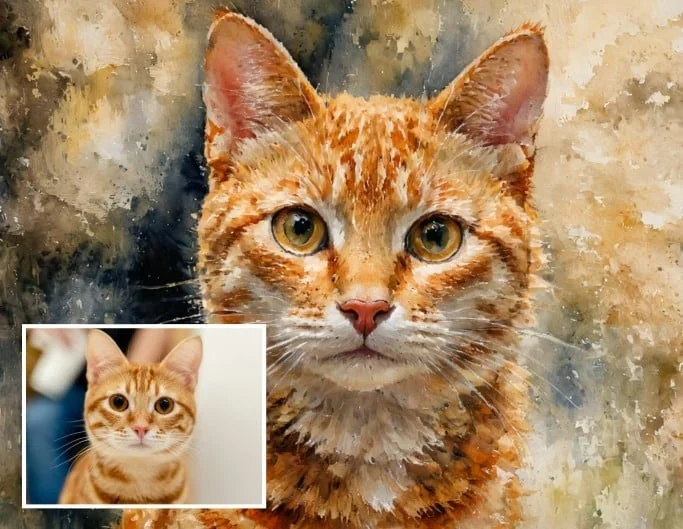
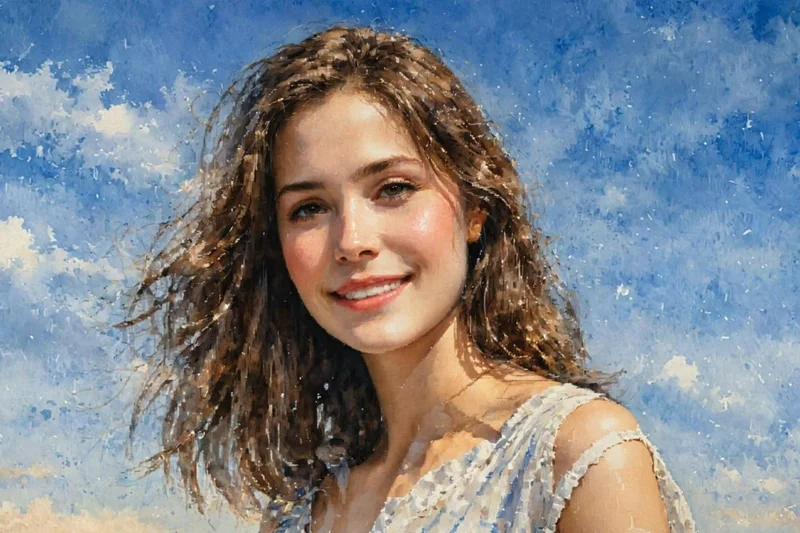
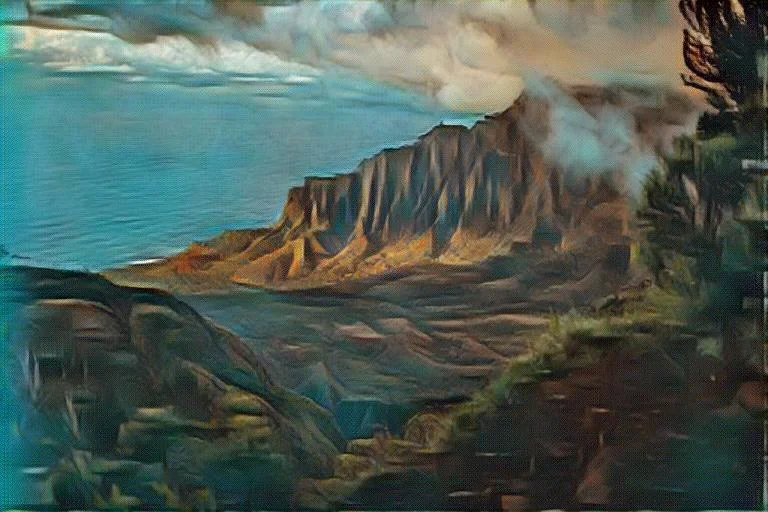
Impressionist Style example
Example result

Impressionist Painting Generator

Upload a photo and convert it into a soft impressionist painting with visible brushwork, dappled natural light, and the dreamy outdoor quality of late-19th-century painting. Composition is preserved; the medium becomes oil-on-canvas impressionism.

What is Impressionist Style?

The Impressionist template is Oakgen.ai's image-to-image converter for re-rendering a photo as a late-19th-century impressionist painting. It takes your reference and rebuilds the scene with visible broken brushwork, dappled natural light, soft edges, and the warm-pastel atmosphere that defines outdoor impressionist painting. The negative prompt blocks sharp, digital, and clean-edge drift, so the output keeps the slightly imprecise, hand-painted quality real impressionism has. Use it for garden and landscape art, soft-portrait work, wedding and family wall art, café and restaurant interiors, editorial illustration, and any project where you want a painted, light-filled feel rather than a high-saturation or high-contrast finish.


Features and options

  • Brushwork is broken and varied the way real impressionist work is — short, directional strokes that build form through color rather than a smooth filter pass.
  • Light is rebalanced into dappled, atmospheric, outdoor-feeling illumination, which is what tips the result from 'painted photo' into 'impressionist work'.
  • Soft edges replace photo sharpness across the whole frame, not just selectively, the way a real painter would work the entire canvas at once.
  • Composition is preserved, so gardens, landscapes, café scenes, and family portraits all render as recognizable but painted versions of themselves.
  • Eligible outputs can be used commercially under Oakgen's Terms and provider terms, including for wall art, wedding stationery, hospitality interiors, and editorial use.

When to use Impressionist Style

  • You want a soft, painted landscape print derived from your own photography — garden shots, vineyard views, coastal scenes, park photos.
  • You're designing wedding or anniversary wall art where a Monet-style feel reads romantic and timeless.
  • You're producing wall art for hospitality — restaurants, cafés, boutique hotels — where painted softness feels more inviting than photographic sharpness.
  • You're illustrating editorial pieces about travel, food, gardens, or outdoor life where the impressionist feel matches the subject matter.
  • You're producing print-on-demand wall art and need a softer alternative to oil-painting or watercolor presets.

How to use Impressionist Style

  1. 1

    Upload your photo

    Drop in a landscape, garden, portrait, or scene. Outdoor photos with natural light and varied color translate especially cleanly into impressionist painting.

  2. 2

    Add an optional atmosphere nudge

    Leave the prompt empty for a default impressionist pass, or type a short cue — 'golden afternoon light', 'spring garden', 'sunlit field' — to steer atmosphere.

  3. 3

    Generate the painting

    The model rebuilds the scene with broken brushwork, dappled light, and soft edges while keeping the composition and subject recognizable.

  4. 4

    Download and use

    Pick the strongest version, download at full resolution, and drop straight into wall-art templates, print workflows, or design files.

Ways to use the results

Landscape and garden wall art

Convert your own outdoor photography — gardens, coast, hills, vineyards — into impressionist paintings ready for framing, wall art prints, and gift shops. The kind of soft, painted landscape that always sells.

For: Print-on-demand sellers and gift shops

Wedding and anniversary wall art

Build romantic, painted wall art for weddings, anniversaries, and family milestones — venue paintings, ceremony locations, couple portraits in impressionist style. Lasting, painted-feeling artwork derived from event photography.

For: Wedding designers and event planners

Hospitality interiors

Produce soft, painted artwork for restaurants, cafés, boutique hotels, and waiting rooms where impressionist work reads more inviting and timeless than sharp photography.

For: Interior designers and hospitality brands

Editorial travel and food illustration

Generate impressionist illustrations for travel writing, food editorial, lifestyle features, and articles where painted feel adds warmth and credibility beyond a stock photo.

For: Editorial designers and travel writers

Strengths

  • Brushwork is broken and varied like real impressionist painting
  • Dappled light and outdoor atmosphere baked in by default
  • Soft edges everywhere give a true hand-painted feel
  • Composition from the reference photo is preserved
  • Eligible outputs can be used commercially under Oakgen's Terms and provider terms

Trade-offs

  • Tight detail (text, fine jewelry, branded logos) softens significantly — that's authentic to impressionism
  • Portrait likeness is loose and painterly, not photoreal
  • Indoor or evening photos may need a prompt nudge ('outdoor light', 'natural daylight') to fully land
  • Soft style is gentle; for richer, more saturated paintings use the Oil Painting template instead

Tips for better results

  • Start with the prompt empty — the base prompt is tuned for soft impressionism and produces strong output by default.
  • Use the prompt for light and season: 'golden afternoon light', 'spring garden', 'late summer field', 'overcast morning'. Light cues steer the whole mood.
  • Name plants, flowers, or specific outdoor elements when relevant — 'lavender field', 'cherry blossoms', 'olive trees' — for more on-style results.
  • Avoid sharpness-related words ('crisp', 'detailed', 'sharp focus') — they conflict with the medium.
  • If a portrait feels too soft, try a wider crop in the source photo — impressionism prefers slightly distanced framing over tight close-ups.

Impressionist Style vs the alternatives

vs Mobile painting filter app
A painting filter app blurs and adds brush texture on top of the photo — quick, but the brushwork is uniform and the light doesn't rebalance. This template rebuilds the scene with varied broken brushwork, dappled light, and soft edges across the whole frame. Pick a filter for a casual share; pick this template when the output has to print and hold up as wall art.
vs Commissioning a landscape painter
A commissioned painter delivers a signed, one-of-a-kind landscape — the right call for a hero piece, formal portrait, or family heirloom. Commissions cost hundreds to thousands of dollars and take weeks. This template renders in 8–12 seconds, which is the right fit for high-volume print-on-demand, wedding wall art catalogs, and hospitality-interior projects. Eligible outputs can be used commercially under Oakgen's Terms and provider terms.
vs Licensed impressionist art prints
Licensed prints of famous impressionist work lock you into existing scenes that hundreds of other interiors and designs also use. This template produces original impressionist painting derived from your own photography — your garden, your venue, your family. Eligible outputs can be used commercially under Oakgen's Terms and provider terms. Distinctive, unique to the project, and reusable across deliverables.

Frequently asked questions

What is the Impressionist Painting template?

It's an image-to-image template on Oakgen.ai that converts a photo into a late-19th-century impressionist painting with broken brushwork, dappled natural light, and soft edges. Composition and subject from the source photo are preserved; the medium changes.

How is this different from the Oil Painting template?

The Oil Painting template renders thick, opaque, museum-style oil work with rich saturation and dramatic contrast. The Impressionist template produces softer, lighter painting with broken brushwork and dappled outdoor light — the difference between a portrait gallery and a garden scene. Pick oil for dramatic wall art; pick impressionist for soft, light-filled, outdoor work.

Can I use the outputs commercially?

Yes. Oakgen does not claim ownership of eligible outputs, and commercial use is subject to Oakgen's Terms, the model provider's terms and your rights in the inputs. Print-on-demand sellers, wedding designers, interior designers, and editorial teams regularly use this kind of artwork in paid prints, client work, and published projects.

What kind of photo works best?

Outdoor photos with natural light, varied color, and breathing room translate most cleanly. Gardens, landscapes, vineyards, parks, and coast all work. Portraits work too, but impressionism prefers wider framing over tight close-ups — leave some scene around the subject.

Will the painting print well?

Yes. Outputs are delivered at the resolution of the selected aspect ratio. The soft-edge brushwork translates very cleanly onto matte and cotton paper stocks, which is why impressionist prints are a long-running favorite in framed wall art.

Will my face still look like me in an impressionist portrait?

Loosely, in painterly form. The template preserves framing and overall features but treats portraits the way a real impressionist painter would: softly, more about atmosphere than precise likeness. Expect an impressionist interpretation rather than a face-trace.

Do I need to write a prompt?

No. The base prompt is tuned for soft impressionism and produces good output with the prompt field empty. Use the prompt to steer light, season, or specific outdoor elements.

How long does generation take?

About 8–12 seconds per render. Fast enough to try multiple light/season variations on the same source photo and pick the strongest atmosphere.

Related AI tools