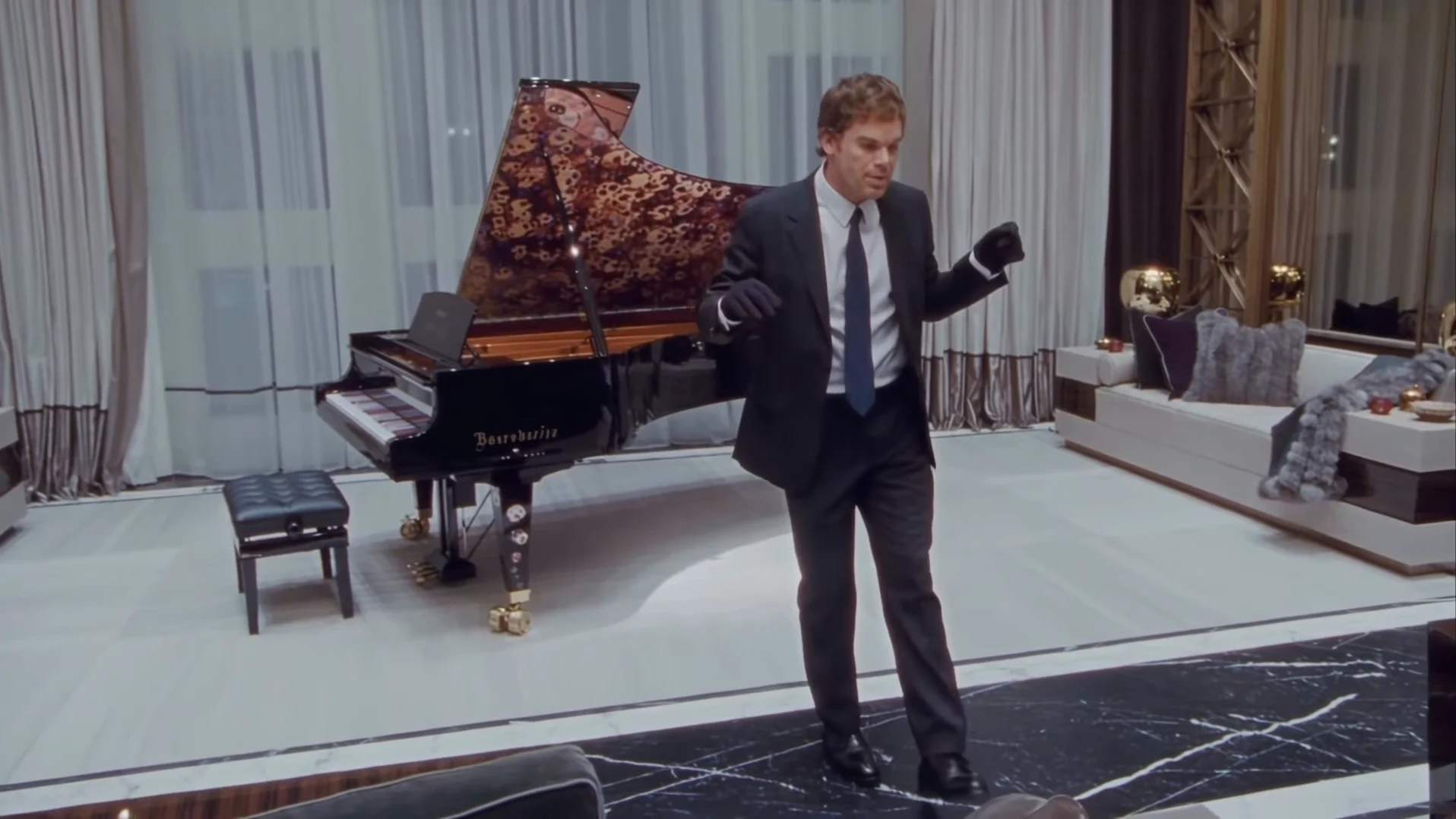
The Toosie Slide AI trend is a single dancer in a black suit and black gloves doing the 2020 dance in a luxury living room, beside a grand piano with a red-and-black lid. You supply the face. This guide goes from choosing the photo to posting, in order. When your video is back, the companion article, checking your Toosie Slide result, walks through it second by second.
Do the slide without learning it
Add one photo, review your credit quote and make the 15-second Toosie Slide in a suit with the original song.
What the template gives you
The template is the whole reel: 15 seconds in landscape, one take, one song. The camera swoops in from behind a sofa while the dancer opens both arms, settles into a slightly high medium-wide view, and from about 3.5 seconds the slides start in front of the piano. Around 10 seconds the dancer crouches and turns toward the piano, and the clip ends on a walk into a final pose, looking up to the right.
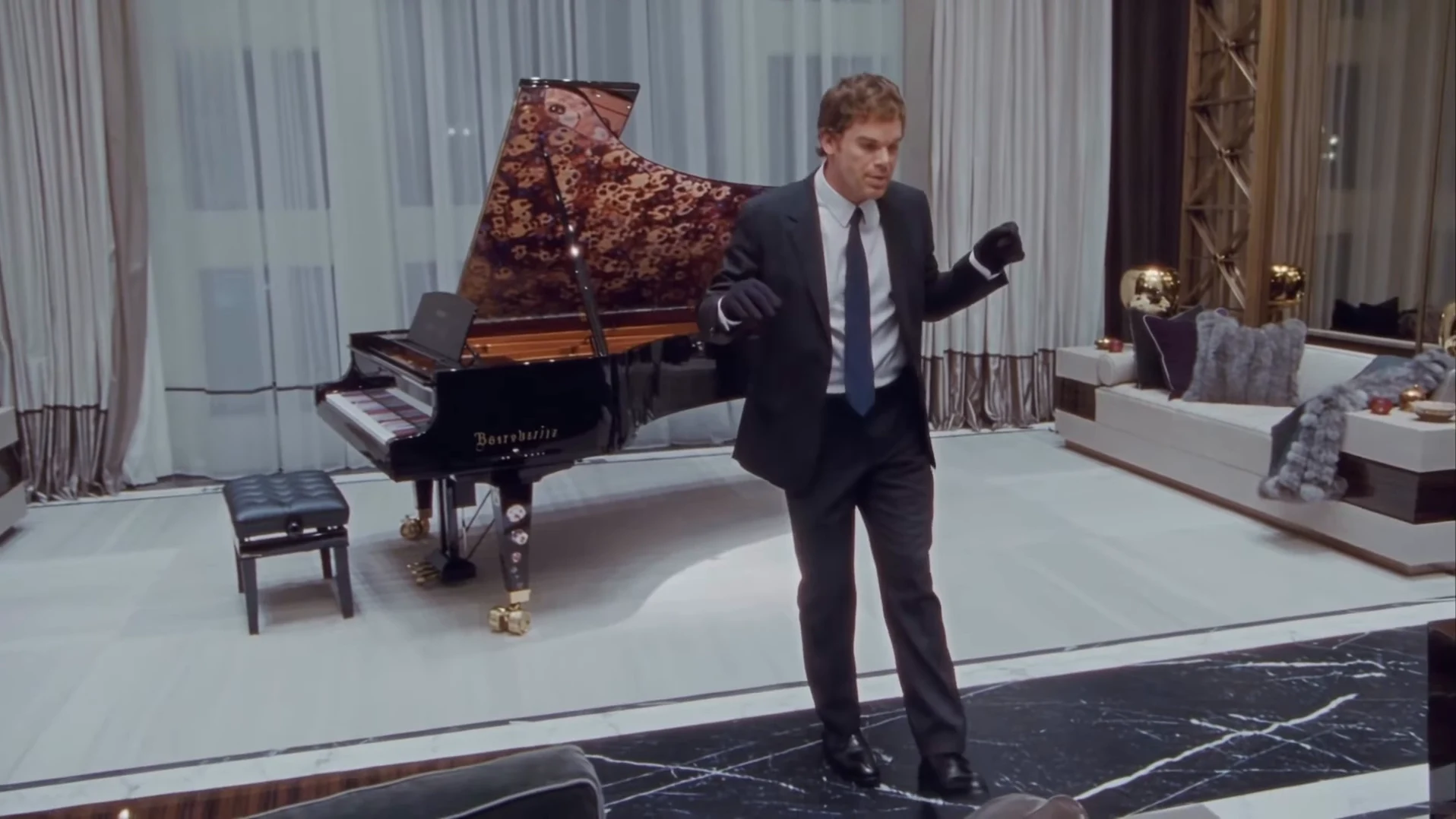
The slide in front of the piano. This is the reference AI reel by @ausar.ai with its watermark removed, not an Oakgen output.
The song is "Toosie Slide" by Drake. If you found this through the lyric, the right foot up, left foot slide page explains which part of the song plays and where.
Step 1: Pick the photo
- One person, nobody else in the frame.
- Use your own photo or one of someone who agreed to be in the video. Never a celebrity or public figure.
- Face sharp and turned to the camera, the whole head and hair visible, no sunglasses.
- A hat hides your hair; the template then has to guess it. Take it off if you can.
- Any outfit is fine. The suit and gloves are added.
Casting yourself as the suited dancer covers what the photo controls in more detail.
Step 2: Know what the suit does
The black suit, pale shirt, dark navy tie, black shoes and black gloves are the look of the trend, so Oakgen treats them as costume: everyone who makes this video wears them. Your face, hairline, haircut and build come from your photo. If you were hoping to dance in your own outfit, a different dance template such as Mi Chico Dance keeps photographed clothes.
Step 3: Check the quote and generate
Choose 480p, 720p or 1080p. The quote covers the full video, the preparation of your photo and three scene references, and the studio shows it before anything starts. The button stays off until the photo is added.
Step 4: Check the result
Watch once with sound and once without. With sound: the slides land on the beat, especially between about 3.8 and 9.9 seconds when the song names the steps, and the dancer does not mouth the words. Without sound: your face stays your face through the turn at about 10 to 12 seconds, both gloves stay on, and the feet touch the floor. The result check has the full list.
If you want to know what the steps are supposed to be, how to do the Toosie Slide breaks them down against the clip.
Step 5: Caption it and post it
The video has no text, so the caption carries the joke. Lead with the situation, not the song: "Me after the third coffee", "When the suit comes back from the dry cleaner". The clip is landscape, so for TikTok, Reels or Shorts read cropping and captioning for vertical apps first; a centre crop loses the opening and the final walk.
Then:
- Say the video is AI-made and credit @ausar.ai for the original AI reel.
- Do not tag or name a real actor or the artist as if they were in your video.
- The song is commercial music. Some platforms may mute or block it in some regions, and Oakgen does not license it for your account.
Where the clip comes from
The reel was posted on 23 October 2026 by @ausar.ai and had 3 likes when we fetched it, so it is brand new. The room, the gloves and the piano echo the song's 2020 music video. The source page covers the post, how we identified the song, the watermark removal and what we could not confirm.
Looking for another dance with one photo? The Dog Car Dance reel plan covers a night-street routine that works with pets as well as people.