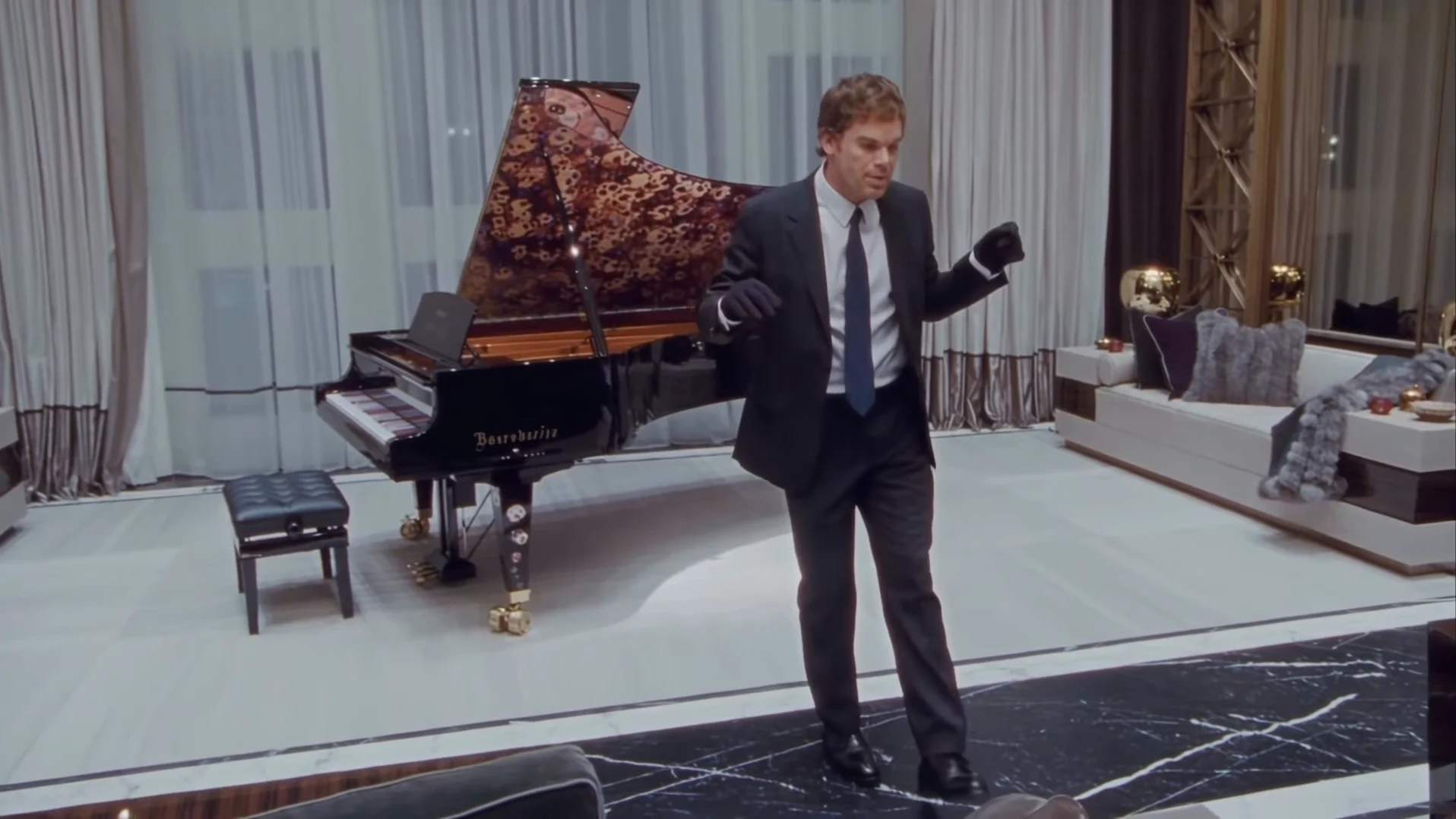
Your Toosie Slide video is back. This guide is for checking it, not making it: what to look at in each stretch of the 15-second take, which photo choice can sit behind a flaw, and the one change to try next. There are no cuts, so problems show up in the turns and the fast camera move instead. How to make it in the first place is in the how-to guide.
Make another take
Try a sharper photo or a different person and make the 15-second Toosie Slide in a suit again.
Watch it twice first
Watch once with sound, looking only at the feet and the mouth. Then watch once muted, looking only at the face, hair and hands. Most flaws only show up when you look for one thing at a time.
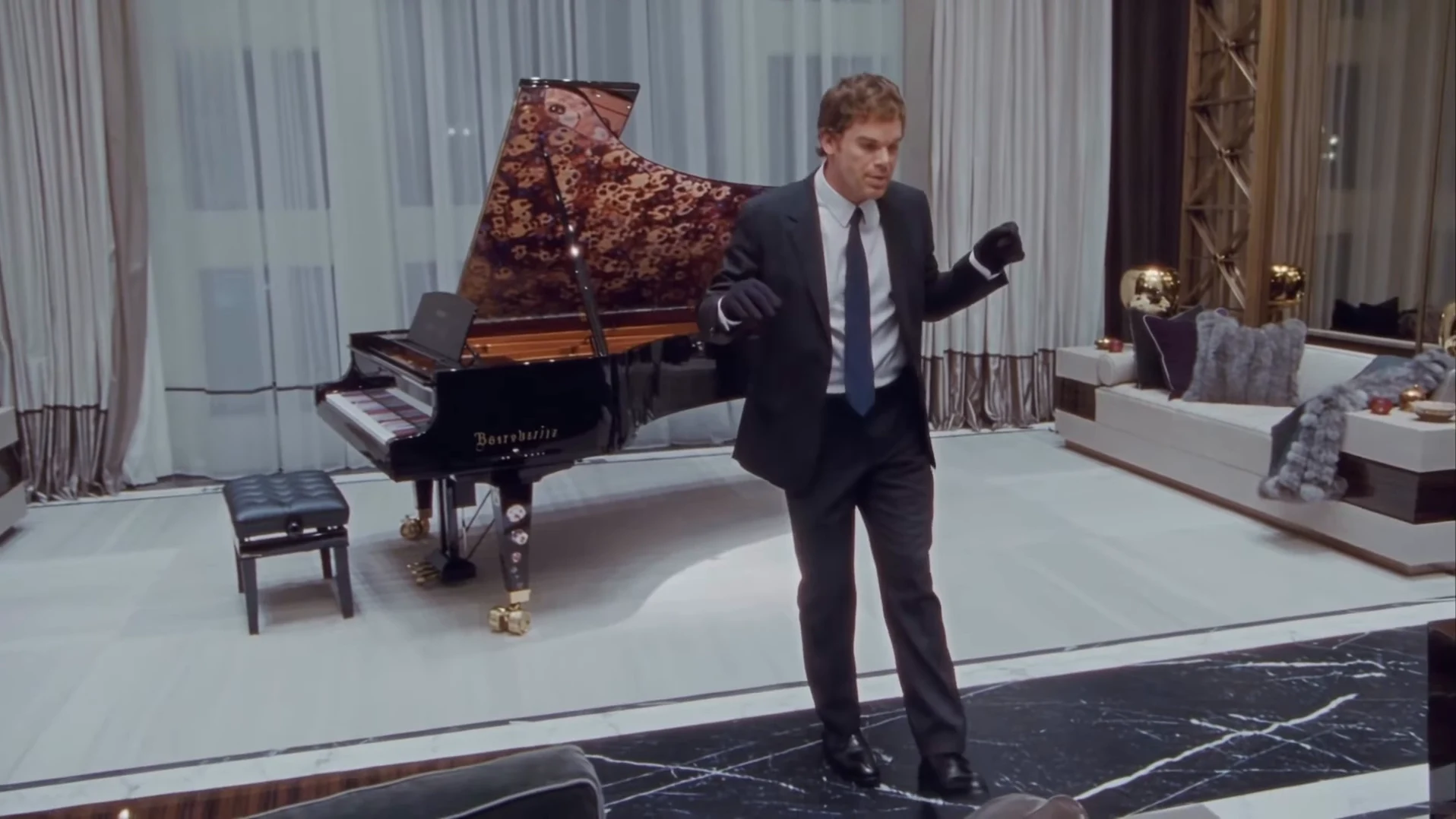
The slide in front of the piano from the reference AI reel by @ausar.ai, not an Oakgen output. Your dancer should stand in the same place at about 7 seconds.
Second by second
| Time (about) | What happens | What to check |
|---|---|---|
| 0 to 1.5 s | High wide swoop from behind the sofa, dancer opens both arms | The dancer is small here. Hair colour and build should already match your photo; nobody else in the room. |
| 1.5 to 3.5 s | Camera settles, dancer steps to the centre gesturing | First clear look at the face. It is yours, not a blend. Both gloves on. |
| 3.5 to 10 s | Side-to-side slides with gloved fists up | One foot lifts, the other slides, on the beat of "right foot up, left foot slide". Feet touch the floor; no floating or extra steps. Mouth closed or relaxed, not singing. |
| 10 to 12.5 s | Crouch and turn toward the piano | The back of the head matches your haircut. Same face when it turns back. Hands stay attached, five fingers in each glove. |
| 12.5 to 15 s | Walk and slide into the final pose | One hand at the side, looking up to the right. No bow, no wave, nothing added at the end. |
Common flaws and the one change to try
These are the problems we would expect from the way the template works. We have not measured how often each one happens.
The face drifts during the turn. The turn shows the side and back of the head, which the photo does not. Use a photo with the whole head and hairline visible, not cropped at the forehead, and re-run.
The hair is wrong. A hat, a hood or a tight crop leaves the template guessing. Use a photo without headwear where the hair is clearly visible.
The dancer sings along. The template asks for a closed or relaxed mouth. A photo with a wide open smile can push the mouth open; try a closed-mouth photo.
A glove disappears or a hand looks wrong. Fast arm swings are the hardest part. Re-run first; if it repeats, try a photo where your hands are not near your face.
Your own clothes appear instead of the suit. That is a miss: the suit and gloves should always be there. Re-run with the same photo before changing anything.
Text or a logo appears. The reference copy has its app badge removed and the template asks for none, and the piano is asked to render without maker lettering. If text appears, re-run; it is not part of the scene.
Before you post
Say that the video is AI-made, credit @ausar.ai for the original reel, and use photos only of people who agreed to appear. The clip is landscape; posting it on TikTok and Reels covers cropping without losing the feet. If you want to compare the moves with the real dance, see how to do the Toosie Slide.
Checking another dance result? Checking a Mi Chico Dance result covers a five-person routine with photographed outfits.