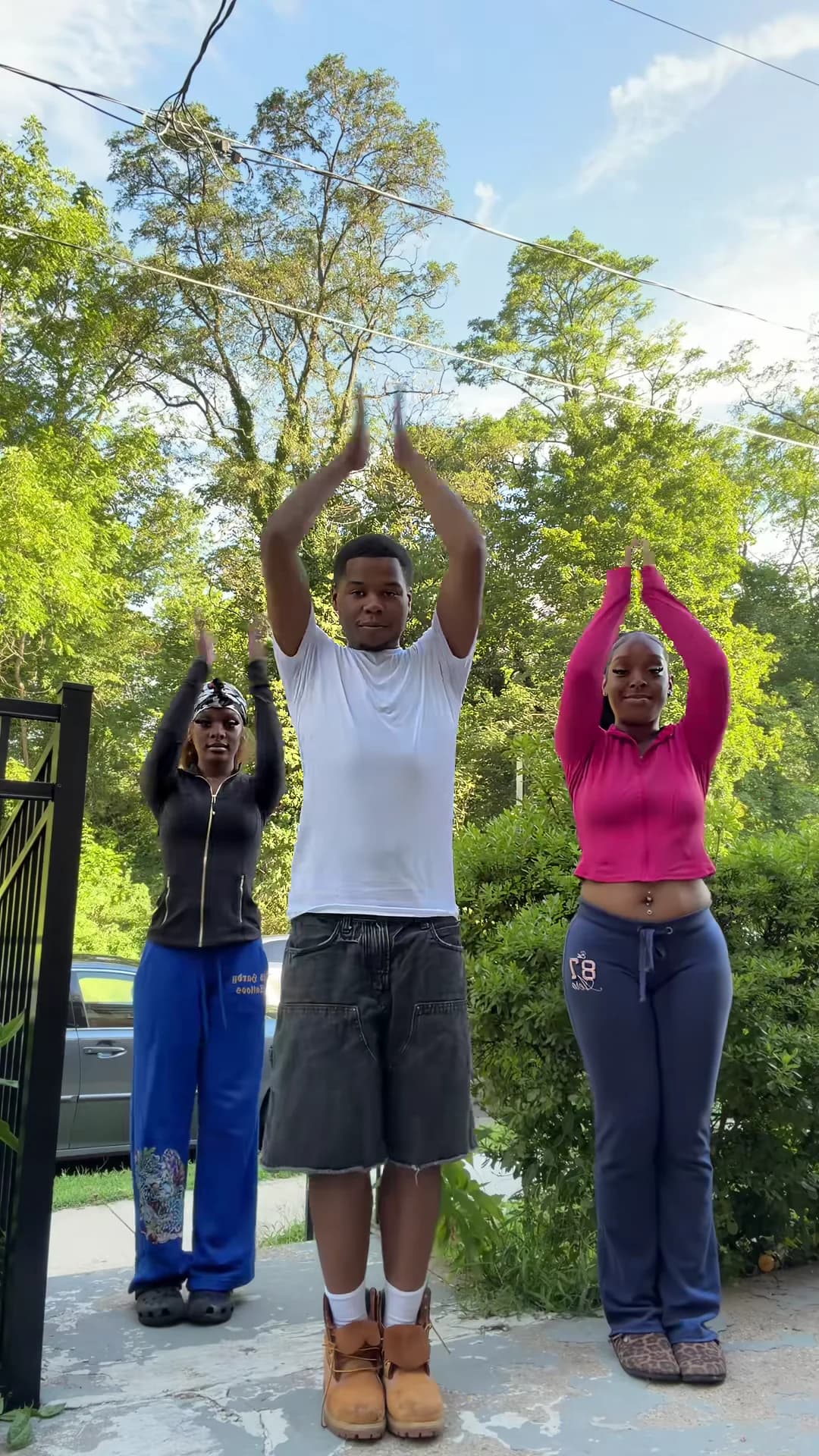
The Nicole Kidman Dance is a short routine set to "Nicole Kidman" by ADÉLA. In Oakgen's template, three people stand in a row on a sunny driveway and do it in sync for about 14 seconds, filmed by a fixed camera near the ground. You supply the three dancers. This guide goes from choosing the photos to posting, in order. When your video is back, the companion article, checking your Nicole Kidman Dance result, walks through it second by second.
Dance it with two friends
Add three photos, review your credit quote and make the 14-second Nicole Kidman Dance with the original song.
What the template gives you
One continuous portrait shot, about 14 seconds long, with the original song. You replace all three dancers. Everything else stays: the pale concrete driveway, the black metal gate post on the left, the hedge and tall trees behind, the low camera and the timing of every move.
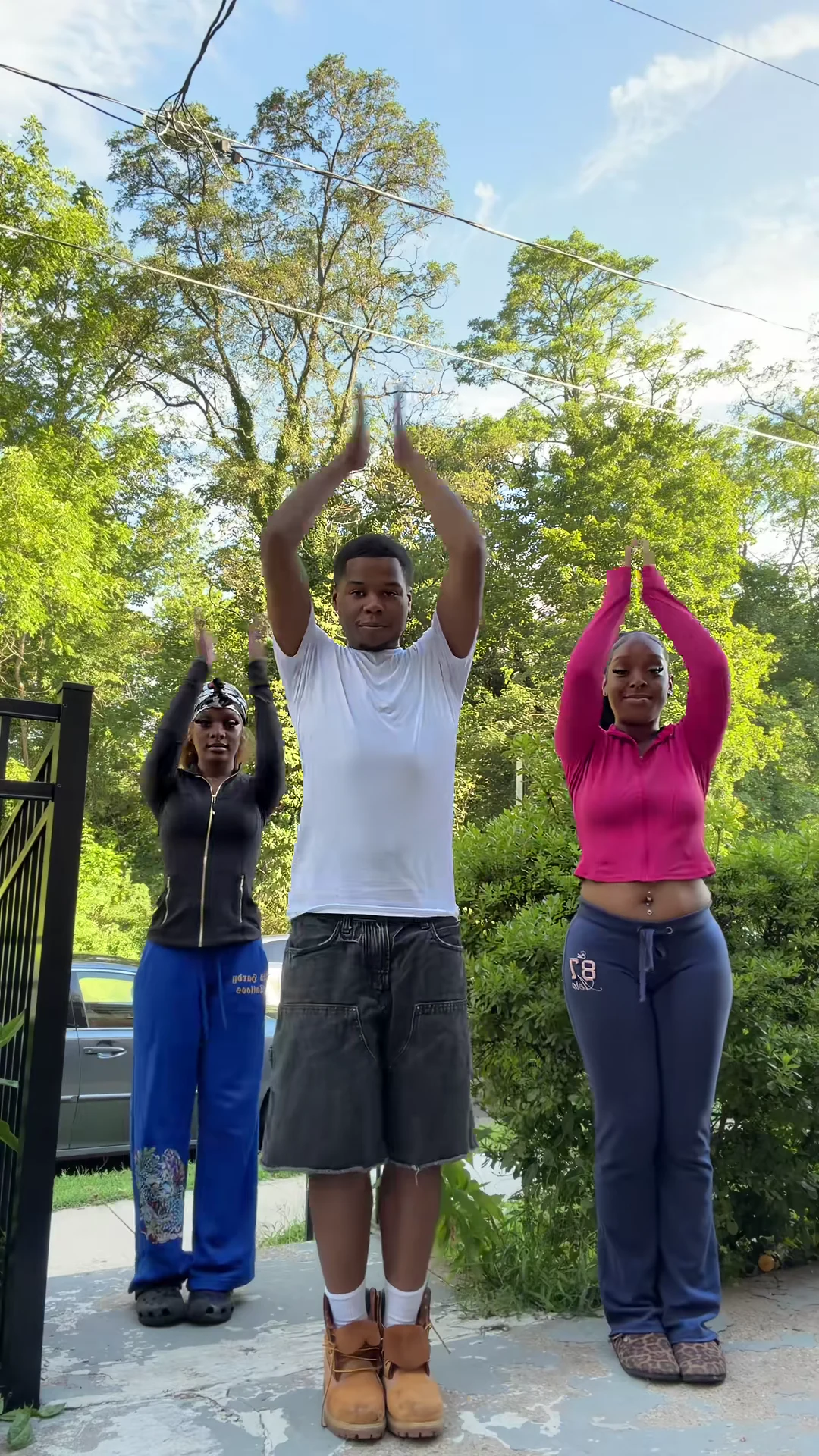
The palms-overhead moment from the reference clip, not an Oakgen output. At about 2.5 seconds your three dancers should hold the same shape.
| Time (about) | What happens |
|---|---|
| 0 to 2 s | Bounces, hand moves at the chest, the arm cross |
| 2 to 3 s | Palms pressed together overhead |
| 3 to 7 s | The hip-sway groove, a knee lift |
| 7 to 10 s | Arms swing out, hip pops, the center dancer leans toward the lens |
| 10 to 12 s | Arms in an arch, then the turn-around |
| 12 s to the end | The final pose |
Step 1: Pick three photos
Use one photo per dancer. What matters, in order:
- Head to shoes. The camera sits low, so trousers and shoes are on screen for nearly the whole video. A photo cropped at the knees leaves the bottom half to guesswork.
- A clear face toward the camera. The groove and the final pose show every face straight on.
- Hair clearly visible. At about 11 seconds everyone turns their back to the camera, so the back of the hair matters too.
Avoid group photos, sitting poses, heavy filters and dark shadows. All three photos are required: the template will not start with fewer.
Step 2: Decide who stands where
The center dancer stands closest to the camera and leans right in toward the lens at about 8 seconds. That is the biggest face in the video, so give the center to your most confident dancer, ideally the one with the sharpest photo. Left and right do exactly the same moves a step behind. More on casting is in the Nicole Kidman Dance AI video for three friends.
Each dancer keeps their own outfit from the photo. If you want a coordinated look, plan it before you take the photos; Nicole Kidman Dance outfits has ideas, starting from what the reference trio wore.
Step 3: Read the quote
Open the Nicole Kidman Dance template, add the photos to the Left, Center and Right slots and pick a quality: 480p, 720p or 1080p. The studio shows the credit price before you generate. It covers the full video, the preparation of all three photos and three scene references made from them. A 480p run is the cheaper way to check a new set of photos before paying for 1080p.
Step 4: Check the result
Watch it once with sound and once muted. Look for each face staying in its own spot, whole hands when the palms meet overhead, the center dancer's face during the lean, and the right faces coming back after the turn-around. The second-by-second checklist covers each stretch and the one change to try if something is off.
Step 5: Post it
The routine is the hook, so keep the caption short and say the video is AI-made. The palms-overhead moment at about 2.5 seconds makes a clear cover frame. If you are joining the challenge without learning the moves, the Nicole Kidman dance challenge without learning it covers how to label it next to real attempts.
Use photos only of people who agreed to appear.
Related reading
- The song behind the dance: "Nicole Kidman" by ADÉLA and how the trend got its name.
- Nicole Kidman Dance steps, second by second: the routine move by move.
- Another dance trend, solo this time: how to make the Toosie Slide AI trend.
- A bigger group dance, for five people: how to make the Mi Chico Dance AI trend.
Frequently asked questions
How many photos do I need for the Nicole Kidman Dance?
Three, one for each dancer: left, center and right. All three are required, so the template never keeps anyone from the reference clip.
What song is in the Nicole Kidman Dance?
"Nicole Kidman" by ADÉLA, from the album PRIMA. Your video keeps the original soundtrack of the reference clip.
Do we have to wear the same clothes as the reference?
No. Each dancer wears the outfit from their own photo, shoes included.
What shape and length is the video?
About 14 seconds, portrait 9:16, one continuous shot from a fixed low camera.
Is the preview video made by Oakgen?
No. It is the original reference clip of the dance, not an Oakgen result.