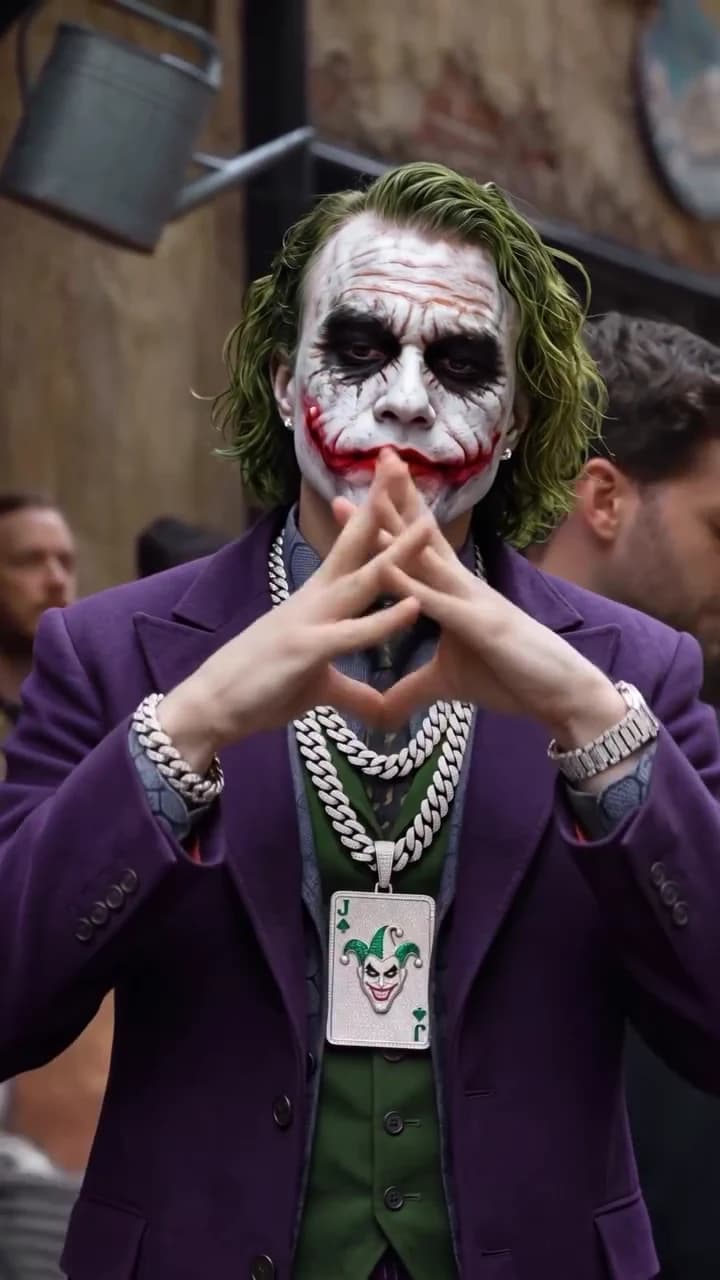
The Joker in the hood clip is six seconds of a painted Joker in a purple suit and silver chains, throwing hand signs at the camera in a crowded street. This guide takes you from choosing your photo to posting your own version, in order. When your clip is back, the companion article, checking your Joker in the Hood result, goes through it frame by frame.
Put your face under the paint
Upload one photo, check your credit quote and get the 6-second Joker in the Hood clip with the original sound.
What the template gives you
One role, one continuous shot. The template keeps the reference's street, bystanders, hanging watering cans, slow handheld drift, hand signs and soundtrack. It also keeps the look that makes it the Joker: white face paint, black smudged eyes, a red scarred smile, a purple suit jacket, green waistcoat, patterned shirt and tie, two silver chains with a joker-card pendant, a bracelet and a watch. What changes is the person under all of that. Your face, haircut and hair colour come from your photo, and the original performer's face and long green hair are not reused.
If you want to know where the clip comes from first, the source guide covers the creator, the date and what is still unknown.
Step 1: choose a photo that survives the paint
Joker makeup covers skin tone, the eye area and the mouth. What still identifies you is your face shape, nose, jaw, ears, hairline and hair. So pick a photo that shows exactly those:
- Front-facing, at eye level, with the whole face and both ears visible.
- Hairline visible: no hat, hood or headband.
- No sunglasses or tinted glasses.
- Even, soft light. No hard side shadow.
- One person only, no filters.
A closed-mouth or neutral expression fits best, because the performer never opens his mouth in the clip. Your clothes do not matter: the costume replaces them. The photo guide goes deeper on glasses, beards and long hair.
Step 2: use a photo you are allowed to use
Use a photo of yourself, or of someone who has agreed to be painted as the Joker and posted. Do not upload photos of public figures or of anyone who has not said yes.
Step 3: check the quote
Pick 480p, 720p or 1080p in the studio and read the credit quote. It covers the whole clip, preparing your photo and one costumed scene reference. This guide lists no fixed price because the studio quote is the authority.
Step 4: know what is fixed
The gestures, their order and timing, the street and the sound are the template. You cannot pick different hand signs, add a second person, swap the location or remove the paint. The audio is a rap vocal over a beat that Instagram lists only as the creator's original audio; we do not name a song or artist. The Joker is a DC character, and this is an unofficial fan-style template, not affiliated with DC or Warner Bros.
Step 5: caption on the gestures
The clip is short, so each caption gets about one gesture. The full breakdown is on the hand signs page; in short:
| Time | Gesture | Caption idea |
|---|---|---|
| 0 to 1 s | Crossed fists under the chin | The setup: "Me arriving at the group chat meetup" |
| 1 to 3 s | Heart, then triangle in front of the mouth | Nothing; let the face read |
| 3 to 5 s | Hands sweep and rub together | The punchline |
| 5 to 6 s | Cupped hands, final pose | A short sign-off |
Keep text in the top third of the frame. The hands, chains and pendant fill the middle of the shot the whole time.
Step 6: post it honestly
Say the clip is AI-made. If you post the source next to yours, credit @rdiiak and label them "Source" and "My version". There is no generated example in this guide and no measured success rate for any kind of photo. Before posting, run through the result check.
Two other October trends are made the same way, from photos and one reference take: How to make What's the Move and which pet should dance in Dog Car Dance.