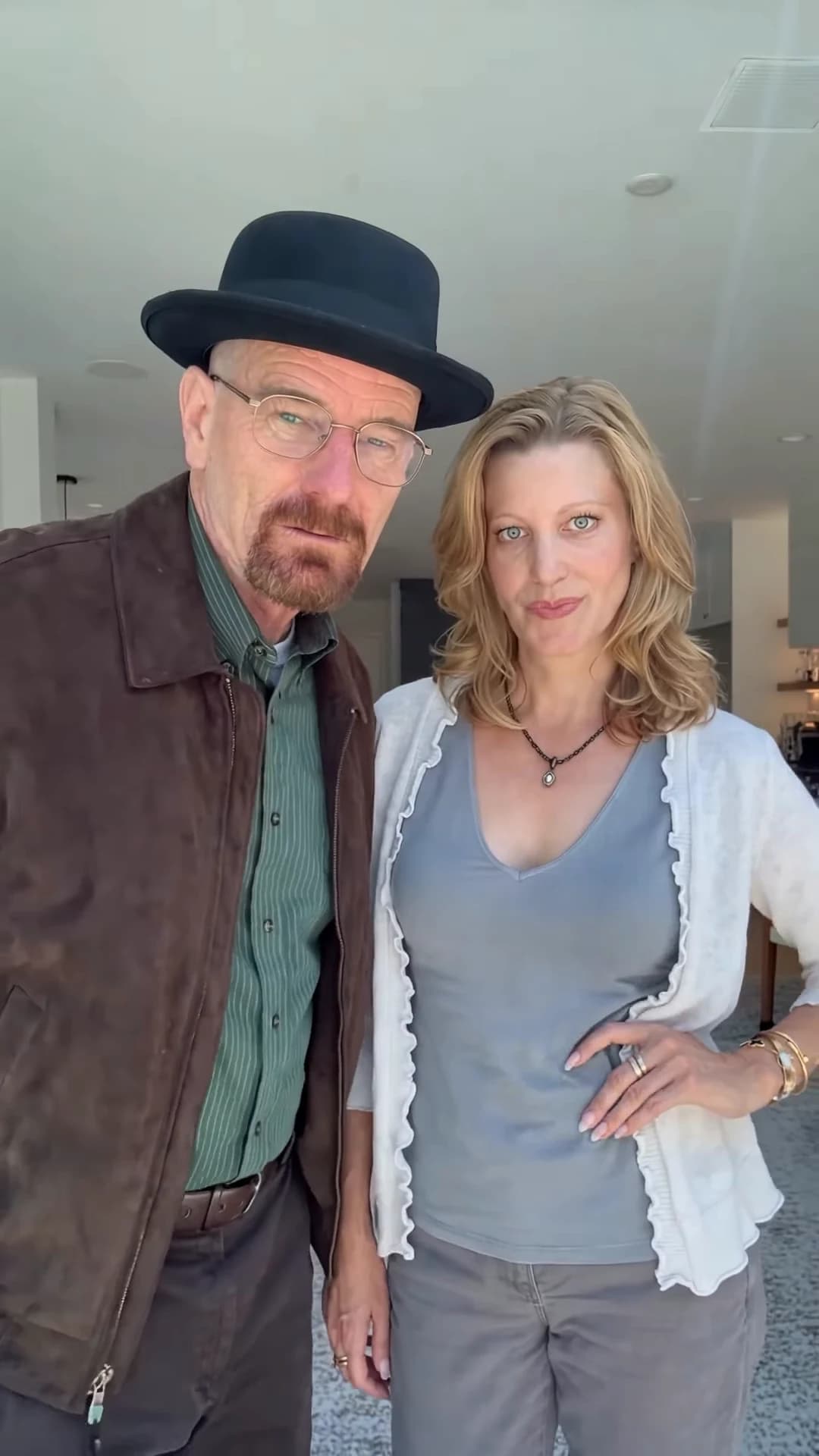
The Finger Swipe Reveal is a two-person selfie joke. Two fingers sit flat across the lens for nine seconds, hiding both pairs of eyes, then swipe down out of the frame, and the person on the left is suddenly wearing a black hat while both stare into the camera. You supply the two people. This guide goes from choosing the photos to posting, in order. When your video is back, the companion article, checking your Finger Swipe Reveal result, walks through it second by second.
Swipe, and the hat is on
Add two photos, review your credit quote and make the 15-second Finger Swipe Reveal with the original sound.
What the template gives you
One portrait selfie take of 15 seconds with the original sound. A phone at arm's length films two people from about chest height in a bright house: a pale ceiling with recessed lights, white pillars and a long room behind them. You replace both people. Everything else stays: the room, the hand over the lens, the timing of the swipe and the hat.
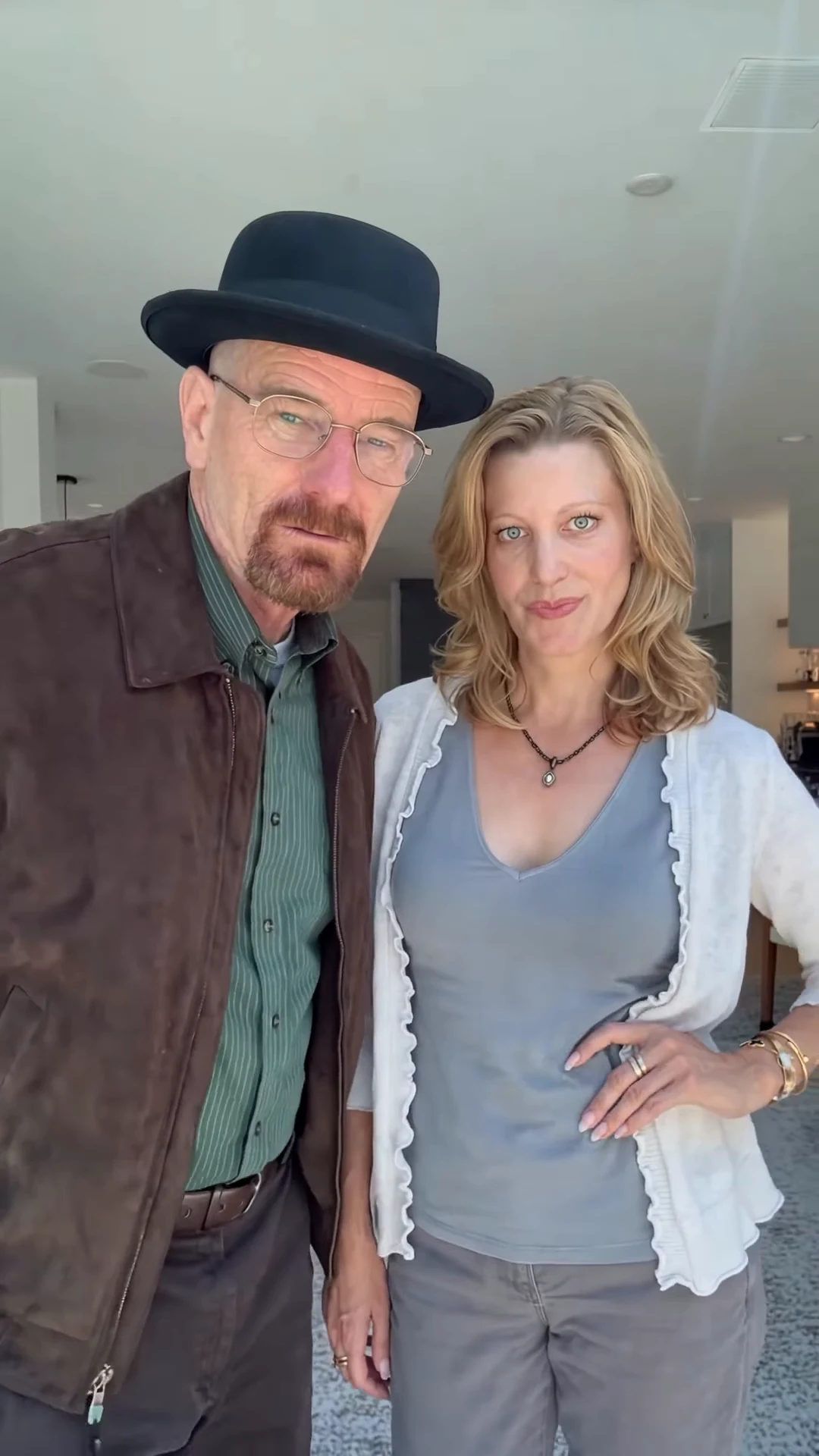
A moment from the original reference clip, not an Oakgen output. Your Hat wearer stands on the left in the hat; your Partner stands on the right.
| Time (about) | What happens |
|---|---|
| 0 to 9.3 s | Two blurred fingers cover the top of the frame; only noses, smiles and bodies show |
| 9.3 to 9.8 s | The fingers lift slightly and sweep down out of the bottom right |
| 9.8 to 12 s | Hat on, both look straight into the lens |
| 12 to 13.5 s | The Hat wearer turns to the Partner, who laughs |
| 13.5 to 15 s | The Hat wearer turns back and leans a little toward the lens |
Step 1: Pick the two photos
Use one photo per person. What matters, in order:
- The whole face, clearly. For nine seconds the AI only shows the lower half of each face. The moment the fingers clear, it has to show eyes and foreheads that match. No sunglasses, no fringe over the eyes, no hand on the face.
- Front-facing, even light. Both people end up looking straight into the lens, so a front-on photo is the closest match to what the video needs.
- Waist up is enough. The clip never shows below the hips. The clothes in the photo are what each person wears, so pick the outfit you want to see.
Use only your own photo and photos of people who agreed to appear. Do not upload photos of actors or other celebrities, even though the reference clip resembles a famous TV couple; where the reference comes from explains that.
Step 2: Decide who gets the hat
The tool has a Hat wearer slot and a Partner slot, and the two never swap sides. The Hat wearer stands on the left, holds the fingers over the lens and gets the black pork-pie hat after the swipe; it goes over their own hair. The Partner stands on the right and stays hatless. If one of you has very big or high hair, that person is usually the better Partner. More on the hat is in the black hat reveal, and more on the two slots in cast both people from photos.
Step 3: Read the quote
Open the Finger Swipe Reveal template, add the photos to both slots and pick a quality: 480p, 720p or 1080p. The studio shows the credit price before you generate. It covers the full video, the preparation of both photos and three scene references made from them: one before the swipe, one just after it and one during the head turn. A 480p run is the cheaper way to test a new pair of photos before paying for 1080p.
Step 4: Check the result
Watch it once with sound and once muted, then scrub slowly through seconds 9 to 10. Look for no hat peeking above the fingers before the swipe, a hand with five fingers that leaves the frame cleanly, faces after the swipe that match the mouths you saw under the fingers, and the hat staying on through the head turn. The second-by-second checklist covers each stretch and the one change to try if something is off.
Step 5: Post it
The long cover is the hook, so do not give the reveal away in the caption: something that teases what is behind the fingers works better than describing the hat. The top of the frame is ceiling, the best place for text, but keep it clear of the fingers during the first nine seconds. Around Halloween the same clip works as a costume reveal; see the Halloween couple version.
Say that the video is AI-made, and use photos only of people who agreed to appear.
Related reading
- Hand over camera reveal with AI: how this reveal differs from the classic hand-cover outfit change, and how to film it for real.
- Another two-person skit template: how to make the What's the Move AI trend.
- A one-photo costume template: how to make the Joker in the Hood AI trend.
Frequently asked questions
How many photos do I need for the Finger Swipe Reveal?
Two: one for the Hat wearer and one for the Partner. Both are required, because the two people in the reference look like real people and neither face is kept.
Who wears the hat?
Whoever you put in the Hat wearer slot. That person stands on the left, holds two fingers over the lens and is wearing the black pork-pie hat after the swipe. The Partner never wears a hat.
What sound is in the Finger Swipe Reveal video?
The original sound from the reference clip. We have not identified the music or a song title, so we do not name one.
What shape and length is the video?
15 seconds, portrait 9:16, one handheld selfie take with no cuts. The swipe happens at about nine seconds.
Is the preview video made by Oakgen?
No. It is the original reference clip the template follows, not an Oakgen result.