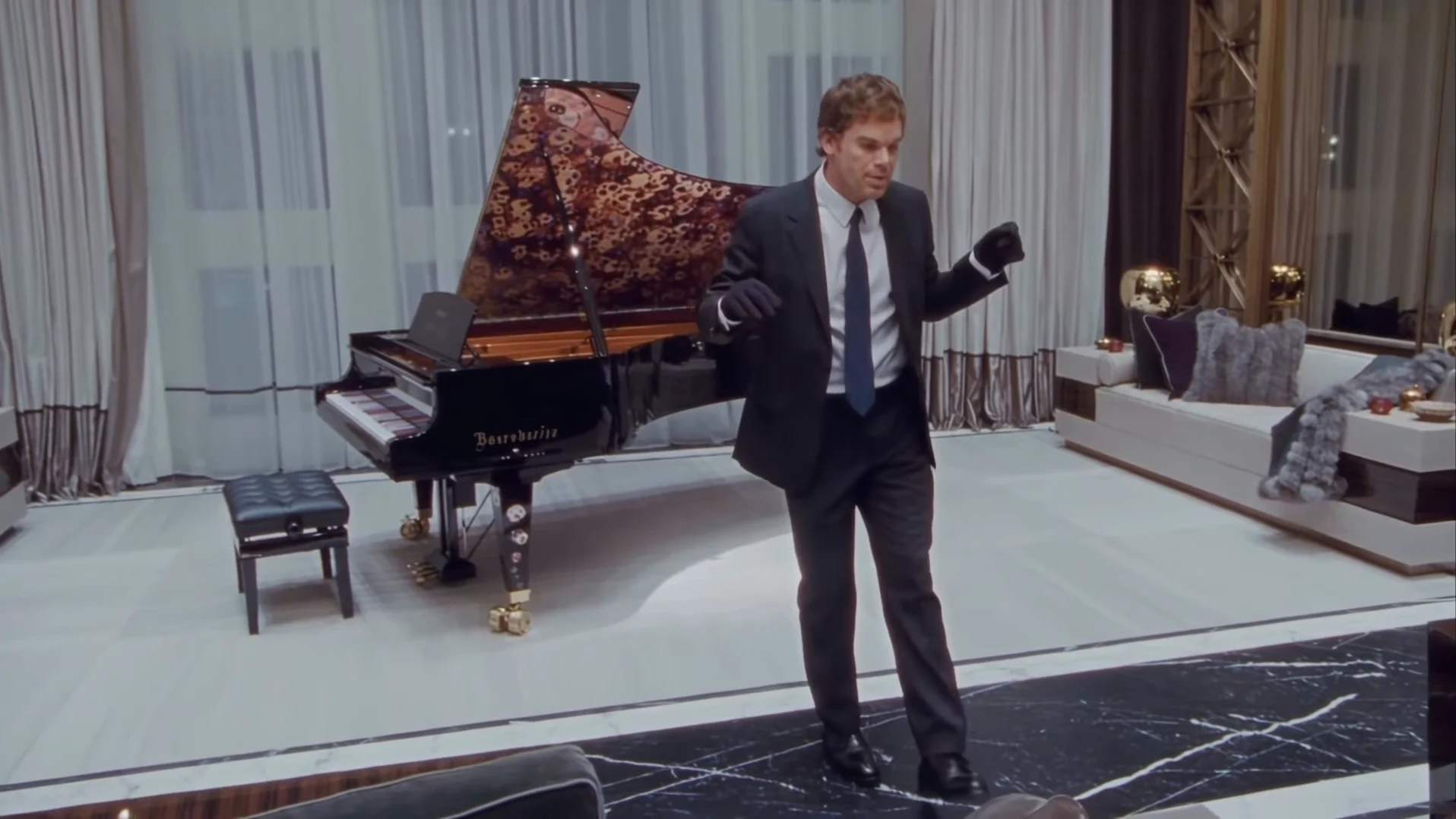
If you saw the clip of someone in a black suit and black gloves doing "right foot up, left foot slide" next to a grand piano, and wondered how to get that effect with your own face, this is the short version. It explains what the effect actually is, which parts your photo controls, and how to make it in a few minutes. For the full walkthrough with every step, read how to make the Toosie Slide AI trend.
Get the Toosie Slide effect
One photo of you becomes the 15-second Toosie Slide in a suit and gloves, with the original song.
What the effect is
It is not a filter on top of a dance video. The whole clip is AI-generated: one continuous 15-second landscape take with the person from your photo as the dancer. The camera swoops in from behind a sofa, settles in front of the piano, and the dancer does the side-to-side slides with gloved fists up, crouches and turns toward the piano, then walks into a final pose looking up to the right.
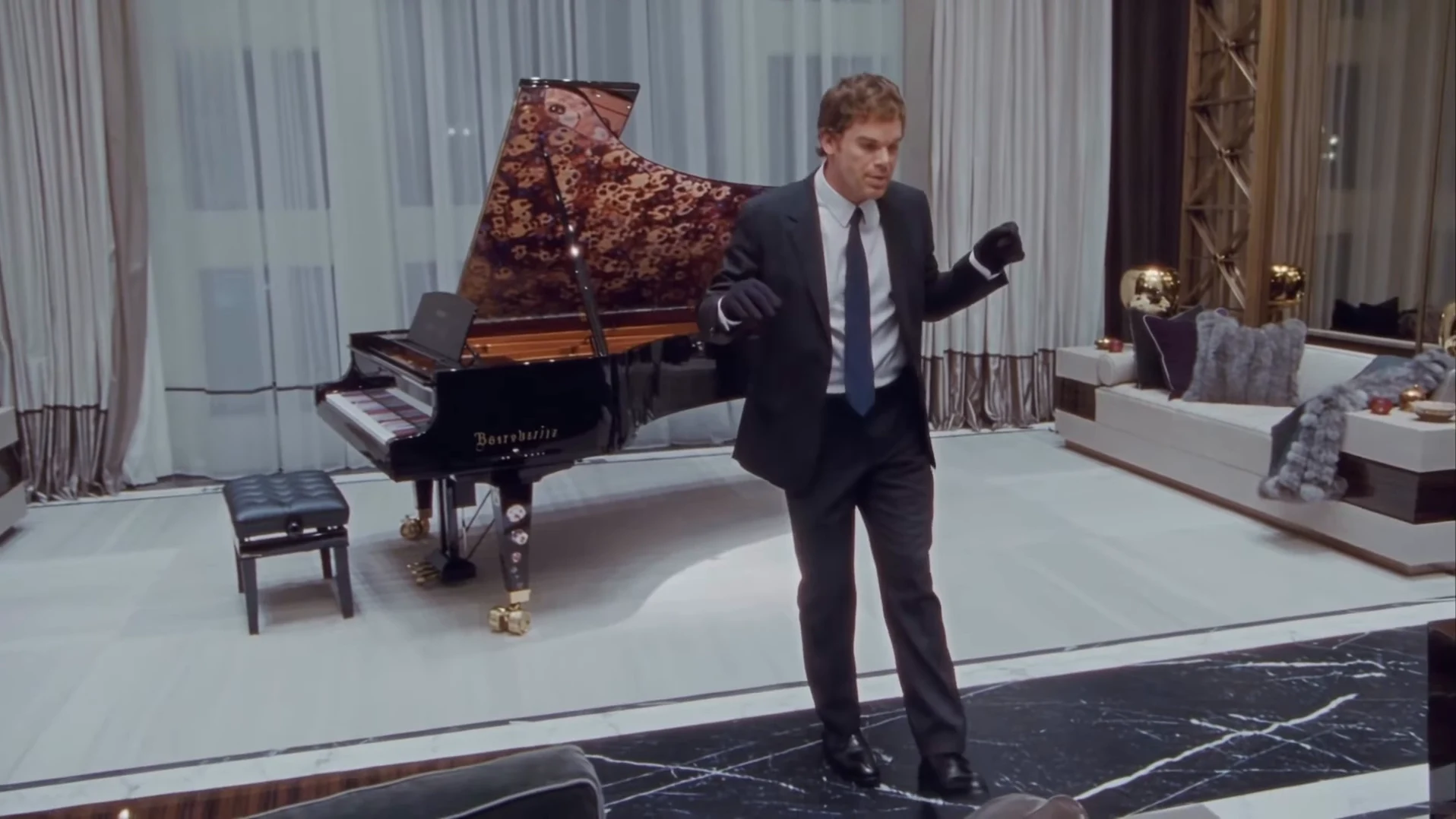
The reference AI reel by @ausar.ai with its watermark removed. This is the effect you are recreating, not an Oakgen output.
The song is "Toosie Slide" by Drake, from 2020, and the room, gloves and patterned piano echo its music video. Which part of the song plays covers the lyrics and timing.
What your photo changes, and what stays fixed
| From your photo | Fixed by the template |
|---|---|
| Face | Black suit, pale shirt, dark tie |
| Hair and hairline | Black gloves and black shoes |
| Build | The living room and the grand piano |
| The moves, the camera path and the song |
That split is the effect. Whatever you wear in the photo, you end up in the suit. If you would rather dance in your own clothes, Mi Chico Dance is a dance template that keeps photographed outfits.
The quick tutorial
- Pick one photo. Only one person, face sharp and towards the camera, the whole head and hair visible, no sunglasses or hat. Use your own photo or one of someone who agreed to be in the video, never a celebrity.
- Open the Toosie Slide trend and add the photo.
- Choose 480p, 720p or 1080p and check the quote. It covers the full video, preparing your photo and three scene references. The studio shows it before anything starts.
- Generate, then watch it twice. Once with sound for the feet on the beat, once muted for your face through the turn at about 10 to 12 seconds and both gloves staying on. Checking your result second by second lists what to look for and the one change to try if something is off.
Getting it to look like the original
- A clear hairline matters most. The turn shows the side and back of your head, which the photo does not, so a photo cropped at the forehead or under a hat makes the template guess.
- A closed or relaxed mouth helps. The dancer should not sing along. A wide open smile in the photo can push the mouth open.
- Do not worry about the dance. You do not need to know it. If you want to learn it anyway, how to do the Toosie Slide breaks the steps down against the clip.
Posting it
The video is landscape 16:9 with no text on it, so write the joke in your caption. For TikTok, Reels or Shorts, read cropping and captioning for vertical apps first, because a centre crop cuts off the opening and the final walk. Say the video is AI-made and credit @ausar.ai for the original reel. The song is commercial music, so some platforms may mute or block it in some regions, and Oakgen does not license it for your account.
Want to know where the clip came from? The source page covers the original post and how we identified the song.
Frequently asked questions
What is the Toosie Slide effect?
A 15-second landscape AI clip that turns one photo of a person into a dancer in a black suit and black gloves doing the Toosie Slide beside a grand piano in a luxury living room, with the song playing.
Do I need to film myself dancing?
No. You upload one photo. The moves, the camera, the room and the song come from the template, so you do not need to know the dance or record anything.
Can I keep my own clothes?
No. The black suit, pale shirt, dark tie and black gloves are part of the effect, so every video wears them. Your face, hair and build come from your photo.
Is the preview video made by Oakgen?
No. It is the AI reel by @ausar.ai with its app watermark removed, shown as the reference. It is not an Oakgen result.