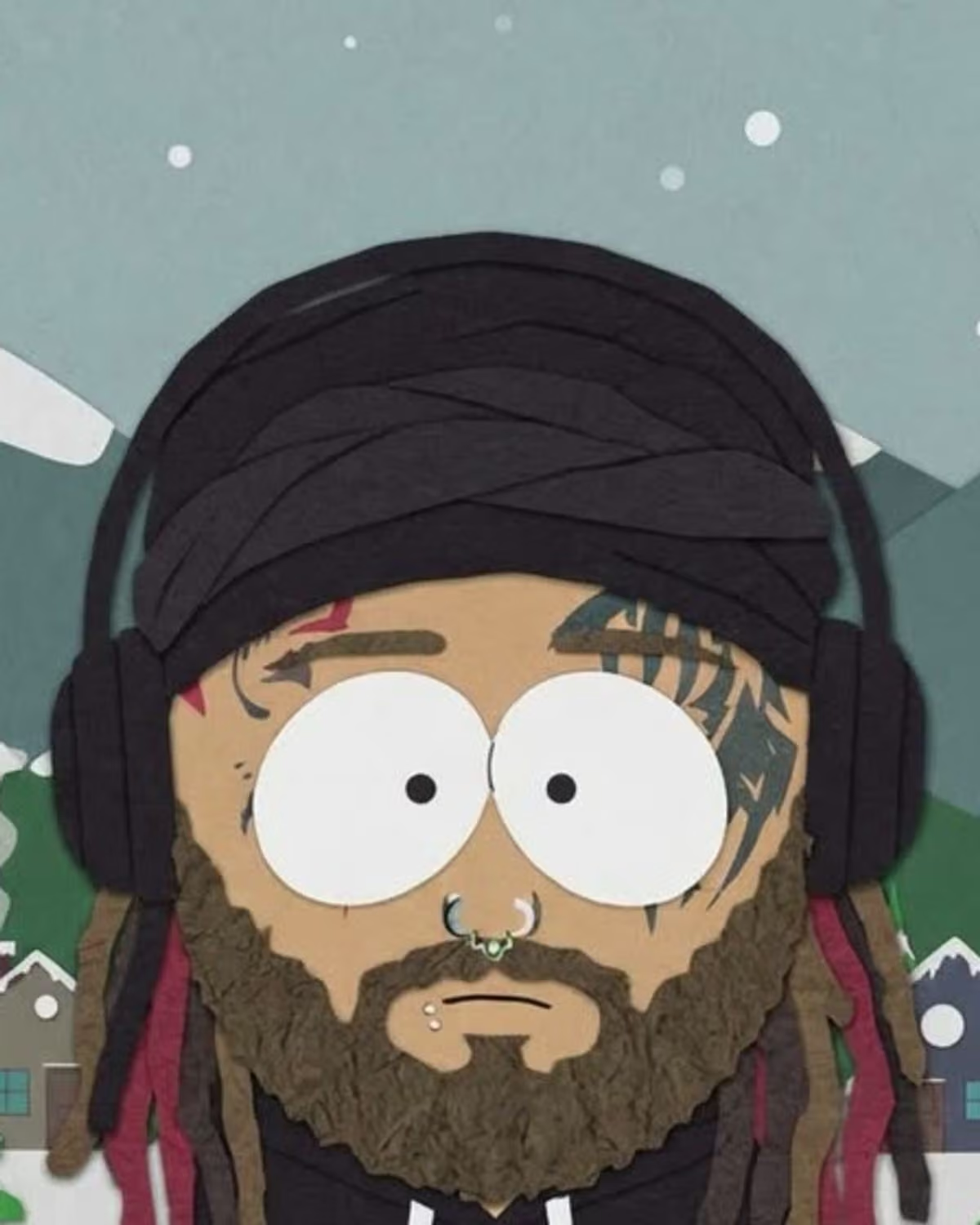
A cut-out cartoon of yourself only works if your friends can tell who it is at a glance. The style throws away almost everything: your face becomes a large round head with two big oval eyes, your body becomes short and squat, and your hands turn into mittens. What survives is colour and silhouette. That is the whole creative brief for this project.
Oakgen's South Park-Style Cartoon trend redraws one photo of you as a flat paper cut-out character standing in a snowy mountain town. It is our own take on the look and is not affiliated with any show. This post is about what to make with it: which version of you to photograph, how to use the result and how to caption it.
Make your cut-out cartoon
Upload one clear photo of yourself and get redrawn as a flat paper cut-out character in a snowy little town.
What carries over, and what gets simplified
Knowing what the style keeps tells you what to plan for.
| Part of your photo | In the cartoon |
|---|---|
| Hair colour and style | Kept, as a flat shape |
| Skin tone | Kept |
| Glasses and hats | Kept |
| Outfit colours | Kept, as solid blocks of colour |
| Facial features | Replaced by the round head, oval eyes and a small simple mouth |
| Your background | Replaced by snow, pine trees, mountains and small houses |
| Fine patterns, small logos, texture | Expect them to be simplified or lost in the flat style |
The practical rule: the more of your identity lives in colour and shape, the more recognisable your cartoon will be. A red beanie and a yellow raincoat will read. A subtle grey knit with an embroidered logo probably will not.
South Park-style cartoon ideas worth planning a photo for
The signature-look avatar
Wear the thing people associate with you: the bright jacket, the glasses, the hat you never take off. Since glasses and hats carry over, these are your strongest identifiers once your face is reduced to two oval eyes.
The winter-coat seasonal post
The result is always set in snow, so a photo of you already in a coat, scarf and hat makes the character feel at home in the scene. A summer T-shirt works too; it just makes a funnier mismatch.
The friend-group set
Each friend who agrees uploads their own photo and makes their own image. Because every result shares the same town and style, the set looks consistent when posted together. Ask everyone to wear one clear colour so the characters are easy to tell apart.
The "spot me" reveal
Post your real photo first, then the cartoon. The comparison is where the joke lands, especially if the outfit is the only obvious link between the two.
Choose the photo for colour, not scenery
The landing page asks for a clear photo with your face and outfit visible, and with just you in it. Beyond that, a few choices help:
- Pick a photo where your outfit colours are easy to see: daylight, no heavy filter, no dark shadows over your clothes.
- Show enough of your outfit for its main colours to register; a tight face crop leaves little to redraw below the head.
- Skip group shots, even if you are in the middle. One person keeps the identity unambiguous.
- Don't worry about where it was taken. The background is replaced either way.
The photo choice guide for this trend walks through more examples of what makes a good upload.
Profile picture and carousel ideas
The image comes out in a 4:5 portrait shape. For a round profile picture, crop around the head and shoulders and check that your hair or hat still reads inside the circle. For a carousel, try this order:
- The cartoon, uncropped, so the snowy town sets the mood.
- Your original photo, so people can match the outfit.
- A friend's cartoon, if you made a set together and they agreed to be posted.
Caption ideas that say it is AI-made
The trend does not add text to the image, so captions go in the post or in your own editor afterwards. Keep it clear that the picture is an AI cartoon:
- "Got the AI cut-out cartoon treatment. The hat made it through."
- "AI cartoon me vs actual me. Swipe for proof."
- "We all became cut-out cartoons (AI-made). Guess who's who."
Quick review checklist
Before you post, check:
- Your hair colour, skin tone and any glasses or hat match your photo.
- The main outfit colours are the right ones.
- There is one character, standing in the snowy town, with no stray text.
- A friend can identify you without being told.
If the character looks generic, the fix is usually a photo with stronger colours or a more distinctive accessory. The result review checklist lists what to compare, the step-by-step page covers making one, and the before-and-after caption page has more posting lines. Curious where the "South Park AI filter" name comes from? Read South Park AI filter explained or the shorter naming and origin guide. For more image trends and how they compare, see the AI photo trend playbook.
Frequently asked questions
Is this an official South Park filter?
No. It is Oakgen's own take on the flat cut-out cartoon look and is not affiliated with any show. Describe your result as a cut-out cartoon or AI cartoon rather than as an official character.
Can I keep the background from my photo?
No. Every result places your character in the same snowy little mountain town, so choose your photo for your face and outfit rather than for where it was taken.
Can I make a cartoon of my whole friend group in one image?
The trend takes one photo of one person. For a group set, each friend who agrees makes their own image and you post the results side by side or as a carousel.
Continue your project
South Park AI filter explained · Doodle street portrait ideas · Street character collage ideas · AI photo trend playbook