ChatGPT
 Claude
The Outstanding Tiny Desk AI trend casts you as the lead singer of a small office desk concert, with two friends in the band. Over 19 seconds and five shots, you dance in profile, then laugh and sing "Outstanding" in a long close-up, while your front backing singer claps and sings in the wide shots and your saxophonist plays the solo. You supply three photos. This guide goes from those photos to posting, in order. When your video is back, checking your Outstanding Tiny Desk result walks through it second by second.
Take the lead at the desk concert
Add three photos, review the quote and make the 19-second Outstanding Tiny Desk video with the meme's original live audio.
What the template gives you
One portrait 9:16 video, 19 seconds long, in five shots at 24 fps, with the meme's original live audio. You replace three people: the lead singer, the backing singer seated in front and the saxophonist. The rest is set: a desk concert in front of crowded wooden shelves of records, books, mugs, toys and keepsakes, with microphone stands, a red stage keyboard, small hand drums and water bottles on the desk.
| Time (about) | What happens | Who from your photos |
|---|---|---|
| 0 to 1.3 s | The lead in left-facing profile, dancing, shoulders swinging | Lead singer |
| 1.3 to 6.7 s | Backing singers behind the red keyboard; the one seated in front in the middle smiles, claps and sings the chorus | Front backing singer |
| 6.7 to 12.9 s | The lead chest-up: a big laugh, singing with the mouth wide open, a wave at about 11 s, a wide smile | Lead singer |
| 12.9 to 16.3 s | The saxophonist's solo | Saxophonist |
| 16.3 to 19 s | The backing singers again | Front backing singer |
The lead is on screen for about 7.5 of the 19 seconds, the front backing singer for about 8 across the two wide shots and the saxophonist for about 3.4. The two singers standing behind are generated as new, anonymous musicians dressed in black. We use the name Outstanding Tiny Desk only to identify the meme. Oakgen is not connected to or endorsed by anyone behind the original performance.
Step 1: Pick the three photos
Use three photos, one person in each: the lead singer, the front backing singer and the saxophonist. Each can be you or someone who agreed to appear. Never a celebrity, athlete or public figure. What matters, in order:
- A sharp, front-facing face for the lead. The long close-up is about six seconds of that face. It is where people will look.
- The whole head and hair. The lead's first shot is a profile, so the side of the head and the hairline show.
- Waist-up or full body for the front singer and the saxophonist. They are smaller in frame, and each photo also sets that person's build and outfit. A tight face crop shows little more than the collar.
Avoid group photos and heavy filters, and do not use the same person twice. Sunglasses in a photo can carry over, and they hide the eyes the close-ups depend on. The template will not start until all three photos are added.
Step 2: Decide on the outfits
There is no costume. Each of your three people wears what their photo shows, so the outfits are a creative choice:
- Go bold. A loud jacket or a chain on the lead echoes the meme and stands out against the two singers in black.
- Keep it everyday. Work shirts or hoodies on all three make the big laugh feel like your own office party.
The template asks to leave out the reference performers' sunglasses, knit hat, patterned jacket, chain, cap and glasses unless a photo has them.
Step 3: Pick a quality and read the quote
Open the Outstanding Tiny Desk template, add a photo to each of the three slots and pick 480p, 720p or 1080p. 720p is preselected. The studio shows the price before you generate. The quote covers preparing your three photos, three scene references of the lead singer and the full video. Read it for the quality you picked, every time. To test new photos, the lowest quote is the cheapest way to see how it comes out. Settings, price and output explains each choice.
Step 4: Know what to expect while it renders
We have not timed a run, so we will not promise a wait. Three things to know before it lands:
- Each person has their own shots. The lead is in the two close-ups, the front singer in the two wide shots and the saxophonist in the solo. Nobody is in all five.
- The sound is the original live audio. The song is "Outstanding", released by The Gap Band in 1982 on the album Gap Band IV. The meme uses a live performance, not the studio recording. Your video keeps that audio so the singing lines up. Nobody speaks.
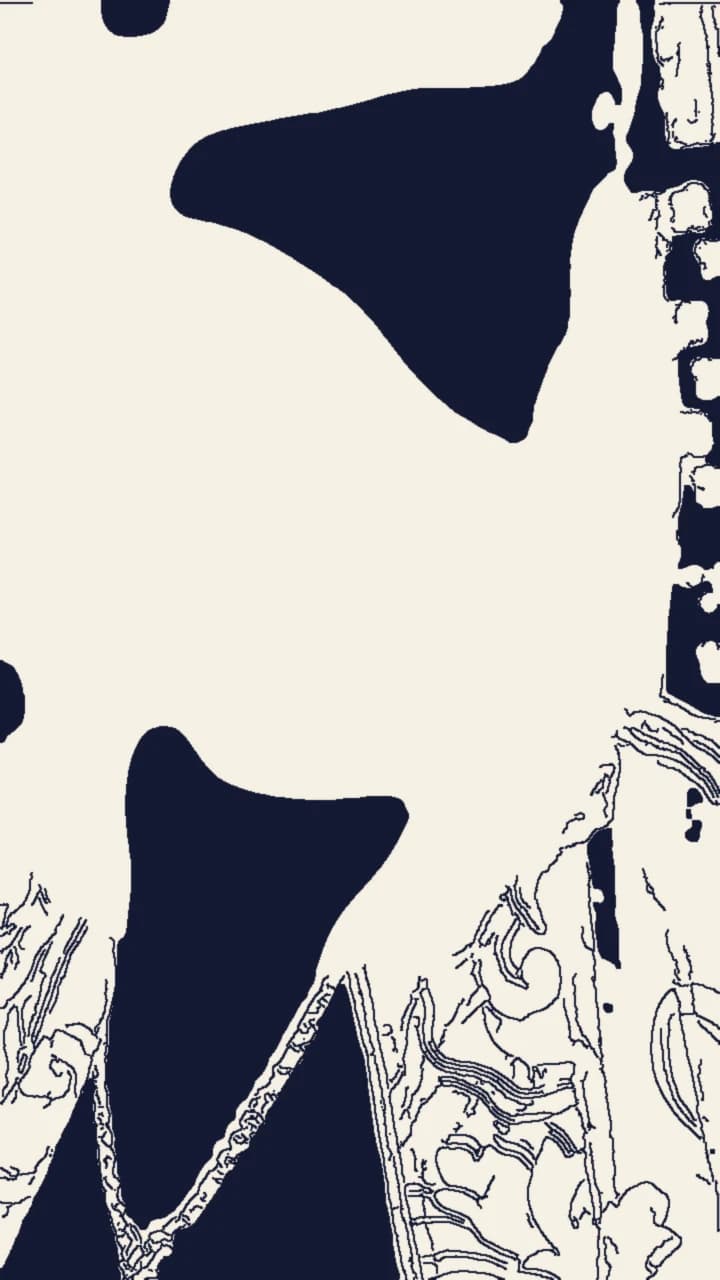
- The preview is a sketch, not a result. The trend page shows a two-tone sketch of the meme's shots and timing with every face left blank. We have not reviewed a generated result yet, so use the sketch for timing only.
Step 5: Post it
Watch it once with sound and once muted. Look at the lead's face in both close-ups, the front singer in both wide shots and the saxophonist in the solo, and check the singers behind for copied faces or text. The second-by-second checklist covers each shot and the one change to try if something is off.
Then let the laugh do the work. A caption that sets up a small win fits, like "Me after one meeting went well". Keep text short and off the faces, and leave the bottom of the frame clear for platform buttons. There is more in captions and posting ideas.
Say that the video is AI-made, and use photos only of people who agreed to appear.
Related reading
- Cast the lead, the front singer and the sax: what each photo controls.
- The song in the meme: "Outstanding" and the live audio.
- The meme shot by shot: the five shots and their timing.
Frequently asked questions
How many photos do I need for the Outstanding Tiny Desk video?
Three, and all are required: the lead singer, the backing singer seated in front of the red keyboard and the saxophonist. The two backing singers standing behind are generated as new, anonymous musicians.
Can I add friends to the band?
Yes, two of them: the front backing singer and the saxophonist each take a photo. The two singers standing behind are new, anonymous musicians dressed in black. Every photo must be of someone who agreed to appear.
What song is in it?
"Outstanding", released by The Gap Band in 1982 on the album Gap Band IV. The meme uses a live performance, not the studio recording, and your video keeps that live audio so the singing lines up.
What shape and length is the video?
19 seconds, portrait 9:16, in five shots. The lead is in two of them for about 7.5 seconds, the front backing singer in the two wide shots for about 8 seconds and the saxophonist in the solo for about 3.4 seconds.
Is the preview video made by Oakgen?
No. It is a two-tone sketch of the meme's shots and timing with every face left blank. It is not an Oakgen result.