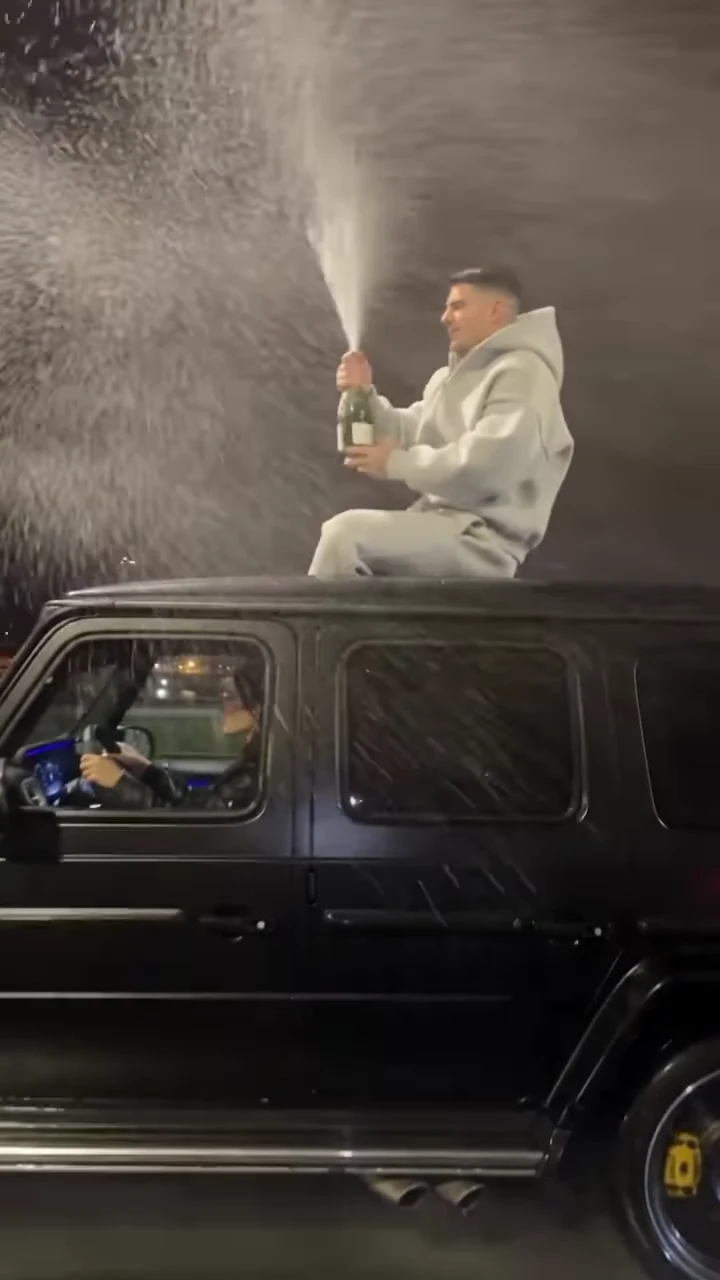
The Champagne Shoot is a young man on the roof of a black G-Class at night, spraying champagne, drinking from the bottle, throwing it up and shooting it in the air before the car speeds off down a wet highway. You supply the face. This guide goes in order: the photo, the outfit and the pistol beat, the quote, then a beat-by-beat check of the finished clip and how to post it. If you are not sure this is the champagne clip you saw, read champagne car AI trends explained first.
Your face on the roof
Add one photo, review your quote and make the 9.5-second Champagne Shoot with the spray, the throw and the night highway.
What the template gives you
The template is the first 9.5 seconds of a 10-second portrait reel from October 2026, with its original sound. The camera rides alongside the car at roof height: bottle up, the pop and a big fountain of spray, a drink, the throw, a pistol shot that bursts the bottle in mid-air, then the camera drops back as the car speeds away under the streetlights. It ends one frame before the reel's "Happy Birthday" title, so your video has no text on screen.
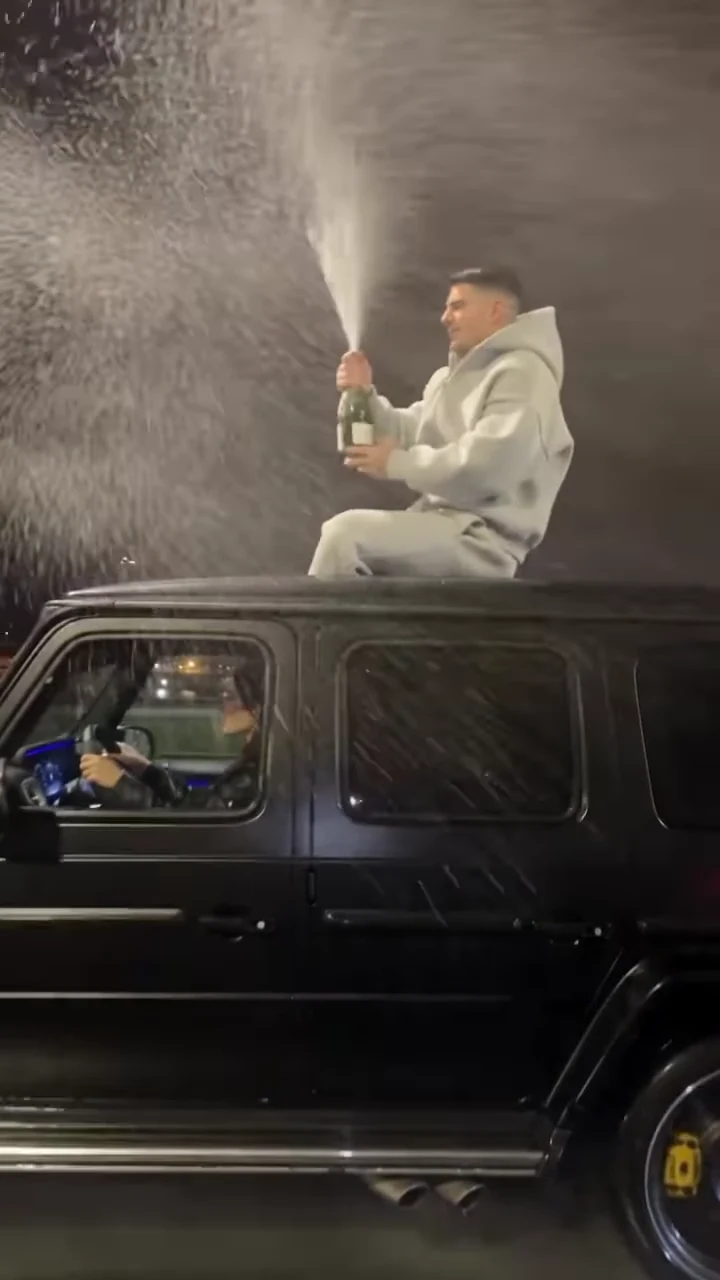
The spray, from the reference reel. Not an Oakgen output.
Step 1: Pick the photo
- One person, nobody else in the frame.
- Your own photo, or one of an adult who agreed to appear in a clip with alcohol and a handgun. Never a child, a celebrity or a public figure.
- Face sharp and turned toward the camera, the whole head and hairline visible, no sunglasses.
- Take off a hat or hood if you can; otherwise the template has to guess your hair.
- Even, bright light. The scene is at night, so a dark photo leaves the template little to work with.
- Any outfit is fine. The grey tracksuit is added.
The camera sees you mostly side-on and three-quarter, often through spray, so a clear photo matters more than a flattering one. Putting yourself on the roof covers what the photo controls in more detail.
Step 2: Know what stays fixed, including the gun
The light grey hoodie and sweatpants are the look of the trend, so Oakgen treats them as costume: everyone who makes this video wears them. The wet highway, the city lights, the black SUV and the driver you can see through the side window stay as they are in the reference.
The pistol beat also stays. At about 7 seconds the person on the roof draws a handgun, fires at the bottle in the air and waves the gun at the camera. There is no version of this template without it. If the person in your photo, or the place you plan to post, is not comfortable with that, pick another trend. The bottle shot and safe posting goes through what is shown and why none of it should ever be tried for real.
Step 3: Check the quote and generate
Choose 480p, 720p or 1080p and read the quote. It covers the whole video, and the studio shows it before anything starts. The generate button stays off until the photo is added. The video is made in one pass, so any later fix means a new run of the whole clip at the quote shown then.
Step 4: Check the result, beat by beat
Watch it twice: once with sound for the timing, and once muted, looking only at your face, hands and the bottle. Times are approximate, taken from the reference at four frames per second.
| Time (about) | What happens | What to check |
|---|---|---|
| 0 to 2 s | Sitting on the roof, bottle held high, driver visible below | Your face and hair already match the photo. One person on the roof, the grey tracksuit on. |
| 2 to 4.5 s | Working the cork, the pop, a big fountain of spray | The spray comes out of the bottle neck, not from the air. One bottle, one hand around it. |
| 4.5 to 6 s | Drinking from the bottle, then a grin | The steadiest side-on view of your face. Pause here to compare with your photo. |
| 6 to 7.5 s | The throw, the bottle tumbling up, drawing the pistol | One bottle on one arc. It should not vanish or split before the shot. |
| 7.5 to 8.5 s | The shot, the flash, the bottle bursting, waving the pistol | The burst happens where the bottle is. Five fingers on the hand holding the gun. |
| 8.5 to 9.5 s | The car speeds off down the highway with you on the roof | Still one person on the roof. No words or titles appear. |
The scene beats are explained in more depth in the G-Wagon champagne clip beat by beat.
Common flaws and the one change to try
These are the problems we would expect from how the template works. We have not measured how often each happens.
The face during the drink is not quite you. Use a sharper, front-facing photo with even light and re-run.
The hair is wrong. A hat, a hood or a tight crop leaves the template guessing. Use a photo where the whole head is visible.
The bottle doubles, or the spray starts from nowhere. Fast liquid is hard for any AI video. Re-run with the same photo before changing anything.
Your own clothes appear instead of the tracksuit. That is a miss: the grey hoodie and sweatpants should always be there. Re-run with the same photo.
Text, a title or a readable plate appears. The template asks for no on-screen text. Re-run; it is not part of the scene.
Step 5: Add a title if you want one
The reference used a "Happy Birthday" title over the final half second. If you want one, add it in your editor over the last second while the car drives away, keep it in the middle third of the frame and away from the right edge where app buttons sit. Adding your own title has the timing and placement in detail, and ideas for when it is not a birthday.
Step 6: Caption it, label it, post it
The clip is already portrait, so it goes straight to Reels, TikTok or Shorts. Make the caption about the celebration, not the gun: "Birthday entrance", "When the promotion comes through". Say it is AI-made in the caption, turn on the app's AI label if it has one and only post a face that agreed to it. If you show the reference next to your version, label which clip is yours. Apps have their own rules on weapons and alcohol and may limit or remove posts that show them, so check before you share. We have not verified each platform's policy.
Want more from this batch of trends? Burning Bridges and Closed on Sunday were added at the same time. For something else with a car in it, Unforgettable Car reveals a car with a card swipe and Stay with Me Car Reveal lets you cast the dancer, filmer or car arrival.
Frequently asked questions
How many photos do I need for the Champagne Shoot trend?
One, and it is required. It becomes the person on the roof. The driver stays a background person from the reference and is never cast.
Do I need to wear a grey tracksuit in my photo?
No. The template dresses you in the light grey hoodie and grey sweatpants whatever your photo shows. Your face and hair come from the photo.
Is there a gun in it?
Yes. At about 7 seconds the person on the roof draws a handgun and shoots the thrown bottle in the air, then waves the pistol before the car drives off. The template always keeps it, and your Oakgen video is generated fiction. Never try any part of it for real, check your app's rules on weapon content and label the video as AI.
Does the video say Happy Birthday?
No. The reference reel ends on a "Happy Birthday" title, but Oakgen's template stops one frame before it appears. You can add your own text in any video editor after downloading.
What song is in it?
The video keeps the reel's original audio, which includes a Russian-language song. We have not identified it, and Instagram labels the reel's sound only as original audio.
What shape and length is the video?
9.5 seconds, portrait 9:16, as an MP4 at 480p, 720p or 1080p.
Is the preview video made by Oakgen?
No. It is the reference reel the template follows for motion and timing. We have not published an Oakgen result for this template, so compare your video with the reference rather than assuming they will match.