To do the DDG Bills AI trend, open Oakgen's DDG Bills generator, add three separate character photos, and assign them to the closest speaker, middle responder and far companion. Choose a quality, review the credit quote, then generate and check the conversation before downloading. The joke depends on who is addressing whom, so correct casting matters as much as recognizable faces.
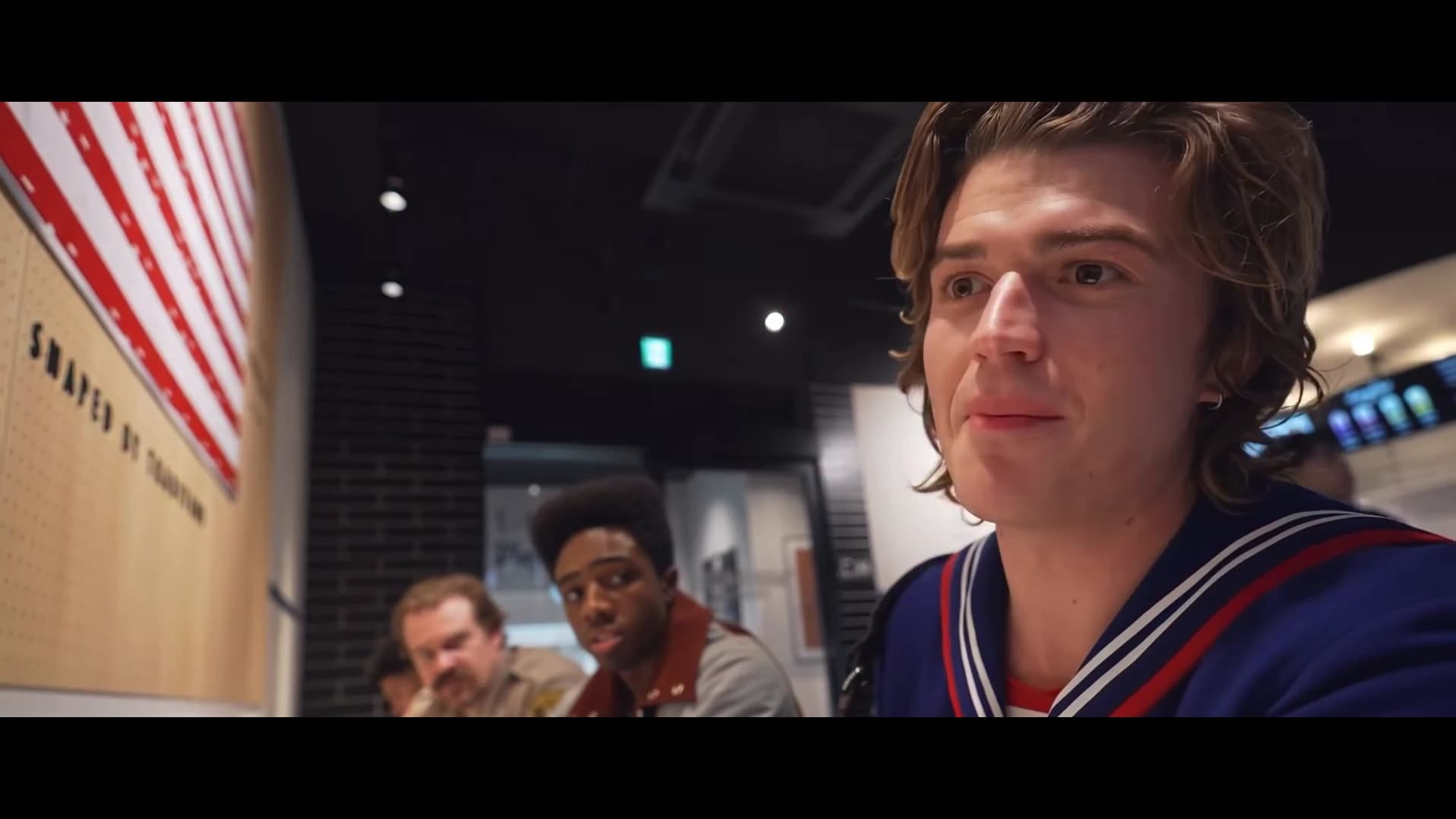
The supplied @ausar.ai restaurant Reel is an AI remake featuring familiar fictional characters. Its cover frame and scene are reference material, not a verified Oakgen result or a scene from Stranger Things.
Identify the conversation before choosing photos
People find this format through the DDG Bills name, the bills conversation, and the “You Talking Bout Me?” reaction. Those names describe the same restaurant-counter misunderstanding: a nearby speaker talks, the middle person responds, and another companion becomes part of the joke. A generic restaurant video will miss the relationship between those roles.
Watch the DDG Bills reference and photo requirements once with sound. Then watch again while ignoring the dialogue. Notice the closest speaker turning away from the camera, the middle responder becoming more prominent, and the far companion staying behind them. That second viewing makes the role map easier to remember.
For this Oakgen template, prepare the following inputs:
| Oakgen role | Where to find it in the reference | What your photo should establish |
|---|---|---|
| Closest speaker | Front/right, initially closest to the lens | A clear face, hair and visible outfit |
| Middle responder | Seated farther along the counter | A distinct identity that remains recognizable when attention shifts |
| Far companion | The most distant of the three companions | Enough facial detail to distinguish them in the wider view |
This is a three-photo workflow. Advice for another service that accepts one photo or fills unused seats automatically does not describe Oakgen's required inputs.
Pick a cast that makes the misunderstanding readable
For a first version, use three people your intended audience can distinguish immediately. A group of friends with different hair or clothing is easier to follow than three nearly identical portraits in matching outfits. That is an editorial recommendation, not a guarantee that clothing contrast will prevent every generation error.
Discuss the roles before uploading. The closest person starts with the strongest visual presence, the middle person supplies the response, and the far person helps complete the exchange. Giving the loudest friend the closest role and the most deadpan friend the far role can make the casting itself part of the joke.
Use one person per photo. Prefer images with visible eyes, a clear jawline and a little space around the head. If the outfit matters to your version, show the upper body rather than relying on a tiny profile avatar. The template uses character photos to guide appearance; it cannot recover garment details that are absent from the input.
You do not need to photograph your friends in a restaurant. A neutral room or simple outdoor background is enough for an identity reference. Recreating the counter belongs to the scene template, while the photos establish the people you want in it.
Make the DDG Bills video in Oakgen
1. Open the specific trend
Use the DDG Bills tool, rather than starting a general image-to-video request. The fixed trend already supplies the conversation, scene and motion reference. You are casting the scene, not writing a new exchange from scratch.
Check the preview before adding photos. Different remakes can use different characters or a longer excerpt. This version follows the supplied clip at approximately 13 seconds, so an 18-second tutorial from another product is not a duration promise for this tool.
2. Fill all three role slots
Add the closest speaker first, then the middle responder, then the far companion. Confirm each thumbnail after selection. Do not assume upload order in a file picker is the same thing as the role assignment visible in the tool.
If you accidentally put the responder in the closest slot, correct it before generating. A face can look convincing and still occupy the wrong conversational role. For a dedicated input audit, use the DDG Bills photo and role guide.
3. Choose quality and review the quote
The available choices are 480p, 720p and 1080p, with 720p selected by default. Read the quote shown for your choice. It includes the required character preparation; this article deliberately does not freeze a credit amount that could become stale.
A higher resolution gives you a larger output. It does not prove that a face will remain consistent or a mouth will match every syllable. Decide whether the composition and role assignment are correct before treating a resolution change as a repair.
4. Generate, then review the complete conversation
After generation completes, play the whole result at normal speed. Listen for the exchange and watch the person who should be speaking at each moment. Then replay with the sound off to check identities and reactions independently.
Put your cast in the DDG Bills scene
Assign all three photos, choose a quality and review the quote before making the video.
Use this conversation review sheet
The reference changes emphasis as the people look toward each other and the camera pans. A good review follows that shift instead of checking only the opening portrait.
| Review pass | What to watch | Reason to revisit the result |
|---|---|---|
| Opening | Closest speaker's face and initial delivery | A recognizable face becomes someone else when it turns |
| Turn toward companions | The same speaker in a side view | Hair, clothing or facial structure changes with the angle |
| Response | Middle person's identity and mouth activity | The response appears on the wrong character |
| Far companion | Their face and position relative to the others | The companion disappears, duplicates or blends into the responder |
| Ending | Final exchange and camera movement | The joke is cut off or a late identity change distracts from it |
These are acceptance criteria, not results from a paid generation test. No paid end-to-end Oakgen output was produced for this guide. The checklist comes from reviewing the supplied clip and the shared tool's current inputs.
Keep the audio timing intact when sharing
The trend retains its reference soundtrack. Adding a photo changes the character reference, not the person's recorded voice. Listen before publishing: the supplied conversation includes explicit language, and the timing of the interruption is central to the joke.
If you add captions in a separate editor, place them after reviewing the generated mouth movements. Captions that identify the wrong speaker can make an otherwise understandable exchange confusing. Avoid putting a large text panel across the middle and far faces just when the camera brings them into view.
Keep a copy of the downloaded result before making platform-specific crops. A tight portrait crop of a wide conversation can remove the person who supplies the response. Preview any crop from beginning to end, particularly the final camera movement, instead of judging it from the first frame.
For a different two-person performance, see the Oouuh ukulele duet walkthrough. For a one-character dialogue scene, the Stop Sign recreation guide has a different review problem: listening pauses and an offscreen voice.
Frequently asked questions
How do I make the DDG Bills AI trend?
Open Oakgen's DDG Bills tool, add a separate photo for the closest speaker, middle responder and far companion, choose a quality, check the displayed credit quote and generate. Review all three roles before downloading.
How many photos does the Oakgen DDG Bills template need?
It needs three photos, one for each role. All three slots must be filled; leaving a companion empty does not preserve that person from the reference.
Is the Stranger Things restaurant clip the original DDG video?
No. The supplied Stranger Things version is an AI remake posted by @ausar.ai. It is a reference for this recreation, not footage from the show or the original restaurant conversation.
Can I replace the dialogue with my own voice?
This fixed trend uses its reference soundtrack. Uploading a character photo does not record or clone that person's voice, and this tool does not provide a custom dialogue field.
Does keeping the audio guarantee accurate lip-sync?
No. The soundtrack is retained, but generated mouth movements can vary. Check each speaker's phrases, the listening pauses and the final reaction in the finished video.
Sources and further reading
- Supplied @ausar.ai restaurant remake: reference footage and creator attribution.
- DDG conversation reupload titled “You talm bout me?”: public naming evidence; earliest publication has not been established.
- DDG Bills trend overview: current preview and product requirements.
- Three-role photo troubleshooting: a separate checklist for choosing inputs and reviewing identity.
Make your DDG Bills video in Oakgen once the three photos are in the roles you want.