You have a finished video from the Voldemort Car Repair template and something may look slightly off. This guide is for the looking, not the making: what to check in each stretch of the 15 seconds, which photo choices usually sit behind a flaw, and what single change to try next. In the skit the key line is about the car's transmission, and the whole clip is one handheld take, so every flaw stays visible. The recipe for making the video in the first place is on You Fked the Transmission AI Trend.
Not made it yet?
Add one or two photos, review the credit quote for your selection, and make the 15-second video.
How to watch your result
Watch it three times. The first time, turn the sound off and look only at faces and clothing. The second time, turn the sound on and watch only mouths. The third time, ignore the people and look at the yard. Keep the credited reel from the trend page open beside it as the reference. It is the @ausar.ai source reel, not an Oakgen output, so it shows what the scene should do and says nothing about the quality you should expect.
What to check at each timestamp
0 to 2 s: the open hood
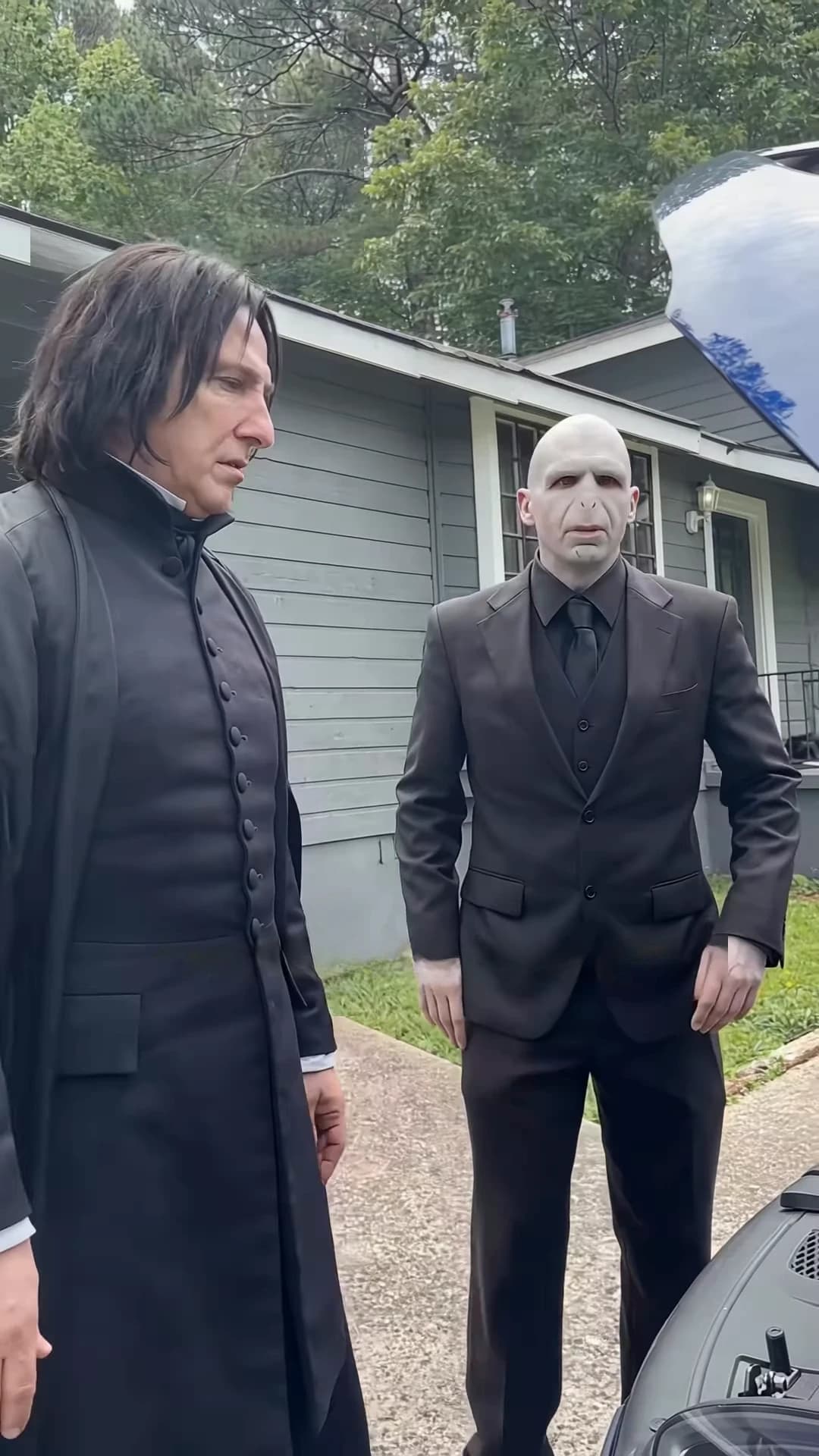
In the reference, the coat character is bent over the hood with a hand on the plastic engine cover and the face turned down. The suit character stands half-hidden behind. At about 1.9 seconds the suit character says a short "What?" with hands behind the back, looking into the engine bay.
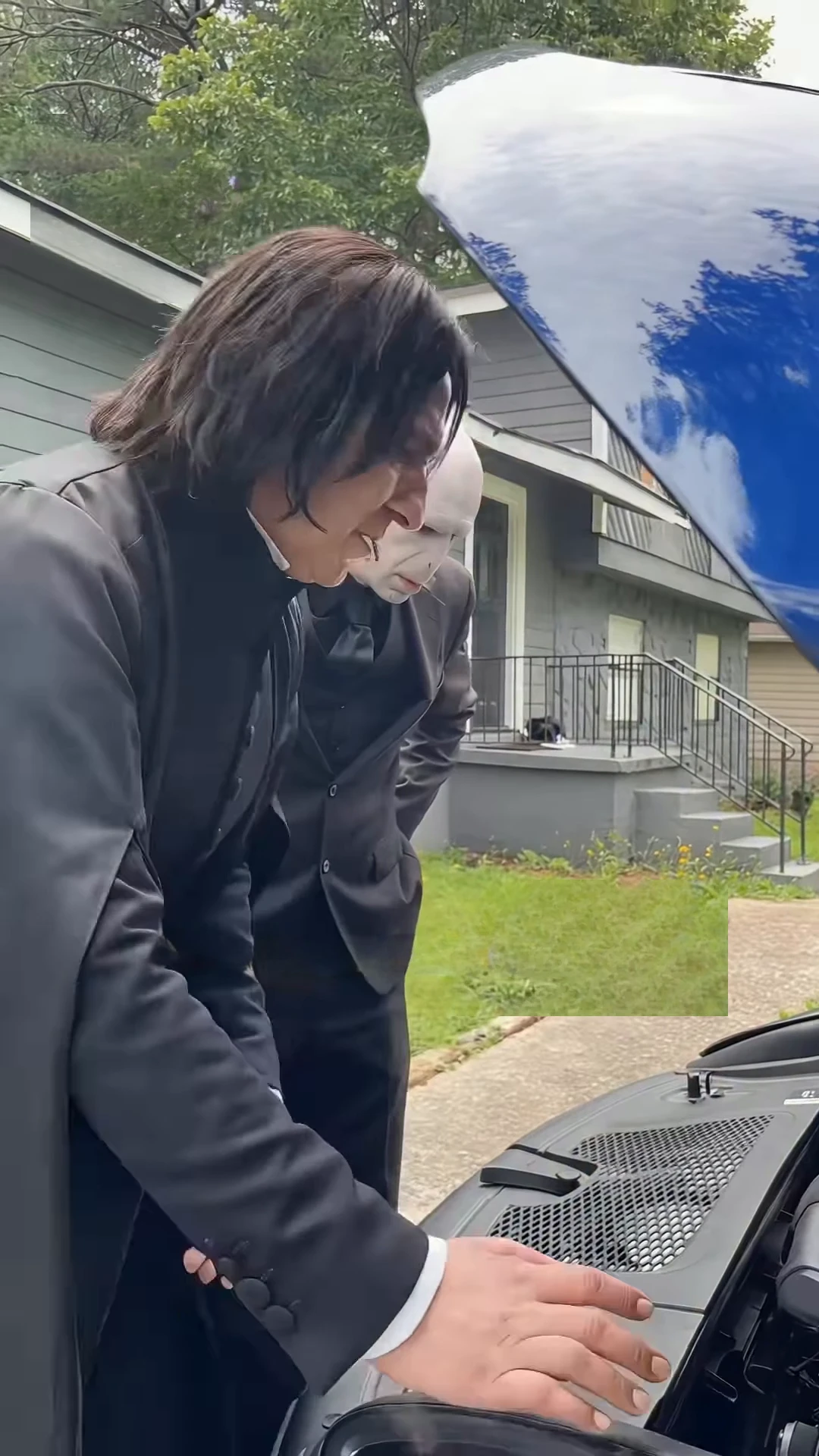
Frame at about one second from the credited @ausar.ai source reel. This is the reference scene, not an Oakgen output.
Look for the coat character's head and hair still reading clearly while bent forward, no face or mesh lines showing through the coat or hood, and the suit character's face partly hidden rather than floating in front of the other person.
2.5 to 3.8 s: the accusation
The coat character turns from the engine and says the line the trend is named for. Check that the lips start as the line starts, and that the suit character's mouth is closed while he listens. The "you" at the start is clipped in the audio, so the opening of the line is short. A silent beat of about 0.7 seconds follows (roughly 3.8 to 4.5 seconds), so both mouths should be still in it.
4.5 to 8.5 s: denial, insistence, "Nuh-uh"
The suit character gives a short denial at 4.5 to 5.5 seconds, then about 1.3 seconds pass with no speech. At 6.8 to 7.8 seconds the coat character answers "Yes, you did", and the suit character adds a very short "Nuh-uh" at 8.0 to 8.5 seconds, a word only one of our transcripts caught. The wording of the denial is disputed between our transcripts, so check the mouth timing, not the words.
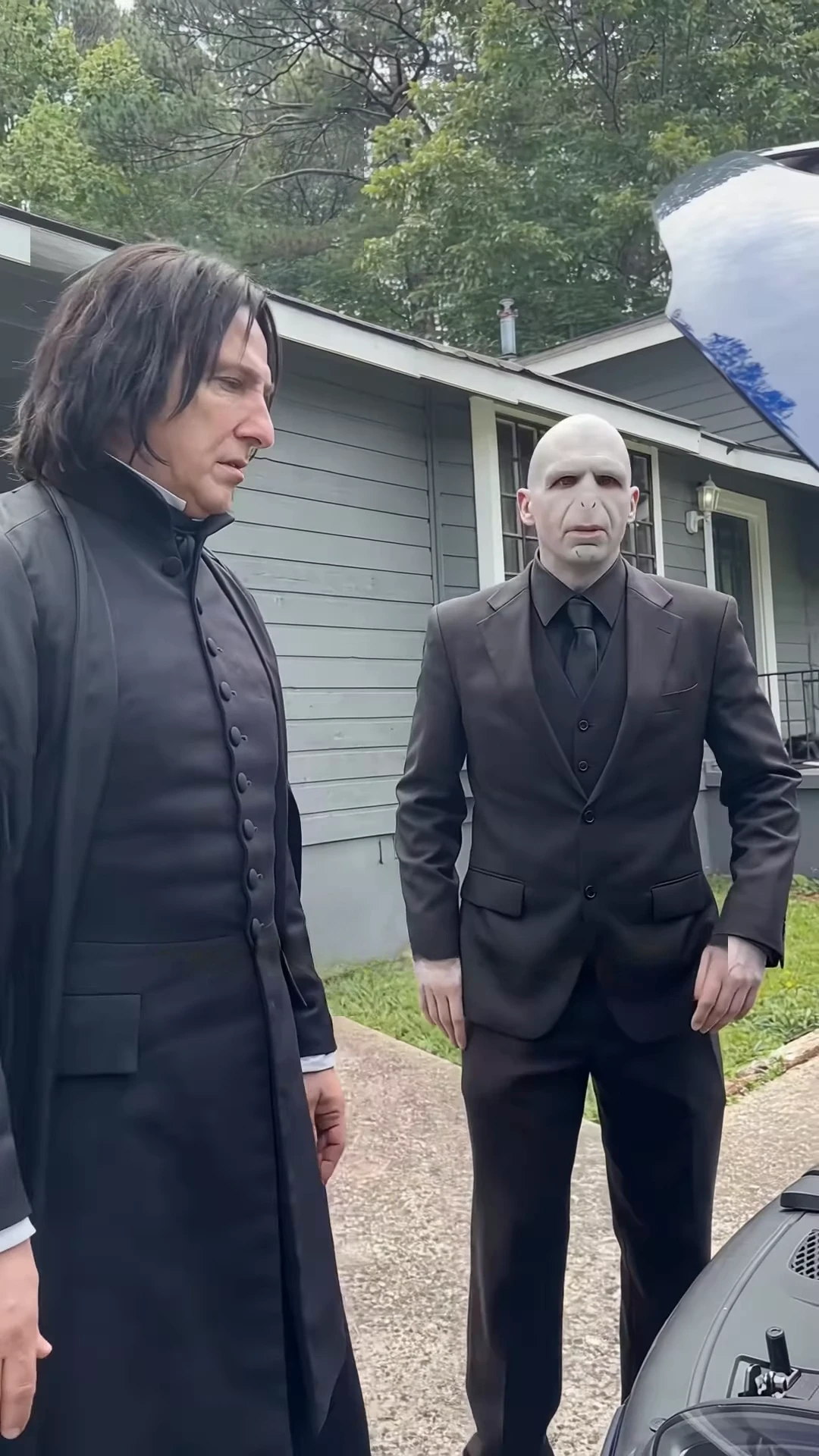
The poster frame, at about five seconds, from the credited @ausar.ai source reel, not an Oakgen output.
Look for the suit character facing the camera with a clear face, a silent gap where neither mouth moves, and the coat character turning toward the other person for the insistence.
8.7 to 12.6 s: the long excuse
This is the hardest stretch for the suit character's photo. His mouth moves for almost four seconds, facing the camera with both arms spread, while the coat character stands in profile at the left edge with a closed mouth, listening.
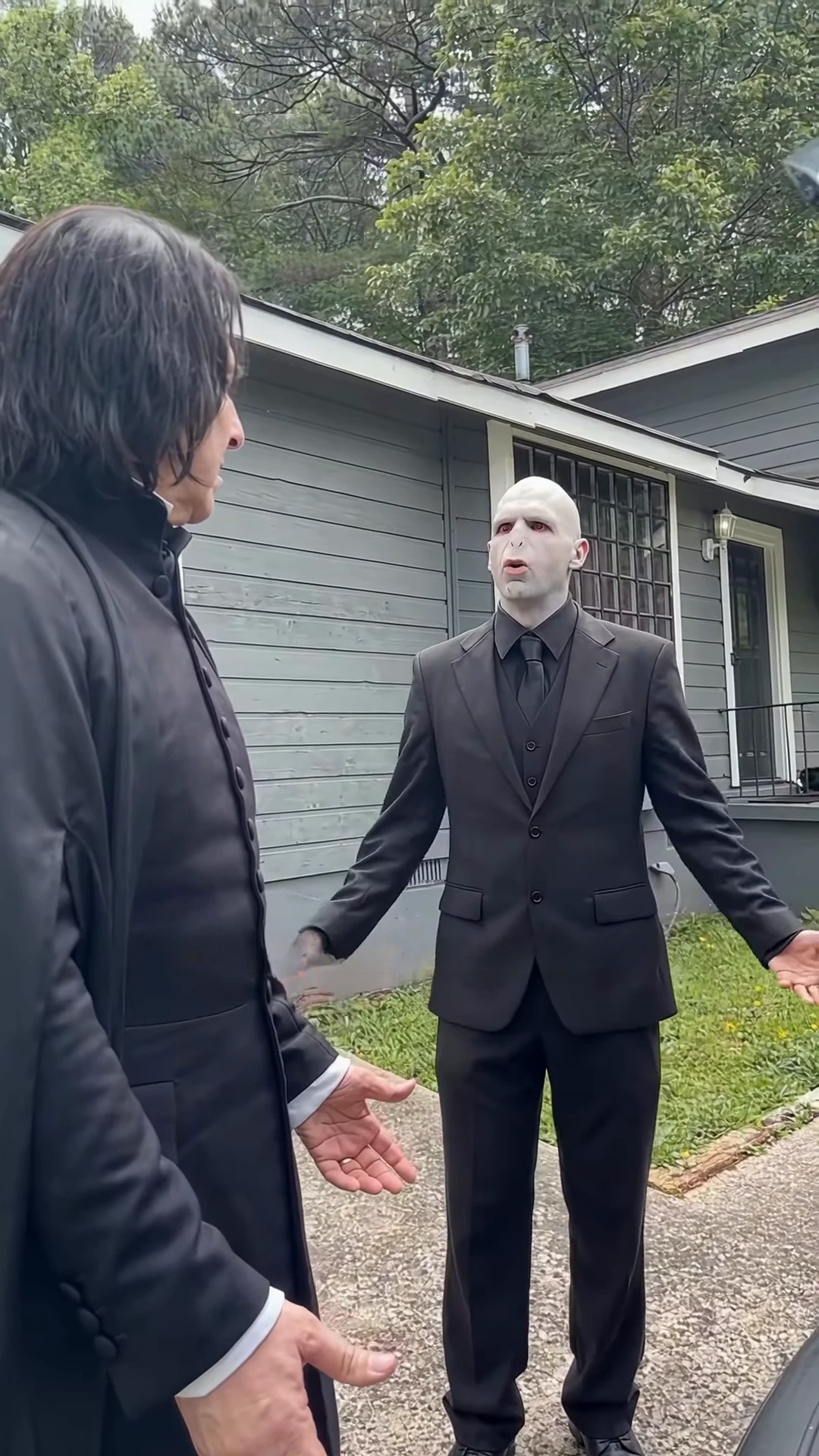
Frame at about twelve and a half seconds from the credited @ausar.ai source reel, not an Oakgen output.
Look for lips that keep moving across the whole stretch rather than stalling halfway, both hands and arms keeping a natural shape, and the listener's mouth staying still.
12.9 to 15 s: the closing question
The coat character speaks the closing question, turned toward the suit character, who goes back to listening. The clip should end on that question with no extra pose, no added line and no cut. If your result adds a closing flourish, that is drift from the reference.
Throughout: the yard
The black car, its raised hood edge at the top right early on, the grey house with the barred window and the lawn should stay put. With no cuts to hide it, background drift is easy to spot on the third pass.
Photo-choice mistakes to look for
These are the problems we would expect from the way the template works. We have not measured how often each one happens.
| Photo choice | What it can look like | Where to look |
|---|---|---|
| Suit-slot photo that is small, turned away or hidden by sunglasses | Weak or unstable mouth during the long excuse | 8.7 to 12.6 s |
| Coat-slot photo that hides the hairline and head shape | Unclear head and hair while the figure is bent over or in profile | 0 to 2 s and from about 8 s |
| The two photos in the wrong slots | The wrong person bent over the hood | 0 to 2 s |
| Photo with a heavy filter, pattern or overlay lines | Lines or texture lingering on a face | Any close frame |
| More than one person in a photo | The wrong face picked for a role | The first frame you check |
Fix it with one change
Change one thing, then re-run, so you learn which change helped. Each run is charged at the quote the studio shows for your selection.
| What is wrong | One change to try |
|---|---|
| Mouth stalls or drifts during the long excuse | Replace the suit-slot photo with a larger, sharper, front-facing one in even light |
| Head shape unclear at the hood or in profile | Use a coat-slot photo that shows the hairline and the shape of the head |
| Wrong person in a role | Check that Coat character is the left slot and Suit character is the right slot |
| Lines or texture on a face | Use a clean photo with no filter, pattern or overlay |
| The listener's mouth moves on the other voice | Swap that slot's photo for a clearer face before changing anything else |
| Yard or car drifts | Nothing in the studio controls the scene, so re-run once; if it persists, pick different photos |
| The strong language is a problem for your audience | The soundtrack cannot be edited, so choose a different platform or do not post it |
Before you post
Say that the video is AI-made, credit @ausar.ai if you show the reference reel, and label the two clips separately if you post them together. Use only photos of yourself or of people who have agreed to appear. Our transcript of the dialogue is machine-made and not checked by ear, and the original audio and the skit's first makers were not found.
For the rest of the story, see what the skit is and how its joke works, the full script with times, the two roles and where the caption comes from. If a result feels flat rather than broken, the pacing and performance guide explains how the take is meant to move. It is a fan-style parody, and Oakgen is not affiliated with any franchise it recalls.