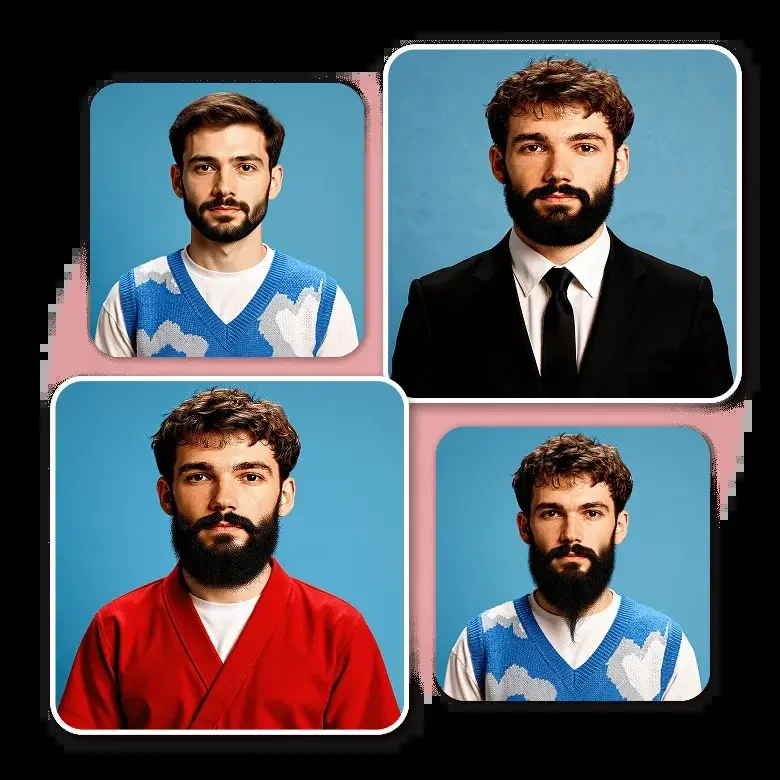
Add a Beard to Your Photo

See how stubble, a goatee or a full beard looks on your face. Upload a portrait, choose the beard shape and match its color to your hair.

To preview stubble, choose Stubble and Match Hair Color. Start with low Beard Density so you can see where the new hair meets your cheeks. Raise the density if you want more coverage along the jaw.

Choose the style of beard to add

Select the beard color

0.7
Adjust how thick/dense the beard appears (0.3 = light, 1 = very thick)
Continue to Studio

Generation uses paid credits. View pricing

Add Beard to Photo example
Example result

How to use Add Beard to Photo

  1. 1

    Show the jawline

    Choose a well-lit front or three-quarter portrait. A scarf or hand over the chin hides the outline you want to compare.

  2. 2

    Try one beard shape

    Start with Match Hair Color, choose a beard style in Studio and generate a preview. Compare the cheek line and mustache with the original.

Tips for better results

  • For a barber reference, compare stubble with a short full beard on the same portrait. Ask for a lower cheek line if you want more skin to show above the beard.

Frequently asked questions

Can I see how a Van Dyke differs from a goatee?

Generate one version of each from the same photo. Compare the outline around the chin and the separation between the mustache and beard before showing a barber.

How does this differ from the beard simulator?

Choose this page to add a beard, including shapes like a Van Dyke or Balbo. Use the beard style simulator when you want to compare facial hair with a clean-shaven look.

Compare cheek lines and neckline shapes in the beard style photo guide.

Related AI tools