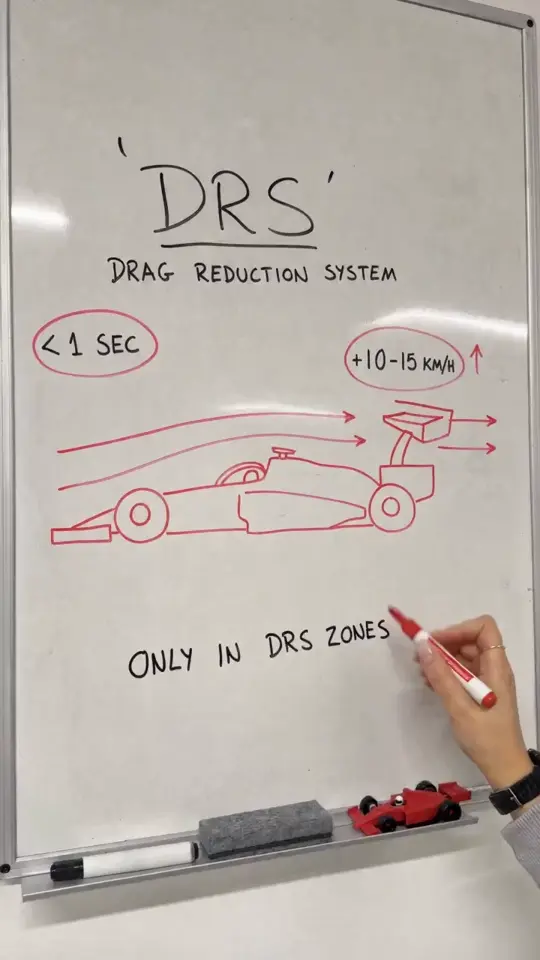
A useful Whiteboard Explainer AI trend idea answers one question with one diagram. For a 15-second clip, choose the relationship you want someone to remember, then remove anything that does not help explain it. The storyboard is a plan for the supplied heading, diagram description, labels and takeaway, not a demand for a new scene at every second.
Oakgen's Whiteboard Explainer template is topic-based rather than a photo-casting trend. It supports optional English narration. Without narration, the output uses marker sounds and room ambience, so “no voice” does not mean a silent file.
Choose a question with a visible answer
Consider a small team explaining why requests get delayed. A broad topic such as “How to improve productivity” has too many possible answers. A narrower question, “Why does an unclear request come back?” can be represented as a short loop.
For this original example, the teaching point is that a missing requirement creates a clarification step. It is an illustrative workflow, not a measured claim about every team. The diagram should show that relationship directly, without statistics or a detailed organizational chart.
Write the takeaway before the rest of the storyboard: “Clear requests avoid extra loops.” If that sentence is not the lesson you wanted, revise the concept now rather than decorating a diagram that explains the wrong thing.
Use this compact storyboard
Enter a short heading such as “Why requests bounce.” Describe three boxes in a left-to-right row: a request enters a review step, then goes to delivery; a return arrow from review to request represents missing information. Ask for one simple emphasis on that return arrow rather than a separate drawing for every sentence.
Use these three labels:
- Request
- Review
- Delivery
The heading fits the template's 32-character limit. The labels fit the 24-character limit per label, with no more than three labels. The diagram description can be up to 600 characters, and the takeaway up to 48. Staying well below a limit can make the concept easier to communicate; filling a field is not a quality target.
Optional narration could read: “A request reaches review. Missing details send it back for clarification. Explain the requirement at the start to reduce that extra loop.” This is an example script, not a promise that the rendering will place every phrase at an exact second.
Review meaning before appearance
Check whether the arrows go in the intended direction. A clean drawing with a reversed arrow teaches the opposite process. Read each visible label and compare it with your inputs. Make sure the takeaway is readable and does not overlap the diagram.
Then watch with audio. The narration should describe what the viewer is seeing rather than introduce a second lesson. If you omit narration, test whether the diagram stands on its own. Keep the original download and make any trims or additional captions in a separate editor.
Expand by changing the question
A second episode might ask “What belongs in a clear request?” That is a new teaching task and deserves its own storyboard. Do not overload this first clip with a checklist, an example email and an exception flow merely because the topic has more depth.
Use the sequence as a small educational series: one question per clip, a recognizable visual style and a consistent level of detail. The source preview shows a style reference, not proof that your specific board text or diagram has already rendered correctly. Review every generated explanation before sharing it as instruction.
Frequently asked questions
Can I use photos to cast the Whiteboard Explainer?
This trend uses a topic and diagram inputs rather than photo roles. Plan the heading, labels and takeaway around one concept.
Will turning off narration make the video silent?
No. The non-narrated version uses marker sounds and room ambience. Remove audio separately if your finished edit needs silence.
Continue your project
AI Trend Video Hooks: Give the Reveal a Reason to Matter · Plan a Week of AI Trend Posts Without Repeating the Same Joke · Posting AI Trend Videos: Labels, Music and Permission Checks · AI Video Trend Playbook: Choose, Personalize and Share Your Next Clip