Oakgen.ai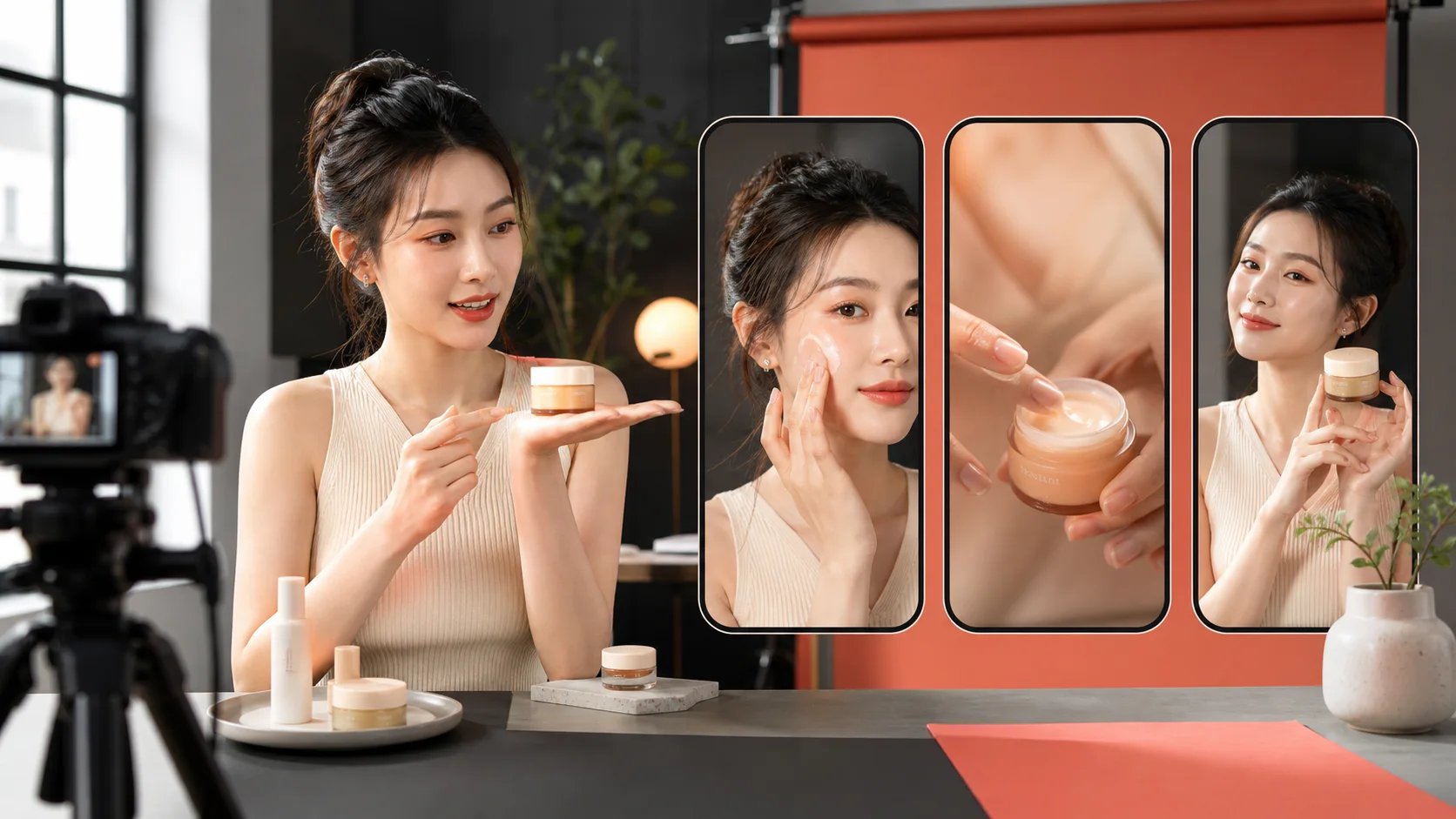
To create an effective Reel or YouTube Short with Seedance 2.5, begin with one audience outcome and one visual hook. Write the concept in beats, frame important action for 9:16, show proof before explanation, and finish with a clear payoff. Generate clean footage without embedded captions, then add approved text, voice, music, and the call to action in the edit.
This guide covers the complete vertical workflow, from idea to export. Review the Seedance 2.5 model page for current availability, supported settings, and generation controls.
Choose one job for the video
Short-form content becomes weak when it tries to educate, inspire, sell, entertain, and explain the company at once. Pick one primary job:
- make a viewer recognize a problem;
- demonstrate one product benefit;
- teach one repeatable technique;
- reveal a surprising transformation;
- compare two creative choices;
- make one story beat emotionally complete.
The viewer should be able to finish this sentence: “I watched that because it showed me _____.”
The vertical story arc
| Time | Beat | Purpose |
|---|---|---|
| 0–2 seconds | Hook | Create an unanswered visual question |
| 2–5 seconds | Context | Make the situation understandable |
| 5–12 seconds | Proof | Demonstrate the useful or surprising change |
| 12–18 seconds | Payoff | Complete the idea and show the result |
| Final moment | CTA | Tell the interested viewer what to do next |
This is a planning model, not a requirement to fill every second. A six-second video with a complete idea is better than an 18-second video padded with movement.
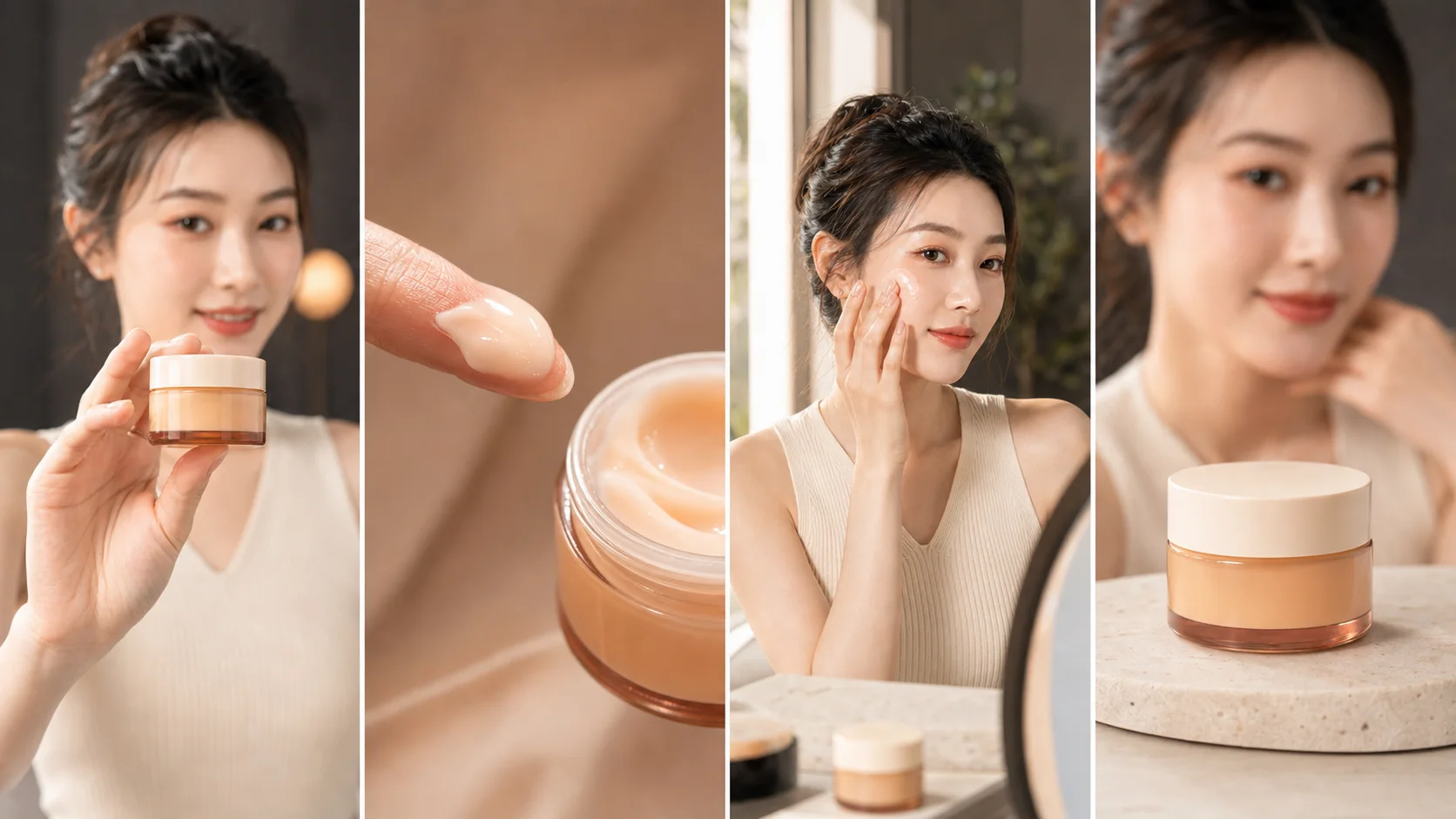
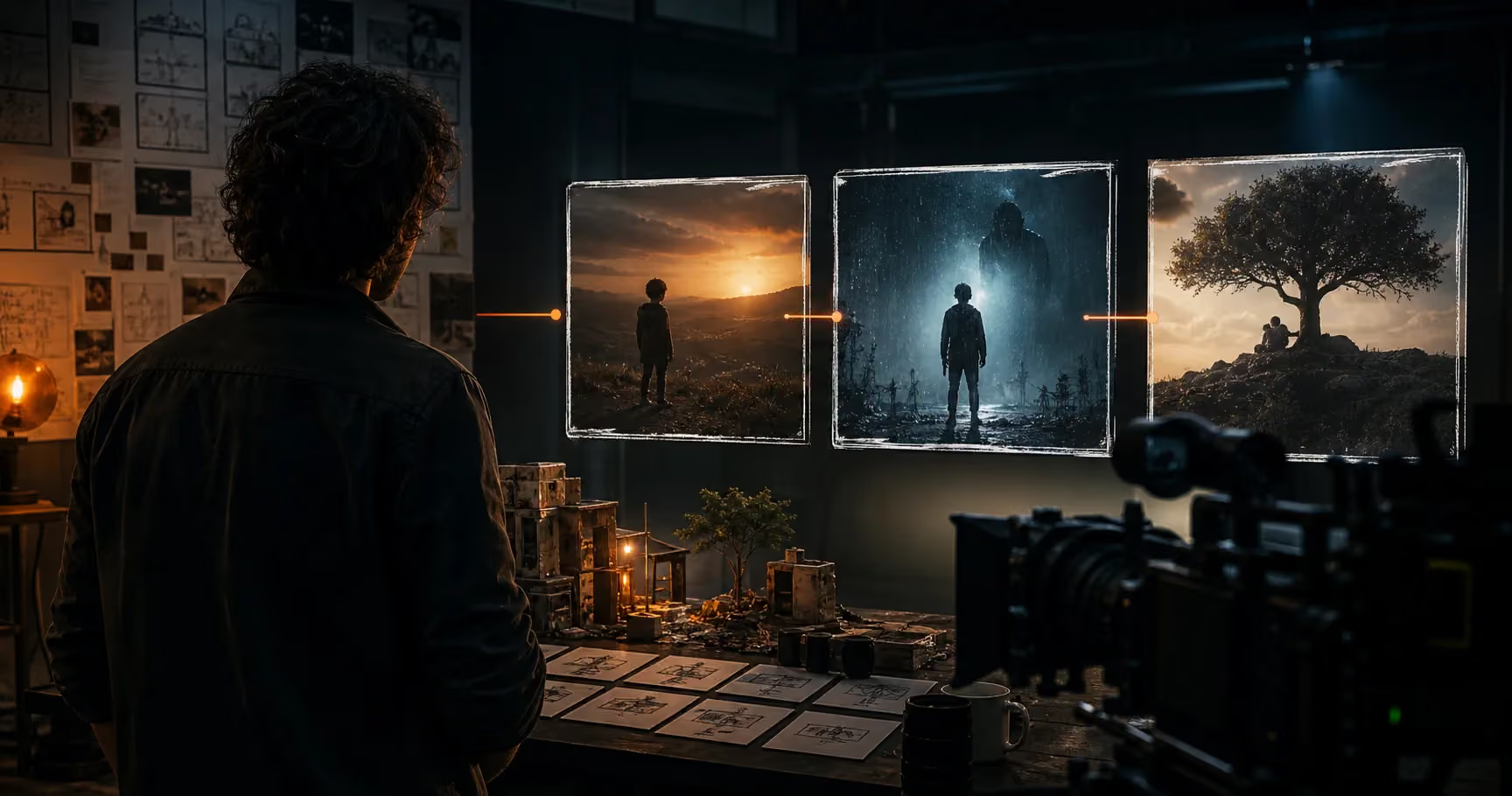
The product and creator stay consistent while every frame answers a different viewer question.
Hook with a visual contradiction
“Three tips for better videos” depends entirely on text. A visual hook works before the viewer reads:
- a luxury product placed in an ordinary kitchen;
- a creator holding the finished result before revealing the process;
- a quiet face while the environment moves rapidly;
- an object behaving correctly in an unexpected setting;
- two versions of the same shot moving side by side;
- the problem shown in an exaggerated but believable close-up.
Write the first frame before the rest of the prompt. If the first frame could belong to any brand or video, it is not specific enough.
Pause on frame one with the sound off and all captions hidden. Does the image create a specific question? If not, rewrite the opening composition.
The Seedance 2.5 vertical prompt formula
FORMAT INTENT: Vertical social video composed for a 9:16 crop.
AUDIENCE: Who should recognize themselves in this moment.
HOOK FRAME: Subject, product, action, contrast, and composition.
BEAT 1: Context in one readable action.
BEAT 2: Demonstration or proof.
BEAT 3: Result or emotional payoff.
CAMERA: Shot size, movement, focus, and cut points.
SAFE AREA: Keep faces, hands, and products inside the center vertical frame.
STYLE: Lighting, texture, location, pace.
ENDING: Clean hold for caption or CTA added in post.
CONSTRAINTS: Identity and product locks; no generated text or interface.
Example 1: creator-led skincare Reel
Create a creator-led beauty video composed for 9:16. The audience is people who dislike heavy morning skincare. Preserve the same Asian woman, cream ribbed top, amber glass moisturizer jar, cream lid, and warm neutral studio in every shot.

HOOK: Tight center-framed shot as she holds the small jar close to camera while an overcrowded shelf remains blurred behind her.

CONTEXT: She moves the shelf products aside with one hand and keeps only the jar. Natural expression, no pointing or exaggerated surprise.

PROOF: Macro texture shot of a small amount of lightweight cream on one fingertip. Cut to her applying it once to the cheek beside a mirror in daylight.

PAYOFF: The same jar sits on a cream stone pedestal. She is relaxed and softly out of focus behind it. Hold the final frame for clean typography added later.

Camera: 50mm portrait feeling, gentle handheld presence, deliberate focus pulls, no rapid orbit. Warm window light, realistic skin texture, cream and amber palette. Keep face, hand, and jar within the center 55 percent of the horizontal frame for vertical delivery.

No generated labels, captions, medical claims, beauty-filter skin, extra fingers, changing jar, wardrobe change, duplicate creator, or floating product.
Example 2: a tutorial that demonstrates before explaining
Create a fast vertical filmmaking tutorial showing how one desk setup changes when the light source moves.

Open on a split-second close-up of the final cinematic portrait: warm lamp behind the subject, cool window light on one side, dark background separation. Immediately cut to the flat original setup with only a ceiling light. A creator switches the ceiling light off, moves one small lamp behind the chair, turns the chair 30 degrees toward the window, and sits. Match cut back to the finished portrait.

Fixed room, same creator, same wardrobe, same camera position. Use one overhead wide shot for the setup actions and one locked close portrait for before and after. Compose all action for 9:16; keep hands, lamp, and face away from interface zones. End on the finished portrait with empty upper-left space for a caption added in post.

Real apartment, practical lighting, no magical light beams, generated words, interface, duplicate furniture, changing face, or impossible room transformation. No audio.
Example 3: two-model comparison format
Create two visually matched 8-second clips from the same brief for a side-by-side model comparison. A cyclist in a red rain shell rides through a narrow mountain tunnel and exits into bright alpine daylight.

Both versions must use the same opening frame, rider identity, bicycle geometry, wardrobe, tunnel, direction of travel, camera height, and ending composition. Begin with a low rear tracking shot inside the dark tunnel. Water sprays from the back tire. The camera accelerates beside the rider as the exit grows brighter. The rider emerges into open daylight and turns toward a descending road. End on the same wide view for both clips.

Natural sports cinematography, realistic bicycle motion, strong exposure transition, 24fps feeling. No text, logos, camera teleportation, bicycle deformation, extra riders, or speed trails.
For the published comparison, label the model outputs in editing software. Do not rely on generated typography.
Create the whole short-form workflow
Develop hooks, frames, product shots, creator videos, voiceovers, music, and variations inside Oakgen.
Compose for the platform interface
Platform controls cover parts of the screen. Even when generating in a wider format for later cropping, protect the center column:
- keep the face and product away from the extreme top and bottom;
- avoid essential action at the right edge where interface controls appear;
- leave one quiet region for captions;
- do not make the product so large that a 9:16 crop removes its shape;
- keep camera movement slow enough that reframing does not chase the subject.
If the intended composition only works at 16:9, it is a landscape composition being cropped, not a vertical composition.
Add captions after generation
Final captions should be accurate, timed to speech, and readable on a phone. Add them in post so you control:
- spelling and punctuation;
- line breaks and reading speed;
- contrast against changing backgrounds;
- brand type and color;
- platform safe zones;
- claims and legal wording;
- language variants.
Keep each caption unit short. Break on meaning, not at an arbitrary character count. If the viewer must read a paragraph to understand the scene, simplify the idea.
Build retention with information changes
A cut is not automatically interesting. Each beat should introduce new information:
- Question: Why is the shelf overcrowded?
- Choice: Why does the creator remove everything except one jar?
- Evidence: What does the product look like and how is it used?
- Result: What does the routine feel like afterward?
This sequence has retention because the viewer keeps receiving answers. Random close-ups of packaging do not create the same progression.
Create variants by changing the hypothesis
Do not generate ten near-identical openings. Test different reasons a viewer might care:
| Variant | Hypothesis | Hook example |
|---|---|---|
| Problem | The pain is highly recognizable | Overcrowded shelf before a rushed morning |
| Outcome | The desired state earns attention | Calm finished routine first |
| Proof | Texture creates belief | Macro product behavior |
| Creator | Trust comes from personality | Honest reaction and direct demonstration |
| Contrast | Difference is instantly legible | Heavy routine versus one clear step |
Keep the product and truth of the offer fixed. Change the audience entry point.
Short-form quality checklist
Before publishing, check:
- the first frame works without audio or text;
- one audience problem is obvious;
- the product or idea appears early enough;
- every shot contributes new information;
- faces, hands, and product geometry remain stable;
- the action fits inside the vertical safe area;
- captions are added in post and remain readable;
- the payoff resolves the opening question;
- the CTA matches the content rather than interrupting it;
- the final export is reviewed on an actual phone.
Common mistakes
Treating movement as a story
A rotating bottle, walking creator, and moving camera can still say nothing. Give the product a causal role.
Starting with an introduction
“Hi, today I am going to…” spends attention before delivering value. Start with the result, problem, or proof.
Overloading the prompt
Five locations, three wardrobe changes, two transformations, dialogue, and a complex camera move create competing priorities. Make one video about one idea.
Generating the finished advertisement
Generate strong footage. Add the exact logo, interface, captions, claim, price, music mix, and CTA during editing. This preserves control where accuracy matters.
Where Oakgen fits
The end product is rarely only a generated clip. A complete campaign may require a hook script, product image, reference frames, UGC performance, voiceover, music, captions, alternate crops, and multiple versions. Oakgen is designed to bring those creative tasks into one workspace.
Use the Seedance 2.5 model page for current access details, or open the AI video generator to plan and generate supported concepts.
Sources and further reading
- Dreamina: Seedance 2.5 prompt guide
- Oakgen: Seedance 2.5 prompt guide
- Oakgen: Seedance 2.5 product ad prompts
Frequently asked questions
Can Seedance 2.5 create vertical videos?
You can plan Seedance 2.5 scenes for a 9:16 delivery by keeping subjects and product actions inside the vertical safe area. Oakgen shows the supported aspect ratios for the selected workflow.
How long should an AI Reel or Short be?
Use the shortest runtime that delivers one complete idea. Many effective concepts can be structured as a 2-second hook, 6 to 12 seconds of proof, and a brief payoff.
Should captions be generated inside the video?
Add captions and final typography in post for accurate wording, timing, readability, and platform-safe placement.
Is Seedance 2.5 available on Oakgen?
Seedance 2.5 is integrated with Oakgen. Check the model page for current public availability and supported workflows.