Seedance 2.5 Character Consistency Guide (2026)
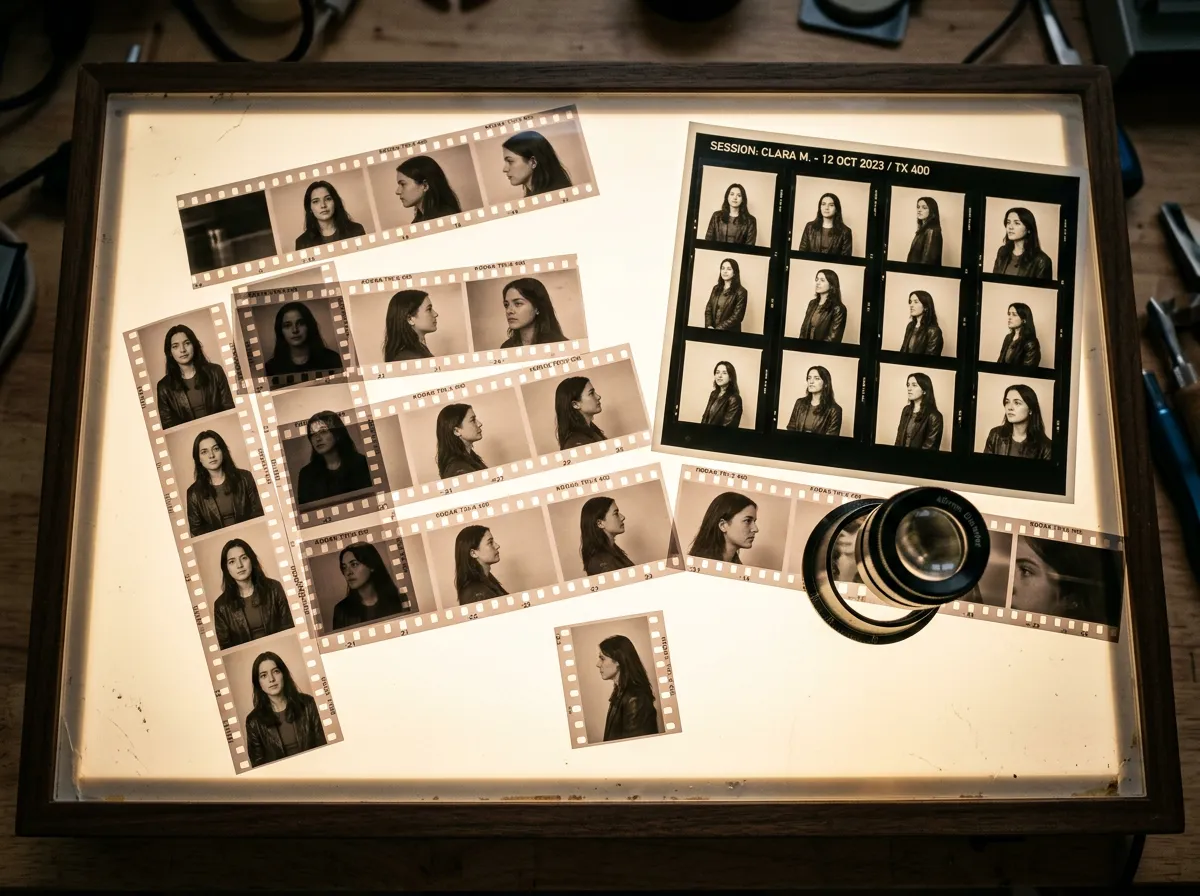
Character consistency starts with a reference system, not a longer appearance paragraph. Use four clean identity views, one wardrobe definition, one scene-specific expression or pose set, and a written invariant list. Assign each reference a job and remove conflicts. Seedance 2.5's announced support for up to 50 multimodal references increases capacity, but clarity still matters more than count.
Review the Seedance 2.5 model page and prepare the character bible before generating. You can access supported workflows through Oakgen's AI video generator.
The minimum character bible
| Asset | Purpose | Acceptance rule |
|---|---|---|
| Front portrait | Primary facial identity | Neutral light, unobstructed features |
| Three-quarter portrait | Face depth and hair shape | Same age, styling, and lens character |
| Profile | Nose, jaw, ear, hairline | No wardrobe or lighting contradiction |
| Full-body wardrobe | Proportion and clothing | Exact colors, layers, and footwear |
| Expression sheet | Scene-specific emotion range | Same identity and styling |
| Invariant note | Textual production contract | Only details that must never change |
The invariant note should be short:
Preserve: oval face, close-set brown eyes, short black curls, small scar above
the right eyebrow, olive wool coat, cream shirt, dark trousers, black boots.
Do not change apparent age, hair length, coat color, or scar position.
Reference roles prevent accidental blending
Name and assign:
@CharacterFrontcontrols face and hair;@WardrobeFullcontrols clothing and body proportion;@WalkMotioncontrols gait only;@StationWidecontrols environment only;@MorningPalettecontrols light and color only.
If the walking reference shows a different person, say it controls motion only. If that still causes identity blending, replace the clip with a neutral motion reference.
The consistency hierarchy
When a scene is ambitious, protect constraints in this order:
- identity;
- product or hero prop;
- wardrobe;
- spatial relationship;
- action;
- camera flourish;
- decorative style.
If identity fails during an aggressive orbit, simplify the orbit before adding more face adjectives. The camera flourish is lower priority.
Every new character, occlusion, wardrobe change, lighting shift, and camera move spends some of the scene's consistency budget. Keep the first benchmark deliberately boring.
Prompt a stable 30-second character scene
Preserve @CharacterFront and @WardrobeFull for the entire scene.
0–8s: rear three-quarter wide as the character enters the station; face is not
required yet. 8–21s: lateral waist-height track; character turns naturally into
three-quarter view, matching @CharacterThreeQuarter. 21–30s: character stops
beneath the window, turns to camera, and holds a restrained smile in a medium
close-up matching @CharacterFront. No wardrobe change. No new foreground face.
@WalkMotion controls gait only. @StationWide controls layout only.
The sequence reveals identity progressively instead of demanding a perfect close-up during the most complex motion.
For full scene syntax, use the Seedance 2.5 prompt guide.
Multi-character scenes
Give every character:
- a unique name token in the prompt;
- a separate identity pack;
- distinct wardrobe or silhouette;
- a fixed starting position;
- one action at a time.
Block the scene before adding emotion:
Mara begins frame-left beside the table. Ivo begins frame-right near the window.
Mara crosses to center while Ivo remains stationary. Ivo speaks only after Mara
stops. Preserve their assigned wardrobes and do not exchange positions.
Do not introduce five people, a moving camera, dialogue, prop exchange, and a lighting transformation in the first test.
Prepare a Seedance 2.5 character test
Review the supported reference workflow and current Oakgen availability.
The identity review matrix
Review at the opening, one-third, two-thirds, and final frame:
| Identity signal | Check | Failure response |
|---|---|---|
| Face geometry | Eyes, jaw, nose, age | Strengthen one clean anchor; remove conflicts |
| Hair | Length, texture, hairline | State invariant and simplify occlusion |
| Wardrobe | Color, layers, accessories | Use one full-body reference |
| Body proportion | Height and silhouette | Remove lens or pose contradictions |
| Distinctive detail | Scar, glasses, jewelry | Keep one or two high-value markers |
| Spatial role | Correct person in correct position | Rewrite blocking before styling |
When source-video editing helps
When one bounded detail drifts but the surrounding action works, either regenerate or move the clip into a dedicated region-editing tool. Oakgen's Seedance 2.5 integration does not expose a region mask.
Regenerate the sequence when the wrong character performs the action, positions swap, or the camera loses the subject. Those are structural failures.
Keep the reference library clean
Store approved identity assets separately from experiments. A useful folder has identity, wardrobe, expressions, motion, and scene groups, with one clearly marked primary file in each. Archive rejected hair, age, and wardrobe directions instead of leaving them beside the approved set.
When a character changes intentionally between scenes, create a new versioned bible rather than quietly replacing one image. That makes the continuity decision visible to editors and prevents an old scene from being regenerated with a new costume by accident. Reference hygiene is not glamorous, but it is often the difference between repeatable production and random identity drift.
Common mistakes
- Mixing references from different ages or hairstyles.
- Using dramatic lighting in the only face anchor.
- Describing wardrobe differently in text and imagery.
- Letting a motion reference redefine identity.
- Reviewing only the first and last frames.
- Adding more references after every failure.
What I would test first
One character, one wardrobe, one environment, a lateral walk, and a final medium close-up. Use four identity references and one motion reference. If the face and wardrobe pass at four timestamps, add dialogue or a second character later.
Continue with how to use Seedance 2.5 for the complete workflow or Seedance 2.5 audio and editing for a sound-led character scene.
Get Seedance 2.5 Oakgen updates
Review current availability, supported workflows, and exact credit estimates before generation.
Sources and further reading
- Official Seedance 2.5 overview
- Official Seedance 2.5 creator workflow
- Oakgen AI character consistency guide
- Seedance 2.5 complete guide
Frequently asked questions
How do I keep a character consistent in Seedance 2.5?
Use a small, non-conflicting character bible, state identity invariants once, label reference roles, simplify early motion, and review identity at multiple timestamps.
How many character references should I use?
Start with front, three-quarter, profile, and wardrobe references. Add expressions or action references only when the scene needs them.
Can Seedance 2.5 use up to 50 references?
Current product material describes up to 50 multimodal references. More inputs are not automatically more consistent.
What causes AI character drift?
Conflicting references, hidden facial details, wardrobe changes, extreme camera moves, crowded scenes, and prompts that introduce new attributes can all increase drift.
Is Seedance 2.5 available on Oakgen?
Seedance 2.5 is integrated with Oakgen. Check the model page for current availability, then prepare a character bible before generating.