An On The Radar duo works best when the two performers have different reasons to be excited. One delivers the moment; the other makes it feel like an event. For your version, cast the friend who tells every story as the lead and the friend who always backs them up as the hype partner.
The On The Radar Duo template supplies the booth performance. This guide helps you decide what that performance means. It does not add a new verse, change the gestures or give either performer a different camera move.
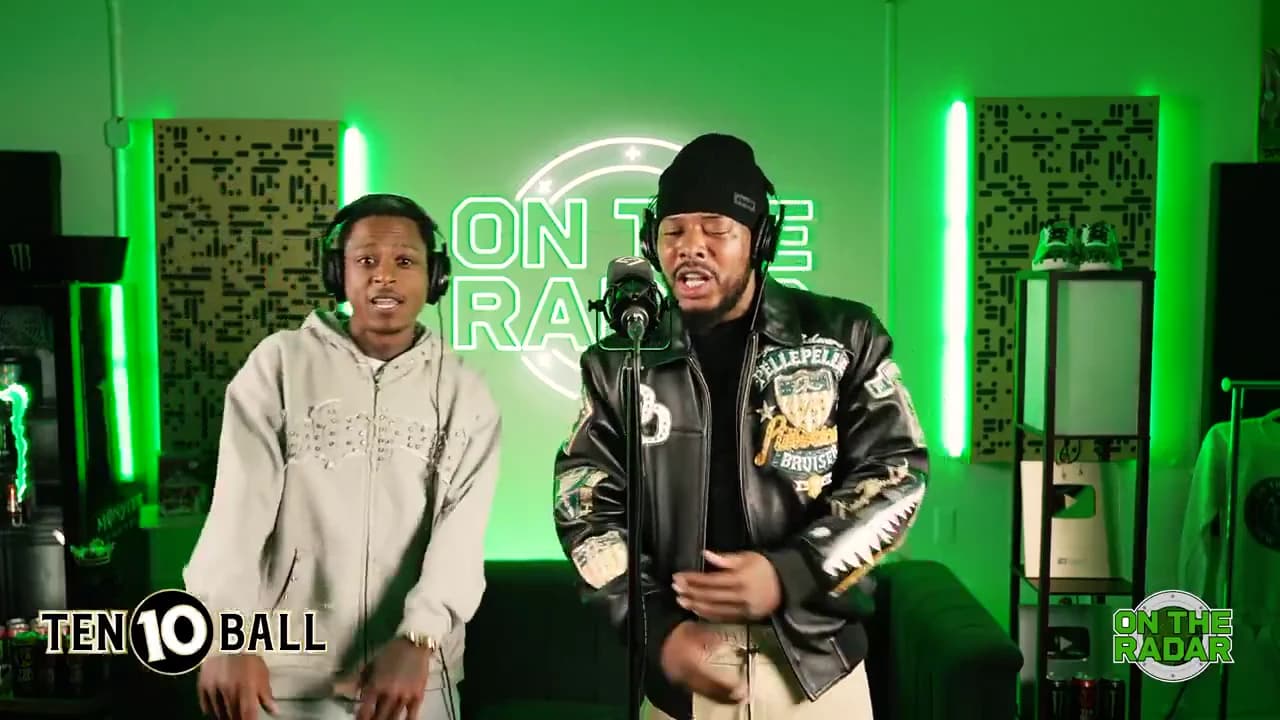
The original performance is Fetty Wap and Monty performing “679” on On The Radar. The preview now uses an excerpt from that original performance; character-swapped recreations are adaptations of it.
Read the relationship in the reference
The original reference shows two performers in a green booth. One stays near the microphone while the other moves beside them; their gestures overlap, but their jobs are readable. That is a useful storytelling constraint: the second person should support the same premise, rather than introduce another plot.
Watch the original performance. It is the source reference, not an Oakgen-generated result. The original performers do not determine who you have to cast.
Choose one of three relationships
| Relationship | Lead's role | Partner's role | Opening caption |
|---|---|---|---|
| Two colleagues | Announces the tiny achievement | Celebrates too enthusiastically | “We finally found the spreadsheet.” |
| Two friends | Retells the good news | Acts like the headline guest | “Our table is ready.” |
| Two siblings | Takes credit | Knows who actually did the work | “When he says he cooked dinner.” |
For the sibling idea, resist adding a second caption that explains the entire family history. A post description such as “She ordered it” gives the partner a point of view without covering either face.
These are invented creative examples, not claims about how those posts perform. Pick the relationship your intended audience will recognize fastest.
Match the photos to the roles
Check the role previews before assigning the two photos. Name your local files for the people and intended roles, then confirm the visible slot labels. Do not assume the first upload always means the person closest to the microphone across different templates.
Choose photos that show each face clearly. The source performance includes head turns and gestures near the face, so a good front view cannot guarantee every generated angle will stay correct. It does give you a recognizable baseline for reviewing the output.
The template stages the scene; the upload is not a request to preserve a particular outfit, replace a logo or put a new object in someone's hand. If the joke needs a literal spreadsheet on screen, add a separate title card after downloading instead of expecting the booth to contain it.
Review the partnership before posting
Play the downloaded clip without captions. Identify the lead when the other performer leans in. Check that hands near a face do not make the people merge or exchange features. Then watch with the opening caption and ask whether both performances still serve the same joke.
For a first edit, keep the whole performance and one opening sentence. If you need a phone-sized layout, follow the booth framing plan. If the relationship is clear but the opening is vague, use the duo hook workshop.
The broader role-assignment checklist covers photo mix-ups, while the creative playbook connects this duet to other projects. Start with the template preview, choose the relationship, and let the existing performance carry it.