Keeping product consistency across AI images and video takes more than repeating the brand name in every prompt. Give the model visual evidence, state which product facts cannot change, approve one master still, and add motion in controlled steps. Then compare the output with the real SKU at the beginning, middle, and end of every clip.
Oakgen can hold the still-image and video parts of that process in one creative workspace, but no model or platform removes the need for review. The workflow below is model-independent. It works for a perfume bottle, shoe, watch, food pouch, device, or any other product whose geometry and packaging must survive a campaign.
Build the Approved Product Still First
Create or edit a product image in Oakgen, approve the SKU details, then use that still as the starting evidence for video.
The Workflow at a Glance
| Stage | What You Lock | What May Change | Approval Evidence |
|---|---|---|---|
| 1. Reference packet | Shape, parts, label, material, color | Nothing yet | Real product photos |
| 2. Master still | Product identity and hero angle | Scene, crop, lighting | Approved high-resolution frame |
| 3. Still-image set | Identity block and reference roles | One scene variable per pass | Contact sheet with scores |
| 4. Motion test | Product pose and first frame | One small camera or object move | First, middle, final frame review |
| 5. Production shots | Identity, style, export rules | Shot-specific action | 40-point scorecard |
| 6. Finishing | Approved logo and package copy | Edit, crop, sound, captions | Final delivery against source |
The mistake is trying to solve identity, scene, camera, human interaction, lighting, and typography in one generation. When the output drifts, you cannot tell which demand caused it.
Who Needs This Process
Use it when one physical SKU must appear across listing photos, paid-social images, short video ads, landing-page media, and campaign cutdowns. A DTC founder may need five scenes from one bottle. An agency may need thirty assets that still look like the client's actual shoe. A marketplace team may care less about cinematic motion and more about never changing the connector layout on an electronic device.
The product decides the strictness. A fictional prop can tolerate invention. A regulated package, food label, medical device, or product with functional controls cannot.
Research Note: What Current Models Actually Support
Reference controls have improved, but the interfaces differ.
OpenAI says GPT Image 1.5 preserves branded logos and important visual elements more consistently across edits and targets product catalogs made from a single source image. Its current image guidance also recommends small, targeted revisions and a limited, clearly assigned reference set.
Google's Veo 3.1 documentation says the model can accept up to three reference images of one person, character, or product, and can use an image as the initial video frame. ByteDance says Seedance 2.5 supports multimodal references across images, video, and audio; its official example assigns structure and movement to one reference and materials, light, color, and reflections to another.
These are vendor capability statements, not proof that every SKU will remain accurate. Research on product-preserving image editing also treats product identity as a separate evaluation problem, including text recognition and perceptual similarity. That is why this guide uses an explicit scorecard instead of “looks close.”
Step 1: Build a Product Reference Packet
Start with evidence, not a mood board.
For most products, use a clean front photograph, a three-quarter view, and one image that shows the details hidden in those views. A shoe may need the sole. A watch may need the crown and clasp. A bottle may need the cap, back label, and exact fill line.
Add a fourth image only when it answers a missing question such as scale in hand or a reflective side panel. OpenAI's current guidance says a small set is usually easier to manage than a large one and recommends telling the model how each image relates to the job.
Reference capture checklist
- Use the same current product version in every source.
- Avoid a mix of prototype and retail packaging.
- Include one neutral-light image for color judgment.
- Keep the full silhouette visible in at least two views.
- Photograph small controls, ports, closures, seams, or hardware directly.
- Store approved logo and label artwork separately for finishing.
Do not use social screenshots as the only source if original files exist. Compression removes the exact details the model needs.
Clean the Evidence Before Generating
Use Oakgen's image editor to prepare clear product references, repair masks, and remove distracting source backgrounds.
Step 2: Write a Product Identity Lock
An identity lock is a compact list of observable facts. It should be boring. If it reads like ad copy, it is probably too vague.
Use this template:
PRODUCT: [approved product and version]
FORM: [silhouette, proportions, dimensions or ratio] PARTS: [count, position, closures, ports, seams, hardware] ARTWORK: [logo location, label hierarchy, fixed marks] MATERIAL: [glass, matte plastic, woven fabric, brushed metal] COLOR: [approved product and package colors] SCALE: [size relative to hand or known object]
NEVER CHANGE: [automatic rejection fields] MAY CHANGE: background, camera angle within supplied evidence, crop, and lighting
Example for a fictional travel mug:
PRODUCT: same navy travel mug in every frame
FORM: tapered cylindrical body; height is about twice its widest diameter PARTS: silver rim, black press lid, one left-side handle; no buttons or straw ARTWORK: small white acorn mark centered on front; no other text MATERIAL: matte powder-coated body; brushed metal rim; soft reflections only COLOR: deep navy body, black lid, silver rim SCALE: one-handed travel mug, never a large thermos
NEVER CHANGE: handle side, lid shape, rim, logo, proportions, or part count MAY CHANGE: table, room, camera distance, and time of day
Keep this block unchanged between retries. If you rewrite the product while changing the camera, you have altered two variables.
Step 3: Assign One Job to Each Reference
References often conflict because the model does not know which fact to borrow from which file. Name the job.
Image 1 controls product silhouette, proportions, and front artwork. Image 2 controls side geometry, handle position, and material reflections. Image 3 controls lid, rim, and small construction details. Image 4 controls only the campaign lighting and background style.
If product identity conflicts with Image 4, follow Images 1-3.
ByteDance uses this kind of role separation in its own Seedance 2.5 examples, where one asset controls structure and movement while another controls material and light. Apply the same logic even when the interface does not expose a formal role selector.
Style references should not outrank product evidence. A beautiful mood image can accidentally donate its own bottle shape, cap, fabric, or color to the SKU.
Step 4: Approve One Master Still
The master still is the campaign's identity anchor. It should show enough of the product to judge the lock, fit the intended art direction, and remain useful as a video starting frame.
Build it in Oakgen's AI image generator or edit a real product photograph. For a real SKU, image editing usually gives you a safer base than text-only generation because the product already exists in the pixels.
Approve the still only after checking:
- front and visible-side geometry;
- brand mark and required label hierarchy;
- closure, control, port, or hardware position;
- product color against the neutral reference;
- material under the chosen light;
- believable scale inside the scene;
- clean contact shadow and mask edge.
If exact small copy matters, place approved artwork in a normal design layer after generation. Current models can render better text than older systems, but a plausible ingredient list is not an acceptable substitute for the real one.
Step 5: Generate a Still-Image Family Before Video
Use the master to prove that the identity survives controlled variation. Create a short contact sheet before spending credits on motion.
I would test four frames:
- hero view in the approved campaign scene;
- three-quarter view using supplied geometry evidence;
- closer material/detail view;
- wider use-context frame with the product smaller in the composition.
Change one scene variable per pass. Start with background, then light, then camera distance. Keep the identity lock and product references fixed.
Do not create a new “better” product reference from every generation. That starts a copy-of-a-copy chain, and small mistakes become the source for the next round. Return to the real SKU packet whenever identity is in doubt.
The one-product-photo creative workflow covers variation planning. Use this article's scorecard to decide which stills deserve motion.
Step 6: Pick the Right Video Control Path
Image-to-video for a locked opening
Use image-to-video when the approved still already contains the correct product, scene, crop, and opening composition. Ask for modest motion first. Google documents this pattern for Veo 3.1: the input image becomes the initial frame.
This path works well for a camera push, slow orbit, light shift, drifting steam, moving fabric, or a subtle hand entrance. The product begins from known pixels.
Reference-to-video for a new shot
Use a reference-driven path when the model accepts product assets and the shot needs a composition that does not exist in the master still. Google's Veo documentation and ByteDance's Seedance documentation both describe current reference-based video controls, although limits and input types differ.
Assign each source a job. Keep the requested action small enough that the model can preserve the product while solving motion.
Text-to-video for fictional products or loose concepts
Text-only generation is the weakest path for an existing SKU because the prompt describes a category, not the actual object. It can work for a fictional can, unbranded prop, or early pitch board. Do not call that product consistency.
Animate the Approved Frame
Take the product still that passed identity review and use it as the first frame for a short, controlled motion test.
Step 7: Climb the Motion Ladder
Motion raises the difficulty because the model must infer hidden surfaces, changing reflections, contact, scale, and shape across time. Add those demands in order.
| Level | Shot | New Risk |
|---|---|---|
| 1. Locked product | Static product, slow camera push | Fine detail flicker |
| 2. Camera move | Small orbit within known product angles | Hidden-side invention |
| 3. Environmental motion | Steam, cloth, water, light movement | Reflection and edge drift |
| 4. Near interaction | Hand enters or points without moving product | Occlusion and scale |
| 5. Contact | Hand picks up, opens, pours, or uses product | Geometry, grip, parts, physics |
| 6. Multi-shot sequence | Several angles or scene changes | Identity reset between shots |
Pass level one before trying level five. A five-second stability clip tells you more about the model than a polished montage where five problems happen at once.
For shots with complex interaction, the AI product video prompt guide explains how to specify camera, action, and negative constraints. The first-frame, last-frame, and multi-reference guide helps choose the control mode.
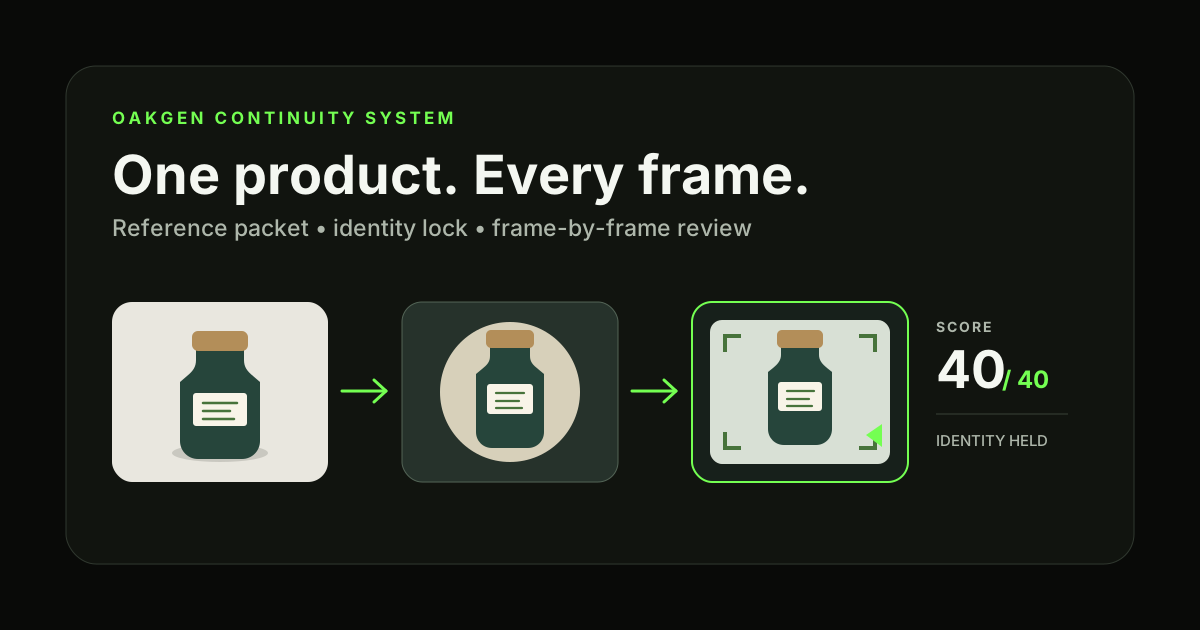
Linkable Asset: The 40-Point Product Continuity Scorecard
Score each field from 0 to 5. Review still images once; for video, score the first frame, midpoint, and final frame separately.
| Field | 0 Points | 5 Points |
|---|---|---|
| Silhouette and proportions | Different object or distorted form | Matches the approved product |
| Components and hardware | Parts missing, added, or moved | Count and placement remain correct |
| Logo and label | Unreadable or replaced | Required artwork remains correct |
| Material and finish | Surface changes category | Material reads correctly under the shot light |
| Product color | Wrong SKU color | Matches the approved reference |
| Scale and contact | Product floats, resizes, or has an impossible grip | Weight and size remain believable |
| Temporal stability | Flicker or shape changes through the clip | Identity holds through motion |
| Scene compliance | Scene implies an unsupported product fact | Scene follows the approved brief |
Set automatic rejection fields before generation. For the mug example, a moved handle, changed lid, broken logo, or extra control would fail regardless of the total. A score of 36 out of 40 is meaningless if the item shown is a different retail variant.
Save the score beside the prompt, source IDs, model, settings, and output file. This turns review into production data. After twenty clips, you can see whether failure comes from hand contact, small product scale, aggressive camera turns, or a particular reference conflict.
Step 8: Repair the First Failure, Not the Whole Clip
Scrub to the first frame where the product changes. What new demand appears there?
If the logo breaks when a hand crosses it, simplify the contact or composite the approved mark later. If the bottle widens during an orbit, reduce the angle or supply the missing side view. If chrome turns into plastic under colored light, fix the material wording and reduce the lighting shift. If the product shrinks during a wide shot, create an approved wide still and animate that instead.
Use this repair loop:
- Identify the first drifting frame.
- Name the new motion, angle, occlusion, or lighting demand.
- Remove or reduce that one demand.
- Add missing source evidence only when the shot needs it.
- Keep every other input fixed.
- Generate the same short test and rescore it.
OpenAI recommends small, targeted image revisions. The same production logic applies here: narrow changes give you a readable cause and effect.
Product-Specific Failure Patterns
Bottles, jars, and cosmetics
Caps often change height, droppers move, liquid level shifts, and small label copy collapses. Start with the cap closed and the product stationary. Treat opening or dispensing as a separate effects shot.
Apparel and shoes
Watch panel count, seams, lace routes, sole geometry, print repeat, and hardware. Human wear adds folds and occlusion, so approve the product alone before putting it on a moving body.
Electronics
Ports, buttons, vents, camera modules, and screen UI must remain factual. Use close reference views and avoid a full orbit unless every exposed side has evidence.
Food and packaged goods
Package size, fill amount, serving appearance, and printed statements can imply product facts. Keep the real package layer intact and treat generated food styling as a separate review area.
Jewelry and watches
Count stones, prongs, links, hands, subdials, crowns, and engravings. Slow rotation creates demanding reflection changes; a smaller camera movement may sell the material with less identity risk.
Common Mistakes
Calling color consistency product consistency. The same navy palette does not save a mug with a new lid and handle.
Feeding the model a large unassigned mood board. It cannot know which bottle owns the cap, which photograph owns the light, or which frame owns the camera move.
Starting with hand interaction. Contact combines occlusion, scale, force, anatomy, and product geometry. Prove the stationary product first.
Trusting generated label copy. Exact packaging belongs in a controlled design layer when the output must be factual.
Changing prompt, model, references, and camera together. You may get a better result, but you will not know why. That makes the next asset hard to repeat.
Approving only the first frame. Product drift often appears at maximum motion, under occlusion, or near the end of a clip. Score all three checkpoints.
Decision Framework
Use a real product photograph plus editing when identity has zero tolerance. Use image generation when you need new scenes but can review every product field. Use image-to-video when an approved still already defines the opening. Use multi-reference video when a new angle or shot requires additional evidence. Use text-only video for fictional or loosely specified products.
Oakgen fits teams that need to move between those jobs without separating the campaign into unrelated workspaces. A specialist tool may still be the right choice for a single fixed step. The production packet and scorecard remain portable either way.
FAQ
How do I keep a product consistent across AI images and video?
Create a reference packet, identity lock, and approved master still. Generate a small still-image family, then animate the strongest frame with simple motion. Review first, middle, and final video frames against the real SKU.
How many product reference images should I provide?
Use the smallest set that proves every visible side needed by the shot. Three clear, assigned sources often beat ten conflicting ones. Add a source only when it answers a specific missing question.
Why does the product change when a person picks it up?
Contact forces the model to solve the hand, hidden product surfaces, grip, scale, motion, and shadows together. Start with contact already established or split the pickup into a separate short shot.
Can I keep exact logos and label text in AI video?
Sometimes, but do not assume it. Keep the logo large and visible, reduce occlusion and rotation, and inspect every checkpoint. Composite approved artwork in post when exact type matters.
Should all campaign shots use the same seed?
A seed can help in systems that expose it, but it does not replace product references or a lock sheet. Camera, motion, scene, and model behavior can still change product identity.
Is one master image enough for every video angle?
No. A front image cannot prove an unseen back, side, sole, clasp, or port layout. Limit movement to known views or provide evidence for the new angle.
Which AI video model is best for product consistency?
Choose by the control the shot needs, not by a universal ranking. Check whether the current version accepts a first frame, product reference images, last frame, reference video, or several assigned assets. Then run the same five-second test.
What should I do with a clip that scores poorly?
Find the first drifting frame and simplify the new demand at that moment. Regenerate the short section rather than polishing a product that has already changed.
Sources and Further Reading
- OpenAI: GPT Image 1.5 and branded visual preservation
- OpenAI Academy: image prompting and reference guidance
- Google AI for Developers: Veo 3.1 reference images
- ByteDance: Seedance 2.5 reference-based generation
- ProductConsistency research paper
- RefDrop research on reference-guided image and video consistency
- Oakgen AI ad quality checklist
- Oakgen Seedance product-consistency workflow
Turn One Approved Product Into a Campaign
Keep the same product evidence and identity lock while you create still images, motion tests, and final video assets in Oakgen.