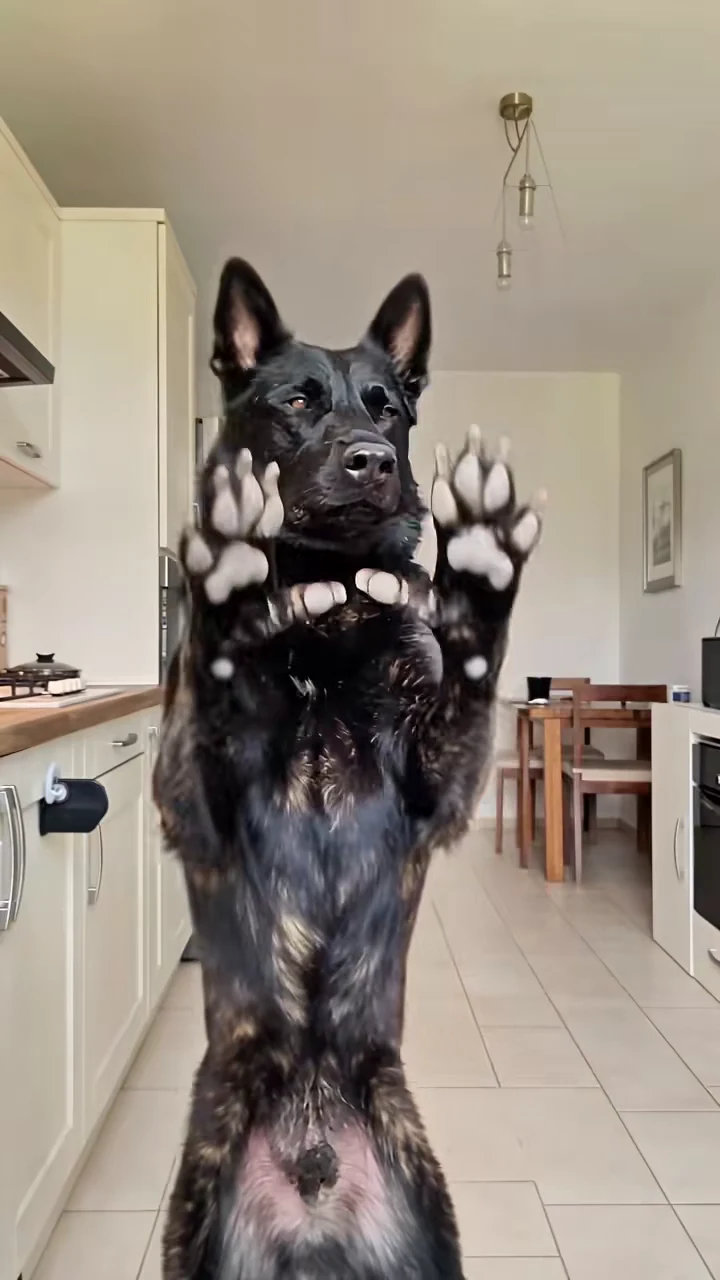
The Bad Times trend is the one where a pet stands up on its hind legs, strikes a few dramatic poses and then walks right up to the camera to argue with it, to "BAD TIMES" by Imael Angel. Oakgen's Bad Times Dance template makes that 20-second clip with your pet as the dancer. This guide goes from choosing the photo to posting, in order. When your video is back, the companion article, checking your Bad Times Dance result, walks through it second by second.
Put your pet in the Bad Times dance
Add one photo, review your credit quote and make the 20-second Bad Times Dance with the original song.
What the template gives you
One continuous portrait take, 20 seconds long, with the original song. You replace the only character in it, the dancer. Everything else stays: the bright kitchen with cream cabinets and a tall fridge, the camera position, every pose, the walk up to the lens and the timing of each move.
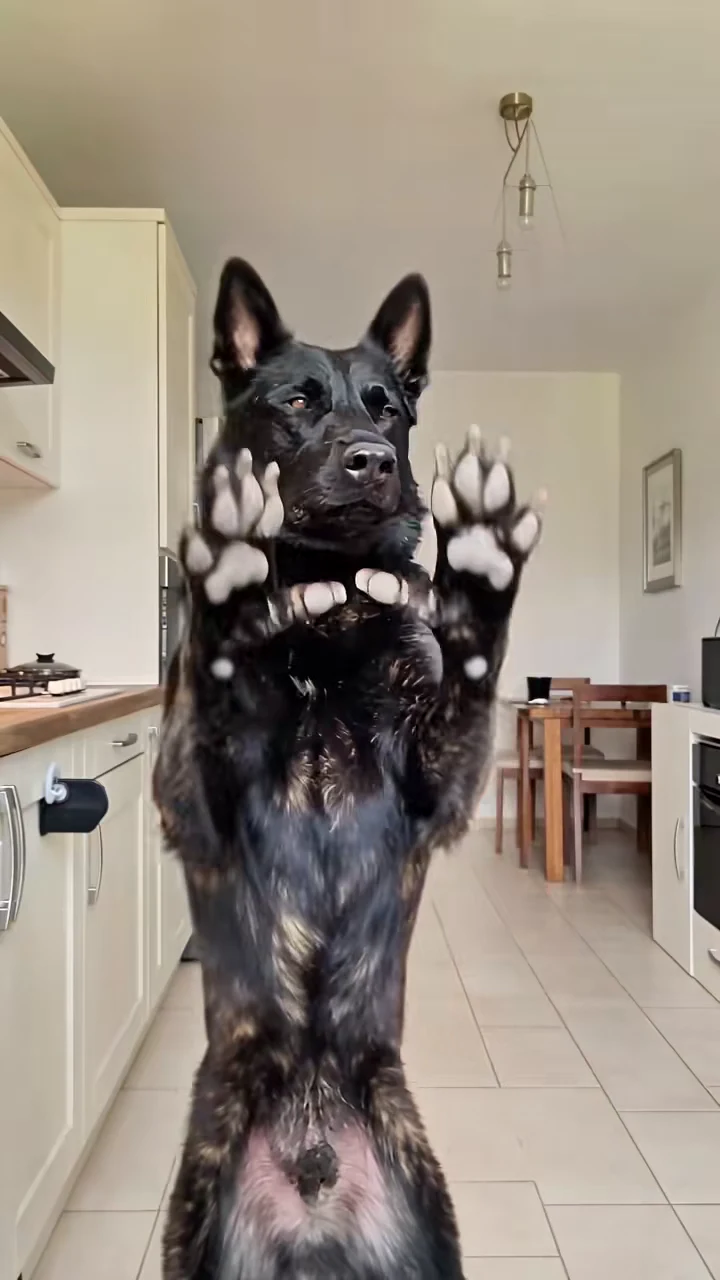
The paws-up pose from the reference recreation, not an Oakgen output. Your dancer stands in the same place at about 1.5 seconds.
| Time (about) | What happens |
|---|---|
| 0 to 1 s | Paws pressed to the head, then thrown up beside the face |
| 2 to 6 s | Body side-on, one paw on the head and one on the hip |
| 6 to 10 s | Both paws up, palms out, pushed away on the beat |
| 10 to 11 s | The walk up to the camera |
| 11 to 18.5 s | The close-up argument, a paw pointed at the lens |
| 18.5 to 20 s | A step back, then a lean-in and a stare |
The full move-by-move breakdown is in Bad Times dance moves, second by second.
Step 1: Pick the photo
Use one photo of one dancer. What matters, in order:
- A sharp face. From about 11 seconds the face fills most of the frame for more than seven seconds. A blurry or distant face is the first thing that shows.
- The whole body. The first ten seconds are full-body poses with the front paws. A standing or sitting photo, head to tail, gives the template the legs and chest.
- Ears and paws visible. The poses put the paws next to the ears and in front of the chest, so both are on screen a lot.
Avoid photos with two pets, a pet on someone's lap, heavy shadows or filters. The photo is required: the template will not start without it.
Step 2: Know what you will and will not control
Your photo sets the species, face, coat, markings and body, and a person's outfit. The template sets the kitchen, the camera, the moves and the song. There is no costume, so nothing is added to your pet. You cannot add a second dancer, change the room or change the song inside the template. How the template treats cats, small pets and people is in the Bad Times cat AI video, and what a dog photo controls is in the Bad Times dog AI trend from one photo.
Step 3: Read the quote
Open the Bad Times Dance template, add the photo to the Dancer slot and pick a quality: 480p, 720p or 1080p. The studio shows the credit price before you generate. It covers the full 20-second video, the preparation of your photo and three scene references made from it. A 480p run is the cheaper way to check a new photo before paying for 1080p.
Step 4: Check the result
Watch it once with sound and once muted. Look for your pet's coat and markings in the opening poses, paws staying paws in the stop push, the face holding up through the close-up from about 11 to 18 seconds, and a clean stare at the end with nothing added. The second-by-second checklist covers each stretch and the one change to try if something is off.
Step 5: Post it
The close-up looks like an argument, so the caption only has to say what it is about: "Me when you say the walk is cancelled" or "Explaining why the last treat was mine". Use the paws-up frame at about 1.5 seconds as the cover, and keep on-screen text near the top, where the kitchen ceiling is empty for the first ten seconds. There are more formats in Bad Times trend captions and posting.
Say that the video is AI-made, and use photos only of your own pets or of people who agreed to appear.
Related reading
- BAD TIMES by Imael Angel: the song, and which 20 seconds of it the template uses.
- Another pet dance template, by a red car: Dog Car Dance pet casting.
- A pet ordering dessert: Tiramisu Dog casting ideas.
Frequently asked questions
How many photos do I need for the Bad Times AI trend?
One photo of the dancer: your dog, cat, another pet, or a person who agreed to appear. It is required.
Does it have to be a dog?
No. The reference is a dog, but the template keeps the species in your photo, so a cat stays a cat and a person stays a person.
What song is in the Bad Times trend?
"BAD TIMES" by Imael Angel. Your video keeps that original soundtrack.
What shape and length is the video?
20 seconds, portrait 9:16, one continuous take.
Is the preview video made by Oakgen?
No. It is a recreation of the trend used as the reference, not an Oakgen result.