Oakgen.ai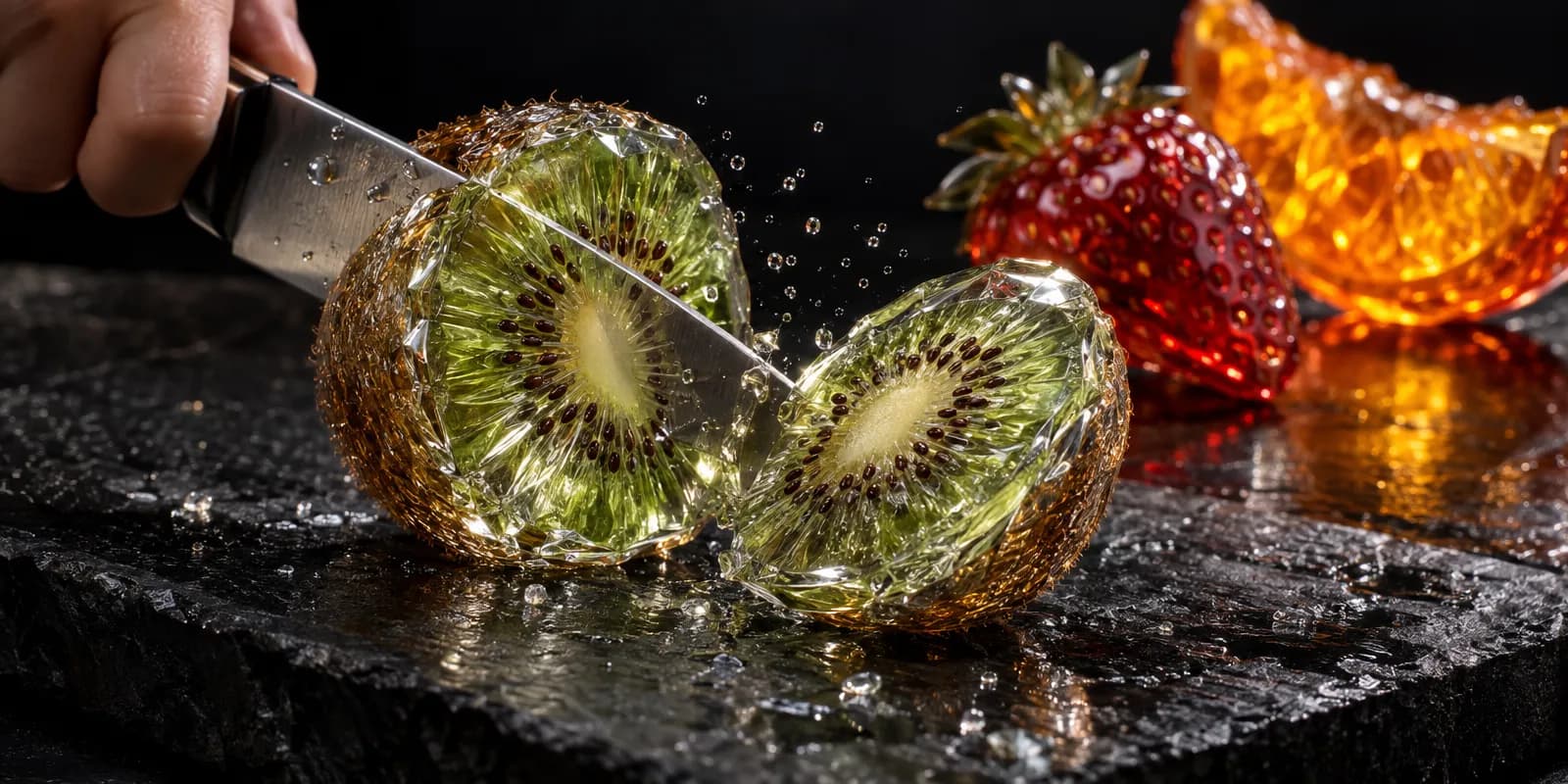
To make an AI ASMR video, generate one sharp close-up image of the object, animate it into a 5 to 8 second clip of a single satisfying action, add a crisp sound on the exact frame of the cut, and loop or join the clips. On Oakgen one clip costs about 240 to 620 credits at list price as of 2026-10-30, depending on the video model.
The format is big. The two most-viewed AI "fruit baby" ASMR videos we found on YouTube had 99.3 million and 84.6 million views when we read them on 2026-10-30. Both run about two and a half minutes, and on both YouTube's "Most replayed" marker covers roughly the first 10 to 12 seconds. The opening clip carries the video.
Make your first ASMR clip
Hero image, animated clip and sound effect, all with the same credits.
What does one AI ASMR clip cost?
One finished clip is one image, one video and usually one sound effect. These are list prices for the settings shown, quoted by Oakgen's price check on 2026-10-30. The studio shows the live price before you generate.
| Part | Oakgen model | Settings | List price (2026-10-30) |
|---|---|---|---|
| Hero frame | GPT Image 2.5 | 9:16, high quality | 14 credits |
| Clip, option A | Kling V4 | 5 s, 9:16, 720p | 266 credits |
| Clip, option A | Kling V4 | 8 s, 9:16, 720p | 425 credits |
| Clip, option B | MiniMax H3 Max | 8 s, 9:16, 768p | 217 credits |
| Clip with sound | Seedance 2.5 | 5 s, 9:16, 480p, audio on | 373 credits |
| Clip with sound | Seedance 2.5 | 8 s, 9:16, 480p, audio on | 597 credits |
| Sound effect | ElevenLabs Sound Effects | 4 s | 7 credits |
| Sound effect | ElevenLabs Sound Effects | 10 s | 17 credits |
| Music bed (optional) | Lyria 3.5 | One track | from 28 credits |
The video prices above are for a text prompt with no start image. Quotes with a start image can differ, so check the button. Budget for retakes too. A clip where the blade passes through without the object splitting is unusable.
Which ASMR ideas work best?
Pick one material, one tool and one action that cannot happen in real life but looks physically right. YouTube's search suggestions for "ai asmr" on 2026-10-30 included cutting, eating lava, keyboard, honey keyboard, slime and mukbang. Those map to a small set of reliable combinations:
| Material | Action | Why it works |
|---|---|---|
| Glass or crystal fruit (kiwi, strawberry, orange) | Knife slice, close up | Hard edges and clear cross-sections read well at small sizes |
| Lava or molten glass | Spoon scoop, knife through a "cake" | Glow and slow flow look good in motion |
| Ice or frozen honey | Crack, snap, peel | One sharp sound per action |
| Soap, kinetic sand, wax | Cube cut, press, crumble | Repeated texture, easy to loop |
| Gemstone food (candy, jelly) | Bite, squish | Pairs with soft wet sounds |
Avoid scenes with hands doing complex work. A single blade entering from the edge of frame keeps fingers and grips out of the shot, which is one less thing to go wrong.
Step 1. How do you make the hero frame?
Make a still first, because a still is cheap to retry and it gives the video model a fixed starting point. In the image generator, pick GPT Image 2.5, set 9:16, and describe the object at the moment just before the action. Use this structure:
Photoreal macro close-up, 9:16 vertical. A translucent glass kiwi sitting whole on a dark slate cutting board, its inside visible through the glass: green flesh, a pale core and black seeds suspended in it. A chef's knife blade enters from the top left edge of frame, just touching the surface. Low-key studio light, black background, small water droplets on the board, very shallow depth of field. No text, no logos, no hands.
Make two to four variations and keep the one with the cleanest outline and the most room around the object. The model needs space for halves to fall apart.
Step 2. How do you animate the cut?
Animate one action in one clip, slowly. In the AI video generator, choose image to video, use the hero frame as the start image, and describe only the motion:
The knife slowly slices straight down through the glass kiwi in one smooth stroke. The kiwi splits cleanly into two halves that tip apart and rock gently on the board. Tiny glass flakes and droplets spray outward. Static locked-off camera, macro lens, no camera movement. Slow and satisfying.
Model choice on Oakgen, with what each one's own description says:
- Kling V4. "A start image with an optional end image", up to 30 seconds. Good when you want to control where the clip ends, for loops.
- Seedance 2.5 Image. "An optional end frame and native audio". Use it when you want the cut sound generated with the picture. See the Seedance 2.5 model page.
- MiniMax H3 Max. The lowest list price of the three for an 8-second 9:16 clip on 2026-10-30.
"Static locked-off camera" is the most useful phrase in ASMR motion prompts. Camera moves make the cut harder to read and the clip harder to loop.
Step 3. How do you get the sound right?
Put one crisp sound exactly on the frame where the blade breaks the surface. The sound is most of the format. If you used Seedance 2.5 with audio, listen first. If the crunch is soft, late or mixed with odd noise, replace it.
In Oakgen's audio studio, choose sound effects (ElevenLabs Sound Effects). It takes a description of up to 450 characters and a length from 0.5 to 30 seconds. Describe the sound like a foley artist would:
Close-mic ASMR sound of a sharp knife slicing through brittle glass fruit: a crisp high crack, a short crystalline crunch, then two small glassy clinks as the halves settle on stone. Dry, no music, no room echo.
Make the effect a little longer than the action, then trim. Music is optional. If you want a quiet bed under a compilation, make a calm instrumental in the music generator and keep it well under the effect.
Step 4. How do you make a clip loop cleanly?
End the clip on a frame that matches its first frame. Two ways work:
- Start and end frame. Use the same hero image as the start and the end frame (Kling V4 and Seedance 2.5 Image both take an end frame), and describe an action that resets, such as the halves rolling back together. This is hit and miss with cuts, because a cut object rarely looks whole again.
- Cut on the action. Trim so the clip ends a beat after the halves settle and starts a beat before the blade lands, then join clips of different objects. This needs no special frames.
Our guide to looping an AI clip without an awkward last frame covers the trimming in more detail.
Step 5. How do you assemble and post it?
For a Short, post one clip, or two or three back to back. For a long video, join many clips. Compose puts clips, images and sound on one timeline, so you can line each effect up with its cut and export an MP4. Compose exports are capped at 3 minutes, so a longer compilation needs another editor. A rule of thumb from the viewing data above: put your best cut first, because that is the part people replay.
Before posting, read the next two sections. They decide whether the channel can earn.
What does YouTube say about mass-produced AI videos?
YouTube does not ban AI ASMR, but it does not pay for templated volume. Its channel monetization policy was updated on July 15, 2025 and renamed "repetitious content" to "inauthentic content". Under it, these are not eligible to monetize, quoted as written on 2026-10-30:
- "Similar or repetitive content with low educational value, commentary, narratives, or minimal variation across videos"
- "Image slideshows, templated storylines, or scrolling text with minimal or no narrative, commentary, or educational value"
- "AI-generated content made with generic or unoriginal templates giving the impression of mass production"
The reused-content part also lists "Short videos you compiled from other social media websites" as not monetizable. Compiling other people's AI ASMR clips is out, even with permission. Your own clips are fine.
AI ASMR is at risk because the format repeats by nature. YouTube does not publish where the line is, so nobody can promise a channel stays eligible. What puts you on the stronger side:
- A recognizable idea. A recurring theme (one material, one setting, a series), not random objects.
- Real variation. Different objects, actions and sounds per video, not the same cut with a new fruit.
- Your own sound design. Generated and placed by you, not a stock loop across every upload.
- Something added. A theme, a countdown, a "which would you cut" choice, light narration.
Our post on what YouTube demonetizes on faceless AI channels goes through the policy line by line.
Do you have to label AI ASMR videos?
Often yes, and labeling costs you nothing on YouTube. Here is what each platform said on 2026-10-30:
- YouTube asks for disclosure when content "Generates a realistic scene that didn't actually occur". It does not need disclosure for "non-realistic content", and its example is "Someone riding a unicorn through a fantastical world". A photoreal glass kiwi being cut sits between the two. YouTube also says "Disclosing AI content alone won't limit a video's audience or impact its eligibility to earn money."
- TikTok requires labels on "AI-generated or significantly edited content that shows realistic-looking scenes or people".
- Meta "may require an AI label when content has photorealistic video or realistic-sounding audio".
Our rule is to label any photoreal clip. The full table is in do you have to label AI videos.
When might another tool fit better?
If you already film real ASMR with a camera and a good microphone, keep your recorded sound and use AI only for the impossible shots. If you need compilations longer than 3 minutes in one export, finish them in a desktop editor. If your main need is batch-producing hundreds of near-identical clips a day, no tool is a good fit, because that is the pattern YouTube's policy describes.
How we checked this
We read YouTube's monetization and disclosure pages, TikTok's guidelines and Meta's AI label page on 2026-10-30 and quoted them exactly. View counts, lengths and "Most replayed" ranges come from YouTube's public data for the two most-viewed AI fruit-baby videos in YouTube search, read on 2026-10-30. We do not name or link those channels. Search suggestions were read the same day. Credit prices are list prices from the Oakgen MCP price check on 2026-10-30, for the settings in the table. Model capabilities come from each model's description in the Oakgen catalog. We did not generate a full ASMR compilation for this article, and we have not measured how often models fail the cut. The cover image was made with GPT Image 2.5.
Frequently asked questions
What is an AI ASMR video?
A short, close-up clip of an impossible satisfying action, such as a knife slicing through glass fruit or a spoon cutting into lava, made with an image and video model and paired with a crisp generated sound. Clips are posted alone as Shorts or joined into compilations. The two most-viewed AI fruit-baby videos we found on YouTube on 2026-10-30 were both about two and a half minutes long.
How much does one AI ASMR clip cost on Oakgen?
At list prices on 2026-10-30, a GPT Image 2.5 hero frame was 14 credits, a 5-second 9:16 Kling V4 clip at 720p was 266 credits, an 8-second Seedance 2.5 clip with native audio was 597 credits at 480p, and a 4-second ElevenLabs sound effect was 7 credits. Prices depend on settings and show before you generate.
Does YouTube demonetize AI ASMR channels?
YouTube does not ban AI. Its monetization policy lists 'AI-generated content made with generic or unoriginal templates giving the impression of mass production' as not eligible. A channel of near-identical clips is at risk. A channel with a recognizable idea, varied scenes and its own sound design has a stronger case. YouTube does not publish a threshold.
Do I need to label AI ASMR videos?
Often yes. YouTube asks for disclosure when content 'Generates a realistic scene that didn't actually occur', and TikTok requires labels on AI content 'that shows realistic-looking scenes or people'. A photoreal fruit-cutting clip can count. YouTube says disclosure alone won't limit a video's audience or its eligibility to earn money, so label when unsure.
Should I use the video model's audio or a separate sound effect?
Try the model's audio first if it has it (Seedance 2.5 generates audio). If the cut sound is mushy or late, generate a separate sound effect with ElevenLabs Sound Effects and place it on the exact frame of the cut. The sound is most of the format, so it is worth the extra step.
Sources
- YouTube Help, YouTube channel monetization policies (read 2026-10-30)
- YouTube Help, Disclosing use of altered or synthetic content (read 2026-10-30)
- TikTok Community Guidelines, Integrity and Authenticity (read 2026-10-30)
- Meta Help Center, How to identify AI content on Meta products (read 2026-10-30)
- Oakgen pricing (read 2026-10-30)