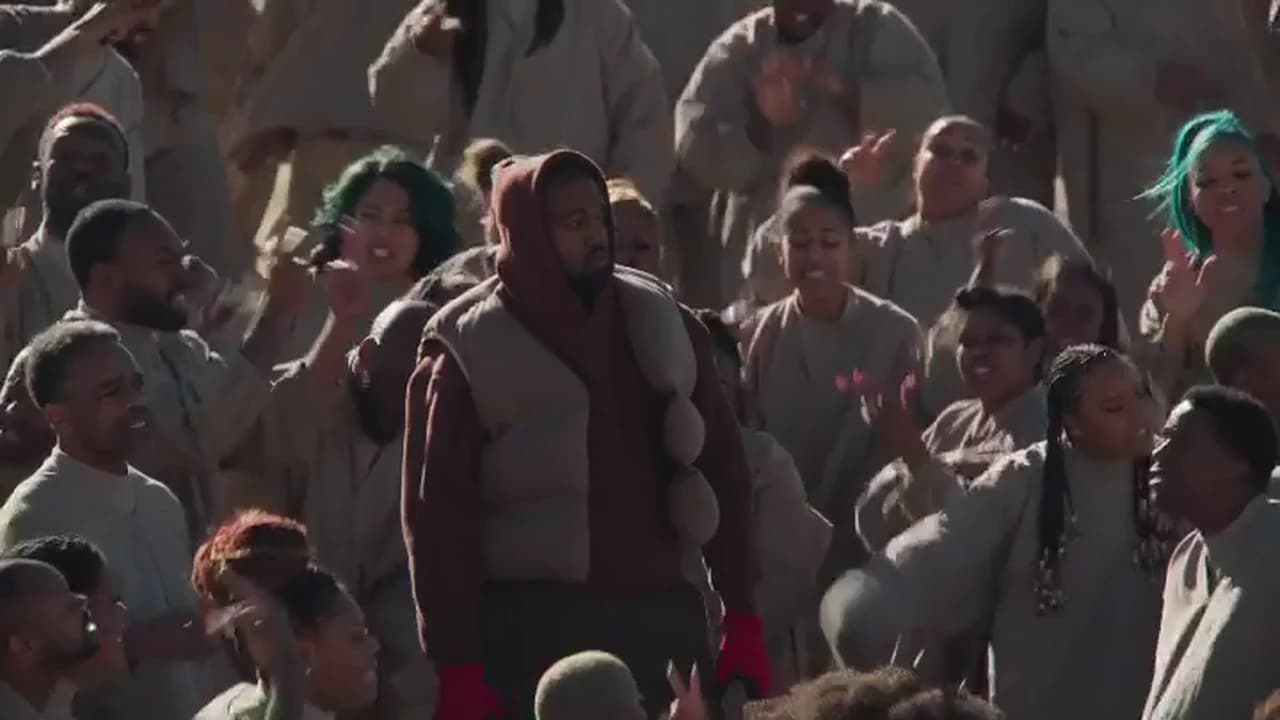
The Closed on Sunday AI trend puts you at the centre of a crowd of hundreds in beige who sing, sway and raise their hands, while you stay calm in a maroon hood, a tan puffer vest and red gloves. You supply the face. This guide goes in order: the photo, the outfit, the quote, a check of the finished clip and how to post it. If you want the background first, the song, the 2019 music video and how it became an AI trend, read the Closed on Sunday AI trend explained.
Your face at the centre of the crowd
Add one photo, review the quote and make the 15-second Closed on Sunday video with the singing crowd and the song.
What the template gives you
The template is one 15-second shot in landscape 16:9 with the song audio. The crowd fills the frame in low, hard sunlight. Your figure stands still for about five seconds, then walks slowly through the crowd, calm, without singing or dancing, while everyone else sings and lifts their hands. The camera drifts slowly and ends a little wider than it starts, so you are larger in the first seconds and smaller among the crowd at the end.
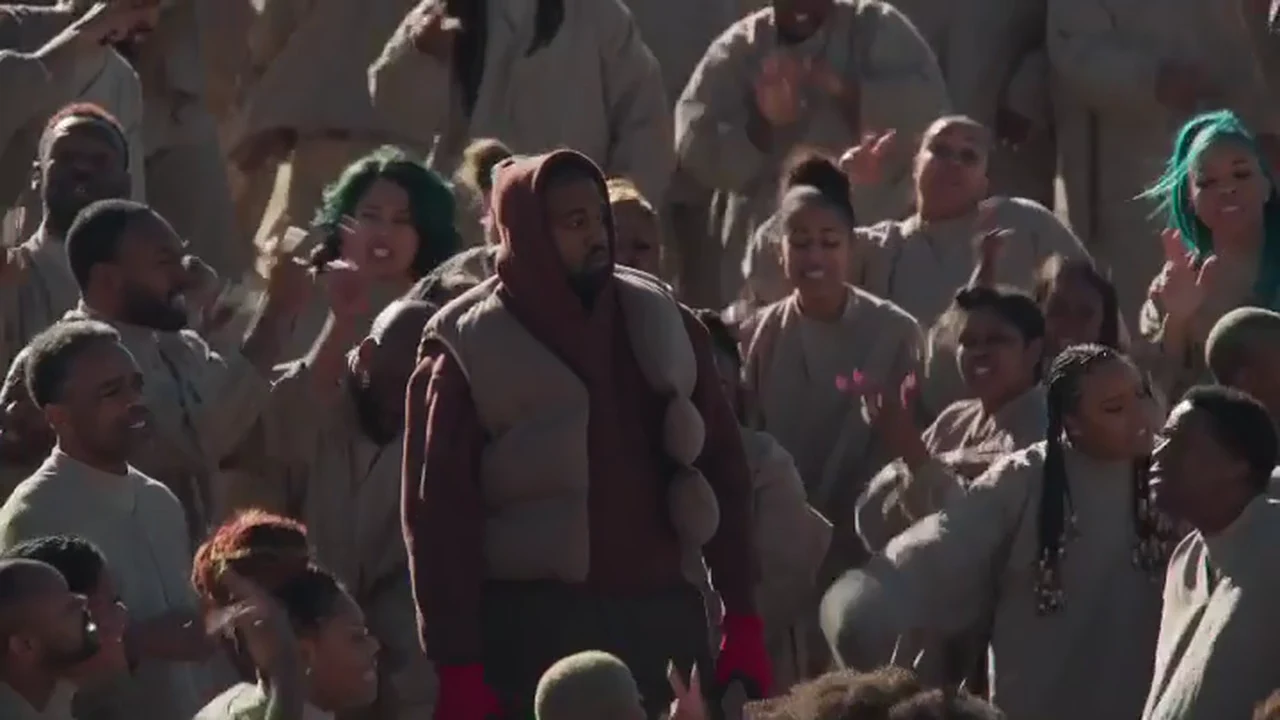
The centre figure and the crowd at one second. This is an excerpt of the official Closed On Sunday music video (2019), not an Oakgen output.
Step 1: Pick the photo
- One person, nobody else in the frame.
- Your own photo, or one of someone who agreed to be in the video. Never a celebrity or public figure.
- Face sharp and turned to the camera, eyes visible, no sunglasses.
- Even light. Harsh shadows on your face give the template less to work from.
- A calm or neutral face. The joke is that you do not join in; a big grin works against it.
- Any outfit is fine. The hood, vest and gloves are added.
Pick for the face, because the hood is up. Most of the head is covered, so your face does most of the work of making the figure look like you. Casting yourself at the centre covers what the photo controls in more detail.
Step 2: Know what the outfit does
The maroon hooded top, the tan quilted puffer vest and the red gloves are what make one person stand out in a crowd dressed all in beige, so Oakgen treats them as costume: everyone who makes this video wears them. Your face comes from your photo. If you would rather perform in your own look, this template is not the one; the crowd contrast depends on that outfit.
Step 3: Check the quote and generate
Choose 480p, 720p or 1080p and read the quote. The studio shows it before anything starts, and the generate button stays off until the photo is added. The video is made in one pass, so a later fix means a new run of the whole clip. Change one thing at a time between runs.
Step 4: Check the result, second by second
Watch it twice: once with sound, looking at the crowd and the mood, and once muted, looking only at your figure. The timings below are approximate.
| Time (about) | What happens | What to check |
|---|---|---|
| 0 to 5 s | Closest framing. You stand calmly, the crowd sings around you | This is the largest your face appears: pause and compare it with your photo. Hood up, vest and red gloves on. |
| 5 to 10 s | You walk slowly through the crowd as it keeps singing | Calm, walking slowly, without singing or dancing. The crowd parts around you; nobody starts wearing your outfit. |
| 10 to 15 s | Still walking; wider view, more crowd in frame | You are smaller, but the face should still be yours. One figure in maroon, not two. Five fingers in each glove. |
The crowd lives in both the picture and the sound: hundreds of people singing along to the song. They are background people and never take your face. The AI choir trend scene guide describes the crowd, the light and the camera in more depth, and what to look for in the background.
Common flaws and the one change to try
These are the problems we would expect from how the template works. We have not measured how often each happens, and we have not published an Oakgen result for this template yet.
The face is not quite you. Use a sharper, front-facing photo with even light and re-run.
The face looks too much like the original. That is a miss: the original face should never come through. Re-run with a clearer photo of your face and do not share that version.
You are singing or dancing. The figure should stay calm, walking slowly, without singing or dancing. Re-run with the same photo first; a photo with a wide-open mouth may make singing more likely.
Your own clothes appear instead of the outfit. The hood, vest and red gloves should always be there. Re-run with the same photo.
Someone in the crowd copies your face or outfit. Re-run. There should be one person in maroon and red.
Step 5: Fit it to your feed and post it
The clip is landscape, so it fits YouTube and a feed post as it is. For TikTok, Reels or Shorts, either post it inside a vertical frame or crop it to 9:16. Your figure walks across the frame after the first few seconds, so a fixed centre crop can lose you; letterbox it, or move the crop to follow the figure. Keep the caption deadpan and written from the calm figure's side, such as "Me at the family group chat". Say it is AI-made, use the app's AI label if it has one, post only faces that agreed to be in it, and do not tag the artist as if he took part. Crop, caption and post for TikTok and Reels has more on cropping, text placement and the audio, and the song in the Closed on Sunday trend covers what plays in your 15 seconds.
Made one and want another? Toosie Slide is a one-photo dance to a well-known song, and Burning Bridges and Champagne Shoot were added alongside this trend.
Frequently asked questions
How many photos do I need for the Closed on Sunday trend?
One. It is required, because the person at the centre of the official music video is a real, famous person and his face is never kept in your video.
Do I need a photo in a hoodie?
No. The template dresses you in the maroon hooded top, tan quilted puffer vest and red gloves whatever your photo shows. Your face comes from the photo.
Is the song in it?
Yes. The video keeps the song audio from the 15-second excerpt of Kanye West's "Closed On Sunday" music video, with the crowd singing along.
Do I have to sing or dance?
You do not sing or dance. Your figure stands for about five seconds, then walks slowly through the crowd, calm, while everyone else sings. It is not expected to lip-sync.
What shape and length is the video?
15 seconds, landscape 16:9, one continuous shot, in 480p, 720p or 1080p.
Is the preview video made by Oakgen?
No. It is an excerpt of the official Closed On Sunday music video (2019), shown as the motion and timing reference. It is not an Oakgen result.