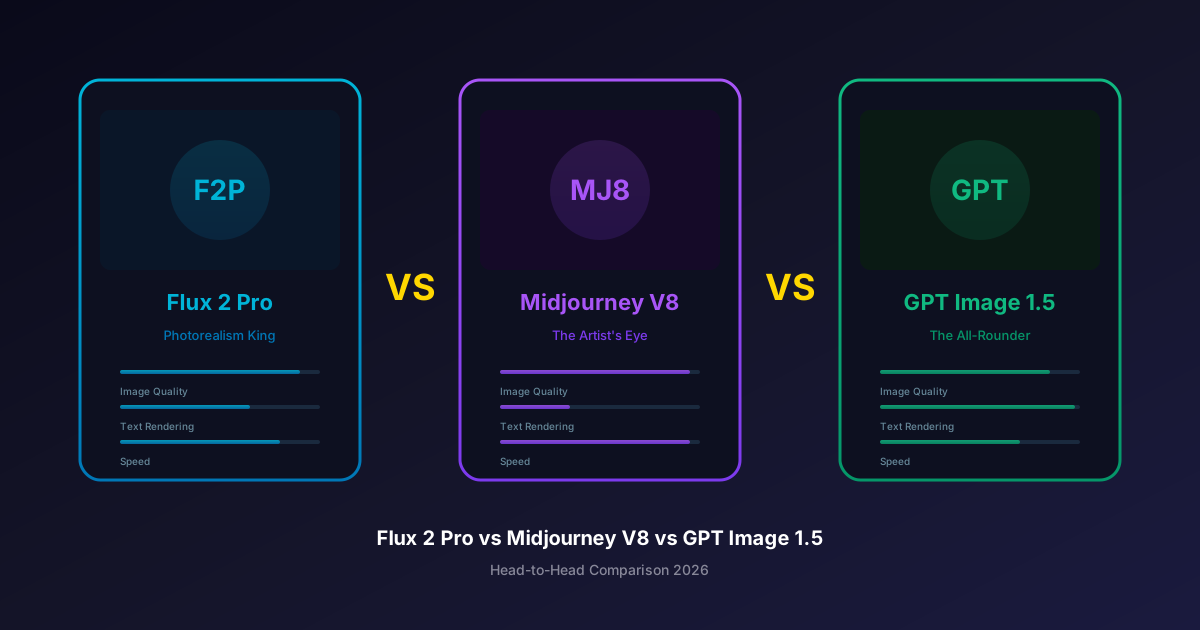
Three models dominate the AI image generation conversation in 2026: Flux 2 Pro from Black Forest Labs, Midjourney V8, and GPT Image 1.5 from OpenAI. Each has earned its reputation for different reasons, and each has a passionate community of users who swear it is the best.
But which one is actually right for your work? The answer depends on what you are creating, how you work, and what you prioritize. This head-to-head comparison breaks down exactly where each model excels, where it falls short, and how to choose between them.
The Contenders at a Glance
Before diving deep, here is the summary:
| Feature | Flux 2 Pro | Midjourney V8 | GPT Image 1.5 |
|---|---|---|---|
| Developer | Black Forest Labs | Midjourney Inc. | OpenAI |
| Best for | Photorealism | Artistic/Cinematic | Text + Versatility |
| Max resolution | Up to 2K | Native 2K | Up to 2K |
| Generation speed | 8-12 seconds | 5-10 seconds | 8-15 seconds |
| Text rendering | Very Good | Fair | Best in Class |
| Pricing model | Per-image | Subscription | Per-image |
| Cost per image | $0.03-0.055 | $0.04-0.48* | $0.04-0.08 |
| API available | ✓ | ✗ | ✓ |
| On Oakgen | ✓ | ✗ | ✓ |
| LM Arena Elo | 1198 | 1215 | 1264 |
*Midjourney cost per image estimated from subscription plan divided by typical usage.
Now let's go deeper on each dimension that matters.
Image Quality
This is the category everyone cares about most, and it is also the most subjective. Each model has a distinct visual signature.
Flux 2 Pro: The Photorealism King
Flux 2 Pro produces images that look like they were shot on a professional camera. Its handling of skin textures is remarkable -- pores, fine hairs, and subsurface scattering all render naturally without the waxy or airbrushed look that plagues many AI models.
Standout qualities:
- Skin textures that are indistinguishable from professional photography
- Natural, physically accurate lighting with proper shadow falloff
- Fabric and material rendering (leather, silk, metal) that looks tactile
- Environmental details like dust particles, lens flare, and atmospheric haze
- "Zero-config" usability: simple prompts yield excellent results without elaborate prompt engineering
Weaknesses:
- Artistic and stylized outputs can feel too "clean" or literal
- Less creative interpretation of abstract or metaphorical prompts
- Occasionally produces images that are technically perfect but emotionally flat
Text Rendering
This is the category with the clearest winner. Text rendering in AI-generated images has been a persistent challenge, and the three models perform very differently here.
GPT Image 1.5 is the undisputed leader. It can generate multi-line text, curved text on surfaces, text in different fonts, and text that integrates naturally into scenes. For any use case involving text-in-image -- social media graphics, posters, product mockups with labels, screenshots -- GPT Image 1.5 is the only reliable choice.
Flux 2 Pro is a strong second. It handles short text (1-5 words) reliably and occasionally nails longer passages. For product photography where you need a legible brand name or short tagline, Flux 2 Pro works well.
Midjourney V8 has improved over V7 but remains the weakest of the three. Simple, short text sometimes works. Anything beyond a couple of words is a gamble. If your workflow requires text in images, Midjourney should not be your primary model.
We tested each model with 20 prompts requiring text. Success rate for fully accurate text:
- GPT Image 1.5: 85% fully accurate, 12% minor errors, 3% failed
- Flux 2 Pro: 62% fully accurate, 25% minor errors, 13% failed
- Midjourney V8: 31% fully accurate, 34% minor errors, 35% failed
Speed and Workflow
Generation speed matters more than people think. When you are iterating on a concept and generating dozens of variations, the difference between 5 seconds and 15 seconds per generation compounds quickly.
Midjourney V8 is the fastest at 5-10 seconds, a dramatic improvement from V7's 30-60 second generation times. This speed, combined with its Discord-based interface, makes rapid creative exploration smooth.
Flux 2 Pro generates in 8-12 seconds, which is fast enough that it never feels like a bottleneck in most workflows.
GPT Image 1.5 is the slowest at 8-15 seconds, though the variance is high. Simple prompts generate quickly; complex multi-element prompts take longer.
Beyond raw speed, workflow integration matters:
- Flux 2 Pro has a public API, making it easy to integrate into automated pipelines, apps, and batch processing workflows. Available through Oakgen and directly via Black Forest Labs.
- GPT Image 1.5 also has an API (via OpenAI's API), enabling automation and integration. Available through Oakgen and directly via OpenAI.
- Midjourney V8 has no public API. You must use their Discord bot or web interface. This is a dealbreaker for any automated or programmatic workflow.
Pricing Deep Dive
The three models use fundamentally different pricing structures:
Flux 2 Pro: Pure Pay-Per-Image
- Standard: $0.03 per image
- High resolution: $0.055 per image
- No subscription required
- Predictable costs that scale linearly with usage
Midjourney V8: Subscription Tiers
- Basic: $10/month (~200 generations)
- Standard: $30/month (~900 generations)
- Pro: $60/month (~1800 generations, stealth mode)
- Mega: $120/month (~3600 generations)
- Effective cost: $0.03-0.05 per image at higher tiers, $0.05+ at Basic
GPT Image 1.5: Pay-Per-Image
- Standard quality: $0.04 per image
- High quality: $0.08 per image
- Also available through ChatGPT Plus ($20/month) with usage limits
On Oakgen: Credit-Based Unified Pricing
Both Flux 2 Pro and GPT Image 1.5 are available on Oakgen, where you pay with credits from a single balance:
| Oakgen Plan | Monthly Price | Credits | Flux 2 Pro Images | GPT Image 1.5 Images |
|---|---|---|---|---|
| Basic | $9/mo | 2000 | ~100-160 | ~60-120 |
| Pro | $19/mo | 5000 | ~250-400 | ~150-300 |
| Ultimate | $29/mo | 10000 | ~500-800 | ~300-600 |
| Creator | $99/mo | 40000 | ~2000-3200 | ~1200-2400 |
The advantage of Oakgen's credit system is flexibility: use Flux 2 Pro for photorealism on Monday and GPT Image 1.5 for text-heavy graphics on Tuesday, all from the same credit balance.
Prompt Engineering: How Each Model Wants to Be Talked To
Each model responds differently to prompting styles, and understanding these differences can dramatically improve your results.
Flux 2 Pro Prompting
Flux 2 Pro works best with direct, descriptive prompts. It takes your words literally and does not embellish much. This is a strength for precision work but means you need to specify details you want.
Good prompt: "Portrait of a woman in her 30s with freckles, wearing a cream linen shirt, soft natural window light from the left, shallow depth of field, shot on 85mm lens"
Tips:
- Specify camera and lens details for photorealistic shots
- Include lighting direction and type
- Be explicit about materials and textures you want
- Less is sometimes more: Flux handles simple prompts well
Head-to-Head: Category Winners
After extensive testing, here is where each model takes the crown:
| Category | Winner | Runner-up |
|---|---|---|
| Overall photorealism | Flux 2 Pro | GPT Image 1.5 |
| Artistic/cinematic | Midjourney V8 | GPT Image 1.5 |
| Text rendering | GPT Image 1.5 | Flux 2 Pro |
| Speed | Midjourney V8 | Flux 2 Pro |
| Prompt adherence | GPT Image 1.5 | Flux 2 Pro |
| API availability | Tie (Flux/GPT) | -- |
| Value (quality per dollar) | Flux 2 Pro | GPT Image 1.5 |
| Versatility | GPT Image 1.5 | Flux 2 Pro |
| Character consistency | Midjourney V8 | GPT Image 1.5 |
| Landscape/environment | Midjourney V8 | Flux 2 Pro |
Which Should You Choose?
Choose Flux 2 Pro if you primarily need photorealistic images for commercial use: product photography, headshots, architectural visualization, stock-style imagery. Its zero-config usability means you spend less time prompt engineering and more time creating. Its API makes it easy to integrate into production workflows.
Choose Midjourney V8 if you prioritize artistic quality and emotional impact: editorial illustration, concept art, cinematic scenes, mood boards, creative exploration. Accept that you will need to use Midjourney's own platform and that text rendering will be limited.
Choose GPT Image 1.5 if you need versatility and text rendering: marketing materials, social media graphics, presentations, any content where text appears in the image. Its all-around excellence makes it the safest single-model choice.
Choose all of them if you want the best results across different use cases. This is where Oakgen comes in.
Oakgen gives you access to both Flux 2 Pro and GPT Image 1.5 (plus 38 other image models) through a single platform. Use Flux for photorealism, GPT Image for text-heavy designs, and never switch between platforms. Midjourney requires its own subscription, but for the other two titans, one Oakgen account covers both.
The Verdict
There is no single "best" model in 2026. The three titans each own their category:
- Flux 2 Pro owns photorealism
- Midjourney V8 owns artistic expression
- GPT Image 1.5 owns versatility and text
The practical winner is the workflow that uses the right model for each task. For two out of three of these models, Oakgen's Image Generator lets you do exactly that from a single interface with a unified credit balance.