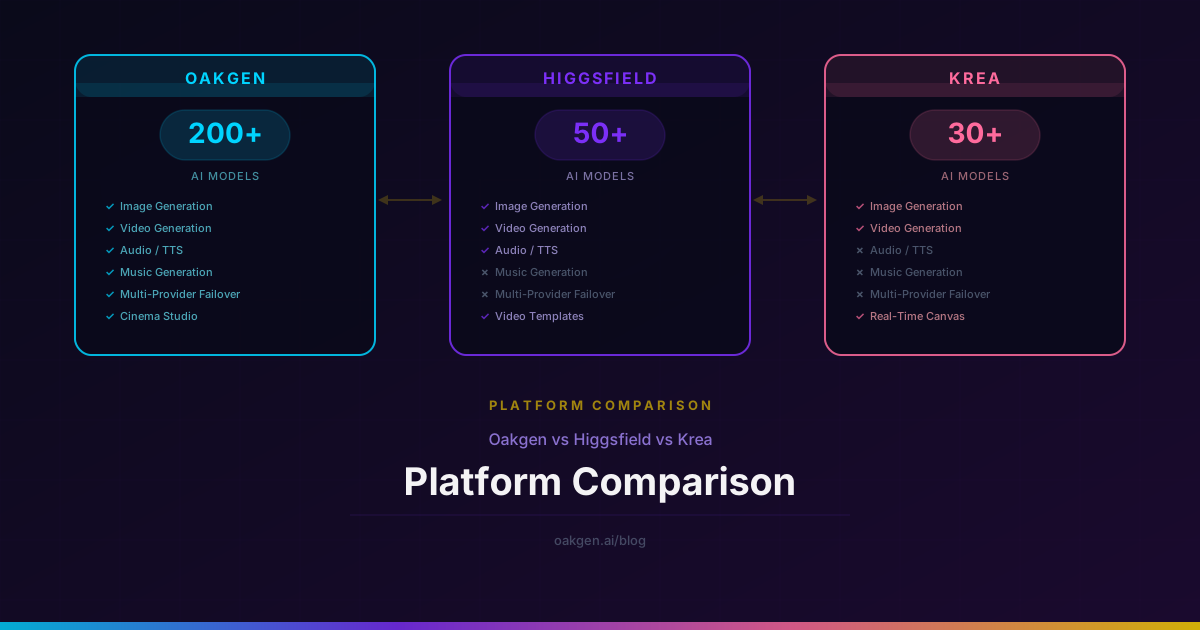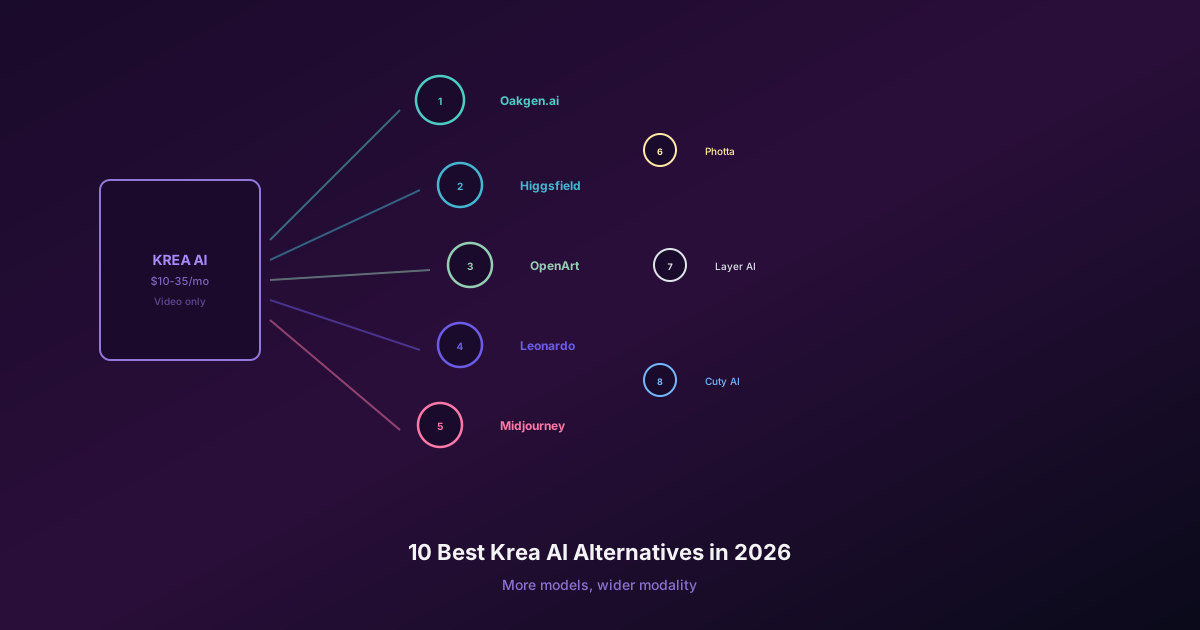
Oakgen is the first Krea alternative to test if your work goes beyond a realtime image canvas. It puts image, video, voice, music, and AI chat under one account, with paid plans starting at $9 per month.
Krea still earns its place for realtime image exploration, its canvas, Nodes, LoRA training, and direct visual editing. The question is narrower than “Which platform has more features?” It is whether Krea's specialist workflow saves enough time to justify a separate subscription.
Test Oakgen Before Adding Another Creative Subscription
Generate with 200+ models, compare image results, and keep image, video, audio, music, and chat under one account.
Krea and Oakgen at a Glance
Krea lists more than 64 image, video, and 3D models. Its current plans include Free at 100 compute units per day, Basic at $9 per month with 5,000 units, Pro at $35 with 20,000, Max at $105 with 60,000, and Business at $200 with 80,000. Plan availability and allowances can change, so confirm them on Krea's pricing page before buying.
Oakgen lists 200+ models across image, video, audio, music, and chat. Oakgen Basic costs $9 per month for 2,000 credits, Pro costs $19 for 5,000, Ultimate costs $29 for 10,000, and Creator costs $99 for 40,000. Paid credits roll over while the subscription stays active.
| Platform | Best fit | Published model breadth | Entry paid plan | Main tradeoff |
|---|---|---|---|---|
| Oakgen | Multi-model production | 200+ models | $9/month | No direct copy of Krea Realtime |
| Krea | Realtime visual exploration | 64+ models | $9/month | A separate specialist workspace |
| Midjourney | Aesthetic image work | One main model family | $10/month | Far narrower production stack |
| Runway | Video editing and generation | Runway model family | $12/month billed annually | Video-first subscription |
| Adobe Firefly | Creative Cloud teams | Adobe and partner models | Varies by plan | Best value inside Adobe workflows |
| OpenArt | Character and style workflows | Multi-model | Check current pricing | Another focused visual workspace |
No credit or compute-unit number is comparable on its own. One video can cost far more than one image, and each platform prices models differently. Compare completed assets, not the balance shown in the header.
1. Oakgen: Best Full-Stack Krea Alternative
Oakgen is built for creators who do not want a different subscription for every stage of a project. You can research and write in chat, generate images, compare image models, produce video, create a voiceover, and add music without moving the project between unrelated accounts.
That changes the buying decision. Krea is a strong visual workspace. Oakgen is the broader production account.
Choose Oakgen first when you need:
- 200+ models rather than one vendor's selected catalog
- image, video, voice, music, and chat under one credit balance
- side-by-side image comparison in Image Arena
- paid credits that roll over while your subscription remains active
- entry plans below Krea Pro's current $35 price
Keep Krea when realtime visual feedback, its node canvas, or its specific editing flow removes enough manual work to pay for itself.
Create the same five assets in Oakgen and Krea. Count usable results, retries, revision time, and the balance consumed. A platform that costs less per month can still cost more per approved asset.
See What One Oakgen Account Covers
Compare Basic, Pro, Ultimate, and Creator plans against the work you actually produce.
2. Midjourney: Best for a Distinct Image Aesthetic
Midjourney is worth testing when the final still image matters more than a broad production toolset. It is strong for editorial art, campaign concepts, illustration, and visual direction.
It is not a full Krea replacement. You give up Krea's realtime canvas and still need other tools for production video, voice, music, and general AI chat. Oakgen makes more sense when model choice and mixed-media work matter more than one house style.
3. Runway: Best for Video Editing and Generation
Runway fits teams whose main output is video. Its current product includes generative video plus editing tools such as Edit Video and Aleph. Older comparisons that recommend Gen-2 Motion Brush are out of date; Runway retired Gen-2 and Motion Brush with it.
Choose Runway if its editing flow is the reason you are leaving Krea. Choose Oakgen if you want access to several image and video model families plus the rest of the content stack.
4. Adobe Firefly: Best for Creative Cloud Workflows
Firefly is the practical choice for teams already producing in Photoshop, Illustrator, Express, or Premiere. Its value comes from staying inside the Adobe workflow and from Adobe's commercial-use positioning.
Firefly is less attractive if your main goal is to compare many outside models under one balance. That is where Oakgen has the clearer role.
5. OpenArt: Best for Character and Style Workflows
OpenArt is a focused option for creators working on recurring characters, consistent styles, and visual series. It can be a better specialist than either Krea or Oakgen when its character tools match the project.
Test it with the exact character angles, expressions, outfits, and scenes you need. Character consistency claims are easy to make and hard to judge from a homepage example.
Where Krea Still Wins
A useful comparison should say where the competitor is better.
Krea is the stronger choice when:
- you shape an image through live canvas feedback
- Nodes are part of a repeatable visual workflow
- Krea's LoRA training or editing tools match your process
- you want its chosen models and interface, not the largest catalog
- your work is mainly visual and you do not need a wider content stack
Pay for that advantage only after measuring it. If Krea saves thirty minutes on every approved asset, it may be cheap. If you open it twice a month while paying for separate video, voice, and chat tools, Oakgen is likely the better base account.
A Better Way to Choose
Use this short test instead of comparing feature lists:
- Pick five real client or publishing tasks.
- Use the same source files and acceptance criteria.
- Record time to first usable result.
- Count failed generations and revisions.
- Record compute units or credits spent.
- Price the full tool stack, including any extra video, voice, music, or chat subscriptions.
The winner is the setup with the lowest cost per approved asset and the fewest handoffs.
Recommendation
Start with Oakgen if you want one account for a mixed image, video, audio, music, and chat workflow. Add Krea only when its realtime canvas, Nodes, or editing experience wins a measured test.
Choose Midjourney for a specific image aesthetic, Runway for a video-first editing workflow, Adobe Firefly for Creative Cloud production, or OpenArt for a character-focused project. Those are specialist purchases, not default additions to every stack.
Build the Asset, Not the Tool Stack
Start with Oakgen's multi-model workspace, then add a specialist only when it wins a real production test.
Sources and Pricing Date
Facts and prices were checked on August 10, 2026 against the official Krea website, Runway pricing, Midjourney plan comparison, and Oakgen pricing. Vendors can change plans and product access without notice.