On Oakgen you get a dolly, orbit, crane or push-in by writing the move into the prompt, pinning the first and last frame, giving a reference clip, or using Kling V3 Pro Motion Control. None of the models has a camera slider. The cheapest controlled shot is a 5-second MiniMax H3 Max clip with an end frame, at 85 credits for 480P.
Every Oakgen fact below comes from the video model configs and pricing code in our repo, read on October 25, 2026. Runway and Kling facts come from their own help pages and blogs, read the same day. We did not render test clips for this article, so the prompts are worked examples, not proven results.
Which Oakgen video models give you camera control?
All of them take camera direction in the prompt. Some add a stronger control on top. This is the full list as of October 25, 2026.
| Model on Oakgen | Camera control you get | Duration | Resolution | 5-second price |
|---|---|---|---|---|
| Kling v3 Pro (text) | Prompt only | 3 to 15 s | 1080p | 284 credits |
| Kling V3 Pro (Image) | Start frame, end frame, up to 2 elements | 3 to 15 s | 1080p | 284 credits, 190 with an end frame |
| Kling V3 Pro Motion Control | Copies motion from a reference clip | 3 to 30 s of reference | Not set in the form | 57 credits per reference second |
| Seedance 2.0 | Prompt, up to 3 reference videos | 4 to 15 s | 480p to 4K | 228 credits at 480p |
| Seedance 2.0 I2V | Start frame, last frame | 4 to 15 s | 480p to 4K | 228 credits at 480p |
| Seedance 2.0 Fast | Start and end frame, or references | 4 to 15 s | 480p, 720p | 182 credits at 480p |
| Seedance 2.5 Image | Start frame, end frame | 4 to 30 s | 480p to 1080p | 373 credits at 480p |
| Seedance 2.5 Reference | Up to 10 reference videos | 4 to 30 s | 480p to 1080p | 373 credits at 480p with no video reference, 305 to 1,575 with references, by their length |
| MiniMax H3 Max | Start and end frame, or references | 5 to 15 s | 480P, 768P, 1080P | 85 credits at 480P |
Prices are in Oakgen credits, rounded up per generation, as of October 25, 2026. A 5-second Seedance 2.0 I2V clip is 512 credits at 720p, 1,150 at 1080p and 2,629 at 4K. A 5-second MiniMax H3 Max clip is 136 credits at 768P and 271 at 1080P.
Two settings are easy to miss. The Kling V3 Pro (Image) form keeps generated audio on, but Oakgen sends the request with audio off whenever you add an end frame, which is why that shot costs 190 credits instead of 284. MiniMax H3 Max has a Prompt Enhancement setting with Disabled, Fast, Balanced and Quality options, set to Balanced by default. We have not checked how much the enhancement rewrites camera wording.
How do I write a camera move the model will follow?
Name one move, give its speed, and say what the subject does while the camera moves. Kling's camera control guide, dated August 13, 2026, says stacking several moves can make the output unstable and recommends one main move per shot. Runway's Image to Video prompting guide suggests the shape "The camera [motion description] as the subject [action]."
If you start from an image, spend the prompt on motion. Runway's guide says image-to-video prompts "focus almost exclusively on motion", and Oakgen's Seedance 2.0 forms ask you to "Describe the scene, action, camera movement, and mood."
Push-in. A push-in moves the camera toward the subject. Use it on a still subject first, because Kling's guide says push-ins on still subjects are easier.
Slow push-in toward the perfume bottle on the marble counter. The camera moves forward in one steady line and stops on a close-up of the label. The bottle stays still. Soft morning light.
Dolly or tracking shot. The camera travels beside or behind a moving subject at the same speed.
Tracking shot. The camera dollies alongside the cyclist at her speed, keeping her centered in a medium shot as she rides past the shopfronts. Smooth, stabilized movement, no cuts.
Orbit. Say how far the camera travels around the subject. "Orbit" alone leaves the arc length to the model.
The camera orbits slowly around the seated chess player, a half circle from her left side to her right side, keeping her face in frame. She stays still and studies the board.
Crane up. Name what the camera starts on and what it reveals at the top. Kling's guide warns that a pull-back with no named target leaves the model unsure what to reveal, and the same logic applies to a crane.
Crane up. The camera starts at street level behind the man at the bus stop and rises smoothly above the rooftops to reveal the whole city at dusk. One continuous move.
Handheld. Runway's camera terms library uses "Natural camera shake" and "Handheld documentary film style" in its own example prompts.
Handheld camera follows the chef from behind through the busy kitchen at walking pace. Natural camera shake, documentary style. She stops at the pass and turns toward the camera.
Locked-off. For a still camera, describe what does move. Runway's guide notes that video models are built to produce motion, and suggests lines such as "The locked-off camera remains perfectly still."
Locked-off tripod shot. The camera does not move. Only the candle flame and the curtain move in the breeze.
Model-specific notes from the configs:
- Kling v3 Pro and Kling V3 Pro (Image) take prompts up to 2,500 characters and a negative prompt up to 2,500 characters. A negative prompt such as "camera shake, zoom" can help a locked-off shot, though we have not measured how much.
- Runway's guide suggests sequential prompting with rough timestamps, such as "[00:01] X occurs. [00:03] Y occurs." It wrote that for Gen-4.5. We have not tested timestamps on the models Oakgen runs.
For more on the locked-off case, our guide on keeping the camera still while the subject moves covers drift and unwanted zoom.
When should I use start and end frames instead of describing the move?
Use frames when the shot has to land on an exact composition. A prompt says how the camera should move. An end frame says where it must finish, and the model fills in between. Use it for a crane that ends on a specific rooftop view, or a pull-back that ends on a full product layout.
| Model on Oakgen | Frame fields | Duration | 5-second price |
|---|---|---|---|
| Kling V3 Pro (Image) | Start Frame (required), End Frame | 3 to 15 s | 190 credits with an end frame, audio off |
| Seedance 2.0 I2V | Image (required), Last Frame Image | 4 to 15 s | 228 credits at 480p, 512 at 720p |
| Seedance 2.0 Fast | Image (required), Last Frame Image | 4 to 15 s | 182 credits at 480p, 409 at 720p |
| Seedance 2.5 Image | Start image (required), End image | 4 to 30 s | 373 credits at 480p, 800 at 720p |
| MiniMax H3 Max | Start Image, End Image | 5 to 15 s | 85 credits at 480P, 136 at 768P |
Prices as of October 25, 2026. On Seedance 2.5 Image, the End image field sits under the advanced options.
A worked example for a crane shot:
- Make a start frame that shows the man at the bus stop from a low angle at street level.
- Make an end frame of the same street from high above the rooftops, same time of day and same color grade.
- Write a prompt that names the move between them.
Smooth crane up from street level to a high wide view over the rooftops. One continuous move, no cuts. The light stays the same.
Four rules make frame pairs work better. These follow from how the models interpolate, but we have not measured them.
- Keep lighting, lens look and time of day the same in both frames. If they differ, the model has to change the light and move the camera at once.
- Keep the distance plausible for the duration. A ground-to-satellite crane in 5 seconds gives the model too little time, so pick a longer duration or a smaller move.
- Make both frames from the same source. An image model edit of the start frame is a good way to get a matching end frame.
- For a shot that starts and ends on the same framing, use the same image as both frames. Runway's guide suggests this with its keyframe app when you want as little camera motion as possible. Any Oakgen model with both frame fields accepts the same image twice.
Our first frame, last frame and multi-reference guide covers frame pairs for character and product shots in more depth.
How do I copy a camera move from a real clip?
Give the model a reference video that already has the move. This is the closest Oakgen gets to a camera preset, because you can film or find a clip with exactly the orbit or crane you want. Three model families take reference video, and Kling Motion Control is a fourth option.
Seedance 2.0. Add up to 3 reference videos, totalling no more than 15 seconds and under 50 MB each, in the advanced options. Oakgen describes these as references "for motion or style". When a reference video is present, the price is 0.6 times the normal rate, applied to the reference seconds plus the output seconds. A 5-second 720p clip with a 5-second reference costs 614 credits, as of October 25, 2026.
Seedance 2.5 Reference. Add up to 10 reference videos in MP4 or MOV, each 1.8 to 30.2 seconds, with no more than about 30 seconds of video in total. The form tells you to refer to uploads in order as @Image1, @Video1 and @Audio1. The same 0.6 rule applies, so a 5-second 720p clip with a 5-second reference costs 960 credits. A reference under about 3.3 seconds makes the clip cheaper than none. At 720p, a 1.8-second reference costs 653 credits against 800. More on that model in our Seedance 2.5 model page.
@Image1 is the room. Move the camera the way it moves in @Video1, a slow orbit around the table from left to right. Keep the lighting and colors from @Image1.
MiniMax H3 Max reference mode. Up to 9 images, 3 videos and 3 audio clips, with at most 12 files in total. Each video clip must be 2 to 15 seconds, with no more than 15 seconds of video overall. Its help text says to refer to "Image 1, Image 2 in your prompt." Reference clips do not change its price.
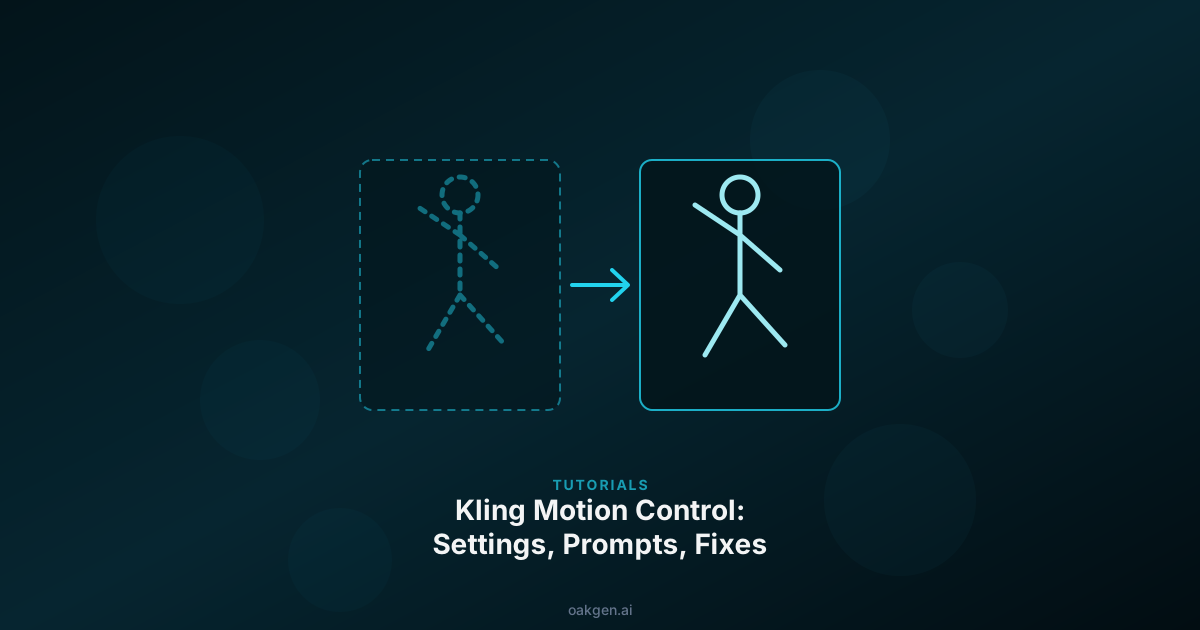
Kling V3 Pro Motion Control. This model moves a character image the way the person in a reference clip moves. Its Character Orientation setting has two options. Match Video allows a reference up to 30 seconds and is described as better for complex motions. Match Image allows up to 10 seconds and is described in Oakgen's form as better for following camera movements. Pick Match Image when the camera path in the reference matters more than the body movement. The model is billed at 57 credits per second of reference video, measured on our server, so a 10-second reference costs 568 credits. Trim the reference to the move before you upload it. The Kling V3 Pro Motion Control page and our Kling motion control guide cover the full workflow.
Can I make a multi-shot sequence on Oakgen?
Not in one generation with a shot list setting. Kling's own API has a multi_prompt field that splits one clip into several shots, according to fal's Kling 3.0 Pro schema. Kling's multi-shot guide, dated July 28, 2026, says its Custom Multi-Shot mode allows up to 6 shots with per-shot duration and camera movement. Oakgen's Kling V3 Pro forms send one prompt per clip, so that feature is not available on Oakgen as of October 25, 2026.
You can still cut a sequence together:
- Write a shot list with one camera move per shot. For example, wide establishing shot with a slow crane down, then a medium tracking shot, then a close-up push-in.
- Generate shot 1 from a start frame.
- Take the last frame of shot 1 and use it as the start frame of shot 2. Runway's own guide recommends the same last-frame method for longer sequences.
- Keep the same character reference across shots. On Kling V3 Pro (Image), add the character as an element, with one front image and up to 3 more angles.
- Join the clips in an editor.
For a single long take instead of cuts, Seedance 2.5 Image runs up to 30 seconds with an end frame. A 10-second 720p take costs 1,599 credits as of October 25, 2026. We have not tested whether Seedance or Kling on Oakgen will cut between shots when you describe a shot list in one prompt, so plan on one shot per generation.
Why does the camera do the wrong thing, and how do I fix it?
Most failures come from a prompt that asks for two things at once, or a start image that suggests different motion than the prompt.
| What you see | Likely cause | Fix |
|---|---|---|
| The camera wobbles or does a mix of moves | Several moves in one prompt | Keep one main move per shot (Kling guide, 2026-08-13) |
| The camera moves when you asked it to stay still | "Static" next to a move word, or no subject motion described | Remove every move word and describe only what moves in frame |
| The subject goes the wrong way | Motion blur, dust or a mid-stride pose in the start image | Remove the motion cues from the image first (Runway prompting guide) |
| An unwanted cut appears | Too much action for the duration | Choose a longer duration and ask for one continuous shot (Runway prompting guide) |
| The subject and camera fight each other | A fast subject moving against a pan | Simplify one of the two paths (Kling guide) |
| A crane or pull-back ends on nothing in particular | No named reveal target | Name the start subject and what the camera reveals, or add an end frame |
| Motion Control ignores the camera path | Match Video orientation | Switch to Match Image and keep the reference to 10 seconds or less |
| The end of a frame-pair shot morphs | Start and end frames differ in light or are too far apart | Match the lighting and pick a smaller move or longer duration |
Two more checks:
- Kling's guide says output is "still probabilistic". Run two or three takes before you rewrite the prompt.
- Fix the prompt at low resolution, then raise it. A 480p Seedance 2.0 I2V take is 228 credits for 5 seconds against 1,150 at 1080p, as of October 25, 2026. Kling's guide also notes that 4K "does not automatically fix a weak prompt."
Where is Runway better for camera control?
Runway has more dedicated camera tools than Oakgen. These facts come from Runway's help center and resources pages, read on October 25, 2026.
- Drawing the move. Runway's Apps page lists Motion Sketch, which uses annotations to drive motion. Its camera control resource page, dated October 12, 2026, says you can mark numbered camera moves such as "a crash zoom followed by a whip pan." Oakgen has no drawing input.
- Multi-shot in one generation. Runway's Multi-Shot Video app makes one video of up to 5 connected shots from a prompt, with Auto and Custom modes. Its help page says it runs on Kling Pro 3.0 and outputs 10-second, 720p video without audio by default.
- Keyframe tools. Runway lists an Animate with Keyframes app for start and end frames, and its Seedance 2.5 integration has a Keyframe mode. Oakgen covers the same idea through end frame fields on five models.
- Re-angling footage you already have. Runway's resource page says Aleph 2.0 re-renders existing footage from a new angle, in Edit Studio, for clips up to 30 seconds at 1080p. Oakgen has no re-angle tool.
- Extending backwards. Runway's Seedance 2.5 page describes an Extend mode that adds footage before the start of a clip as well as after it.
- A camera term library. Runway's Camera Terms, Prompts, & Examples page pairs each term with a Gen-4.5 prompt and its output. That is a good reference even if you generate elsewhere.
Runway's own Gen-4.5 model takes camera direction through the prompt, at 2 to 10 seconds, 720p, and 12 Runway credits per second, according to its help center. Runway's older Gen-3 Alpha Turbo Camera Control feature was retired on July 30, 2026. So neither Runway's current Gen-4.5 nor Oakgen's models offer a pan and zoom slider panel. Runway's pricing page lists its Standard plan at $12 a month billed annually, with 625 credits a month.
Where Oakgen differs:
- Kling V3 Pro Motion Control lets you transfer movement from a clip onto a character image, with a Match Image mode for camera-led references.
- Seedance 2.0 on Oakgen renders up to 4K. Runway's pricing page lists Seedance 2.0 Pro at 1080p.
- The generator shows an estimated credit price for each model before you run it, built from the provider's per-second rate.
If your shot depends on drawing the path, re-angling existing footage or getting five cut shots from one prompt, use Runway. If it depends on a reference clip, a pinned end frame or motion transfer, Oakgen covers it. Our full Oakgen vs Runway comparison looks at the rest of the two products.
How we checked this
We read Oakgen's video model configs, input schemas and pricing code on October 25, 2026. Model names, fields, durations, resolutions and reference limits come from the configs for Kling v3 Pro, Kling V3 Pro (Image), Kling V3 Pro Motion Control, Seedance 2.0, Seedance 2.0 I2V, Seedance 2.0 Fast, Seedance 2.5 and MiniMax H3 Max. Credit prices are each model's per-second provider rate converted with Oakgen's single formula, credits = ceil(provider USD × 1.30 × 260), and can change.
Runway, Kling and fal facts come from the vendor pages listed in the sources, all read on October 25, 2026.
We did not generate any clips for this article. The example prompts are written from the vendors' published guidance and have not been run. We have not measured how often any model follows a given camera instruction, on Oakgen or on Runway.
Direct your next shot
Pick a model with an end frame or a reference video, write one camera move, and see the credit price before you generate.
Frequently asked questions
Does Oakgen have a camera control slider for AI video?
No. As of October 25, 2026, none of the video models on Oakgen has a camera-path, pan or zoom setting. You direct the camera in four ways: the prompt, a start and end frame, a reference video (Seedance 2.0, Seedance 2.5 Reference, MiniMax H3 Max) or Kling V3 Pro Motion Control.
Which Oakgen video models accept an end frame?
As of October 25, 2026: Kling V3 Pro (Image), 3 to 15 seconds. Seedance 2.0 I2V, 4 to 15 seconds. Seedance 2.0 Fast, 4 to 15 seconds. Seedance 2.5 Image, 4 to 30 seconds. MiniMax H3 Max image-to-video, 5 to 15 seconds. On Kling V3 Pro (Image), adding an end frame turns off generated audio.
How much does a 5-second AI video with a start and end frame cost on Oakgen?
As of October 25, 2026, from 85 credits (MiniMax H3 Max at 480P) to 2,629 credits (Seedance 2.0 I2V at 4K). Seedance 2.5 Image at 1080p costs 1,968 credits. Kling V3 Pro (Image) costs 190 credits for 5 seconds with an end frame, because the end frame switches audio off. Prices come from Oakgen's pricing code and can change.
Can I copy the camera move from a real video clip?
Yes, on three model families. Seedance 2.0 takes up to 3 reference videos totalling 15 seconds. Seedance 2.5 Reference takes up to 10 videos totalling about 30 seconds. MiniMax H3 Max reference mode takes up to 3 clips of 2 to 15 seconds each. On Seedance 2.0 and Seedance 2.5 Reference, reference video seconds are billed along with the output, so trim the clip to the move you need. MiniMax H3 Max bills only the output length.
Does Oakgen support Kling 3.0 multi-shot?
Not as a setting. Kling's API has a multi-shot prompt list, but Oakgen's Kling V3 Pro forms send one prompt per clip, as of October 25, 2026. To build a sequence, generate each shot on its own and use the last frame of one shot as the start frame of the next.
Is Runway better than Oakgen for camera control?
For some jobs, yes. As of October 25, 2026, Runway's help center lists a Motion Sketch app that takes drawn arrows, a Multi-Shot app for up to 5 connected shots, an Animate with Keyframes app, and Aleph 2.0 for re-angling existing footage. Oakgen has none of these. Oakgen has Kling V3 Pro Motion Control, 4K on Seedance 2.0 and per-second credit prices shown before you generate.
Sources
- Runway, Creating with Gen-4.5 (help center, updated 2026-08-13)
- Runway, Image to Video Prompting Guide (help center)
- Runway, Camera Terms, Prompts, & Examples (help center)
- Runway, Creating with Camera Control on Gen-3 Alpha Turbo (retirement notice)
- Runway, Creating with Apps (help center, updated 2026-10-22)
- Runway, Multi-Shot Video (help center, updated 2026-10-22)
- Runway, Creating with Seedance 2.5 (help center, updated 2026-10-13)
- Runway, AI camera control (resources, 2026-10-12)
- Runway pricing
- Kling AI, Camera Control: Push, Pull, Pan and Tilt (2026-08-13)
- Kling AI, VIDEO 3.0 Multi-Shot guide (2026-07-28)
- fal, Kling 3.0 Pro image-to-video API schema