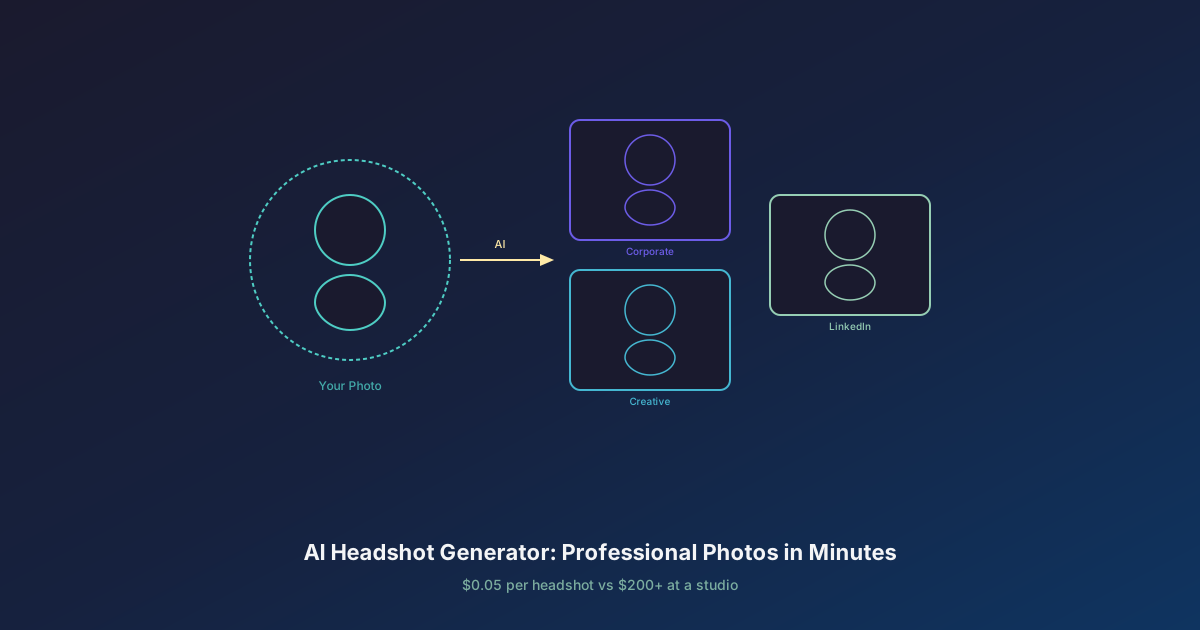
A professional headshot costs $150 to $400 at a photography studio. That price covers 30-60 minutes of shooting time, basic retouching, and 3-5 final images. It also requires scheduling (often 1-2 weeks out), travel to the studio, wardrobe preparation, and sometimes multiple sessions if the first round does not capture the right look. For a 50-person company updating their team page, the cost exceeds $10,000 before anyone opens Photoshop.
In 2026, AI headshot generators produce studio-quality results in under 60 seconds for less than $1 per image. The quality has crossed the threshold where the distinction between AI-generated and photographer-shot headshots is no longer obvious to most viewers.
In blind tests conducted by MIT Media Lab in early 2026, viewers correctly identified AI-generated headshots only 38% of the time -- worse than random chance. When the AI headshot was generated with a reference photo and a photorealistic model like Flux 2 Pro, accuracy dropped to 29%.
AI Headshots vs Traditional Photography
Both approaches have genuine strengths. Here is an honest comparison:
| Factor | AI Headshot Generator | Traditional Photography |
|---|---|---|
| Cost per image | $0.05 - $0.50 | $30 - $80 (after session cost) |
| Session cost | $0 (no session needed) | $150 - $400 |
| Time to final image | 60 seconds | 2-4 hours + 3-7 days editing |
| Variety of styles | Unlimited (re-generate instantly) | Limited by wardrobe and setup |
| Team consistency | Perfect (same prompt template) | Varies by session and photographer |
| Retakes | Instant, no extra cost | Re-book session ($150+) |
| Personality capture | Limited by reference photo quality | Excellent (photographer directs) |
| Unique physical features | May miss subtle details | Captured accurately |
Where traditional photography wins: A skilled photographer captures genuine personality -- the confident tilt of the head, the natural smile that comes after 20 minutes of conversation, the way light catches distinctive features. AI works from descriptions and reference photos, which means it can miss the subtle characteristics that make a headshot feel authentically yours.
Where AI wins: Cost, speed, consistency, and iteration. You can generate 50 variations in the time it takes to schedule one studio appointment. For teams that need uniform visual style across dozens of headshots, AI delivers perfect consistency that no photographer can match across multiple sessions.
How AI Headshot Generators Work
AI headshot generation follows one of two approaches:
Text-Only Generation
Describe the person and the desired style in a text prompt. The AI generates a completely synthetic portrait matching your description. This works well for placeholder images, fictional characters, and cases where you do not have a reference photo.
Reference-Based Generation
Upload an existing photo of yourself -- even a casual smartphone snapshot -- and the AI generates a professional portrait based on your actual appearance. The model preserves your facial structure, skin tone, and key features while upgrading the lighting, background, attire, and overall composition to studio quality.
Reference-based generation is the approach most people want for LinkedIn, resumes, and professional profiles. It produces the most authentic results because the AI is working with your real face rather than inventing one.
Best AI Models for Professional Headshots
Not all image generation models are equally suited to headshot work. Portrait quality depends on the model's ability to render natural skin textures, realistic lighting, and anatomically correct facial proportions. Here are the models that excel at professional headshots, all available on Oakgen's Image Generator.
Flux 2 Pro -- Best Overall Photorealism
Flux 2 Pro from Black Forest Labs delivers the most consistently photorealistic portraits available in 2026. Skin textures are natural without the waxy smoothness that plagues many AI models. Studio lighting renders with physically accurate falloff and shadow gradation. Hair detail -- individual strands, natural highlights, realistic volume -- is best in class.
For professional headshots specifically, Flux 2 Pro produces results that are virtually indistinguishable from photographs taken with a high-end DSLR and professional lighting setup.
- Best for: Corporate headshots, executive portraits, LinkedIn photos
- Cost: ~$0.05 per image on Oakgen
- Strength: Natural skin, studio lighting, DSLR-quality output
Reve Image 1.0 -- Most Camera-Authentic Results
Reve Image 1.0 takes a different approach to photorealism. Where Flux 2 Pro achieves "perfect" studio quality, Reve produces images that look like they were taken with a specific camera -- complete with the subtle lens characteristics, depth of field falloff, and color rendering of real DSLR sensors.
This camera-authentic quality makes Reve headshots feel less "generated" and more "photographed," which matters for professional contexts where viewers are increasingly trained to spot AI output. For a detailed breakdown, read our Reve Image 1.0 review.
- Best for: Headshots that need to look indistinguishable from professional photography
- Cost: ~$0.05 per image on Oakgen
- Strength: Camera-specific rendering, authentic lens effects, natural color science
GPT Image 1.5 -- Most Versatile for Creative Headshots
GPT Image 1.5 from OpenAI understands complex prompts better than any other model. Where Flux and Reve excel at straightforward studio portraits, GPT Image handles nuanced creative directions: "corporate headshot but with warm, approachable energy, like a startup founder who actually enjoys their work, slight smile, navy blazer over a crew neck, shallow depth of field with warm bokeh."
For headshots that need personality beyond the standard corporate template, GPT Image 1.5 translates abstract creative direction into coherent visual output.
- Best for: Creative headshots, personality-driven portraits, non-standard professional contexts
- Cost: ~$0.08 per image on Oakgen
- Strength: Complex prompt understanding, creative direction adherence
Flux Kontext -- Best Reference-Based Editing
Flux Kontext is the standout model for reference-based headshot generation. Upload an existing photo of yourself -- even a casual selfie -- and Flux Kontext transforms it into a professional headshot while preserving your actual facial features. Change the background to a studio setup, upgrade the lighting, swap in professional attire, all while keeping your face recognizably yours.
This is the closest thing to a virtual photo studio that exists in 2026. For a deeper look at character and face consistency techniques, see our character consistency guide.
- Best for: Upgrading existing photos to professional quality, maintaining exact likeness
- Cost: ~$0.06 per image on Oakgen
- Strength: Face preservation, background/lighting transformation, wardrobe changes
Nano Banana 2 -- Budget Option for High Volume
Nano Banana 2 delivers solid portrait quality at the lowest per-image cost on the platform. For team pages with 50+ people, where each person needs 3-5 variations, the cost difference between $0.05 and $0.03 per image adds up quickly.
Quality is a step below Flux 2 Pro in skin texture detail and lighting accuracy, but it is more than sufficient for web-resolution headshots on team pages, internal directories, and social media profiles.
- Best for: Large team headshot projects, bulk generation, budget-constrained work
- Cost: ~$0.03 per image on Oakgen
- Strength: Lowest cost, good-enough quality for web use
Headshot Prompt Templates
These prompts are ready to use on Oakgen. Copy the template, adjust the description to match the subject, and generate.
Corporate Executive
Professional corporate headshot of a [age]-year-old [gender] [ethnicity] executive.
Wearing a [dark navy/charcoal gray] tailored suit with a [white/light blue] dress shirt.
Clean-shaven / subtle makeup. Confident, approachable expression with a slight smile.
Studio lighting: key light at 45 degrees from upper left, soft fill on right.
Neutral medium gray background with subtle gradient.
Shot with an 85mm portrait lens, f/2.8, shallow depth of field.
Professional retouching, natural skin texture preserved.
Creative Professional
Professional headshot of a [age]-year-old [gender] [ethnicity] creative professional.
Wearing a [black turtleneck / casual blazer over plain t-shirt / smart casual attire].
Relaxed, genuine expression. Natural, warm energy.
Soft directional lighting from a large window on the left side.
Blurred modern office or creative studio background with warm bokeh.
Shot with a 50mm lens, f/1.8, cinematic color grading.
Natural skin texture, no heavy retouching.
LinkedIn Profile Photo
Professional LinkedIn profile photo of a [age]-year-old [gender] [ethnicity] professional.
Wearing [business casual attire appropriate to their industry].
Warm, approachable smile. Direct eye contact with the camera.
Soft studio lighting, clean and even. No harsh shadows.
Simple, slightly out-of-focus background in a muted [blue/gray/green] tone.
Head and shoulders framing. Shot with an 85mm portrait lens, f/2.0.
High resolution, clean, professional quality.
Consistent Team Page
Professional team page headshot of a [age]-year-old [gender] [ethnicity] team member.
Wearing [company-appropriate attire -- specify the same for all team members].
Friendly, professional expression with a natural smile.
Identical lighting setup: soft key light from upper left at 45 degrees, subtle fill light from right.
Pure white background (RGB 255, 255, 255).
Head and shoulders framing, consistent crop for all team members.
Shot with an 85mm lens, f/4.0, even focus across the face.
Clean Resume Photo
Professional resume photo of a [age]-year-old [gender] [ethnicity] job candidate.
Wearing a clean, pressed [dress shirt / blouse / suit jacket].
Professional, confident expression. Slight, natural smile.
Even studio lighting with minimal shadows.
Clean white background with no distractions.
Tight head-and-shoulders crop. Shot with a portrait lens, sharp focus on eyes.
Professional quality, high resolution, minimal post-processing.
For team pages, use the same prompt template for every team member and adjust only the physical description (age, gender, ethnicity, hair). Keep the lighting, background, attire description, lens, and framing identical. This ensures visual consistency across all headshots without the logistical challenge of getting everyone into the same studio on the same day.
Step-by-Step: Generate Your AI Headshot on Oakgen
Standard Text-Based Headshot
- Go to the Image Generator on Oakgen
- Select Flux 2 Pro or Reve Image 1.0 from the model dropdown
- Paste one of the headshot prompt templates above, customizing the description
- Set aspect ratio to 1:1 (square, best for LinkedIn and most platforms) or 3:4 (portrait, best for team pages and resumes)
- Generate -- you will have your headshot in under 60 seconds
- Generate 3-4 more variations with the same prompt to have options
- Download the best result at full resolution
Reference-Based Headshot (Using Your Photo)
- Go to the Image Generator on Oakgen
- Select Flux Kontext from the model dropdown
- Upload your existing photo as a reference image
- Write a prompt describing the desired professional output: "Transform this into a professional corporate headshot. Studio lighting from upper left, neutral gray background, sharp focus on eyes, professional retouching. Keep the person's exact facial features."
- Set aspect ratio to 1:1 or 3:4
- Generate and compare with your original photo
- Iterate on the prompt to adjust lighting, background, or style as needed
Tips for the Best Results
Source Photo Quality (for Reference-Based)
The quality of your reference photo directly impacts the output. For the best results:
- Good lighting is essential. Natural daylight or even indoor lighting. Avoid harsh overhead fluorescents or strong backlighting.
- Face the camera. Straight-on or slight three-quarter angle. Extreme angles make face preservation less reliable.
- Neutral expression. A relaxed, natural face gives the AI the most accurate reference for your bone structure and features.
- Minimal obstruction. Remove sunglasses, hats, or anything covering the face. Hair can be in its natural state.
- Resolution matters. A crisp smartphone photo works. A blurry, compressed screenshot from a video call does not.
Prompt Specificity
Vague prompts produce generic results. Compare:
- Weak: "Professional headshot of a man in a suit"
- Strong: "Professional corporate headshot of a 35-year-old man with short dark hair and a trimmed beard. Wearing a charcoal gray slim-fit suit with a white dress shirt, no tie. Confident expression with a slight, natural smile. Studio lighting from upper left at 45 degrees with soft fill. Medium gray gradient background. Shot with an 85mm f/2.8 lens."
The second prompt gives the model specific instructions for every element that matters: age, features, attire details, expression, lighting, background, and camera settings. Specificity is the single biggest factor in headshot quality.
Iteration Strategy
Do not stop at one generation. The most effective workflow:
- Generate 4 images with your initial prompt
- Identify what works and what does not in each result
- Refine the prompt -- add specifics for elements that were wrong, emphasize what was right
- Generate 4 more with the refined prompt
- Pick the best 1-2 from the second batch
Two rounds of 4 images (8 total at ~$0.05 each = $0.40) almost always produces a result as good or better than a $200 studio session. For more techniques on getting consistent results, see our guide on using the free AI image generator.
AI Headshots for Teams
Team headshot projects are where AI generation delivers the most dramatic cost and time savings.
The Math
| Team Size | Traditional Photography | AI on Oakgen |
|---|---|---|
| 10 people | $1,500 - $4,000 | $2.50 - $25 |
| 25 people | $3,750 - $10,000 | $6.25 - $62.50 |
| 50 people | $7,500 - $20,000 | $12.50 - $125 |
| 100 people | $15,000 - $40,000 | $25 - $250 |
AI costs calculated at $0.05/image x 5 variations per person (low) to $0.50/image x 5 variations per person (high).
Beyond Cost: The Consistency Advantage
Traditional team photography inherits inconsistency. Different people come on different days. The photographer adjusts the setup between sessions. Natural light changes throughout the day. One person wears a wrinkled shirt. The result is a team page where every headshot looks slightly different -- different backgrounds, different lighting temperatures, different crop ratios.
With AI, you write one prompt template and apply it to everyone. The lighting, background, framing, and color grading are mathematically identical across every image. The result is a team page that looks intentionally designed rather than haphazardly assembled.
Onboarding New Hires
When a new team member joins, you do not need to book a photographer or wait for the next batch session. They provide a reference photo (or a physical description), you run the same prompt template, and their headshot matches the rest of the team page within minutes. This is particularly valuable for remote teams where coordinating in-person photography is impractical.
For teams also exploring AI-generated product photography, the same cost-efficiency principles apply across visual content categories.

