If you share Oakgen.ai with people who end up paying for it, you should get paid every month they stay, through their first half-year. That is the whole idea behind the Oakgen affiliate program — no gimmicks, no quarterly goal dashboards, no tiered commission that only kicks in after you push a hundred signups.
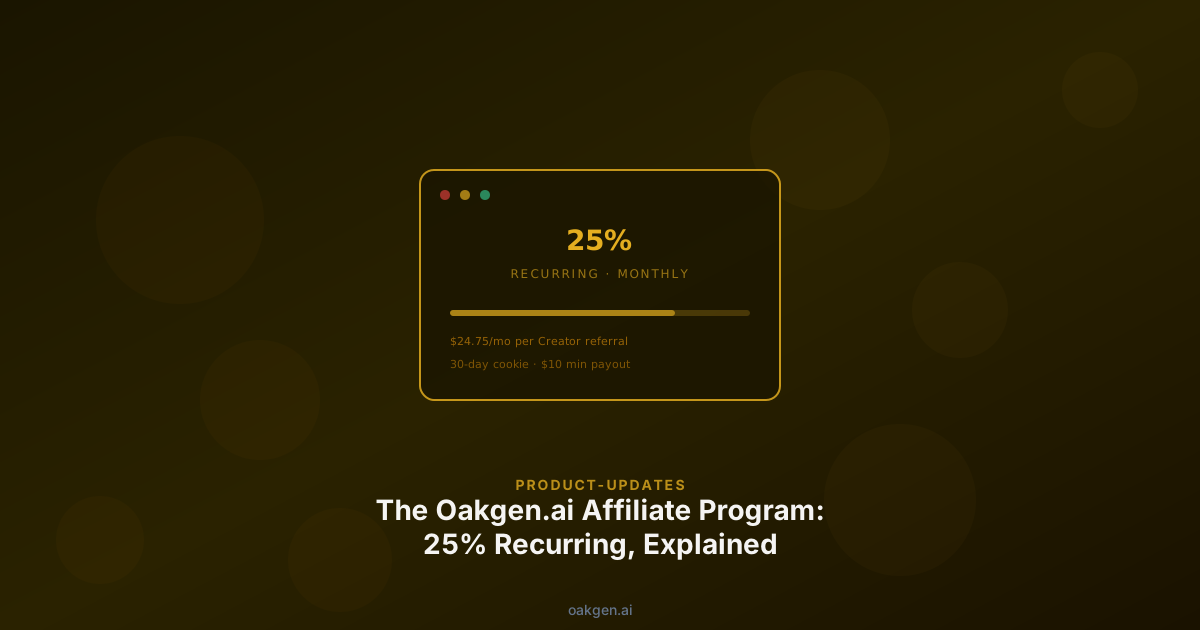
You get 25% of every monthly payment for the first 6 months a referred user stays subscribed. That is the short version. The rest of this post is the long version: the math for every plan, how crediting actually works, who this is and isn't for, and how to get paid out.
You can open the live affiliate dashboard at any time at /refer — it's called the Commission Terminal, it shows your link, your click stats, pending commissions, and paid-out earnings in real time.
The Short Version
- 25% commission for 6 months — paid every month during the first 6 billing cycles a referred user stays subscribed.
- 30-day cookie window — they have 30 days from clicking your link to sign up and still count as yours.
- $10 minimum payout — below that, your balance carries over indefinitely.
- Monthly payouts — on a 30-day rolling cycle, paid to PayPal, Wise, or your local bank.
- No referral cap — refer 5 people or 500, the rate is the same. The cap is per-referral duration (6 months), not referral count.
- Live dashboard — open the Commission Terminal to see clicks, signups, and commission in real time.
The program is powered by Affonso, a specialist affiliate platform used by a growing number of SaaS and AI products. Your dashboard, your link, and your payouts all run through Affonso's infrastructure — we didn't build our own tracking pixel, and we don't need to.
The Math, Per Plan Tier
Oakgen has four paid plans. Your commission is 25% of whatever your referral pays each month, for their first 6 billing cycles — so the per-referral ceiling depends on which plan they pick.
| Plan | They pay / month | You earn / month | Per-referral total (6 months) |
|---|---|---|---|
| Basic | $9 | $2.25 | $13.50 |
| Pro | $19 | $4.75 | $28.50 |
| Ultimate | $29 | $7.25 | $43.50 |
| Creator | $99 | $24.75 | $148.50 |
The Creator plan does the heaviest lifting. One Creator referral is worth up to $148.50 to you over the 6-month window — paid out monthly as their card is charged, not held until some arbitrary anniversary.
This is also why agencies and high-ticket educators tend to out-earn raw-volume channels on the Oakgen program: they refer fewer people, but those people land on higher plans, which means a higher per-referral ceiling within the same 6-month window. The broader tactical piece on who actually converts in AI-tool affiliate marketing walks through that dynamic in detail.
Because the commission is capped at 6 months per referral, steady referral flow matters more than hoping one signup pays forever. Think of it as a rolling portfolio: every new referral adds a fresh 6-month stream on top of your existing ones.
Who This Is For
Anyone with an audience that buys software is a good fit. In practice, that cleanly maps to five segments, each of which has its own dedicated tactical post:
- YouTubers building tutorials or comparisons in the AI space — see our YouTuber playbook.
- Newsletter writers covering creator tools, AI, or marketing — see the newsletter-writer integration guide.
- AI agencies and freelancers who recommend tools to clients — see the agency stack-retainer play.
- Course creators teaching AI workflows or creative production — see the course-creator curriculum guide.
- Community admins running Discord servers, subreddits, or private groups — see the community-monetization post.
Who This Isn't For
We'd rather be honest than oversell. Two groups where the Oakgen affiliate program is a bad fit:
People looking for one-time high-ticket commissions. If you want to promote a $2,000 course and get $800 up front, this is not that program. Our model is small-dollar, compounding, and monthly. It pays better over time — a Creator referral beats most one-time programs by year two — but the first payout is small.
People without an existing audience. Affiliate programs pay people who already have distribution. If you are just starting to build an audience, focus on the audience first. The affiliate link will start paying when you have people who listen to your recommendations.
How Crediting Actually Works
There are three moments in the lifecycle where tracking matters: the click, the signup, and the subscription payment.
The click
When someone clicks your affiliate link, Affonso saves a small marker in their browser. The marker records which affiliate link was used — nothing personal, no identifying data about the clicker.
The signup
The marker persists for 30 days. If the clicker returns to Oakgen.ai within 30 days (even via a direct URL, a Google search, or a different device if they've logged in) and creates a paid subscription, the signup is credited to you.
Two important edge cases:
- Existing account holders upgrading do not count. If a user already has an Oakgen account and then clicks your link, they will not be credited unless they click your link during a checkout flow for a new paid subscription.
- Multi-device signup. If someone clicks on desktop and signs up on mobile, the signup still counts — provided they log in on both devices or sign up within the 30-day window on the same browser.
The subscription payment
Commissions are paid on actual payment events — not on signups or trials. When your referral's card is charged, 25% of the net charge accrues to your balance. Refunds are reversed. Chargebacks are reversed. This is why new signups go through a short hold period: if someone refunds within the first two weeks, we don't want to pay you for a commission we're also clawing back.
Each referred subscription earns commission for its first 6 billing cycles. After that, the referrer stops accruing on that user — but any referrals that are still inside their 6-month window continue paying as normal. In practice this means a steady pipeline of new referrals compounds, while a one-time burst plateaus at six months.
After the hold clears, commissions go into your paid-out balance and are released on the next 30-day payout cycle.
Payout Logistics
Once your balance hits $10 or more, your next payout includes it. Below $10, the balance carries over to the next cycle — it never expires.
Three payout methods are supported:
- PayPal — available in most countries. Instant, familiar, good for most creators.
- Wise — generally the best rates for international transfers, especially if you are paid in a non-USD currency. Recommended for creators outside the US.
- Local bank — direct deposit in your home currency, typically via Affonso's banking rails. Best for high-volume earners who want to avoid payment-processor fees.
You set your preferred method in your Affonso dashboard, reachable through the Commission Terminal. You can switch methods at any time.
Common Misconceptions
A few things we hear routinely that are worth clearing up:
"I need to be approved before I can share my link." No. Your link works from the moment you sign in at /refer. Approval determines when your commissions are confirmed and paid — it does not block you from sharing the link or from earning. If your account is pending approval, commissions accrue and are released once you're approved.
"There's a cap at 50 referrals." There isn't. The sliders on the Commission Terminal go up to 50 per plan because that's a reasonable upper bound for a back-of-envelope estimate, but there's no cap on how many referrals you can send. Refer 500 people and you earn on all 500 — each for the first 6 months of their subscription.
"Commissions run forever." They don't. Commission on any one referral runs for the first 6 months of their subscription, then stops. We prefer to be upfront about this rather than bury it and have affiliates notice the drop-off later. The 6-month window is firm — the same rule applies whether a referral signs up on day one or year two of the program.
"I can refer myself from a second account." You can't — and trying will get your affiliate account permanently removed and any unpaid earnings cancelled. Affonso and Oakgen both look for self-referral patterns. It is not worth the attempt.
How to Get Started in Three Minutes
- Sign in to Oakgen.ai. If you do not have an account, create one first.
- Open the Commission Terminal. Your referral link appears at the top of the dashboard.
- Copy the link and share it somewhere — a tweet, a YouTube description, a newsletter signature, a Discord pinned message. Anywhere your audience already trusts you.
- Watch the dashboard. Clicks show up live, signups appear on actual payment events, and commissions accrue automatically.
That's the whole onboarding. There is no application form, no content review, no minimum audience size, and no waiting period before your link works.
What Happens Next
If you're deciding how to actually promote it without sounding like an ad, the five-ways-to-promote guide has copy-paste scripts for each major channel. If you want to see how the Oakgen program stacks up against other AI affiliate programs, the ranked 2026 comparison is the place to start.
Otherwise: open the Commission Terminal, copy your link, and share it in one place today. The first $10 tends to come faster than people expect — and once it does, the rest is compounding.