A shorter fridge snack edit still needs three things: a bite, an apparent departure and a return for more food. Keeping only the funniest-looking spoonful can remove the reversal that gives the scene its story.
The complete Midnight Fridge Snack trend follows a 24.75-second source. The plans below describe editing a downloaded result afterward; they are not shorter generation options or a way to change its credit quote. Keep the full result as your master and make a separate working copy for each edit.
Start with the complete fridge snack scene
Explore the original reference and one-photo trend, then plan your own edit from the full result.
Start with the source's turning point
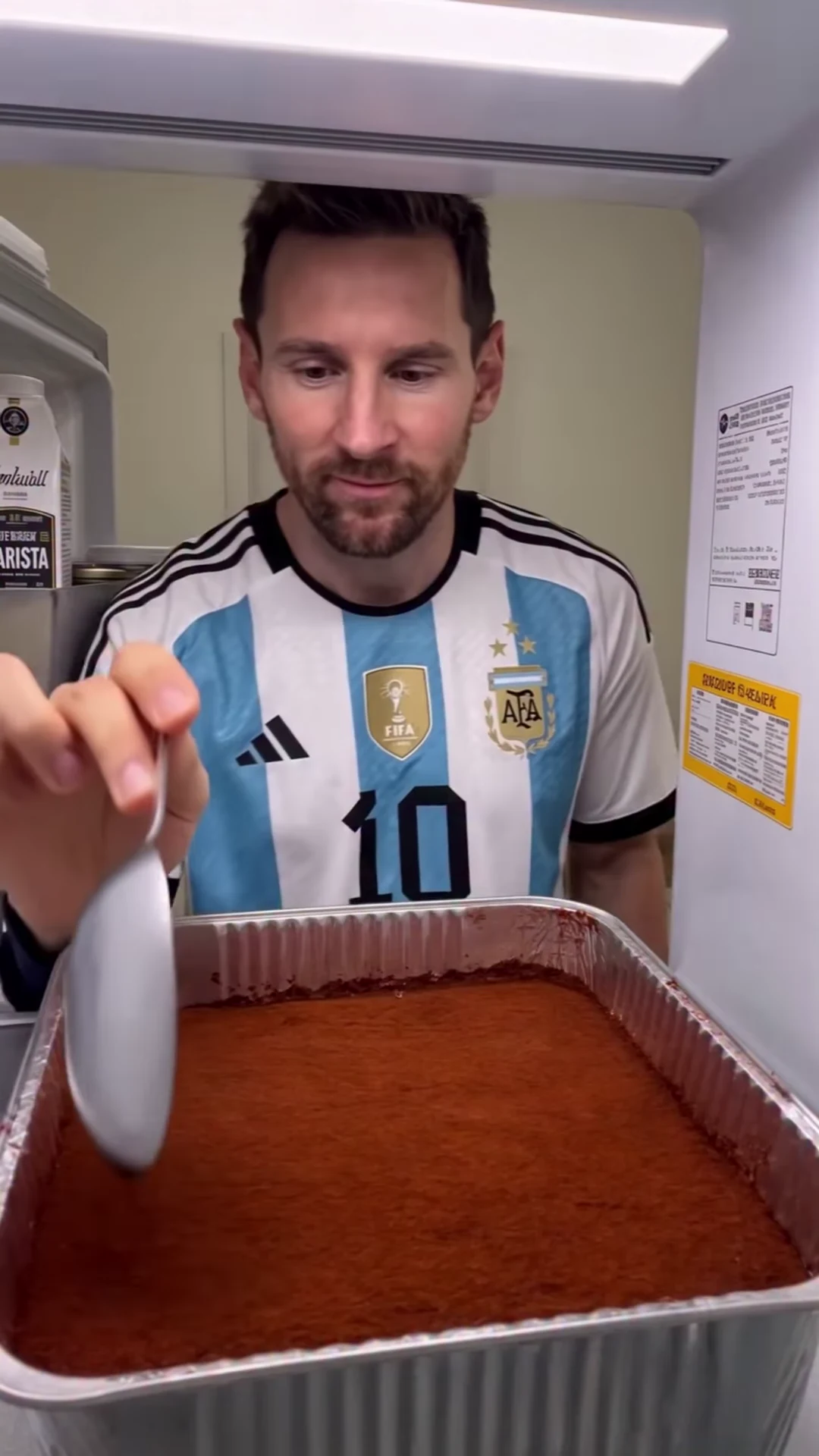
The supplied reel by @bidjou.mohamed.ai shows repeated bites from a foil tray, followed by a door interruption around seconds 7–9. The character then returns and continues eating. The creator presents it as an AI fridge-check recreation; the cover here is a source frame, not a generated Oakgen example.
These landmarks come from inspecting the source across its full timeline. They are approximate planning positions, not tested cut points for a generated result. If the movement lands slightly differently in your downloaded video, move your edit markers to match that actual action.
The scene guide explains the reference and character choice. This article starts at the next step: deciding which part of the complete result to keep.
Two useful cuts from the same master
Both examples keep one continuous section of the original timeline. That lets you shorten the scene without rearranging the order of bites or joining different amounts of food in the tray.
| Plan | Approximate source range | Nominal edit length | Why choose it? |
|---|---|---|---|
| Keep more setup | 0–15 seconds | 15 seconds | Retain the opening composition and several early bites before the door interruption |
| Reach the reversal sooner | 3–15 seconds | 12 seconds | Begin once the eating action is already underway and bring the door movement earlier in the edit |
| Keep the complete version | 0–24.75 seconds | 24.75 seconds | Preserve the full eating progression and source ending |
The 15-second endpoint is a planning anchor. On the actual result, look for a settled moment after a bite or scoop rather than cutting through the spoon's contact with the mouth. A slightly longer or shorter cut may read better than forcing an exact duration.
Plan A: a 15-second setup and return
Keep the opening and follow the action continuously to roughly source second 15. The viewer gets time to understand the refrigerator perspective and see the character eating before the apparent exit.
On this timeline, the door interruption remains near edit seconds 7–9. Leave at least one clear returned bite after it. If you end as soon as the door opens, the viewer sees a return but may miss the renewed eating that completes the joke.
This plan suits an edit where the initial situation matters as much as the reversal. You can retain the beginning without adding an explanatory title card or repeating the opening shot.
Plan B: a 12-second version that starts in the action
Start near source second 3 and continue to roughly second 15. The source already shows scooping and eating in this region, so the new opening can establish the activity quickly.
Subtract the three-second trim when placing markers: the source's 7–9-second door interruption now falls around edit seconds 4–6. The return and subsequent bites occupy the remainder. Any captions added to this version should follow the new timeline; copying timings from the full master would make them late.
Before accepting the start, check the first few frames at normal speed. If you land halfway through an unclear hand movement, shift the start to a nearby readable scoop or bite. These timing choices need the actual result, not just the nominal numbers in the table.
Keep the picture and sound together
The trend retains the source soundtrack. When trimming, keep video and its matching audio linked in your editor so both begin and end at the same source positions.
For Plan B, retain the sound corresponding to source seconds 3–15. Do not place the full soundtrack from second zero underneath that picture: a three-second offset changes the relationship between visible movement and sound. If you later remove another section, remove its matching sound as well and listen across the join.
A sudden cut may leave an abrupt audio edge. Listen before deciding whether to make a small fade at the beginning or end; avoid fading through a sound you want to accompany an action. The track title and artist are unverified; use the sound in the downloaded video to place the cuts.
Avoid an unnecessary jump in the dessert
The amount and shape of the dessert change as the person eats. Combining an early bite with a much later scrape can make the tray appear to change instantly. That may be an intentional comedy jump cut, but it is different from a continuous scene.
For your first short edit, use one continuous range from the table. If you later make a montage, compare the tray immediately before and after each join. Keep the join only if the discontinuity feels deliberate and the person still reads as the same character. Editing is not evidence that an underlying identity or contact problem has been solved.
Compare the short edit with the downloaded original
Keep the complete download beside the shorter version in your editor. Review the same moments in both: the first retained bite, the moving door, the returning face and the final retained spoon action. Check that a crop or trim has not removed the clue that makes one of those moments understandable.
Listen once with the picture and once while concentrating on the cut boundaries. Then watch the short version from its first frame without referring to the master. The viewer should be able to understand “eating, leaving, coming back” without knowing what you removed.
For visual placement decisions, the fridge POV framing guide explains which parts of the frame carry the action. Once the timing is settled, the caption ideas page gives worked scripts you can fit to the new positions. The complete workflow guide covers the earlier upload and generation steps.
Use these source-based plans as starting timelines. Choose the final cut from the movement and sound in your own result.
Frequently asked questions
Does choosing a shorter edit reduce the generation price?
No. These are editing plans for a downloaded full-length result, not shorter generation settings. Review the complete trend's current credit quote before submitting.
Should I restart the soundtrack at zero after trimming?
Keep the audio portion that belongs to the retained picture. For a cut starting around source second 3, retain the corresponding audio from that point rather than restarting the full soundtrack.