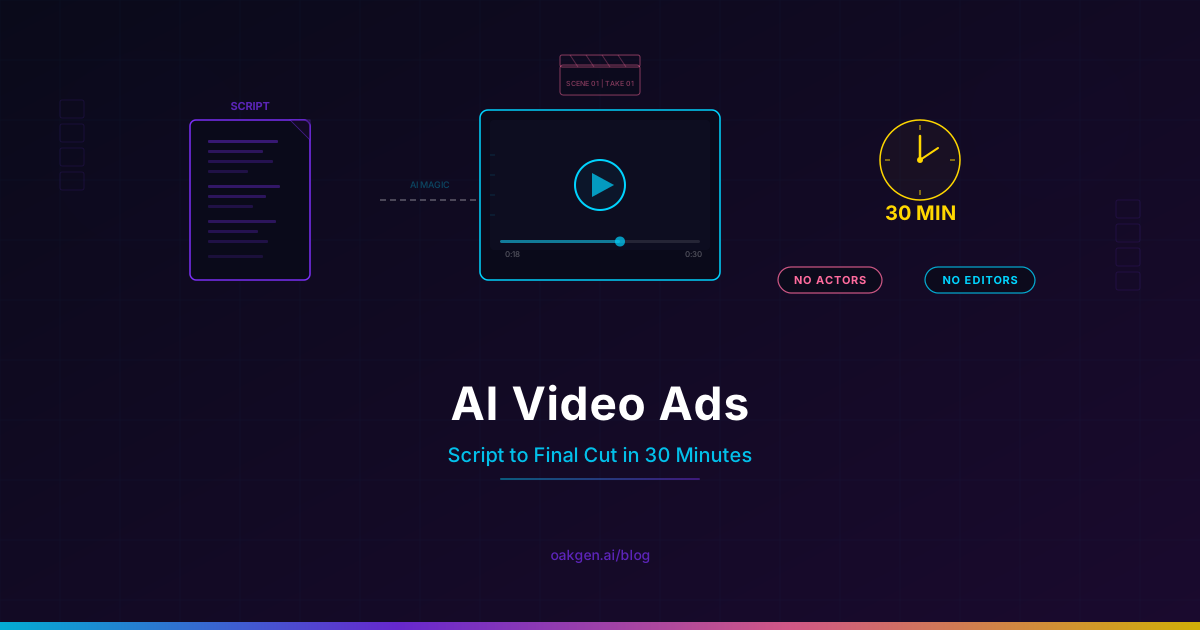
Last Tuesday we made a TikTok ad for a skincare brand in 28 minutes. Script, avatar, voiceover, background music, final cut. The total cost was 340 credits -- roughly $1.31. The ad looked like something that would have required a creator, a videographer, and an editor. It required none of them.
This is not a theoretical walkthrough. We are going to rebuild that exact ad step by step, with timestamps, prompts, and the credit cost at each stage. By the end, you will have a repeatable process for producing video ads across TikTok, Facebook, Instagram, and YouTube -- no crew, no budget, no waiting.
If you have been paying $2,000-$10,000 per ad creative, or waiting two weeks for a single deliverable from a freelancer, this is the workflow that replaces both.
What You Need Before You Start
The entire workflow runs inside Oakgen. Here is the tool stack:
- AI Video Generator -- generates the visual ad footage (product shots, lifestyle scenes, transitions)
- UGC Ads -- creates the talking-head presenter with lip-synced script delivery
- Talking Photo -- animates a still image into a speaking presenter (useful for brand-specific faces)
- Music Generator -- produces royalty-free background tracks matched to your ad's mood
- Text-to-Speech / Audio -- generates voiceover narration in dozens of voices and languages
If you are working at an agency managing multiple clients, the agency workflow page covers how to organize this across accounts. For e-commerce brands running their own ads, the e-commerce tools overview maps which tools fit which ad formats.
No external software required. No editing timeline. No After Effects. Everything from script to export happens in the browser.
The Cost of Traditional Video Ads vs. AI
Before the walkthrough, here is why this matters financially. We priced the same 30-second TikTok ad through both traditional and AI production.
| Line Item | Traditional Production | AI on Oakgen |
|---|---|---|
| Script / copywriting | $200 - $500 | Written yourself or via AI chat |
| UGC creator / actor | $300 - $2,000 | $0.15 - $0.50 (AI avatar) |
| Videographer / filming | $500 - $2,000 | Not required |
| B-roll / product footage | $200 - $800 | $0.10 - $0.30 per clip |
| Editor / post-production | $300 - $1,500 | Not required |
| Background music license | $30 - $200 | $0.05 - $0.15 (AI-generated) |
| Voiceover artist | $100 - $500 | $0.05 - $0.10 (TTS) |
| Revisions (2 rounds) | $200 - $600 | Re-generate at same cost |
| Turnaround time | 5 - 14 business days | 30 minutes |
| Total | $1,830 - $8,100 | $1 - $3 |
The cost difference is not a rounding error. It is three orders of magnitude. And the speed difference is what changes the game strategically: instead of committing your budget to one creative and hoping it works, you produce 20 variants in an afternoon and let the ad platform find the winner.
The 30-Minute Workflow: Step by Step
Here is the exact process, timed from start to finish. We are building a 30-second TikTok ad for a fictional skincare serum called "GlowDrop."
Minute 0-5: Write the Script
Every good ad starts with the script, not the visuals. You need three components:
The hook (first 3 seconds). This is the only part that matters for stopping the scroll. It must create curiosity or pattern-interrupt.
The body (20 seconds). Problem-agitate-solution. State the pain, make it feel urgent, introduce the product as the fix.
The CTA (5 seconds). One clear action. Link in bio, shop now, use code.
Here is the script we used:
HOOK: "I spent $400 on skincare last month and my skin looked worse."
BODY: "My dermatologist told me I was using too many products. So I replaced everything with one serum. GlowDrop has niacinamide, hyaluronic acid, and vitamin C in a single bottle. Two weeks in, my skin cleared up and I stopped buying five different products. It costs less than what I was spending on toner alone."
CTA: "Link in my bio. Honestly just try it."
Notice the script sounds like a person talking, not a brand announcing. Filler words ("honestly," "just"), specific details ($400, two weeks, five products), and a conversational CTA. This is what makes AI UGC ads convert -- they sound like a real person's experience, not a commercial.
For TikTok and Reels, keep your script under 90 words for a 30-second ad. People speak at roughly 150 words per minute in a casual, UGC-style delivery. Going over 90 words forces the AI voice into an unnaturally fast pace that breaks the authentic feel. Our GlowDrop script is 82 words -- right in the sweet spot.
Minute 5-10: Generate the UGC Presenter
Open the UGC Ads tool. This is where the talking-head portion of the ad gets built.
Step 1: Choose an avatar. Pick someone who matches your target demographic. For a skincare product targeting women 25-35, we selected a natural-looking female avatar with casual styling -- no heavy makeup, no studio lighting. The "deliberate amateur" look is the goal.
Step 2: Paste your script. Drop the full script into the text field. The tool automatically handles pacing, pauses, and emphasis.
Step 3: Select voice and tone. Choose a conversational, mid-energy voice. Avoid anything that sounds like a radio announcer or news anchor. You want "talking to a friend on FaceTime," not "presenting to a boardroom."
Step 4: Generate. Hit generate and wait roughly 30-60 seconds. The output is a vertical video of the avatar delivering your script with natural lip sync, head movement, and micro-expressions.
Credit cost for this step: approximately 80-120 credits depending on duration.
If you already have a brand spokesperson photo you want to animate, use Talking Photo instead -- it takes a still image and brings it to life with the same lip-sync and expression engine.
Minute 10-18: Generate B-Roll and Product Shots
While the UGC presenter video is your anchor, you need supplementary footage to cut away to during the body section. These cuts make the ad feel produced without feeling corporate.
Open the AI Video Generator and generate 3-4 short clips:
Clip 1 -- Product hero shot:
Prompt: Close-up of a glass serum bottle with gold liquid on a marble bathroom counter, morning sunlight streaming through a window, shallow depth of field, 9:16 vertical, product photography style
Clip 2 -- Application moment:
Prompt: Woman's hand applying a few drops of golden serum to her cheek, close-up of fingertips on skin, soft bathroom lighting, 9:16 vertical, skincare routine aesthetic
Clip 3 -- Before/after implied:
Prompt: Young woman looking at her reflection in a bathroom mirror, touching her jawline, smiling, natural morning light, no makeup, 9:16 vertical, candid and authentic
Clip 4 -- Lifestyle context:
Prompt: Minimalist bathroom shelf with one glass serum bottle among plants, morning light, clean aesthetic, 9:16 vertical
Each clip takes 30-90 seconds to generate. Generate all four in parallel -- start each one without waiting for the previous to finish.
Credit cost for this step: approximately 100-160 credits (4 clips at 25-40 each).
Notice every prompt includes three things: the subject (what is in the frame), the lighting/mood (morning sunlight, soft bathroom lighting), and the format (9:16 vertical). Skipping any of these produces footage that does not match the rest of your ad. Always specify aspect ratio -- defaulting to landscape is the fastest way to waste credits on unusable clips.
Minute 18-22: Generate Background Music
Open the Music Generator and create a background track that supports the ad without competing with the voiceover.
Prompt: Soft lo-fi beat, warm piano chords, gentle percussion, positive and calming mood, 30 seconds, suitable for background under voiceover
The key phrase is "suitable for background under voiceover." This tells the model to keep the arrangement sparse -- no vocal elements, no heavy drops, no melodic lines that fight with spoken words for attention.
Generate 2-3 variations and pick the one with the most consistent energy level. You want a track that stays at the same intensity throughout, not one that builds to a climax at second 20 when your presenter is mid-sentence.
Credit cost for this step: approximately 20-40 credits.
Minute 22-28: Assemble the Final Cut
This is where everything comes together. Here is the edit structure for our 30-second GlowDrop ad:
Seconds 0-3 (Hook): UGC presenter, direct to camera. "I spent $400 on skincare last month and my skin looked worse." No b-roll, no graphics. Just the face and the hook. This is the scroll-stopper.
Seconds 3-8: UGC presenter continues. Cut to Clip 1 (product hero shot) at second 5 for 2 seconds, then back to presenter.
Seconds 8-18: Alternate between presenter and b-roll. Clip 2 (application) at second 10. Clip 3 (mirror reflection) at second 14. Presenter fills the gaps.
Seconds 18-25: Back to presenter for the key benefit line ("Two weeks in, my skin cleared up"). Clip 4 (minimalist shelf) as a quick 2-second cutaway.
Seconds 25-30 (CTA): Presenter direct to camera for the close. "Link in my bio. Honestly just try it."
Background music: Layer the lo-fi track underneath at 15-20% volume. It should be felt, not heard. If someone watches on mute (and half of Facebook viewers will), the ad still works because the visual storytelling carries the message.
You can assemble this directly in your ad platform's built-in editor (TikTok Ads Manager and Meta Ads Manager both support multi-clip assembly), or use any free video editor to sequence the clips. The AI did the hard work -- the assembly is just putting clips in order and adjusting audio levels.
Minute 28-30: Export and Upload
Export at 1080x1920 (9:16), H.264, and upload directly to your ad platform. No color grading needed -- the AI clips already have consistent lighting because they were prompted with the same aesthetic direction.
Total credit cost: approximately 200-340 credits ($0.77 - $1.31). Total time: 28 minutes.
Scaling: 10 Ad Variants in an Afternoon
One ad is nice. Ten variants is a strategy. The real power of this workflow is not making one cheap ad -- it is making enough variants to let the algorithm find what converts.
Here is how to scale from one ad to a testing slate of 10:
Vary the hook. Write 5 different opening lines for the same product. "I spent $400 on skincare" is one angle. Others: "My dermatologist said stop buying products" (authority), "The only bottle in my bathroom right now" (curiosity), "POV: you finally fixed your skincare routine" (TikTok native), "This replaced my entire skincare shelf" (bold claim).
Vary the avatar. Generate the same script with 3-4 different presenters. Different demographics see different conversion rates. A 22-year-old college student, a 35-year-old professional, a 45-year-old mom -- test which face your audience responds to.
Vary the format. Run the same script as a UGC talking head, as a voiceover-only with product footage, and as a slideshow with text overlays. Three formats, same script, wildly different performance characteristics.
With this matrix (5 hooks x 2 avatars x 1 format = 10 variants, or 3 hooks x 2 avatars x 2 formats = 12 variants), you have a real testing slate. Total cost: roughly $5-$15. Total time: one afternoon. Traditional production equivalent: $15,000-$50,000 and 3-6 weeks.
Platform-Specific Optimization
Each platform rewards different things. Quick reference:
TikTok: 21-34 second sweet spot. Sound-on platform -- your AI voiceover is mandatory, not decorative. Hook window is 0.5 seconds. Ads that look like organic TikTok content get 83% higher attention rates, which is why the UGC talking-head format works so well here.
Facebook / Instagram: 15-30 seconds for feed, up to 60 for Stories/Reels. 85% of Facebook video is watched on mute, so add burned-in subtitles or ensure the visual storytelling stands alone. Choose a thumbnail where the presenter's expression is most engaging.
YouTube Shorts / Pre-Roll: 15-20 seconds for skippable pre-roll (the "skip" button at 5 seconds is your real deadline), up to 60 for Shorts. YouTube viewers expect slightly higher production value -- use your best AI clips here.
Advanced Techniques: Making AI Ads Convert Harder
Once you have the basic workflow, these techniques push performance further.
The "Response to Comment" Format
Film the ad as if the presenter is responding to a viewer comment. Start with: "Someone asked me if GlowDrop actually works, so here's my honest update after 30 days." This format triggers massive engagement because it implies an existing community discussing the product.
The Split-Test Hook Method
Generate the same ad with 10 different hooks. Upload all 10 as separate creatives in the same ad set. After 72 hours, kill everything below the median CTR. Take your top 3 hooks and generate new variants with different avatars. This is how media buyers find winning creatives -- but traditionally they need 10 separately produced videos. You need 10 minutes.
Multilingual Expansion
Your script is in English. But your product ships to Germany, France, and Japan. Use the Text-to-Speech tool to generate the same script in German, French, and Japanese with native-sounding voices. Pair with the same b-roll footage (product shots are universal) and a localized avatar. You just tripled your addressable market for the cost of a few hundred credits.
The AI Chat Script Assist
Stuck on scripts? Use the Agent Chat to brainstorm hooks, rewrite CTAs, and generate script variations. Describe your product, your target audience, and your platform, and let the assistant draft 10 hook options you can feed directly into the UGC tool.
Earn 25% recurring on every referral.
Share Oakgen, get paid every month they stay.
Who This Workflow Is For
This is not a toy for people who want to play with AI. This is a production workflow for people who need to ship ad creative at volume.
Solo founders and bootstrapped startups. You have a product and no marketing budget. This workflow gets you professional-looking ads for under $5. Spend your money on ad distribution, not ad production. See the full marketer toolkit for more context.
E-commerce brands scaling paid acquisition. You need 20-50 new ad creatives per month to feed the algorithm. Traditional production cannot keep up with that volume at any price. AI can. The e-commerce tools page covers the full product-to-ad pipeline.
Agencies managing multiple clients. Each client needs fresh creative weekly. With this workflow, one media buyer can produce creative for 5-10 clients in a single day. The agency workflow page shows how to manage this across accounts.
Performance marketers running paid social. You live and die by creative testing volume. More variants tested means faster learning, lower CPA, and higher ROAS. This is how you get from 3 new creatives per week to 30.
What AI Video Ads Cannot Do (Yet)
Complex physical demonstrations. If your ad requires someone physically holding your product or demonstrating a multi-step process with real hands, AI is not there yet. Hand-object interaction is improving fast, but expect occasional physics-defying finger movements.
Celebrity or recognizable faces. You cannot generate ads featuring real people without consent. AI avatars are synthetic faces, not deepfakes.
Ads longer than 60 seconds. The workflow works well for 15-45 second social ads. Longer-form content still benefits from traditional production because maintaining coherence across many scenes requires more manual direction.
Regulated industries. Pharmaceutical, financial, and legal advertising have compliance requirements that demand careful human review regardless of how the creative was produced.
Frequently Asked Questions
Will social platforms flag AI-generated ads?
Meta, TikTok, and Google all require disclosure of AI-generated content in ads as of 2026. This means adding a label like "Made with AI" in your ad setup (each platform has a checkbox for this). In testing, the disclosure label has no measurable impact on ad performance. People care about whether the ad is relevant to them, not how it was made.
How do I make AI UGC ads look authentic?
Three things matter: script quality (write like a person talks, not like a brand announces), voice selection (conversational tone, not announcer energy), and avatar choice (relatable, not model-perfect). Read our full guide on UGC ads without influencers for the deep dive on authenticity.
Can I use AI video ads for product launches?
Yes, and this is one of the strongest use cases. Before launch, you have no real customer footage and no UGC. AI lets you create testimonial-style ads before the product ships, test which angles resonate, and have a proven creative strategy ready for day one. See our AI product photography guide for the visual asset side of launch campaigns.
What credit budget should I plan for monthly ad production?
For a small brand running 10-20 ad variants per month across 2-3 platforms, budget 3,000-6,000 credits per month. That covers UGC generation, b-roll clips, background music, and voiceovers for a full testing slate. Check the pricing page for current credit packages and plan tiers.
Is AI-generated ad content legal to use commercially?
Yes. Content generated on Oakgen is yours to use commercially, including in paid advertising. The AI models produce original output -- not remixed copyrighted material. Standard advertising regulations still apply: your claims must be truthful, disclosures must be present, and you must label AI-generated content where required by platform policy.
What is the best AI model for video ads in 2026?
It depends on the ad format. For UGC talking-head ads, the UGC Ads tool handles everything. For cinematic b-roll and product shots, Kling 3.0 gives the highest visual quality, and Hailuo 2.3 Pro (image-to-video) offers the best cost-to-quality ratio for high-volume production. The AI video generator lets you switch between models per clip.
What to Read Next
- UGC Ads Without Influencers -- the full breakdown of AI-generated UGC and why it outperforms traditional influencer content at a fraction of the cost.
- AI Product Photography for E-Commerce -- if your ads need product shots, this guide covers how to generate marketplace-compliant images for Amazon, Shopify, and DTC.
- AI Music Video Complete Tutorial -- end-to-end walkthrough of generating a full music video with AI, covering visual generation, audio, and assembly.