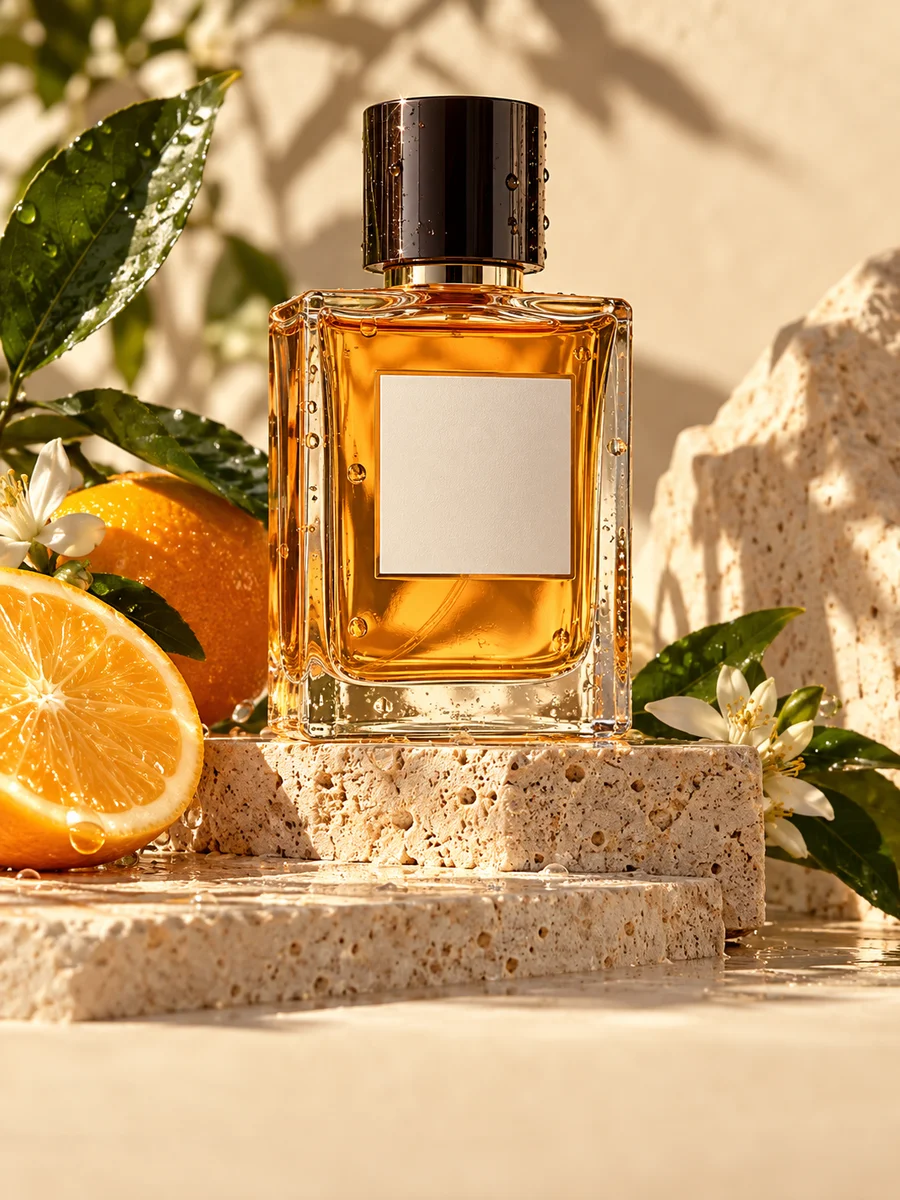
AI Product Photography

Use a source image to explore product-photo treatments with background, lighting, angle, and styling controls. Review each output before publishing.

Choose the background setting

Select the lighting setup

Choose the camera perspective

Add styling elements (optional)

Open in Oakgen
Product Photography example
Example result

AI Product Photography

Use a source image to guide a product-photo treatment, then choose the background, lighting, camera angle, and optional styling. Before use, review geometry, colors, materials, labels, logos, shadows, reflections, and small text.

What is Product Photography?

AI Product Photography is a source-guided image-to-image template for exploring product-photo treatments. Upload a source image, select background, lighting, angle, and styling choices, then review the resulting image against the source materials. Review geometry, colors, materials, labels, logos, shadows, reflections, and small text before use.

Features and options

  • Source-led controls make it easier to explore background, lighting, angle, and styling directions from the same brief.
  • A treatment can be reviewed alongside the source materials before it is used in a listing, store, or ad workflow.
  • Review geometry, colors, materials, labels, logos, shadows, reflections, and small text before use.

When to use Product Photography

  • You want to explore product-photo directions from a source image before choosing the next production step.
  • You need to compare background, lighting, angle, or styling choices with a product brief and source materials nearby.
  • You can review geometry, colors, materials, labels, logos, shadows, reflections, and small text before use.

How to use Product Photography

  1. 1

    Add a source image

    Add a clear source image and keep the source materials available for review. Do not treat the generated output as a replacement for product or packaging records.

  2. 2

    Choose a treatment direction

    Choose background, lighting, angle, and styling controls to explore a treatment direction. Review geometry, colors, materials, labels, logos, shadows, reflections, and small text against the source materials.

  3. 3

    Review the generated treatment

    Review geometry, colors, materials, labels, logos, shadows, reflections, and small text. Check the current requirements of each marketplace, store, or ad platform before publishing.

  4. 4

    Choose the next workflow

    Use the reviewed treatment as an input to your own production process. A physical shoot may be a better choice for precision-critical brand, packaging, or regulatory work.

Ways to use the results

Product-photo planning

Explore a source-guided product-photo treatment, then review geometry, colors, materials, labels, logos, shadows, reflections, and small text before deciding what to do next.

For: Ecommerce teams, designers, and creative reviewers

Store and ad preparation

Compare a treatment with source materials and the destination's current requirements before preparing assets for a marketplace, store, or ad platform.

For: Store operators, marketers, and agencies

Strengths

  • Background, lighting, angle, and styling controls support source-guided treatment exploration
  • The workflow makes a review of geometry, colors, materials, labels, logos, shadows, reflections, and small text explicit
  • You can compare generated output with source materials before choosing the next workflow

Trade-offs

  • Generated treatments need review and should not replace source records for precision-critical details
  • Geometry, colors, materials, labels, logos, shadows, reflections, and small text can require a physical shoot or specialist review
  • A physical shoot may be the better choice for precision-critical brand, packaging, or regulatory work

Tips for better results

  • Start with a concise description of the intended background, lighting, angle, and styling treatment.
  • Keep source materials open while reviewing geometry, colors, materials, labels, logos, shadows, reflections, and small text.
  • Check the current requirements of each marketplace, store, or ad platform before publishing.

Product Photography vs the alternatives

vs Studio product photoshoot
A physical shoot may be the better choice for precision-critical brand, packaging, or regulatory work. Use this template to explore source-guided treatments and review every output against source materials.
vs Background removal + stock backgrounds
Background-removal and compositing are separate workflows. Use this template to explore a source-guided treatment, then review geometry, colors, materials, labels, logos, shadows, reflections, and small text before use.
vs Freeform AI image generator with a product prompt
A freeform image prompt and a source-guided treatment are different workflows. Keep source materials available and review generated output before selecting a production path.

Frequently asked questions

What should I review before using an output?

Review geometry, colors, materials, labels, logos, shadows, reflections, and small text against your source materials. Check the current requirements of each marketplace, store, or ad platform before publishing.

How should I use a product-photo treatment?

Use the output as a treatment to review with your source materials and production process. It does not replace product records, packaging review, platform checks, or final approval.

What backgrounds are available?

Choose from clean white, soft gradient, lifestyle, marble, wood, fabric, outdoor natural, and minimalist treatments. Review the output against source materials before use.

What lighting setups can I pick?

Choose soft studio, dramatic, natural, rim light, high key, low key, or golden-hour lighting as a treatment direction, then review shadows and reflections alongside the source materials.

Which camera angle should I pick?

Choose the angle that helps you inspect the intended treatment. Review geometry, labels, logos, and small text before use rather than assuming the source detail is reproduced.

Can I create more than one treatment direction?

You can open a separate run with a different background, lighting, angle, or styling choice. Review each output independently with the source materials before choosing the next workflow.

What should I check before publishing?

Review geometry, colors, materials, labels, logos, shadows, reflections, and small text. Check the current requirements of each marketplace, store, or ad platform before publishing.

What terms and source-material checks apply?

Use depends on the applicable Oakgen terms, provider terms and policies, and your rights or permission to use source materials. Review destination requirements separately before publishing.

How does this compare to booking a real photoshoot?

A physical shoot may be the better choice for precision-critical brand, packaging, or regulatory work. Use this template to explore a source-guided treatment and review each output before use.

Related AI tools
