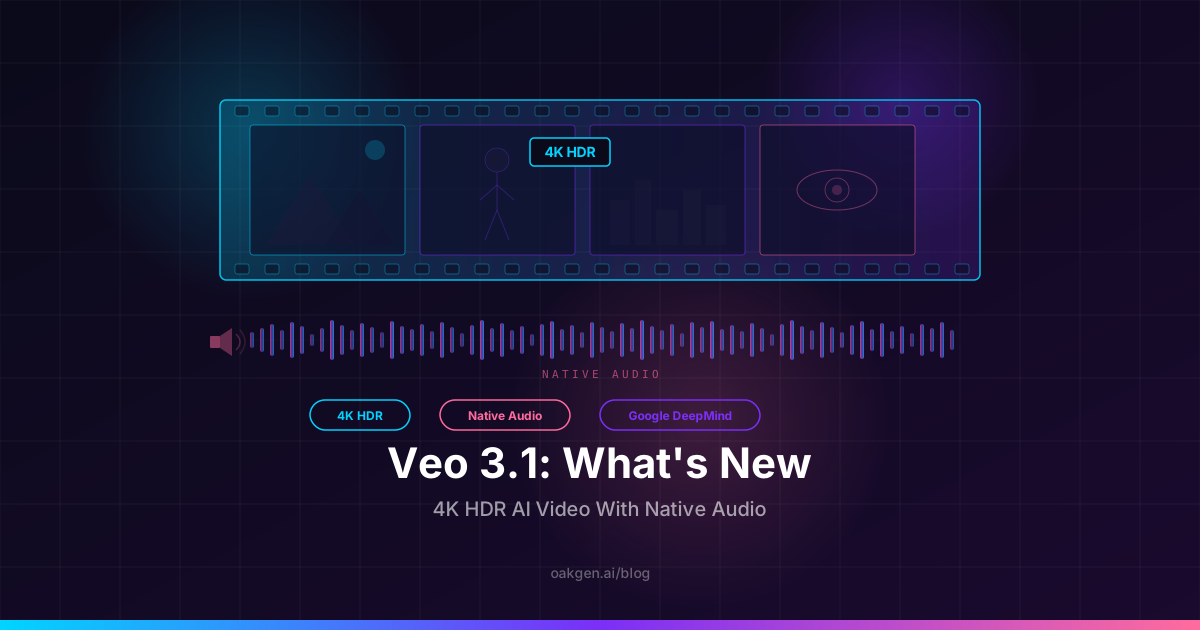
Veo 3.1 is an incremental but meaningful upgrade to Google's AI video model. It does not reinvent the architecture or add a radically new capability. Instead, it pushes two things that matter to anyone producing real content: output resolution jumps to native 4K HDR, and the native audio pipeline gets noticeably better at dialog clarity, ambient layering, and temporal sync. If you have been using Veo 3 and wished the footage held up on a big screen or that the voice work sounded less compressed, this is the update that addresses both.
This review covers exactly what changed, what stayed the same, how Veo 3.1 stacks up against Kling 3.0 and the original Veo 3, and whether the upgrade justifies the extra cost for your workflow.
Veo 3.1 is a Google model and is not available on Oakgen. For AI video on Oakgen, the AI Video Generator offers models such as Seedance 2.0 and 2.5, Kling V3 Pro, and Kling O3 Pro.
What actually changed in Veo 3.1
4K HDR output
Veo 3 generated at 1080p. Clean, usable, but noticeably soft when viewed full-screen on a 4K monitor or projected onto a conference room display. Veo 3.1 outputs at native 3840x2160 with HDR10 metadata baked in.
What this means in practice:
- Detail holds on large screens. Skin texture, fabric weave, text on signage, distant architecture -- all stay crisp at 4K instead of smearing into softness.
- HDR color range. Highlights in fire, neon, sunlight, and reflections carry more luminance data. If your delivery target supports HDR (YouTube HDR, HDR10 monitors, Apple TV), the footage takes advantage of it. If not, it still looks great in SDR -- the tone mapping is well handled.
- Downscaling advantage. Even if your final delivery is 1080p, starting from 4K means the downscaled result looks sharper than native 1080p. This is the same principle behind shooting 6K to deliver 4K in traditional filmmaking.
The resolution bump is not free. Veo 3.1 4K generations take roughly 30-40% longer than the equivalent Veo 3 clip and cost slightly more credits. For hero shots, ads, and anything that will be viewed on a large screen, it is worth it. For rapid drafts and social-first content where 1080p is fine, you can still generate at lower resolution to save time and credits.
Improved native audio
Veo 3 was already the only top-tier video model that generated synchronized audio in the same inference pass. Veo 3.1 improves three specific dimensions of that audio:
Dialog clarity. Spoken lines come through cleaner. The slight compression artifact and "room in a room" reverb that Veo 3 sometimes added to dialog has been reduced. Voices sound more present and less processed, particularly in close-up and medium shots.
Ambient layering. Environment audio separates better from speech. In Veo 3, a cafe scene might produce dialog that fought with the background chatter for frequency space. In 3.1, the ambient bed sits underneath the speech rather than competing with it. This is a subtle mixing improvement but it makes a significant difference in usability.
Temporal alignment. Lip sync in Veo 3 was already good. In 3.1 it is tighter. The gap between a mouth forming a word and the audio of that word arriving has been narrowed to the point where it is rarely perceptible. This matters most for direct-to-camera dialog and interview-style content where the viewer is watching the speaker's mouth.
What did not change
Some things in Veo 3.1 are carried over from Veo 3 without modification:
- Maximum duration is still 8 seconds per generation.
- Supported aspect ratios remain 16:9, 9:16, and 1:1.
- Camera language understanding is the same -- it was already best in class.
- Character fidelity over the clip duration is unchanged. Still excellent, still the strongest of any model for holding identity across 8 seconds.
- No voice cloning. You still cannot feed in a reference voice. You direct voice quality with descriptive tokens (accent, tone, age, texture).
This is why calling it "incremental" is accurate. The model architecture is not new. The training approach is not new. Google took a model that was already best-in-class for cinematic AI video with audio and improved the two areas where users gave the most feedback: resolution and audio quality.
Veo 3.1 vs Veo 3 vs Kling 3.0
| Capability | Veo 3.1 | Veo 3 | Kling 3.0 |
|---|---|---|---|
| Max resolution | 4K HDR (3840x2160) | 1080p | 4K 60fps |
| Native audio | Yes, improved | Yes | No |
| Dialog clarity | Excellent | Good | N/A (silent) |
| Max duration | 8 seconds | 8 seconds | 10 seconds |
| Character fidelity (8s) | Excellent | Excellent | Good |
| Camera language fluency | Excellent | Excellent | Very good |
| Photorealism | Excellent | Excellent | Excellent |
| HDR support | Yes (HDR10) | No | Yes |
| Generation speed | Slower (4K) | Moderate | Fast |
| Credit cost per clip | Premium | Mid-premium | Mid |
| Best for | Dialog, cinema, hero shots | Audio scenes on budget | Fast silent b-roll, high volume |
Veo 3.1 vs Veo 3: If your work involves dialog, testimonials, or anything where audio quality is part of the deliverable, the upgrade is worth it. The 4K bump matters if your footage will be viewed on anything larger than a phone screen. If you are generating silent b-roll or rapid drafts for social, Veo 3 is still perfectly good and cheaper.
Veo 3.1 vs Kling 3.0: These models serve different jobs. Kling 3.0 is fast, generates at 4K 60fps, supports 10-second clips, and is strong for volume production where speed and cost matter. But Kling generates silent video. If your shot requires dialog, ambient sound, or any audio at all, Veo 3.1 is the only option that does not require a separate audio pipeline. For a full breakdown of these two models tested side by side, see our Kling 3 vs Veo 3.1 comparison.
When Veo 3.1 is worth the credits
Veo 3.1 is premium-priced. That is the tradeoff for getting video, dialog, sound design, and 4K resolution in one generation pass. The question is not whether it is good -- it is -- but whether your specific shot needs what it offers.
Use Veo 3.1 for:
- Hero shots that will be viewed on large screens or projected
- Direct-to-camera dialog and testimonials
- Product commercials where audio sells the experience
- Short film scenes where character performance matters
- Any shot where synced audio would otherwise require a separate generation and manual alignment
Use something else for:
- Silent b-roll and transitions (Kling 3.0 is faster and cheaper)
- Rapid iteration and drafting (save Veo for the final version)
- Clips that will be entirely covered by a voiceover or music track
- High-volume production where per-clip cost is the constraint
A production workflow that works well: generate your silent b-roll with Kling 3.0, generate your dialog and hero shots with Veo 3.1, and stitch everything together. Veo 3.1 runs through Google's own products; Kling 3.0 is available in Oakgen's AI Video Generator.
4K HDR prompt examples
The 4K resolution rewards detail in your prompts. Veo 3.1 will render texture, material, and fine environmental detail that would have been lost at 1080p. Here are three prompts written to take advantage of this.
Cinematic landscape
"Wide aerial shot, slow push-in, drone altitude. A volcanic lake at golden hour, the water perfectly still, reflecting a symmetrical ring of forested mountains. Thin wisps of steam curl off the surface. Anamorphic widescreen, cinematic color grade with deep teals and warm amber highlights, HDR peak on the sun's reflection in the water. Ambient: wind, distant birds, faint water lapping. No music, no dialog."
Product hero with audio
"Macro close-up, slow orbit, studio lighting. A mechanical watch on a dark slate surface, the second hand ticking. The camera orbits 90 degrees over six seconds, catching the sapphire crystal reflection and brushed steel case details. Audio: crisp tick of the movement, faint ambient room tone. No music. 4K detail on the dial texture and applied indices."
Dialog scene
"Medium close-up, 50mm lens, eye level. A woman in her late twenties, dark curly hair pulled back, olive skin, wearing a cream linen shirt. She sits at a sunlit wooden desk and looks directly into the camera. She says, 'We spent three months getting this wrong before we figured out the real problem.' Calm, confident, slight smile at the end. Warm natural window light from camera left. Ambient: quiet office, faint keyboard from another room. No music."
For a full library of Veo 3.1 prompt templates across dialog, cinematic, product, and educational formats, see the Veo 3 prompting guide.
Try Kling and Seedance on Oakgen
How to get the best results from Veo 3.1
Write audio-first
The single biggest improvement you can make to your Veo 3.1 output is to write the audio direction before the visual direction. Most users write a visual prompt and tack audio on at the end. Reverse it. Decide what the viewer should hear, write that explicitly, then describe what they see.
This works because Veo's audio engine responds to explicit, detailed direction. Vague audio cues produce vague audio. Specific cues -- quoted dialog with tone direction, named ambient sounds, explicit music decisions -- produce clean, usable audio.
Use the full 4K for hero shots only
Not every generation needs 4K. The resolution increase costs more credits and takes longer. A practical workflow:
- Draft and iterate at standard resolution until the composition, motion, and audio are right
- Lock your final prompt
- Re-generate the final version at 4K HDR
This way you spend 4K credits once per shot instead of burning them on iterations that will be discarded.
Declare what should not be in the audio
Veo 3.1 will add a generic orchestral score to your clip if you do not tell it not to. If you want ambient-only audio, end your prompt with "No music." If you want dialog without background noise, say "Room tone only, no ambient." Declaring absence is as important as declaring presence.
Pair Veo with Oakgen tools
Veo 3.1 handles video and audio together, but if you generate it through Google, some workflows benefit from combining it with other tools:
- Need a specific cloned voice? Generate the Veo clip with audio disabled, then create the voice track with text-to-speech using ElevenLabs and sync them in your editor.
- Need a custom soundtrack? Generate with "No music" in the prompt, then use the Music Generator for a score that fits.
- Need help writing the prompt? Describe your scene in the Agent Chat and let it draft a structured Veo 3.1 prompt for you.
Who should upgrade from Veo 3
Filmmakers and short film creators. The 4K HDR output makes Veo 3.1 footage viable for festival submissions, client presentations, and any context where the video will be projected or viewed on a large display. The audio improvements mean dialog scenes require less post-production cleanup. If you are building cinematic AI content, this model is built for you -- see our guide for AI video for filmmakers.
Ad creators and marketers. Testimonial-style ads with direct-to-camera dialog are Veo 3.1's sweet spot. The improved lip sync and voice clarity mean the output is closer to usable without audio post-processing.
Educators and course creators. Presenter-on-camera educational content benefits from the clearer voice reproduction. The 4K resolution means text on whiteboards and props in the frame stay legible.
Everyone else. If your workflow is primarily silent video, b-roll, or content where you replace the audio track entirely, Veo 3 or Kling 3.0 will serve you just as well at lower cost.
For a direct comparison with the previous Sora and Veo generation, see the Sora 2 vs Veo 3 breakdown.
The honest assessment
Veo 3.1 is not a new model generation. It is a polish pass on what was already the best AI video model for cinematic content with synchronized audio. The 4K HDR upgrade is real and visible. The audio improvements are real and audible. But the model's core capabilities -- camera language, character fidelity, temporal coherence, physics handling -- are the same as Veo 3.
If you were already happy with Veo 3, the upgrade is a quality-of-life improvement, not a paradigm shift. If you were holding off on Veo because 1080p was not sharp enough or because the audio felt slightly off, those specific objections are now addressed.
The competitive picture has not changed either. Veo 3.1 remains the only model that generates video with synchronized native audio. That is its moat. Kling 3.0 remains faster and cheaper for silent production work. Sora 2 remains strong for surreal and physics-heavy content. The right answer is still to use the right model for the right shot, not to default to one model for everything.
The AI Video Generator on Oakgen gives you Kling 3.0, Seedance, and other video models in one workspace, so you are never locked in. Veo and Sora are not available there.
Frequently asked questions
Is Veo 3.1 a completely new model or an update to Veo 3?
It is an update. The underlying architecture is the same. Google improved the output resolution pipeline to support 4K HDR and refined the audio generation model for better dialog clarity and ambient separation. The core video generation capabilities -- camera language, character fidelity, temporal coherence -- are inherited from Veo 3.
How much do Veo 3.1 generations cost compared to Veo 3?
Veo 3.1 at 4K HDR costs more per generation than the equivalent Veo 3 clip. You can also generate Veo 3.1 at standard resolution, which costs roughly the same as Veo 3. Veo is not available on Oakgen, so check Google's current pricing. The premium is for the 4K HDR output specifically.
Can I generate Veo 3.1 at 1080p to save credits?
Yes. 4K HDR is the new maximum, not the only option. If your delivery target is social media or web embed where 1080p is sufficient, generate at standard resolution and save the 4K option for hero content.
Does Veo 3.1 support image-to-video?
Yes. Upload a reference image as the starting frame and describe the motion you want. This is especially useful when you have already generated a character portrait or product shot and want to animate it with consistent identity.
How does the native audio in Veo 3.1 compare to a separate TTS tool?
Veo's native audio is best for ambient sound design, short dialog lines, and environmental audio that needs to be temporally synced with the visuals. For long narration, specific voice cloning, or multi-paragraph voiceover, a dedicated TTS tool like ElevenLabs on Oakgen will give you more control. Many creators use both: Veo for on-screen dialog and ambient audio, ElevenLabs for voiceover narration laid on top.
What aspect ratios does Veo 3.1 support?
The same three as Veo 3: 16:9 (widescreen), 9:16 (vertical/mobile), and 1:1 (square). All three are available at both standard and 4K resolution.
What to read next
- The Complete Veo 3.1 Prompting Guide -- 20 copy-paste templates tuned for Veo 3.1
- How to Generate Cinematic AI Video With Veo 3 -- Full tutorial with prompt formulas and chained workflows
- Kling 3 vs Veo 3.1 Tested -- Side-by-side comparison across dialog, b-roll, and production scenarios