You have already done the hard work. You wrote the 3,000-word blog post. You recorded the 45-minute podcast episode. You delivered the hour-long webinar. You published the 20-minute YouTube video. That content represents hours of research, writing, recording, and editing. It contains dozens of insights, frameworks, stories, and data points that your audience found valuable.
And yet, most of that content reaches a fraction of the audience it could. The blog post gets organic search traffic for months but never reaches the 2 billion people on TikTok. The podcast episode lives in Apple Podcasts and Spotify but is invisible on Instagram. The webinar recording sits on YouTube gathering dust after the initial promotion push.
Meanwhile, the platforms where attention is exploding -- TikTok, Instagram Reels, YouTube Shorts, LinkedIn video -- all favor one format: short-form vertical video between 15 and 90 seconds. Hootsuite's 2025 Social Trends report found that short-form video generates 2.5x more engagement than any other content format. HubSpot data shows that 73% of consumers prefer to learn about a product or service through short video rather than text.
The content you need for these platforms is already inside the content you have already created. Every blog post contains 5-10 standalone insights that work as individual video clips. Every podcast episode has quotable moments, stories, and advice that can stand alone in 30-60 seconds. Every webinar has demonstration segments and Q&A highlights that make compelling short-form content.
The problem has never been a lack of source material. The problem has been the production bottleneck: extracting those moments, scripting them for video, producing visuals, adding captions, editing for platform-specific formats, and doing this at a volume that makes short-form content sustainable. For a one-person content team -- or a founder who IS the content team -- the production overhead makes repurposing feel impossible.
AI creative tools remove that bottleneck. Here is how.
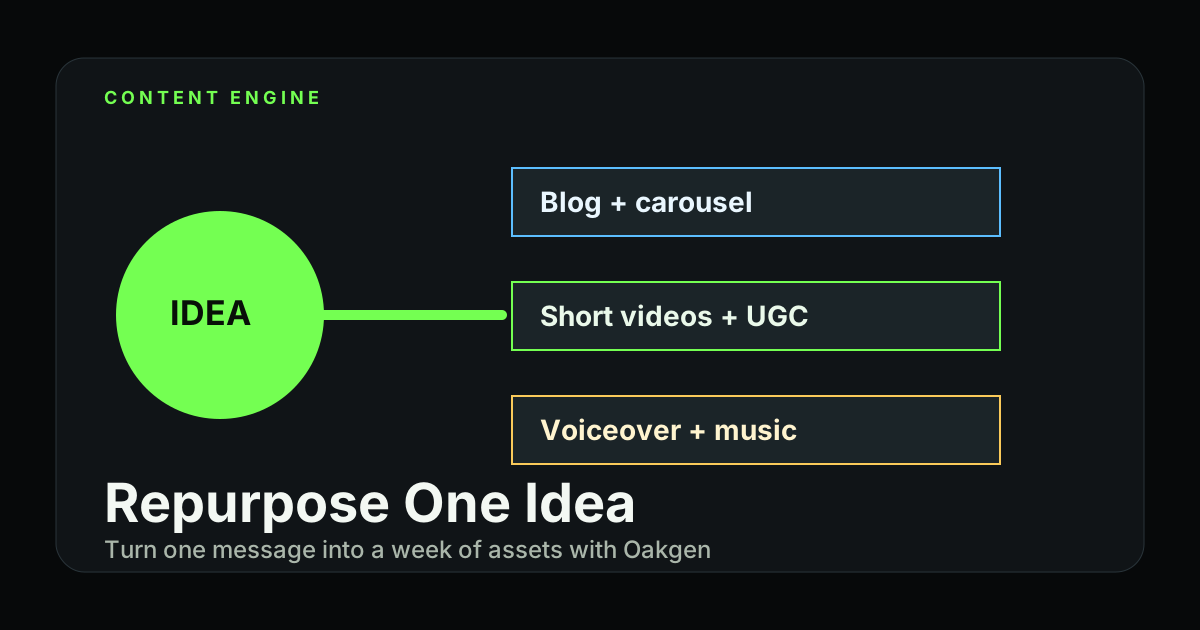
Content marketing strategist Gary Vaynerchuk popularized the concept of creating one "pillar" piece of content and deriving dozens of smaller pieces from it. The framework works, but the production cost has been the barrier. A single blog post can yield 5-10 short video clips, each taking 2-4 hours to produce traditionally (scripting, visual creation, editing, captioning). With AI tools, the same extraction produces clips in 15-30 minutes each. A 3,000-word blog post that took 6 hours to write can generate 10 video clips in 3-4 hours -- tripling your content output without tripling your workload.
The Repurposing Framework: Extract, Transform, Produce
Every content repurposing workflow follows three phases. Understanding this framework prevents the common mistake of trying to compress an entire blog post into a single 60-second video (which never works).
Phase 1: Extract
Identify the specific moments, insights, or segments within your long-form content that can stand alone. Each extraction should:
- Make a single clear point. One idea per clip. If it takes more than two sentences to explain, it is too complex for short-form.
- Be self-contained. A viewer who has never read the blog post or heard the podcast should understand the clip without additional context.
- Trigger a reaction. The best short-form content makes viewers think "I didn't know that," "I disagree," "I need to try this," or "I need to share this."
Phase 2: Transform
Adapt the extracted content for the short-form video format:
- Write a hook. The first 1-3 seconds determine whether someone stops scrolling. Transform your insight into a question, a provocative statement, or a surprising statistic that earns attention.
- Restructure for video pacing. Written content follows a setup-explanation-conclusion structure. Video content often works better as conclusion-first (the insight), then supporting evidence, then a call to action.
- Add visual direction. Decide what viewers should SEE while hearing or reading the insight. This might be a talking head, a product demonstration, animated text, B-roll imagery, or a combination.
Phase 3: Produce
Create the actual video assets:
- Generate visuals (AI image and video generation)
- Generate or record voiceover (AI text-to-speech or self-recorded)
- Add captions and text overlays (essential -- 85% of social video is watched without sound)
- Format for platform (9:16 vertical, platform-specific safe zones for UI elements)
Content Type 1: Blog Post to Short-Form Video
Blog posts are the richest source of repurposable content because every section, statistic, and framework can become its own video.
How to Extract From a Blog Post
Read through your blog post and highlight every instance of:
- Statistics or data points -- "73% of consumers prefer short video over text" becomes a fact-based hook
- Step-by-step instructions -- Each step can be a separate "how-to" video
- Before/after comparisons -- Visual transformations perform exceptionally well in short-form
- Common mistakes or myths -- "Stop doing X" hooks generate high engagement
- Frameworks or mental models -- Numbered lists and matrices translate naturally to video
- Quotable opinions -- Strong takes that invite agreement or debate
- Case studies or examples -- Real-world stories are inherently engaging
A typical 2,000-3,000 word blog post yields 5-10 extractable moments.
Producing the Videos With AI
For each extracted moment, use this production workflow:
Step 1: Write the script (2-5 minutes per clip)
Structure each script as:
- Hook (2-3 seconds): The attention-grabbing opening
- Body (20-50 seconds): The insight, explained simply
- CTA (3-5 seconds): What the viewer should do next (follow, comment, visit your link)
Step 2: Generate the visual component
You have several visual approaches, each suited to different content types:
Approach A: AI-generated B-roll with voiceover
Use Oakgen's Video Generator to create short visual clips that illustrate your point. Generate 3-5 second clips for each segment of your script, then combine them with a voiceover track.
Example: For a blog post about productivity tips, generate clips of a clean workspace, a calendar being organized, a person working with focus, and progress charts moving upward. Each clip visually reinforces the spoken content.
Approach B: AI-generated images as a slideshow with voiceover
For content that is more conceptual or data-driven, generate a series of images on Oakgen's Image Generator that serve as visual "slides" behind your voiceover. This approach is faster and works well for educational content.
Approach C: Talking avatar with AI visuals
Use Oakgen's Talking Photo feature to create a talking head presentation, then intercut with AI-generated visuals that illustrate key points. This combines the trust and engagement of a human presenter with the production value of professional visuals.
Step 3: Generate the voiceover
Use Oakgen's Text-to-Speech to create a professional voiceover from your script. Choose a voice that matches your brand personality -- authoritative for thought leadership, warm and conversational for lifestyle content, energetic for motivational content.
Step 4: Add background music
Use Oakgen's Music Generator to create a custom background track. For short-form video, you want:
- Low-key background music that does not compete with the voiceover
- A subtle beat that matches the pacing of your content
- A slight energy build toward the end of the clip
| Visual Approach | Best For | Production Time | Engagement Style |
|---|---|---|---|
| AI B-roll + voiceover | Product demos, lifestyle content, visual topics | 20-30 min per clip | Cinematic, professional feel |
| AI image slideshow + voiceover | Data, statistics, educational concepts | 10-20 min per clip | Informational, clear |
| Talking avatar + AI visuals | Thought leadership, personal brand content | 15-25 min per clip | Personal, trustworthy |
| Text-on-screen + AI background | Quotes, tips, listicles | 5-15 min per clip | Quick, shareable, scroll-stopping |
| Before/after AI generations | Transformations, comparisons, results | 10-15 min per clip | Dramatic, high engagement |
Content Type 2: Podcast Episode to Short-Form Video
Podcast episodes are gold mines for short-form content because they are conversational, opinion-rich, and full of quotable moments.
How to Extract From a Podcast
Listen through (or read the transcript of) your episode and flag:
- The single best soundbite -- The one moment where you or your guest said something so clearly and powerfully that it works completely out of context
- Controversial takes -- Opinions that would generate comments and debate
- Practical advice moments -- Specific, actionable tips that listeners can apply immediately
- Story openings -- The first 30-60 seconds of a compelling story (leave the ending as a cliffhanger to drive listeners to the full episode)
- Guest introductions -- If your guest has credibility or name recognition, the moment where they introduce themselves and their expertise
Production Workflow for Podcast Clips
Podcast repurposing traditionally requires video recording the podcast session or creating "audiogram" waveform videos. AI tools offer a richer approach:
Option 1: Audio clip + AI-generated contextual visuals
Extract the audio segment, generate AI visuals that match the topic being discussed, and combine. A 45-second clip about startup fundraising could feature AI-generated imagery of pitch meetings, growth charts, and investor presentations -- all produced in your brand's visual style.
Option 2: Audio clip + talking photo avatar
If you do not have video of the podcast recording, use a still photo of the speaker with Oakgen's Talking Photo feature to create a video where the speaker's photo is animated to match the audio. This gives the clip a personal, human element that pure visuals cannot match.
Option 3: Transcription highlights with visual treatment
Pull the strongest quotes from the transcript, display them as animated text on screen with AI-generated backgrounds, and use the original audio underneath. This hybrid approach works especially well for Instagram and LinkedIn where text readability matters.
The highest-performing podcast clips follow a simple formula: start with 2 seconds of context ("Here is why most founders fail at hiring"), deliver the insight in 20-40 seconds, and end abruptly -- mid-thought if possible. The cliffhanger ending drives comments ("What happened next?") and saves/shares as people bookmark the clip to watch the full episode later. This feels counterintuitive, but incomplete clips outperform complete ones because they create an information gap the viewer wants to close.
Content Type 3: Webinar or Presentation to Short-Form Video
Webinars and presentations are often the most underrepresented content in short-form, yet they contain some of the most valuable material.
How to Extract From a Webinar
Flag these segments:
- Key slide explanations -- The moment where you explain your most important slide in 30-60 seconds
- Live demonstrations -- Product demos or workflow walkthroughs that show transformation
- Q&A highlights -- Audience questions and your answers are inherently engaging because they address real pain points
- Opening hook -- Most presentations start strong. The first 60 seconds often works as a standalone clip that drives registrations for the next webinar
- Summary moments -- When you distill 30 minutes into 3 key takeaways
Production Approach
If you have a screen recording of the webinar, extract the strongest segments and enhance them with AI-generated visuals. If you only have slides, use the slides as a starting point:
- Identify the 5 best slides from the presentation
- For each slide, write a 30-60 second script that explains the key insight
- Generate AI visuals that illustrate the concept more dynamically than the static slide
- Produce the video with voiceover, visuals, and background music
This transforms a single webinar into 5-10 pieces of short-form content, each driving awareness back to your brand.
The Platform Optimization Layer
Each platform has specific requirements and behavioral patterns. A video that performs on TikTok may underperform on LinkedIn, not because the content is wrong, but because the format does not match platform expectations.
TikTok and Instagram Reels
- Optimal length: 30-60 seconds (TikTok favors 30-45 seconds in 2025)
- Hook window: You have 1.5 seconds before a user scrolls past. The first frame and first word must earn attention.
- Captions: Mandatory. 85% of viewing is without sound. Use bold, readable text overlays.
- Music: TikTok especially rewards content that uses trending audio. Consider using your custom AI music as a branded audio signature while also creating versions with trending sounds.
- Vertical only: 9:16 aspect ratio, no exceptions.
- CTA: "Follow for more" works better than external link CTAs on these platforms.
YouTube Shorts
- Optimal length: 30-58 seconds (YouTube's algorithm currently favors this range)
- Hook window: Similar to TikTok, but YouTube audiences are slightly more patient -- you have about 3 seconds.
- SEO matters: YouTube Shorts titles and descriptions are indexed. Use keywords that match search intent.
- Captions: Important but YouTube's auto-caption feature reduces the urgency of burned-in captions.
- Cross-promotion: End with a reference to your long-form YouTube content to drive viewers deeper into your channel.
LinkedIn Video
- Optimal length: 30-90 seconds (LinkedIn audiences accept slightly longer content for professional insights)
- Tone: More professional and polished than TikTok/Reels. Educational content and industry insights outperform entertainment.
- Text overlay: Less aggressive captioning than TikTok. A clean lower-third title bar is common.
- Hook style: Questions and statistics work better than provocative statements on LinkedIn.
- CTA: "Comment below" drives engagement. LinkedIn's algorithm heavily rewards comments.
- Aspect ratio: Both 9:16 (vertical) and 1:1 (square) perform well. 9:16 takes more screen real estate in the feed.
| Platform | Optimal Length | Hook Window | Best Content Type | CTA Style |
|---|---|---|---|---|
| TikTok | 30-45 sec | 1.5 seconds | Tips, hacks, surprising facts | Follow for more |
| Instagram Reels | 30-60 sec | 1.5 seconds | Visual transformations, tutorials | Save this / Share this |
| YouTube Shorts | 30-58 sec | 3 seconds | Educational, how-to, reviews | Subscribe / Watch full video |
| LinkedIn Video | 30-90 sec | 3 seconds | Industry insights, data, frameworks | Comment your take below |
| Twitter/X Video | 15-45 sec | 1 second | Hot takes, news commentary, quick tips | Repost if you agree |
Building a Sustainable Repurposing Workflow
Repurposing is only valuable if it is sustainable. A one-time burst of 20 video clips from one blog post is less effective than a consistent cadence of 3-5 clips per week from ongoing content.
The Weekly Repurposing Sprint (3-4 Hours)
Block one afternoon per week for repurposing. Here is the workflow:
Hour 1: Extraction
- Review your content published this week (blog post, podcast episode, newsletter, etc.)
- Extract 5-8 standalone moments
- Write a 2-3 sentence script for each
Hour 2: Scripting and Visual Planning
- Expand each extraction into a full video script (hook, body, CTA)
- Decide on the visual approach for each (B-roll, slideshow, talking head, text-on-screen)
- Write AI generation prompts for visuals and music
Hours 3-4: Production
- Generate all visual assets on Oakgen (images, video clips, talking photos)
- Generate voiceovers for clips that need them
- Generate or select background music
- Assemble the clips (combine visuals, audio, captions)
Output: 5-8 short-form video clips ready for scheduling across platforms. This represents more video content than most marketing teams produce in a month, created in a single afternoon.
The Content Calendar Integration
Map your repurposing cadence to your publishing calendar:
- Monday: Publish long-form content (blog post, podcast, newsletter)
- Tuesday: Extract and script 5-8 short-form clips
- Wednesday-Friday: Publish 1-2 clips per day across platforms, staggered by platform
- Weekend: Schedule the following week's clips if you batch-produced
This creates a consistent presence on short-form platforms without requiring daily creative work. The long-form content you are already producing fuels the entire pipeline.
Before starting your repurposing workflow, look back at your last 6-12 months of content. You likely have 20-50 blog posts, podcast episodes, webinars, and newsletters that have never been repurposed. Spend one weekend extracting and producing clips from this backlog. You will build a 30-60 day stockpile of short-form content that you can schedule immediately. This buffer gives you breathing room as you establish the weekly repurposing habit going forward.
Measuring What Works
Not every repurposed clip will perform equally. Track these metrics to refine your approach over time:
Completion rate: What percentage of viewers watch to the end? Low completion rate means your hook is working but your content is not holding attention. Shorten the clips or increase the pacing.
Engagement rate: Likes, comments, shares, and saves relative to views. High engagement signals that the content resonates emotionally or practically.
Click-through to long-form: If your CTA drives viewers to the full blog post, podcast, or website, track how many actually follow through. This measures whether your short-form content is serving its strategic purpose of feeding the long-form funnel.
Follower growth per clip: Some clip styles build your audience faster than others. Educational tips and "I didn't know that" moments tend to drive the most follows.
Content type performance: Track which source formats (blog, podcast, webinar) and which visual approaches (B-roll, slideshow, talking head) produce the highest-performing clips. Double down on what works.
FAQ
How many short-form videos can I realistically get from one blog post?
A 2,000-3,000 word blog post typically yields 5-10 viable short-form clips. Not every section will work -- some concepts are too complex or too dependent on surrounding context to stand alone in 30-60 seconds. Focus on statistics, step-by-step instructions, strong opinions, and before/after comparisons. A 5,000+ word comprehensive guide can yield 10-15 clips.
Do I need to show my face in short-form videos?
No. Faceless short-form video is a massive and growing category. AI-generated visuals with voiceover, text-on-screen content with background imagery, and animated graphics all perform well on every platform. That said, content with a human face -- even a Talking Photo avatar -- tends to build stronger personal brand connection and generates higher trust signals. The best approach is often a mix: some clips with your face, some purely visual.
Will AI-generated video look out of place on TikTok or Reels?
Not if you match the platform's aesthetic expectations. TikTok and Reels audiences are accustomed to polished visual content. AI-generated B-roll and imagery, when combined with authentic voiceover and platform-native formatting (captions, trending sounds, fast pacing), fits seamlessly into the feed. The key is to avoid making the AI visuals feel like a corporate video -- keep the energy casual and the pacing fast.
How do I handle content that references my product or service?
Lean into it, but subtly. Short-form platforms penalize hard sells. Instead of "Sign up for our product," show your product in action as part of the educational content. "Here is how I do X" while using your product as the tool is more effective than "Our product does X." Product mentions should feel organic, not promotional.
What is the minimum AI credit budget for a weekly repurposing workflow?
A weekly production sprint of 5-8 video clips requires approximately 50-150 credits per week depending on the visual approach. AI image generation for slideshow-style clips uses fewer credits than full video generation. On Oakgen's Basic plan (2,000 credits/month), you have ample budget for weekly repurposing plus other creative work. The Pro plan (5,000 credits/month) supports high-volume production with multiple visual approaches per clip.