For three weeks in April 2026, the model labeled "happyhorse-1.0" sat at the top of the Artificial Analysis Video Arena leaderboard with a 107-point Elo margin over second place — and nobody knew who built it. On April 10, Alibaba's ATH-AI Innovation Division confirmed it was theirs ("快乐小马" — Happy Horse). The fal API opened on April 26. We had it live on Oakgen on April 29 — same day. This review covers what HappyHorse 1.0 actually does well after a week of generations, where it falls behind Seedance 2.0, Veo 3, Kling 3.0, and Sora 2, and whether it deserves the top spot.
The Stealth #1 Story
HappyHorse 1.0 first appeared on the Artificial Analysis leaderboard on April 7, 2026, listed only by codename. Within 48 hours it had pulled clear of Seedance 2.0, Veo 3, Sora 2, and Kling 3.0 in blind side-by-side voting. The arena format is brutal — users see two clips generated from the same prompt and pick the better one — so a 107-point Elo gap is not a marginal lead. It is the largest single-model jump on the leaderboard since Sora launched.
Alibaba waited three days before claiming the model on X, then another sixteen days before opening the fal API. The delay let the leaderboard validate the model on its merits before any branded marketing push. For a Chinese lab competing with OpenAI, Google DeepMind, and ByteDance for Western mindshare, that was a smart play.
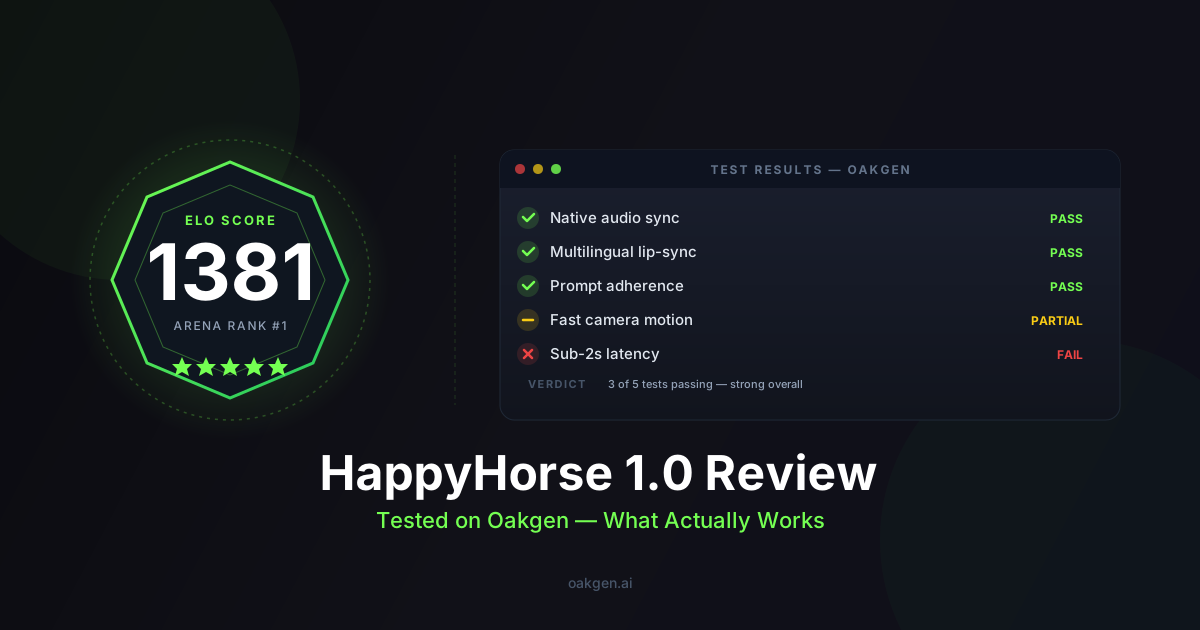
Final aggregate ranking when the API opened: #1, 1381 Elo, 107-point margin over the next model. That is the headline.
Architecture: One Forward Pass for Video and Audio
What makes HappyHorse 1.0 technically interesting is that it does not look like its competitors under the hood.
Most current video models — Seedance 2.0, Veo 3, even the open-source Wan family — generate video and audio as two coupled but distinct processes. There is a video transformer producing frames, and a paired audio model (sometimes a separate diffusion model, sometimes a vocoder) producing the soundtrack. The two communicate through cross-attention layers or shared latent representations, but they are architecturally separate components.
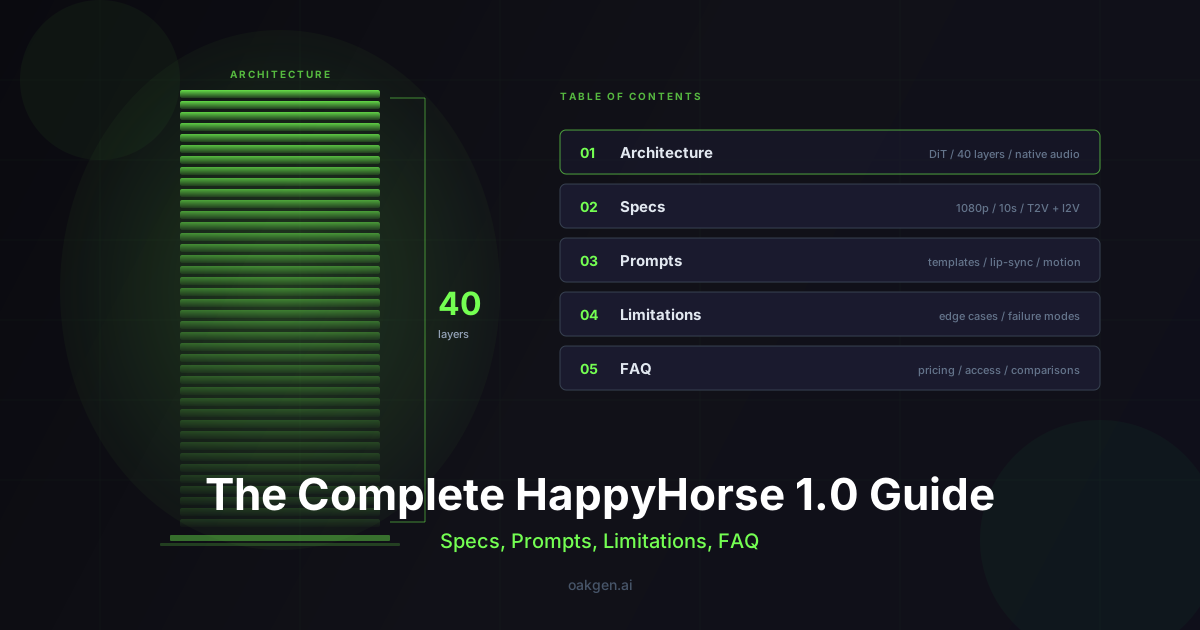
HappyHorse 1.0 is a single-stream 40-layer Transformer with roughly 15 billion parameters. Video tokens and audio tokens flow through the same attention stack. There is no cross-attention between modalities because there are no separate modalities — the model treats a clip as one tokenized sequence that happens to include both visual and acoustic information.
Alibaba's published technical notes claim this gives them three things:
- Tighter audio-visual coupling — every audio token can attend directly to every video token in every layer, not just at designated cross-attention points.
- Faster inference — no separate model passes, no late-stage compositing. Roughly 38 seconds to produce a 1080p clip on a single H100.
- Better multilingual lip-sync — because phoneme timing and mouth shapes are co-generated rather than retrofitted, the model handles seven languages natively (English, Mandarin, Cantonese, Japanese, Korean, German, French).
Whether the single-stream design is responsible for the leaderboard performance, or whether the leaderboard performance just reflects 15B parameters and good training data, is not something we can prove from outside. But the speed claim holds up in our testing — a 5-second 1080p clip averages around 10 seconds end-to-end on Oakgen, against 14–17 seconds for comparable Seedance 2.0 generations.
What HappyHorse 1.0 Is Genuinely Good At
After a week of running prompts through the model on Oakgen, four strengths stand out.
1. Native audio that actually sounds produced
Most models with "native audio" generate something between a sound effect and a placeholder — footsteps that sound like dry leaves, ambient music that loops too obviously, dialogue that betrays the AI origin within a syllable. HappyHorse's audio is the first we have heard from a video-first model that you could ship without a sound designer touching it.
A test prompt for a rainy night street scene produced rain hitting different surfaces at different volumes, distant traffic with occasional horns, and footsteps that matched the character's gait and the shoe-on-pavement physics. None of that was prompted explicitly — it came from the visual context.
If you want to layer in custom voiceover or narration on top of HappyHorse's native audio, Oakgen's AI voice and TTS tools let you generate speech with ElevenLabs and MiniMax Speech HD from the same dashboard. Generate the video with ambient audio from HappyHorse, then produce a polished voiceover separately — one credit pool, no tool-switching.
2. Multilingual lip-sync across 7 languages
This is where HappyHorse pulls clear of most Western models. Generating the same 8-second monologue prompt in English, Mandarin, Japanese, and German returned four clips where the mouth shapes matched the phonemes of each language. Veo 3 still has tighter sub-10ms English dialogue lip-sync, but its non-English performance drops off fast. HappyHorse holds quality across all seven supported languages.
For agencies working on global ad campaigns, that is a real workflow change. Generate once per language instead of generating in English and dubbing.
3. Image-to-video without character drift
Upload a portrait or product shot, write a prompt, and HappyHorse maintains identity across the full 15 seconds. Faces stay coherent, fabric textures hold, branded packaging keeps its label. This is the category where it scores 1401 Elo on the Artificial Analysis arena — the highest single-category score on the board.
For product photography workflows, you can generate your hero images with Oakgen's AI image generator — FLUX Pro, GPT-Image-2, or Recraft V3 — then feed those directly into HappyHorse for image-to-video without leaving the platform.
4. Speed that matters for iteration
Roughly 30–40% faster than Seedance 2.0 at the same resolution. On a per-clip basis that sounds modest. Across a session where you generate 20 variations of a hero shot, it adds up to ten or fifteen minutes saved.
Real Prompts We Tested
The model accepts text-only and image+text. Here is a prompt that produced one of our best test outputs:
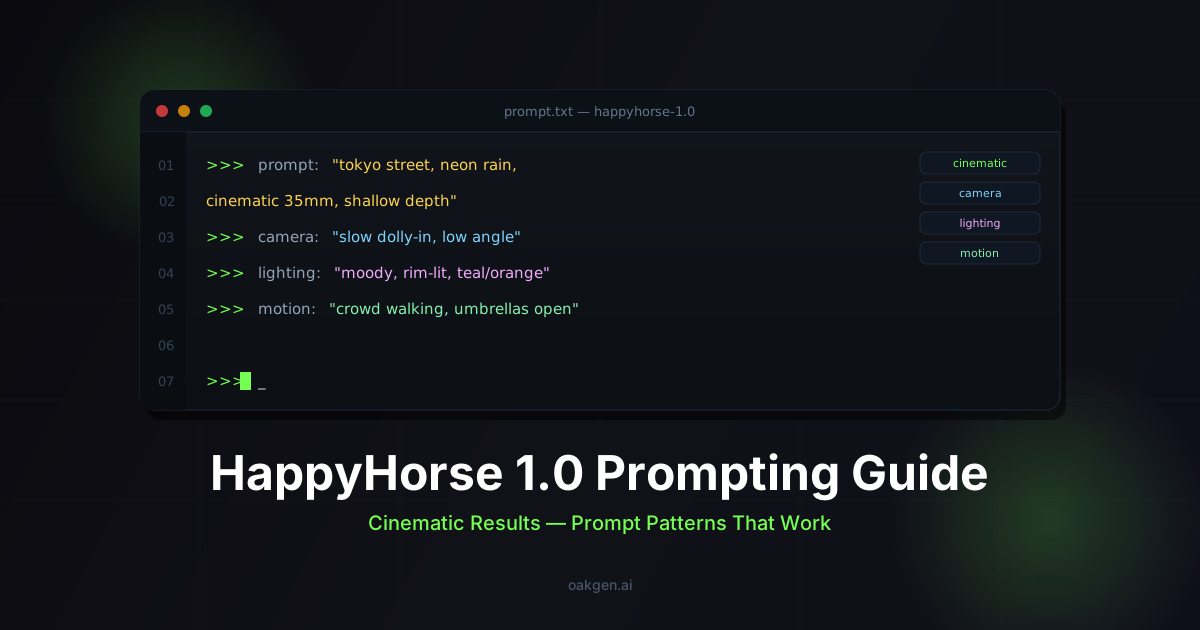
A woman in a red wool coat walks down a snow-covered Tokyo side street
at dusk, neon signs glowing through light snowfall. She stops, turns
to camera, and says in Japanese: "また明日." Camera tracks at waist
height, 35mm lens, shallow depth of field, ambient soundscape with
distant traffic and snow muffling the city.
Length: 8 seconds. Resolution: 1080p.
What HappyHorse delivered: tracking shot held smoothly, snow accumulation on the coat read correctly across the duration, the spoken Japanese lip-sync was clean, and the audio mix had the muffled-by-snow quality the prompt asked for. Total generation time: 11 seconds.
A second test for image-to-video, anchored on a product photo of a ceramic mug:
[image: ceramic mug, white background, three-quarter angle]
The mug rotates slowly clockwise on a dark walnut surface. Steam
rises from the rim and curls in the warm side-lit air. The camera
pushes in over 6 seconds to a tight macro on the steam catching the
light. Audio: gentle ambient room tone, faint creak of the wood as
the mug settles.
The mug's identity held through the rotation. The steam physics looked plausible — not over-animated, not under-animated. The "wood creak" was a small flourish but the model included it.
These are the kinds of outputs you get on the first or second try, not the tenth. That is the bigger story than the leaderboard score.
If you want help structuring more effective prompts, try Oakgen's Agent Chat — it can help you refine prompt language, suggest camera directions, and iterate on descriptions before you spend credits on a generation.
Generate HappyHorse 1.0 Videos Now
Specs at a Glance
| Specification | HappyHorse 1.0 |
|---|---|
| Maker | Alibaba ATH-AI Innovation Division |
| Architecture | Single-stream 40-layer Transformer, ~15B parameters |
| Output Resolution | Native 1080p HD |
| Max Length (Lite tier) | 12 seconds |
| Max Length (Paid tier) | 15 seconds |
| Generation Speed | ~10 seconds avg per clip; ~38s for 1080p on a single H100 |
| Speed vs Seedance 2.0 | ~30–40% faster |
| Native Audio | Yes — generated in the same forward pass as video |
| Lip-Sync Languages | 7 — English, Mandarin, Cantonese, Japanese, Korean, German, French |
| Input Modalities | Text, image |
| Output Modalities | Video + native audio |
| Aggregate Arena Ranking | #1 — 1381 Elo, 107-point margin over #2 |
HappyHorse 1.0 vs Top Competitors: Category Breakdown
The aggregate Elo tells one story. Category-level performance tells a more useful one. Here is how HappyHorse stacks up against the four models it is most often compared to, broken down by the arena's individual ranking categories.
| Category | HappyHorse 1.0 | Seedance 2.0 | Veo 3 | Kling 3.0 | Sora 2 |
|---|---|---|---|---|---|
| Aggregate Elo | 1381 (#1) | 1274 (#2) | ~1260 | ~1240 | ~1230 |
| Text-to-Video | Top tier | Strong | Strong | Strong | Strong |
| Image-to-Video (no audio) | 1401 Elo (best) | Strong | Mid-tier | Strong | Mid-tier |
| Image-to-Video (with audio) | 1167 | 1182 (best) | Mid-tier | Mid-tier | Mid-tier |
| Native Audio Quality | Excellent | Good | Good | Basic | Good |
| English Lip-Sync | Very good | Good | Best (sub-10ms) | Good | Good |
| Multilingual Lip-Sync | Best (7 languages) | Limited | Weak outside English | Limited | Limited |
| Max Resolution | 1080p | 1080p | 1080p | 4K native | 1080p |
| Max Duration (single pass) | 15s | 15s | ~10s | ~10s | 20s |
| Avg Generation Speed (1080p) | ~10s | ~15s | ~18s | ~20s | ~16s |
Input and Output Capabilities
| Capability | Details |
|---|---|
| Text-to-Video | Full prompt support — scene description, camera direction, dialogue, audio cues |
| Image-to-Video | Single reference image; maintains identity, texture, and branding across full clip |
| Video-to-Video / Reference | Not supported — text and image inputs only (Seedance 2.0 supports video refs) |
| Audio Output | Co-generated in same forward pass — ambient, dialogue, foley, music |
| Dialogue / Speech | Lip-synced speech in 7 languages; prompt the dialogue text directly |
| Aspect Ratios | 16:9, 9:16, 1:1 |
| Seed Control | Supported — reproducible outputs for iteration |
| Negative Prompts | Not officially documented; limited effect in testing |
Where HappyHorse 1.0 Falls Behind
This is the part most reviews skip. HappyHorse is the top-ranked model on the leaderboard, but "top of the aggregate ranking" is not "best at every category." Four real weaknesses to know about before you commit to it for a production workflow.
Seedance 2.0 wins Image-to-Video with audio
On the arena's "Image-to-Video with audio" category, Seedance 2.0 leads HappyHorse 1.0 1182 to 1167. Narrow, but consistent across many votes. If your workflow is "drop in a product photo, get a clip with synchronized audio," Seedance is still the model to beat. Most likely because Seedance's @ reference system gives users finer control over how the source image translates to motion, and that control matters more than raw model capability for image-anchored work.
Kling 3.0 generates 4K, HappyHorse caps at 1080p
HappyHorse is locked at native 1080p. For social, web, and most ad delivery, 1080p is fine — that is what the platforms ingest anyway. But for billboards, festival submissions, large-screen pitches, or anywhere a client demands true 4K masters, you have to upscale. Kling 3.0 generates 4K natively. If your output destination is genuinely 4K, Kling is the better starting point even though it loses to HappyHorse in the blind arena.
Sora 2 supports longer clips
Sora 2 generates up to 20 seconds in a single pass. HappyHorse caps at 15 seconds on the paid tier, 12 on the Lite tier. For storytelling shots that need a longer beat — a slow reveal, a sustained emotional moment, a continuous walking-and-talking scene — Sora's extra duration is meaningful. You can chain HappyHorse clips, but chaining introduces continuity errors that a single 20-second generation avoids.
Veo 3 still has tighter dialogue lip-sync for spoken English
If your specific workflow is "AI-generated talking-head explainer in English with synchronized speech," Veo 3 remains marginally better. Veo 3 hits sub-10ms phoneme-to-mouth-shape latency on English dialogue, and the difference is visible in extreme close-ups. HappyHorse's lip-sync is excellent across seven languages, but Veo 3's English performance is the current ceiling. The tradeoff: Veo 3 is much weaker than HappyHorse on non-English languages, and it does not match HappyHorse on environmental audio quality.
Documentation is thin
Worth flagging because it affects day-to-day usage. The model launched on the fal API on April 26 and Alibaba has not yet published an extensive prompt library, parameter reference, or known-failure-mode catalog. If you are coming from Veo or Sora's mature documentation ecosystems, expect to do more empirical testing to find what HappyHorse responds to. The community will catch up — for now, plan for some discovery work.
Who Should Use HappyHorse 1.0
After a week of testing, here is our honest read on fit.
Use HappyHorse 1.0 if:
- You need native audio that sounds produced rather than placeholder, and you do not want to layer on a separate ElevenLabs or Suno pass for ambient sound.
- You are working on multilingual content — global ad campaigns, multi-region product launches, content for non-English markets. Seven-language lip-sync in a single pass is the killer feature.
- You want fast iteration cycles. Roughly 10-second generations let you run 20–40 variations in a session without losing a morning.
- You are doing image-to-video without audio. Top arena score in that category (1401 Elo).
Stick with another model if:
- Your output destination is true 4K. Use Kling 3.0.
- You need clips longer than 15 seconds in a single take. Use Sora 2.
- Your specific deliverable is English-only talking-head with extreme close-up lip-sync. Use Veo 3.
- Your workflow depends on video reference inputs for camera or motion replication. HappyHorse accepts text and image only — Seedance 2.0's @ reference system handles video references natively.
Oakgen gives you flexibility here. Every model listed above runs from the same interface, draws from the same credit balance, and sits one dropdown away from each other in the video generator. You can also pair video output with assets from the image generator for keyframes, the music generator for custom soundtracks via Suno or Lyria 2, or the TTS tools for professional voiceover. Check pricing to find the plan that fits your volume.
Earn 25% recurring on every referral.
Share Oakgen, get paid every month they stay.
Verdict
HappyHorse 1.0 earned its #1 spot on the leaderboard. The single-stream architecture appears to be paying off in tighter audio-visual integration, the multilingual lip-sync is genuinely ahead of Western competitors, and the speed is high enough to change how you iterate. It is not a clean sweep — Seedance leads on image-to-video with audio, Kling has higher resolution, Sora goes longer, Veo has tighter English dialogue. But across the broader ranking that combines text-to-video, image-to-video, audio quality, and overall coherence, HappyHorse is the model to beat right now.
For most creators in 2026, the winning approach is not locking into a single model. It is keeping access to the full roster and routing each shot to whichever model wins for that specific brief. That is the philosophy behind Oakgen — and it is why HappyHorse 1.0 went live within three days of the fal API opening, sitting alongside 30+ other video models, 35+ image models, and dedicated music and audio generators, all under one credit pool.
Frequently Asked Questions
Is HappyHorse 1.0 really the best AI video model in 2026?
It holds the #1 aggregate ranking on the Artificial Analysis Video Arena at 1381 Elo with a 107-point lead. That ranking is based on blind side-by-side voting across thousands of comparisons, which makes it the most broadly preferred model. But "best" depends on the task. Seedance 2.0 beats it on image-to-video with audio, Veo 3 has tighter English lip-sync, Kling 3.0 outputs native 4K, and Sora 2 supports longer clips. HappyHorse wins on the aggregate because it scores high in more categories than any single competitor.
How much does it cost to generate HappyHorse 1.0 videos on Oakgen?
Can HappyHorse 1.0 generate speech and dialogue?
Yes. You write the dialogue directly in your prompt, specify the language, and the model generates lip-synced speech in the video. It supports seven languages natively: English, Mandarin, Cantonese, Japanese, Korean, German, and French. The speech is co-generated with the video in a single forward pass, so phoneme timing and mouth shapes are tightly coupled rather than dubbed on after the fact.
How does HappyHorse handle image-to-video compared to text-to-video?
Image-to-video is HappyHorse's single strongest category at 1401 Elo. You upload a reference image — a portrait, product shot, or scene — and the model animates it while preserving identity, textures, and branding. Text-to-video is also strong (top-tier aggregate), but if you already have a hero image you want to bring to life, image-to-video is where HappyHorse shows its widest lead over the field.
Does HappyHorse 1.0 support 4K output?
No. HappyHorse outputs native 1080p HD. For most delivery channels — social media, web, advertising platforms — 1080p is the standard ingestion format and sufficient quality. If you need true 4K masters for large-format displays, broadcast, or festival submission, Kling 3.0 is currently the only top-tier model that generates 4K natively. Both are available on Oakgen from the same video generator.
What is the maximum video length HappyHorse can generate?
Up to 15 seconds on paid tiers, 12 seconds on the Lite tier. Each generation is a single continuous pass. If you need longer content, you can chain multiple clips, though continuity across cuts requires careful prompting. Sora 2 generates up to 20 seconds in one pass if single-take duration is critical to your workflow.
Can I use HappyHorse alongside other AI tools on Oakgen?
Absolutely. Oakgen's credit pool covers every tool on the platform. A common workflow is generating keyframe images with the image generator (FLUX Pro, GPT-Image-2, Recraft V3), feeding those into HappyHorse for image-to-video, adding a custom soundtrack from the music generator (Suno, Lyria 2), and producing voiceover with the TTS/audio tools (ElevenLabs, MiniMax Speech HD). You can also use Agent Chat to brainstorm prompts or plan multi-step creative pipelines before spending credits.
Is there a free trial to test HappyHorse 1.0?
What to Read Next
- HappyHorse 1.0 vs Seedance 2.0: Which AI Video Model Wins in 2026? — Deep head-to-head with side-by-side category-by-category breakdowns.
- HappyHorse 1.0 Prompting Guide: How to Get Cinematic Results in 2026 — Prompt templates, structure, and what actually steers the model.
- How to Make a Game Trailer with HappyHorse 1.0 + GPT-Image-2 — Full pipeline walkthrough: keyframes, motion passes, soundtrack.
- Best AI Video Generators in 2026: Every Model Ranked — Full leaderboard comparison covering all major models, not just HappyHorse.
- AI Music Generation: Create Full Songs on Oakgen.ai — Pair HappyHorse video with custom Suno or Lyria 2 soundtracks.
- AI Voice Cloning and Text-to-Speech: Complete 2026 Guide — Add professional voiceover to your HappyHorse clips.
- How to Build a Full AI Content Pipeline: Script to Published Video — End-to-end workflow from script through image, video, audio, and publish.