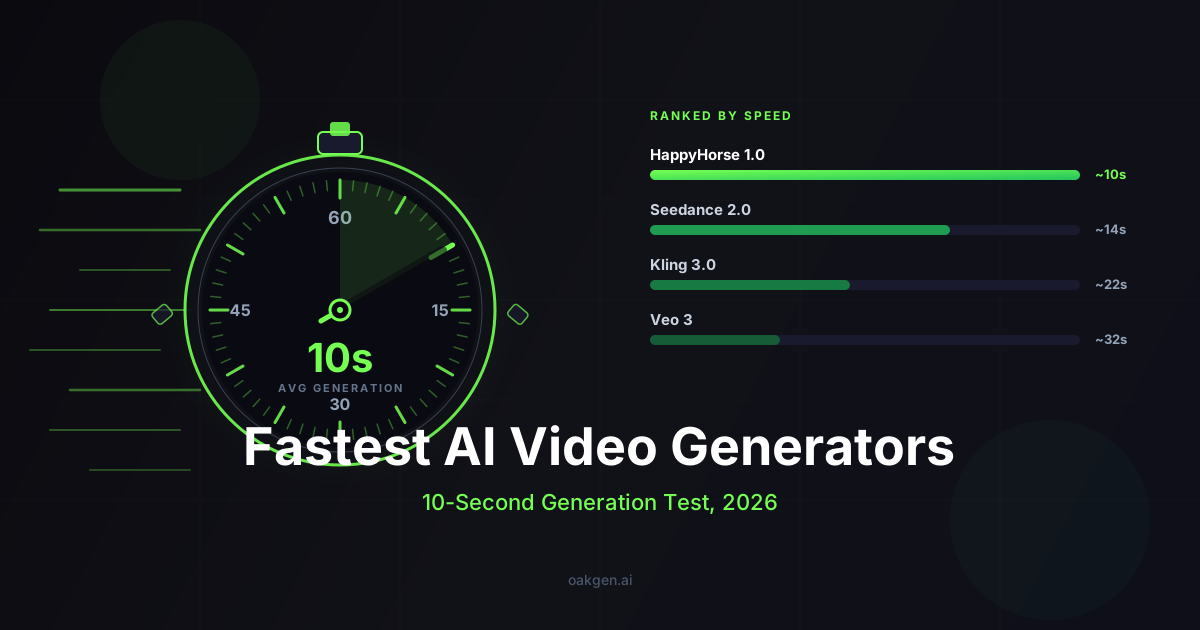
On Oakgen, the models built for fast iteration are Seedance 2.0 Fast (480p or 720p, 37 or 82 credits per second) and Gemini Omni Flash (720p, 34 credits per second), with Grok Imagine Video (480p or 720p, 17 or 24 credits per second) as the low-cost option. Those labels and prices come from Oakgen's model configs and pricing table, read on 2026-10-25. We do not publish timed rankings, because we have no recorded speed tests to back one.
An earlier version of this post ranked models by "measured" generation time and put HappyHorse 1.0 first. We have no records of those measurements, so the ranking is gone. HappyHorse is also no longer on Oakgen. It was retired on 2026-09-27, and the HappyHorse alternatives guide covers what to use instead.
Why does generation speed matter?
The AI video workflow is one tight loop: prompt, generate, review, adjust, repeat. The faster that loop closes, the more variations you try, the more clearly you understand what the model is good and bad at, and the closer you get to the result you want.
Concrete examples where speed dominates:
- Ad creative testing. 50 hook variations are a short session when each clip returns quickly, and an afternoon of context-switching when it does not.
- Storyboarding. Pre-vis for a 30-shot sequence in an afternoon vs a multi-day project.
- Social content batching. Hundreds of clips a week turn waiting time into hours.
- Live iteration with clients. Showing three versions in a call only works if each generation finishes inside the meeting.
What you do not optimize for: a single hero shot for a polished campaign. For that one shot you can afford to wait. The speed-vs-quality tradeoff matters most when volume of iteration is the bottleneck.
Which Oakgen video models are built for speed?
The table lists every text-to-video model on Oakgen on 2026-10-25. "Speed signal" quotes what the model config says about speed. It is not a measured time.
| Model | Speed signal in the config | Resolutions | Credits per second (2026-10-25) |
|---|---|---|---|
| Seedance 2.0 Fast | "Fast", "Fast video generation" | 480p, 720p | 37 (480p), 82 (720p) |
| Gemini Omni Flash | "fast generation" | 720p | 34 |
| Grok Imagine Video | none stated | 480p, 720p | 17 (480p), 24 (720p) |
| MiniMax H3 Max | none stated | 480P, 768P, 1080P | 17, 28, 55 |
| Kling v3 Pro | none stated | 1080p | 38 (audio off), 57 (audio on) |
| Seedance 2.0 | none stated | 480p to 4K | 46 (480p) to 526 (4K) |
| Seedance 2.5 | none stated | 480p, 720p, 1080p | 75, 160, 394 |
For quick drafts, start with Seedance 2.0 Fast or Gemini Omni Flash, or with Grok Imagine Video or MiniMax H3 Max at 480p when cost matters more. Move the winning prompt to Kling v3 Pro, Seedance 2.5 or MiniMax H3 Max at 1080p for the final.
What affects generation speed?
The same model can be much faster or slower depending on the parameters you choose. The biggest levers:
- Resolution. Higher resolution means more pixels per frame to generate. Iterate at 480p or 720p and move to 1080p or 4K only for finals.
- Clip length. Longer clips take longer. Keep drafts at 5 seconds.
- Audio toggle. For models with an audio option (Kling v3 Pro, Seedance 2.0 Fast), turning audio off for visual-only drafts removes work, and on Kling v3 Pro it also lowers the price from 57 to 38 credits per second.
- Reference inputs. Seedance 2.0 and 2.5 accept reference images, videos and audio. Every extra reference is more input to process.
- Provider load. Queue depth at the provider matters. On Oakgen, Seedance 2.0 Fast has a second provider configured as failover. The other video models run on one provider each, so a busy provider means a longer wait.
When are slower models the right choice?
Speed is one axis among several. Real cases where a slower, higher-resolution model is worth the wait:
- Hero shots for a campaign. The one final shot that goes on a billboard or launch page. A quality difference matters more than the wait.
- 4K deliverables. Seedance 2.0 is the only model on Oakgen with a 4K option, at 526 credits per second.
- Long single-take clips. Seedance 2.5 lists clips up to 30 seconds, and MiniMax H3 Max lists 5 to 15 seconds.
- Reference-driven motion. To match a camera move or character from reference footage, use Seedance 2.0 or 2.5 with references, or MiniMax H3 Max with image, video and audio references.
- Models Oakgen does not run. Veo 3.1 is not on Oakgen. Its preview in the Gemini API shut down on 2026-10-22, and the GA model is still on Google's Vertex AI. Sora 2 is gone: the app closed on 2026-04-26 and the API was removed on 2026-09-24. Wan models are not on Oakgen either.
The right move is "use the fastest model that meets the constraints of this specific shot," not "always use the fastest model."
Iterate on AI Video With Seedance 2.0 Fast
How do you build a fast iteration workflow on Oakgen?
- First-pass exploration. Generate 5-10 variations on Seedance 2.0 Fast or Gemini Omni Flash at 720p, or on Grok Imagine Video at 480p. Pick 2-3 directions that are working.
- Refine prompts on the strongest direction. Small adjustments to lighting, motion and camera, still at draft settings.
- Cross-model comparison if quality is borderline. Run the strongest prompt through Kling v3 Pro or MiniMax H3 Max. Same credit balance, same dashboard.
- Hero shot pass. Once the prompt is locked, generate the final at the resolution the deliverable needs: 1080p on Kling v3 Pro, MiniMax H3 Max or Seedance 2.5, or 4K on Seedance 2.0.
- Audio and music. Kling v3 Pro, MiniMax H3 Max, Seedance 2.0 Fast and Seedance 2.5 can generate audio with the video. For music, use the music generator (Lyria 3.5 or Eleven Music).
The generator shows the credit price before you run, so you can check the cost of each pass.
Practical speed tips
- Disable audio for first-pass exploration if the final asset will not use the model's audio.
- Iterate at 480p or 720p, not 1080p or 4K. Resolution is the biggest lever. Re-generate higher only for finals.
- Keep clip length at 5 seconds during iteration. Extend once the direction is right.
- Batch iteration sessions. Ten variations in one sitting make comparison easier than one a day for ten days.
Earn 30% for 12 months on every referral.
Share Oakgen, get paid every month they stay.
How we checked this
We read Oakgen's video model configs and pricing table on 2026-10-25 for the model list, the speed labels, resolutions, audio options and credit prices. Shutdown dates for Veo 3.1 Preview and Sora 2 come from the vendors' pages as checked for this refresh. We did not time any model for this article, so it gives no generation times or speed ranking.
What to read next
- Best HappyHorse alternatives for what replaced HappyHorse on Oakgen.
- Seedance 2.5 vs Kling 3 vs Veo 3.1 for a comparison of the higher-quality models.