Most "free AI image generator" lists are useless. They round up 20 tools, half of which let you generate exactly three images before a paywall slams shut. The other half watermark everything, cap resolution at 512px, or restrict you to their weakest model. By the time you figure out the limitations, you have already wasted 45 minutes signing up and configuring accounts.
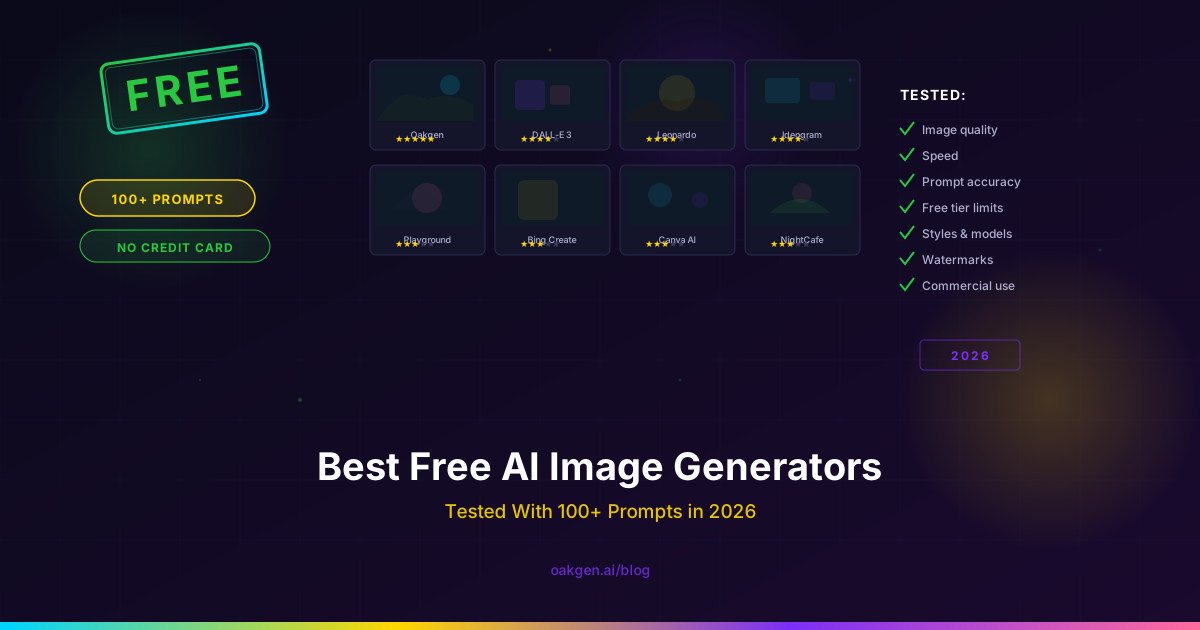
We took a different approach. We tested every free AI image generator we could find in May 2026 -- over 30 tools -- with 100+ identical prompts across five categories: photorealistic portraits, product photography, stylized illustration, text-on-image, and complex multi-subject scenes. We tracked the actual free limits, the real output quality, whether there is a watermark, and whether you need a credit card to start.
Seven tools survived the cut. Oakgen is not included because it is a paid, credit-based workspace rather than a free image generator.
Every tool received the same 20 core prompts plus category-specific prompts. We scored outputs on a 1-10 scale for prompt adherence, visual quality, and artifact-free rendering. "Free" means no credit card required and no mandatory paid upgrade to download your images at full resolution. Tools that gate basic functionality behind a paywall were disqualified.
The Honest Comparison
| Tool | Free Limit | Quality (1-10) | Watermark | Sign-Up Required |
|---|---|---|---|---|
| Google ImageFX | Unlimited (throttled) | 8.8 | No | Yes (Google account) |
| Microsoft Designer | 15 images/day | 8.4 | No | Yes (Microsoft account) |
| Leonardo.ai | 150 tokens/day (~5 images) | 8.1 | No | Yes (no credit card) |
| Ideogram | 10 images/day (slow queue) | 8.5 | Small logo | Yes (no credit card) |
| Playground AI | 100 images/day (basic model) | 7.3 | No | Yes (no credit card) |
| Craiyon | Unlimited (low-res) | 5.8 | Yes (removable with Pro) | No |
| Stable Diffusion (local) | Unlimited (your hardware) | 8.0+ | No | No |
Now let's break down each one honestly.
1. Google ImageFX -- Best Unlimited Free Option
Free tier: Unlimited generations (rate-throttled during peak hours) Models available free: Imagen 4 Watermark: No (but images include C2PA metadata) Quality score: 8.8/10
Google's ImageFX is the most generous free AI image generator in 2026. No credit system, no daily cap, no paywall. You generate until you get tired. The catch is rate throttling -- during peak hours, wait times stretch to 20-30 seconds instead of the usual 5-8 seconds.
Quality is strong. Imagen 4 scores well on photorealism and handles artistic styles competently. It is not quite Imagen 4 Ultra (reserved for API and partner platforms like Oakgen), but the gap is narrower than you might expect.
Where it falls short: No API access, no advanced controls (negative prompts, seed control), and Google's content policies are the most restrictive on this list -- photorealistic faces and NSFW-adjacent content are heavily filtered. Images include C2PA metadata marking them as AI-generated.
Best for: Unlimited free generations for brainstorming, mood boards, and creative exploration where volume matters more than fine control.
2. Microsoft Designer -- Best for Everyday Marketing Graphics
Free tier: 15 "boosts" (high-quality generations) per day, unlimited lower-quality generations Models available free: DALL-E 3 (via Microsoft integration) Watermark: No Quality score: 8.4/10
Microsoft Designer bundles AI image generation into a broader design tool. The free tier gives you 15 high-quality "boost" generations per day using DALL-E 3, plus unlimited generations on a lower-quality model. If you are making one or two social media posts per day, you will rarely hit the cap.
Where it falls short: DALL-E 3 is showing its age in May 2026. Side-by-side with Flux 2 Pro or GPT Image 2, the quality gap is visible -- especially on photorealistic skin and complex compositions. For a deeper look, see our DALL-E alternatives breakdown.
Best for: Non-designers who need quick marketing graphics and are already in the Microsoft ecosystem.
Oakgen offers leading image models through paid plans starting at $9 per month.
3. Leonardo.ai -- Best Free Tier for Fine-Tuned Models
Free tier: 150 tokens/day (~5 standard images, fewer at higher settings) Models available free: Leonardo Phoenix, community fine-tunes Watermark: No Quality score: 8.1/10
Leonardo carved out a niche with its community fine-tuning ecosystem. The free tier gives you 150 daily tokens -- roughly 5 images at default settings or 2-3 at higher quality. What makes Leonardo interesting is access to thousands of community-trained models specialized for anime, architecture, game assets, fashion, and other verticals. A fine-tuned model trained on architectural visualization will often outperform a general-purpose model on architecture prompts.
Where it falls short: 150 tokens per day is tight. Higher resolution, more steps, and image-to-image mode all cost extra tokens. The free tier also queues you behind paid users, so generation times can hit 30-60 seconds during busy periods.
Best for: Digital artists and game developers who benefit from specialized fine-tuned models.
4. Ideogram -- Best Free Text-on-Image
Free tier: 10 images/day in slow queue, limited to standard quality Models available free: Ideogram 3.0 Watermark: Small Ideogram logo (bottom corner) Quality score: 8.5/10
Ideogram built its reputation on text rendering, and version 3.0 maintains that lead among free tools. If your primary need is images with readable text, its free tier is one option to evaluate.
For a paid alternative, compare it with GPT Image 2 on Oakgen using the current plan terms.
Where it falls short: The watermark is small but present -- a logo in the bottom-right corner that makes free outputs unsuitable for commercial use. The slow queue means 15-25 second waits, and the daily limit resets on a rolling 24-hour clock.
Best for: Text-heavy images on an ongoing free basis. Teachers, social media managers testing copy layouts, designers roughing out typography.
5. Playground AI -- Best Free Volume
Free tier: 100 images/day on the basic model, 10 images/day on the premium model Models available free: Playground v3 (basic), limited access to premium models Watermark: No Quality score: 7.3/10
Playground AI offers the highest daily free generation count of any tool requiring an account. 100 images per day is genuinely generous -- enough for heavy brainstorming and batch content creation.
The catch is quality. Playground's basic model (v3) is serviceable but clearly a tier below the current leaders. Skin textures are soft, complex compositions frequently misalign elements, and text rendering is unreliable. The 10 daily premium generations are better but burn through fast.
Where it falls short: The basic model's quality ceiling is noticeably lower than every tool ranked above it. For final deliverables, you will likely re-generate elsewhere.
Best for: Volume-first workflows. If you need 50+ concepts per day for mood boarding or prompt testing, Playground's limit is hard to beat at zero dollars.
6. Craiyon -- Best No-Sign-Up Option
Free tier: Unlimited (ad-supported) Models available free: Craiyon v4 Watermark: Yes (removable with Pro subscription) Quality score: 5.8/10
Craiyon (formerly DALL-E Mini) is the only tool on this list that requires zero sign-up. Go to the website, type a prompt, get images. No email, no account, no verification. For quick, low-stakes generation where convenience matters more than quality, that frictionless access has real value.
The quality is the weakest on this list. Craiyon v4 is improved over the viral DALL-E Mini era, but it still produces visible artifacts, inconsistent anatomy, and soft details that would not pass in any professional context.
Where it falls short: Quality is a full tier below the competition. Watermark on free images. Ad-cluttered interface. Generation speed is inconsistent -- 10 seconds to 2 minutes.
Best for: Quick concept checks when you do not want to sign into anything. Meme creation. "Good enough to communicate an idea" situations.
7. Stable Diffusion (Local) -- Best Truly Free Option
Free tier: Unlimited (runs on your own GPU) Models available free: SDXL, SD 3.5, community checkpoints (thousands available) Watermark: No Quality score: 8.0+ (depends on model and configuration)
Stable Diffusion is the only genuinely free AI image generator -- you run it on your own hardware. No accounts, no credits, no daily limits, no watermarks. Once installed with a compatible GPU, every generation costs only electricity.
In our testing, a well-configured SDXL pipeline with the right checkpoint and LoRA models produced results competitive with Flux 2 Pro on anime/illustration and stylized photography. SD 3.5 Medium improved text rendering and prompt adherence significantly over earlier versions.
Where it falls short: You need a GPU with at least 8GB VRAM (ideally 12GB+), working knowledge of ComfyUI or Automatic1111, and willingness to troubleshoot CUDA errors. This is a technical hobby that happens to produce images. For anyone looking for a simpler Midjourney alternative, a hosted tool is a better fit.
Best for: Technical users with a capable GPU who want complete control over the generation pipeline. High-volume creators where per-image costs add up.
What We Learned From 100+ Prompts
After testing all eight tools with identical prompts, several patterns emerged that are worth calling out.
Quality Is Not Linear With Price
The strongest free outputs can be closer to paid outputs than many people expect. The practical differences are often volume, speed, controls, resolution, licensing, and model access.
Text Rendering Is Still the Dividing Line
The single biggest quality differentiator across these tools is text-on-image capability. Ideogram handles text competently; many other free options still struggle with multi-word copy. GPT Image 2 is a paid alternative available through eligible Oakgen plans.
"Unlimited Free" Means "Unlimited on a Weak Model"
The Best Strategy Is Multi-Tool
Access multiple image models through one paid Oakgen plan and credit balance.
How to Get the Most From Free Tiers
Write better prompts. The gap between a mediocre prompt and a well-structured one is worth 2-3 quality points. On limited free tiers, every prompt counts. Specify camera angle, lighting, color palette, and composition. Browse community galleries for inspiration.
Use the right tool for the right job. A free service can cover rough exploration; reserve paid-model credits for work that needs stronger controls or production quality.
Generate at the resolution you actually need. Upscaling cannot restore every detail lost at a low source resolution. Check each service's resolution limits before you begin.
Batch your work. If a tool has a daily limit, write all your prompts before you start generating. Iterating blindly burns through limits fast.
The Bottom Line
The "free AI image generator" landscape in 2026 splits into two categories: tools that give you limited access to premium models and tools that give you unlimited access to basic models. Neither is objectively better -- it depends on whether you need five great images or fifty decent ones.
For a detailed look at what premium models actually cost per image when you move past free tiers -- and why Oakgen's pricing is structured around credits rather than subscriptions with hidden limits -- read our real cost of AI generation pricing breakdown. And for a head-to-head comparison of the top models these tools run on, see our GPT Image 2 vs Flux 2 vs Imagen 4 Ultra showdown.
Earn 25% recurring on every referral.
Share Oakgen, get paid every month they stay.
FAQ
What is the best free AI image generator in 2026?
Is there a free AI image generator with no sign-up?
Craiyon requires no account -- type a prompt and generate. The trade-off is quality (5.8/10) and a watermark. Stable Diffusion is also sign-up-free if you run it locally, but requires technical setup and a compatible GPU.
Are free AI image generators good enough for commercial use?
Some are. Check each tool's current terms before commercial use; free access, watermark rules, and output rights vary by provider.
Do free AI image generators add watermarks?
Most do not. Of the eight tools tested, only Ideogram (small corner logo) and Craiyon (overlay) apply visible watermarks. Google ImageFX adds invisible C2PA metadata identifying images as AI-generated -- not visible, but detectable by provenance-checking platforms.
How many free AI images can I generate per day?
Limits change frequently. Check the current provider pages for ImageFX, Microsoft Designer, Ideogram, Leonardo, Playground, and Craiyon. Local Stable Diffusion is limited by your own hardware rather than a hosted quota.
Can I use free AI image generators without a credit card?
Some services provide no-card access, while others require an account. Oakgen is not part of this free list; it requires a paid plan for generation.
What to Read Next
- Top 10 AI Image Generators in 2026 -- the full ranked list including paid tools, with detailed scoring across all categories.
- GPT Image 2 vs Flux 2 Pro vs Imagen 4 Ultra -- our deep-dive model comparison with 54 prompts and blind-scored results.
- The Real Cost of AI Generation: Pricing Breakdown -- what you actually pay per image, video, and audio generation across every major platform in 2026.