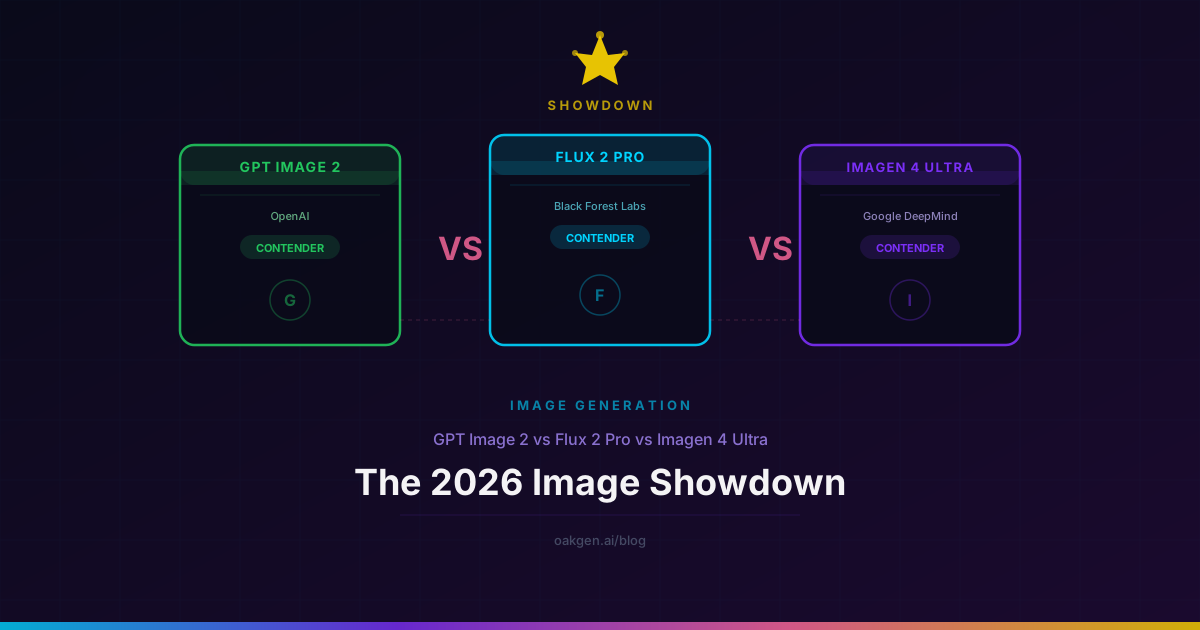
Three models. Fifty-four prompts. Blind scoring by three reviewers. We ran GPT Image 2, Flux 2 Pro, and Imagen 4 Ultra through the most thorough head-to-head we have done on Oakgen, and the results were not what we expected going in.
The short version: there is no single winner. Each model owns a category so convincingly that switching to anything else for that use case would be a downgrade. The long version is the 2,700 words below, with prompt examples, scored results, and an honest breakdown of where each model falls apart.
Why These Three
The AI image space in 2026 has dozens of models. We picked these three because they represent the three dominant philosophies in production image generation right now:
- GPT Image 2 (OpenAI) — The reasoning model. Plans compositions before rendering. Dominates anything involving text, layout, or multi-element logic. Currently sits at #1 on LMArena's image leaderboard.
- Flux 2 Pro (Black Forest Labs) — The photorealism workhorse. Best-in-class skin, materials, and natural lighting. The default for product photography and editorial work at scale.
- Imagen 4 Ultra (Google DeepMind) — The newcomer with the sharpest detail rendering and the most aggressive native resolution. Google's first model to seriously compete for the production crown.
If you are choosing a primary model for your team, studio, or side project in May 2026, the decision comes down to these three. Midjourney v7 is excellent for stylized art but does not compete on photorealism or text. DALL-E 3 is effectively superseded by GPT Image 2. Stable Diffusion XL and its derivatives serve a different audience (local inference, fine-tuning).
Methodology
We designed 54 prompts across nine categories, six prompts per category. Each prompt was generated three times per model (162 total outputs per model, 486 total). Three reviewers scored outputs on a 1-10 scale in a fully blinded setup -- outputs were shuffled and labeled with random IDs before scoring. We report medians, not means, to dampen outliers.
All generations ran through Oakgen's production infrastructure: GPT Image 2 via FAL with WaveSpeed failover, Flux 2 Pro via FAL, and Imagen 4 Ultra via FAL. Same infrastructure our users hit. No cherry-picking, no re-rolls beyond the three-per-prompt protocol.
The nine categories:
- Text rendering — headlines, body copy, multi-language, curved surfaces
- Prompt adherence — multi-element compositions with strict spatial instructions
- Photorealism: skin — portraits, close-ups, natural light
- Photorealism: materials — metal, glass, fabric, wood, food
- Artistic/stylized — illustration, painterly, abstract, anime
- Complex scenes — crowded environments, landscapes with depth layers
- Product photography — e-commerce packshots, lifestyle product shots
- Scientific/technical diagrams — labeled anatomy, architecture, infographics
- Speed and consistency — generation time, variance across three runs
The Scored Results
| Category | GPT Image 2 | Flux 2 Pro | Imagen 4 Ultra | Winner |
|---|---|---|---|---|
| Text rendering | 9.4/10 | 6.7/10 | 7.8/10 | GPT Image 2 |
| Prompt adherence | 9.1/10 | 8.2/10 | 8.8/10 | GPT Image 2 |
| Photorealism (skin) | 8.0/10 | 9.3/10 | 8.9/10 | Flux 2 Pro |
| Photorealism (materials) | 8.3/10 | 9.2/10 | 9.0/10 | Flux 2 Pro |
| Artistic/stylized | 8.5/10 | 8.2/10 | 8.7/10 | Imagen 4 Ultra |
| Complex scenes | 8.4/10 | 8.0/10 | 9.1/10 | Imagen 4 Ultra |
| Product photography | 8.2/10 | 9.1/10 | 8.8/10 | Flux 2 Pro |
| Scientific/technical | 9.2/10 | 7.1/10 | 8.0/10 | GPT Image 2 |
| Speed (median) | ~3s | ~10s | ~8s | GPT Image 2 |
| Cost per image | 26 credits | ~13 credits | ~20 credits | Flux 2 Pro |
The pattern is stark. GPT Image 2 wins on anything requiring reasoning -- text, layout, diagrams. Flux 2 Pro wins on anything requiring "does this look like a photograph." Imagen 4 Ultra splits the difference and takes the crown on complex scenes and artistic variety. No model sweeps.
Category Breakdowns
Text Rendering: GPT Image 2 Wins by a Mile
This is the widest gap in the entire test. GPT Image 2 is the only model of the three where multi-line body copy renders legibly and consistently.
Test prompt: "A conference poster for 'AI Summit Berlin 2026'. Headline at top. Three speaker names with job titles in a row beneath. A 40-word abstract paragraph at the bottom. Clean corporate design, navy and white."
GPT Image 2 rendered the headline, all three speaker names with correct titles, and a legible 40-word paragraph. Every word readable at 100% zoom. Imagen 4 Ultra got the headline and speaker names right but produced semi-legible pseudo-text for the paragraph -- better than any pre-2026 model, but not shippable without Photoshop. Flux 2 Pro nailed the headline, approximated two of three speaker names, and generated decorative text-like shapes for the paragraph.
The gap narrows on single-line headlines, where both Imagen 4 Ultra and Flux 2 Pro are competent. It widens dramatically the moment you add a second line of text.
Multi-language test prompt: "A bilingual restaurant menu card. Left column in Japanese, right column in French. Five dishes per column with prices. Elegant serif typography on cream paper."
GPT Image 2 rendered both columns with correct, readable characters in both languages. Imagen 4 Ultra handled the French correctly and produced mostly-correct Japanese with two character errors across ten entries. Flux 2 Pro produced plausible-looking but largely incorrect Japanese and accurate French.
If your workflow involves text on images, the decision is already made.
Photorealism (Skin): Flux 2 Pro Still Owns This
Flux 2 Pro's rendering of human skin remains the benchmark in May 2026. The pore structure, subsurface scattering, fine facial hair, and natural asymmetry it produces at default settings are ahead of both competitors.
Test prompt: "A close-up portrait of a 55-year-old fisherman, sun-weathered skin, early morning sidelight, shallow depth of field, no retouching, editorial documentary style."
At 100% zoom, Flux 2 Pro's output reads as a photograph. The crow's feet have depth. The skin shows sun damage that varies across the face naturally. The stubble catches light at individual-hair level.
Imagen 4 Ultra produced a strong portrait -- sharper overall than GPT Image 2, with better micro-contrast in the skin texture. But it has a tendency to slightly over-sharpen, which gives skin a "processed RAW file" look rather than the organic quality Flux 2 Pro achieves.
GPT Image 2 rendered a clean, presentable portrait. But the skin reads as "photographically rendered" rather than "photographed." The smoothness is subtle -- you might not catch it on a phone screen -- but on a desktop monitor, trained eyes will spot the difference immediately.
Artistic and Stylized: Imagen 4 Ultra Surprises
This was the result we did not expect. Imagen 4 Ultra's stylistic range is wider than either competitor.
Test prompt: "A Studio Ghibli-inspired forest spirit emerging from a moss-covered oak tree, soft watercolor edges, dappled afternoon light filtering through the canopy, a single red fox watching from the foreground."
Imagen 4 Ultra nailed the Ghibli aesthetic -- the soft color grading, the specific way Ghibli films handle forest light, the character design language. GPT Image 2 produced a competent illustration that looked more "general anime" than specifically Ghibli. Flux 2 Pro produced a beautiful forest scene that leaned photoreal rather than painterly, missing the stylistic brief.
Test prompt: "Abstract geometric composition in the style of Kandinsky's Composition VIII. Primary colors, strong black lines, overlapping circles and triangles, sense of musical rhythm."
Imagen 4 Ultra produced the most compositionally interesting output -- better color relationships, more dynamic geometry, a genuine sense of the musical quality Kandinsky aimed for. GPT Image 2 was structurally accurate (correct shapes, correct colors) but felt more like a diagram of a Kandinsky than a painting in his style. Flux 2 Pro produced an attractive abstract composition that did not particularly evoke Kandinsky.
The artistic category is subjective by nature, and the margins were tighter than in text or photorealism. But across six prompts, Imagen 4 Ultra's outputs were consistently the ones reviewers wanted to look at longest.
Complex Scenes: Imagen 4 Ultra's Real Strength
This is where Imagen 4 Ultra flexes its architecture most convincingly. Dense scenes with many elements, depth layers, and interacting subjects.
Test prompt: "A bustling night market in Taipei. Dozens of food stalls with glowing lanterns. Steam rising from multiple cooking stations. A crowd of 30+ people, each distinct. Neon signage in traditional Chinese. Wet pavement reflecting all light sources."
Imagen 4 Ultra produced a scene where you could count individual people, each with distinct clothing and posture. The reflections in the wet pavement were consistent with the light sources. The Chinese signage was mostly correct. The steam interacted plausibly with the lantern light.
GPT Image 2 handled the text elements well (signage was accurate) but the crowd thinned to roughly 15 distinct figures, with some repetition in face and clothing. Flux 2 Pro produced the most photographically convincing lighting and material quality but also reduced the crowd and repeated several figures.
For architectural renders, landscape photography, and any scene where "how many things can the model track at once" matters, Imagen 4 Ultra has a meaningful lead.
Compare All Three Models Side by Side
GPT Image 2, Flux 2 Pro, and Imagen 4 Ultra on one platform with shared credits and one interface.
Product Photography: Flux 2 Pro for Volume, Imagen 4 Ultra for Hero Shots
Test prompt: "A pair of white leather sneakers on a concrete pedestal, hard studio lighting from the left, clean white background, e-commerce product shot, no props."
Flux 2 Pro delivered the most production-ready output: clean edges, accurate material rendering, proper shadow behavior, exactly the kind of image that drops into a Shopify listing without retouching. Imagen 4 Ultra was a close second with slightly more dramatic lighting that would work better as a hero image than a catalog shot. GPT Image 2 produced a usable image but the leather texture was subtly wrong -- too uniform, lacking the natural grain variation of real leather.
For e-commerce teams generating hundreds of product shots per month, Flux 2 Pro's combination of quality and cost (~13 credits per image versus ~20 for Imagen 4 Ultra and ~26 for GPT Image 2) makes it the rational default.
Scientific and Technical Diagrams: GPT Image 2 Dominates
Test prompt: "An anatomical cross-section of the human eye, labeled with 12 parts: cornea, iris, pupil, lens, vitreous humor, retina, macula, optic nerve, sclera, choroid, ciliary body, aqueous humor. Medical textbook illustration style, clean lines, accurate proportions."
GPT Image 2 rendered all 12 labels correctly, placed them in anatomically accurate positions, and drew the cross-section with proportions that a biology teacher would approve. This is reasoning at work -- the model understands what an eye cross-section should look like and plans the label placement before rendering.
Imagen 4 Ultra produced a visually attractive diagram with 9 of 12 labels correct and reasonable placement. Flux 2 Pro produced a beautiful illustration with decorative text that was mostly illegible.
For educators, technical writers, and anyone generating diagrams, GPT Image 2 is the only serious option among these three.
Speed
GPT Image 2 is roughly 3x faster than the other two. At ~3 seconds median generation time on Oakgen, it allows the kind of rapid iteration that changes how you prompt. Try something, see it in three seconds, adjust, repeat. When you are exploring 20 variations of a concept in a meeting, the speed difference between 3 seconds and 10 seconds is the difference between flow state and checking your phone.
Imagen 4 Ultra lands at ~8 seconds median, and Flux 2 Pro at ~10 seconds. Neither is slow in absolute terms, but the gap is noticeable in iterative workflows.
Pricing Comparison
| Model | Credits/Image | ~USD/Image | Available on Oakgen |
|---|---|---|---|
| GPT Image 2 | 26 | $0.10 | Yes (FAL + WaveSpeed failover) |
| Flux 2 Pro | ~13 | $0.05 | Yes |
| Flux 2 Pro Max | ~22 | $0.085 | Yes |
| Imagen 4 Ultra | ~20 | $0.077 | Yes |
All four models run under Oakgen's unified credit wallet. No separate subscriptions, no provider API keys to manage. The same credits spend on image, video, audio, and music generation. See full plan details on pricing.
For teams generating at volume, the cost math matters. A team producing 1,000 images per month:
- Flux 2 Pro default: ~$50/month
- Imagen 4 Ultra default: ~$77/month
- GPT Image 2 default: ~$100/month
- Smart routing (text prompts to GPT Image 2, photoreal to Flux 2 Pro, complex scenes to Imagen 4 Ultra): ~$65/month
The smart-routing approach -- picking the right model per prompt rather than committing to one -- saves money and produces better results. On Oakgen, switching models is one click in the image generator.
The Honest Weaknesses
No model review is worth reading if it does not tell you where things break.
GPT Image 2's weaknesses: Photoreal skin is still behind Flux 2 Pro. Iterative edits accumulate drift after 2-3 rounds. Physical reasoning (reflections, refractions, impossible geometry) has not materially improved from GPT Image 1. At $0.10 per image, it is the most expensive of the three for non-text work where its reasoning advantage does not apply. For a deeper look, read our GPT Image 2 review after 500 generations.
Flux 2 Pro's weaknesses: Text rendering is genuinely bad beyond single headlines. Complex multi-element prompts get approximated rather than followed. The model has a "house style" -- a particular color grading and contrast curve -- that is hard to break out of for certain artistic directions. No reasoning mode means it cannot plan compositions the way GPT Image 2 does. We covered the Flux 2 family in depth in Flux 2 Pro Max vs Pro.
Imagen 4 Ultra's weaknesses: Over-sharpening on portraits gives skin a processed look. Text rendering, while improved over Imagen 3, is still unreliable beyond headlines. The model is newer with a smaller community, which means fewer prompt guides and examples available. Occasional color banding in gradients, especially in sky regions, that neither competitor produces.
Decision Tree: Which Model Should You Use?
1. Does your image need legible text -- headlines, labels, body copy, signage? Yes -- GPT Image 2. Nothing else comes close.
2. Is the output a human portrait, product shot, or photoreal scene where "does this look like a photograph" is the primary question? Yes -- Flux 2 Pro for production volume. Flux 2 Pro Max for hero images. Imagen 4 Ultra if you need the detail and are willing to pay the premium.
3. Is the output a complex scene with many elements, depth layers, and interacting subjects? Yes -- Imagen 4 Ultra.
4. Is the output stylized art, illustration, or creative interpretation? Imagen 4 Ultra for range and quality. GPT Image 2 if the art also includes text elements.
5. Is cost the primary constraint? Flux 2 Pro at ~$0.05 per image.
6. Is speed the primary constraint? GPT Image 2 at ~3 seconds.
For most production workflows, the answer is "use all three." That is not a cop-out -- it is the same logic behind using different lenses for different shots. The image generator on Oakgen makes switching between them a single dropdown change. If you prefer conversational prompting, Agent Chat lets you describe what you want and the system routes to the right model.
For the two-model head-to-head between GPT Image 2 and Flux 2 Pro specifically, see our detailed breakdown at GPT Image 2 vs Flux 2 Pro. For a look at how GPT Image 2 compared to its predecessor, check GPT Image 1 and our full comparison.
Who Wins Overall?
| Use Case | Winner | Runner-Up |
|---|---|---|
| Marketing with text | GPT Image 2 | Imagen 4 Ultra |
| Editorial portraits | Flux 2 Pro | Imagen 4 Ultra |
| Product photography | Flux 2 Pro | Imagen 4 Ultra |
| Scientific diagrams | GPT Image 2 | Imagen 4 Ultra |
| Artistic illustration | Imagen 4 Ultra | GPT Image 2 |
| Complex scenes | Imagen 4 Ultra | GPT Image 2 |
| Speed | GPT Image 2 | Imagen 4 Ultra |
| Cost efficiency | Flux 2 Pro | Imagen 4 Ultra |
| Best all-rounder | Imagen 4 Ultra | GPT Image 2 |
Imagen 4 Ultra takes the "best all-rounder" nod because it is competitive in every category and dominant in two (artistic, complex scenes) without any catastrophic weakness. GPT Image 2 is the specialist pick for text-heavy and reasoning-heavy work. Flux 2 Pro is the production workhorse for photoreal volume. The ideal setup uses all three from a single text-to-image workflow.
Earn 25% recurring on every referral.
Share Oakgen, get paid every month they stay.
FAQ
Which AI image model is best overall in 2026?
There is no single best. GPT Image 2 leads on text and reasoning. Flux 2 Pro leads on photorealism and cost. Imagen 4 Ultra leads on artistic range and complex scenes. For a single-model recommendation, Imagen 4 Ultra is the strongest all-rounder, but you will get better results using the right model per prompt.
Is GPT Image 2 better than Imagen 4 Ultra?
For text rendering, layout obedience, and technical diagrams -- yes, significantly. For photorealistic portraits, artistic styles, and complex multi-subject scenes -- no, Imagen 4 Ultra has the edge. For speed, GPT Image 2 is roughly 3x faster.
Is Flux 2 Pro still worth using in 2026?
Absolutely. Flux 2 Pro remains the best model for photoreal skin texture, natural material rendering, and product photography. At roughly half the cost of GPT Image 2 and two-thirds the cost of Imagen 4 Ultra, it is the rational default for any high-volume image workflow where text on the image is not required.
Can I use all three models on one platform?
Yes. Oakgen provides all three under a single credit wallet. You switch models in the image generator dropdown without managing separate API keys, subscriptions, or billing accounts. Credits also spend on video, audio, and music generation.
Which model is best for a Midjourney alternative?
Imagen 4 Ultra is the closest match to Midjourney's artistic strengths while also handling photorealism and text better than Midjourney v7. If your primary use is stylized creative art, Imagen 4 Ultra is the strongest alternative. If your primary use is marketing with on-image text, GPT Image 2 is the better pick.
How much does each model cost per image?
On Oakgen: GPT Image 2 costs 26 credits (~$0.10), Imagen 4 Ultra costs 20 credits ($0.077), and Flux 2 Pro costs 13 credits ($0.05). All models are included in every paid plan with no per-model upcharges.
What to Read Next
- GPT Image 2 vs Flux 2 Pro -- the detailed two-model head-to-head with 20 prompt comparisons and scored results.
- Flux 2 Pro Max vs Flux 2 Pro -- when to pay the premium for Max-tier quality within the Flux family.
- GPT Image 2 Review: 500 Generations, 30 Days -- our deep-dive review of GPT Image 2 after a month of heavy use on the platform.