Most AI video prompts fail for the same reason: they describe a picture, not a shot. "A woman walking through a field at sunset, cinematic" is an image prompt wearing a video costume. It tells the model nothing about motion, camera behavior, timing, or what makes the shot feel alive. The output is a static scene with a gentle drift applied to it -- technically a video, practically a slideshow.
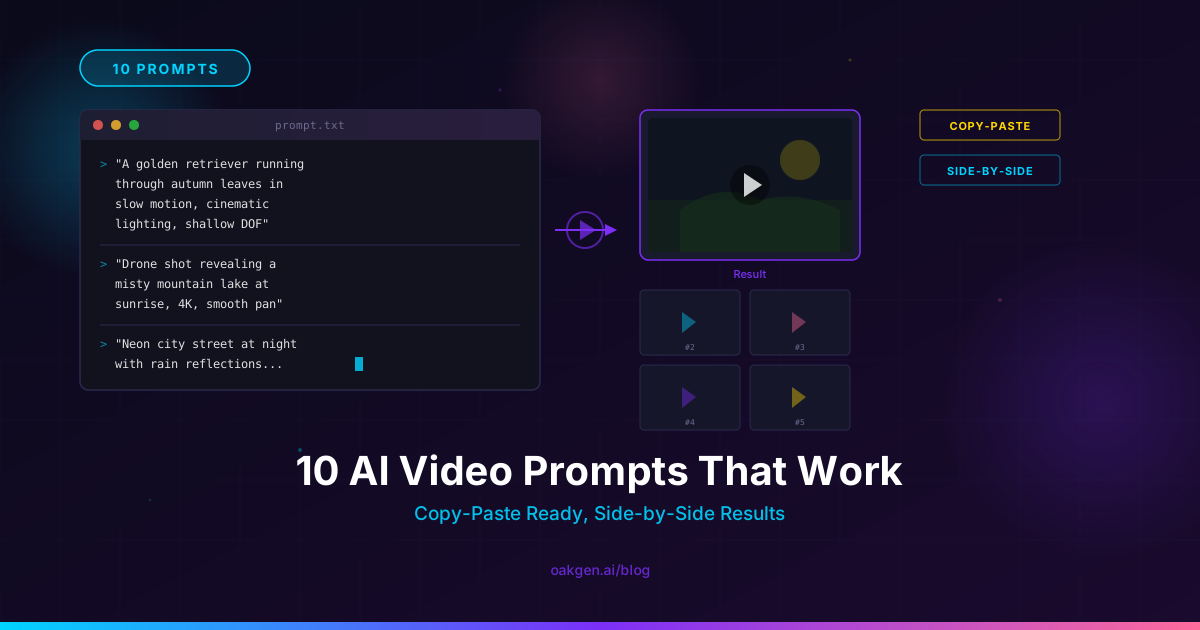
The ten prompts in this guide are different. Each one was tested across multiple models on the Oakgen AI Video Generator, and each one consistently produces output that looks like footage, not generated content. For every prompt you get the exact text, the model that handled it best, a breakdown of why each word earns its place, and a description of what the result actually looks like.
These are organized by category -- cinematic, product demo, talking head, atmospheric, and abstract -- because different shot types demand different prompt structures. A cinematic drone shot and a product turntable have almost nothing in common at the prompt level, even though both are "AI videos."
Every prompt that works follows the same six-part structure: Subject + Action + Environment + Camera + Motion + Style. Skip any one and the model fills the gap with a generic default. The prompts below use all six, and the breakdowns show you exactly which words map to which slot.
Category 1: Cinematic
These prompts target the kind of footage you would see in a film or high-end commercial. They rely heavily on camera language, lighting specifics, and style references that steer the model away from its defaults.
Prompt 1: The Establishing Drone Shot
Aerial drone shot slowly descending over a fog-filled mountain valley at dawn,
pine forests emerging from white mist, a single winding river reflecting
pale gold light, camera tilts down 15 degrees during descent, smooth and
steady movement, no shake, shot on RED Komodo, 6K downscaled to 4K,
desaturated cool tones with warm highlights, Emmanuel Lubezki
cinematography, 24fps.
Best model: Seedance V2 — handles the aerial descent with confident physics and keeps the fog layers volumetric rather than flat.
Why it works, word by word:
- "Aerial drone shot slowly descending" -- gives the model a specific camera rig (drone), direction (descending), and speed (slowly). Three instructions in five words.
- "fog-filled mountain valley at dawn" -- locks the environment and time of day simultaneously. Dawn tells the model exactly what color temperature the light should be.
- "pine forests emerging from white mist" -- the word "emerging" creates depth. The model places trees at different fog depths rather than painting a flat tree line.
- "camera tilts down 15 degrees during descent" -- a secondary camera instruction layered on top of the primary movement. The model now descends AND tilts, creating the parallax shift that makes aerial shots feel real.
- "smooth and steady movement, no shake" -- explicit negative instruction. Without this, some models add handheld wobble to everything.
- "Emmanuel Lubezki cinematography" -- a named cinematographer as style shorthand. Lubezki is associated with natural light, long takes, and wide environmental framing. The model picks up on all three.
- "24fps" -- locks the frame rate and tells the model to render motion blur appropriate for cinema, not the hyper-smooth look of 60fps.
The result: A twelve-second clip that opens high above the valley and sinks into it. Fog moves in layers at different speeds. The river catches light in the lower third. Trees resolve from silhouettes into detailed forms as the camera descends. The tilt adds a slow reveal of the valley floor. It looks like B-roll from a nature documentary.
Prompt 2: The Character Reveal
Slow dolly-in from medium wide to medium close-up, a man in his late 40s
with close-cropped gray hair and a weathered tan leather jacket stands at
the edge of a rain-soaked rooftop at night, city lights blurred in the
background, he turns his head slowly toward camera at the 3-second mark,
rain falling between camera and subject, shallow depth of field 1.4 aperture,
anamorphic lens flare from a distant streetlight, shot on ARRI Alexa,
tungsten key light from camera left, Ridley Scott color palette, 24fps.
Best model: Kling V3 Pro — strongest at holding character identity through the dolly movement and nailing the timed head turn.
Why it works:
The prompt stacks five layers that most users leave out. The dolly-in creates physical camera movement. The character description uses eight identity tokens (age, hair, jacket material, jacket color) so the model cannot drift. "Turns his head slowly toward camera at the 3-second mark" is a choreography cue with a timestamp -- Kling 3 actually respects these timing markers. "Rain falling between camera and subject" places a depth layer in front of the lens, which triggers the model to render volumetric rain rather than a texture overlay. The anamorphic lens flare from a specific source (distant streetlight) gives the model a reason to render the flare from a particular angle instead of slapping one across the frame generically.
The result: The camera pushes in on the figure steadily. Rain streaks catch the lens light. At roughly the three-second mark, the man turns -- not snapping, but rotating his head with the deliberate pace of someone who already knew you were there. The background city lights bloom through the anamorphic squeeze. The tungsten key light carves his face on one side. It reads as a character introduction from a thriller.
Category 2: Product Demo
Product shots need precision over atmosphere. The camera should serve the object, the lighting should eliminate ambiguity, and the motion should feel intentional rather than cinematic.
Prompt 3: The Product Turntable
Smooth 360-degree orbit shot of a matte black wireless headphone on a white
cyclorama, rotating clockwise at constant speed completing one full rotation,
soft gradient lighting from above with a subtle warm fill from below, no
shadows on background, product fills 60% of frame, medium shot eye-level,
studio product photography look, razor-sharp focus on product, 30fps,
clean commercial aesthetic, Apple product video style.
Best model: Kling V3 Pro -- delivers the cleanest geometry preservation on a full rotation and keeps the product recognizable from every angle.
Why it works:
"360-degree orbit shot" and "rotating clockwise at constant speed" remove all ambiguity about what kind of motion the model should produce. "Matte black" tells the model exactly how light should interact with the surface -- no specular highlights, soft gradients instead. "White cyclorama" is the actual production term for a seamless white background, and models trained on product photography footage recognize it better than "white background." "Product fills 60% of frame" is a framing instruction that prevents the model from zooming too far in or leaving too much dead space. "No shadows on background" is a negative instruction that forces the lighting setup to be flat on the sweep while still dimensional on the product. "Apple product video style" is the single most effective product video style reference because Apple's product films are the most-viewed product videos on the internet and saturate training data.
The result: The headphone rotates smoothly against pure white. Each angle holds -- the ear cups, the headband curve, the hinge mechanism. The matte surface catches light as a soft gradient that shifts as it turns. No wobble, no identity drift, no background artifacts. It looks like it belongs on a product page.
Prompt 4: The Hero Product Shot with Environment
Close-up tracking shot of a frosted glass perfume bottle moving right-to-left
on a marble surface, golden hour sunlight streaming through a window casting
long warm shadows, shallow depth of field with soft bokeh of indoor plants
in background, light refracts through the glass creating prismatic patterns
on the marble, slow steady lateral dolly at 0.3x speed, locked focus on bottle,
film grain, luxury brand aesthetic, Tom Ford advertisement visual language, 24fps.
Best model: Seedance V2 -- excels at the light refraction through glass and renders the prismatic caustics on the marble convincingly.
Why it works:
The material description is doing heavy lifting. "Frosted glass" tells the model how the surface scatters light. "Marble surface" tells it what the reflected light should look like. "Light refracts through the glass creating prismatic patterns on the marble" is an explicit physics instruction -- without it, the model would light the bottle generically. The tracking direction (right-to-left) at a specific speed (0.3x) gives the camera a job that is not just "move around the product" but "slide past it slowly." "Tom Ford advertisement visual language" is a style anchor that evokes warm, saturated, high-contrast luxury. The model reads it as mood plus color grade plus composition bias.
The result: The bottle glides across frame on the marble. Sunlight enters the glass and exits as rainbow slivers on the stone surface. The background plants blur into soft green circles. The grain sits on top of the image without competing with the product detail. It reads as a fragrance ad you would see in a magazine's video insert.
Category 3: Talking Head
Talking head prompts are the most underrated category. They drive YouTube content, course material, social media, and internal comms. The challenge is making a person on camera look professional without looking sterile.
Prompt 5: The Interview Setup
Medium close-up, 50mm lens, eye level, a woman in her early 30s with
shoulder-length dark hair and a navy blazer sits slightly off-center in
a modern office with floor-to-ceiling windows behind her, soft natural
window light from camera right, subtle hair light from above, she speaks
directly to camera with composed confidence, gentle hand gestures at
waist level, shallow depth of field blurring the city skyline behind her,
locked tripod, no camera movement, corporate interview lighting setup,
color graded with lifted shadows, 24fps.
Best model: Veo 3 -- delivers the most natural facial movement and, if you add dialog in quotes, produces synced speech with room tone. Veo is not available on Oakgen; there, try HappyHorse 1.0 or Seedance V2 for talking heads with native audio.
Why it works:
"50mm lens" is not decoration -- it tells the model to render a specific field of view and background compression. A 50mm on a talking head gives a natural perspective without the wide-angle distortion of a 35mm or the flattened telephoto look of an 85mm. "Slightly off-center" follows the rule of thirds and prevents the subject from looking like a passport photo. "Speaks directly to camera with composed confidence" gives the model an emotional direction, not just a physical one. "Gentle hand gestures at waist level" keeps the hands in frame but controlled -- without this, hand rendering can go wrong. "Corporate interview lighting setup" is a compound instruction that triggers three-point lighting patterns (key, fill, hair light) from the model's training on interview footage. "Lifted shadows" in the color grade prevents the dark, contrasty look that makes AI faces look uncanny.
The result: A professional-looking person sits in a well-lit office, speaking with natural micro-expressions. The city behind her is a pleasant blur. The lighting wraps around her face without harsh shadows. Hands move subtly at the bottom of frame. It looks like a LinkedIn course or a company culture video.
Generate AI Videos from These Prompts in Minutes
Paste any prompt from this guide directly into the Oakgen AI Video Generator. Access Seedance V2, Kling V3 Pro, HappyHorse 1.0, and 15+ more models with one credit wallet.
Category 4: Atmospheric
Atmospheric prompts create mood-driven footage -- the kind of clips used for intros, transitions, background loops, and anywhere you need to set a tone without a subject.
Prompt 6: Rain on Glass
Extreme close-up of raindrops hitting a window pane from inside, camera
locked on the glass surface, each drop creates expanding ripple patterns,
city lights outside the window are smeared and distorted through the wet
glass, warm interior light reflects faintly on the inside surface, rack
focus from glass surface to distant blurred lights and back, water streaks
running down the glass in real time, ASMR visual quality, Chung Chung-hoon
cinematography, moody blue-orange color palette, 24fps slow motion at 0.5x.
Best model: Seedance V2 -- handles the water physics (droplets, streaks, ripples) with more confidence than other models and keeps the rack focus transition clean.
Why it works:
"Extreme close-up of raindrops hitting a window pane from inside" establishes both the macro scale and the viewer's position. "From inside" is critical -- it means the camera sees through the glass, which changes how the city lights render (distorted, smeared) versus being on the outside looking at a wet window. "Each drop creates expanding ripple patterns" is a physics instruction for what happens at impact. "Rack focus from glass surface to distant blurred lights and back" gives the clip a temporal arc -- it is not just rain on glass, it is rain on glass with a shift in attention. "ASMR visual quality" is a surprisingly effective style cue; it tells the model to prioritize texture, detail, and intimacy. "Chung Chung-hoon" references the cinematographer of Oldboy and The Handmaiden, known for precise color work and visual tension.
The result: Water hits glass in sharp macro detail. Each droplet splashes and sends tiny ripples outward. The city behind is a smear of warm and cool light. The focus pulls slowly to the distant lights -- they bloom and shift -- then pulls back to the glass. Streaks of water crawl downward. The whole clip feels like a moment of solitude.
Prompt 7: Candlelight Interior
Wide shot of a dimly lit stone chapel interior, three rows of lit candles
on wrought iron stands, flames flickering gently with soft orange light
casting moving shadows on ancient stone walls, dust particles floating
through candlelight beams, camera slowly pushes forward between the
candle rows at knee height, volumetric light shafts from high narrow
windows mixing with warm candlelight, static ambient sound, Vittorio
Storaro lighting, Renaissance painting color palette, film grain, 24fps.
Best model: Kling V3 Pro -- renders volumetric light through the candle smoke with convincing depth and keeps the forward dolly steady at the low camera height.
Why it works:
"Three rows of lit candles on wrought iron stands" gives the model a specific geometric layout rather than "some candles." Geometry instructions reduce hallucination. "Flames flickering gently" is a motion instruction for the light source itself, which cascades into moving shadows. "Dust particles floating through candlelight beams" creates the volumetric interaction between particles and light that makes the space feel three-dimensional. "Camera slowly pushes forward between the candle rows at knee height" is a precise camera path with a height specification -- knee height puts the candles at eye level and makes the viewer feel present in the space. "Vittorio Storaro lighting" references the cinematographer of Apocalypse Now and The Last Emperor, both known for expressive use of warm light sources in dark environments. "Renaissance painting color palette" anchors the color to a specific visual tradition -- warm golds, deep shadows, muted reds.
The result: The camera moves between candle rows like a person walking through a cathedral. Flames pulse and throw shifting shadows on rough stone. Dust motes drift through shafts of light. The whole clip has a warmth and depth that feels painted rather than generated.
Category 5: Abstract and Conceptual
Abstract prompts are the wild card. They work for music videos, art installations, social media loops, and anywhere conventional footage feels too literal. The trick is to give the model enough structure to execute while leaving room for it to surprise you.
Prompt 8: Liquid Metal Transformation
Macro shot of liquid mercury pooling on a black obsidian surface, the
mercury slowly rises and morphs into the shape of a human hand reaching
upward, reflections of studio lights sliding across the chrome surface
as it transforms, surface tension visible at the edges, the fingers
form one by one from index to pinky, camera orbits 45 degrees during
the transformation, dark background with single overhead softbox creating
a clean reflection on the obsidian, hyper-realistic material rendering,
Tarsem Singh visual aesthetic, high contrast, 24fps.
Best model: Seedance V2 -- handles the morphing fluid dynamics better than other models and keeps the reflective surface consistent through the transformation.
Why it works:
"Liquid mercury pooling on a black obsidian surface" establishes two materials with known reflective properties, giving the model clear rendering targets. "Slowly rises and morphs into the shape of a human hand reaching upward" is an action arc with a start state (pool), a process (morphing), and an end state (hand shape). The model needs all three or it may loop. "Reflections of studio lights sliding across the chrome surface as it transforms" tells the model that the reflections should move with the form change -- this is the detail that sells the material as liquid metal rather than a grey blob. "Surface tension visible at the edges" is a micro-physics instruction for how the liquid connects to the surface. "The fingers form one by one from index to pinky" choreographs the sequence so the model does not try to generate all five simultaneously and fail. "Tarsem Singh visual aesthetic" references the director of The Cell and The Fall, known for surreal, hyper-stylized imagery.
The result: Chrome liquid pools, trembles, and then rises as if pulled by an invisible thread. It stretches into a form that resolves into fingers -- each one extending outward in sequence. The studio light slides across the surface as the shape changes. The obsidian beneath holds a perfect mirror reflection. It looks like a VFX shot from a sci-fi film.
Prompt 9: Data Visualization in Space
Tracking shot through a three-dimensional network of glowing blue data
nodes connected by thin white lines, floating in dark space, camera moves
forward through the network at steady speed, nodes pulse with light as
the camera passes them, depth of field creates layers of sharp and blurred
nodes, occasional golden node pulses brighter than the rest, particle
trails follow the connection lines, camera yaws slightly left at the
5-second mark creating parallax between node layers, deep blue to black
gradient background, Tron Legacy color language, clean vector aesthetic
mixed with volumetric glow, 30fps.
Best model: Kling V3 Pro -- handles the three-dimensional parallax between node layers and keeps the forward tracking motion steady without drift.
Why it works:
"Three-dimensional network of glowing blue data nodes connected by thin white lines" gives the model both the elements (nodes, lines) and their spatial relationship (connected, three-dimensional). "Camera moves forward through the network" creates a fly-through, which means the model must render depth correctly -- nodes must grow as they approach and shrink as they recede. "Nodes pulse with light as the camera passes them" ties the animation to the camera's position, creating an interactive feel. "Occasional golden node pulses brighter than the rest" adds visual hierarchy and color contrast without cluttering the prompt. "Camera yaws slightly left at the 5-second mark" is a timed camera instruction that creates the parallax moment where foreground and background layers separate -- this is the single detail that makes the space feel volumetric rather than flat. "Tron Legacy color language" is an extremely specific style reference that every model in 2026 understands: blue glow, dark environments, geometric forms, digital aesthetic.
The result: The camera glides forward through a web of blue lights. Nodes flash as they pass. The golden highlights break up the monochrome. When the camera yaws at the five-second mark, the layers of nodes shift against each other and the depth becomes visceral. It works as a tech company intro, a presentation background, or a music video interlude.
Prompt 10: Time-Lapse Flower Bloom
Macro time-lapse of a white peony bud opening into full bloom, shot from
directly above looking down, the petals unfurl in concentric layers
revealing a pale pink center, morning dew visible on the outer petals
catching prismatic light, dark green leaves frame the bottom of the
shot, natural daylight shifts subtly from cool morning to warm midday
across the bloom cycle, locked tripod top-down, no camera movement,
focus stacked for full depth sharpness, nature documentary quality,
BBC Earth production value, 24fps time-lapse rendered at real-time
playback speed.
Best model: Seedance V2 -- delivers the most botanically convincing petal unfurling with correct layering and keeps the time-lapse lighting shift consistent.
Why it works:
"Macro time-lapse" tells the model two things: the scale (close) and the temporal compression (sped up). "White peony bud opening into full bloom" is a complete action arc -- start state (bud), end state (full bloom), with the process implied. "Shot from directly above looking down" locks the camera angle to a specific overhead perspective, which is the classic nature documentary angle for bloom time-lapses and matches the most training data. "Petals unfurl in concentric layers revealing a pale pink center" choreographs the motion and tells the model there is a color reveal at the center. "Morning dew visible on the outer petals catching prismatic light" adds the material detail (water droplets) that sells the macro scale. "Natural daylight shifts subtly from cool morning to warm midday" embeds a lighting change across the clip's duration, which reinforces the time-lapse feel. "Focus stacked for full depth sharpness" is a photography technique instruction that prevents the shallow depth of field that would blur petal layers. "BBC Earth production value" is the nature documentary equivalent of "Apple product video style" -- it is the single most effective quality anchor for nature footage.
The result: The peony bud sits centered in frame, shot from above. Petals begin to pull back, layer by layer, each one uncurling at the pace of a slow breath. Dew catches the light as it shifts from blue-cool to golden-warm. The pink center gradually reveals itself. The whole bloom takes about eight seconds of screen time. It looks like a clip from Planet Earth.
Turn Any Prompt into a Video Right Now
The Prompt Formula Cheat Sheet
Every prompt above follows the same skeleton. Here it is stripped down:
[CAMERA MOVEMENT] of [SUBJECT with specific details] [doing ACTION],
in [ENVIRONMENT with time of day and lighting], [CAMERA SPECS: lens,
height, angle], [MOTION INSTRUCTIONS: speed, direction, timing],
[STYLE: film stock, color grade, reference cinematographer], [FRAME RATE].
When you write your own prompts, fill every slot. The ones you skip are the ones the model fills with defaults, and defaults are where the "AI look" comes from.
Three rules that hold across all models and all categories:
1. Verbs over adjectives. "A woman turning toward the camera" produces motion. "A beautiful woman near a camera" produces a still image with drift. Video models need verbs.
2. Name the physics. If something should refract, reflect, ripple, flutter, splash, or smear -- say so. Models do not infer physics from context the way humans do. "Rain on glass" gives you rain on glass. "Raindrops hitting glass with expanding ripple patterns and water streaks running downward" gives you convincing rain on glass.
3. Reference real work. A cinematographer name, a film title, a production company's style, a specific camera body -- these are not pretentious, they are compression. "Emmanuel Lubezki cinematography" encodes a hundred decisions about light, color, and framing into three words. Use them.
For model-specific deep dives on how to tune these prompts for each engine, see the Seedance prompting guide, the Kling 3 prompting guide, and the Veo 3 prompting guide.
When to Use Which Model
Not every prompt works equally on every model. Here is a quick decision framework based on testing all ten prompts across the top three:
Choose Seedance V2 when: Your prompt involves fluid physics (water, smoke, fog, liquid metal), aerial or drone shots, fast kinetic motion, or abstract transformations. Seedance handles momentum and material interaction better than any other model in 2026.
Choose Kling V3 Pro when: Your prompt needs controlled camera movement (dolly, crane, orbit), character consistency, architectural or geometric subjects, or precise timing between camera and subject motion. Kling's motion control is unmatched.
Choose Veo 3 when: Your prompt involves a speaking character, requires synchronized audio, or depends on facial expressions and micro-movements. Veo is the only model that generates audio natively, and its character fidelity over a clip is the strongest available.
Seedance V2 and Kling V3 Pro are available in the AI video generator and selectable from the model dropdown. Veo 3 is not offered on Oakgen; for speaking characters there, HappyHorse 1.0 is the closest pick. For pricing details across models, see the pricing page. If you want to generate videos from a conversation rather than a prompt box, the Agent Chat lets you describe what you want in plain language and handles the prompting for you.
For more structured prompt templates organized by model, browse the prompt library. And for assembling multiple clips into scenes with consistent characters and shot language, text-to-video covers the full pipeline from prompt to finished video.
Earn 25% recurring on every referral.
Share Oakgen, get paid every month they stay.
FAQ
What is the best AI video prompt format?
The six-part structure -- Subject, Action, Environment, Camera, Motion, Style -- works across every major model in 2026. The key is specificity in each slot. "A person in a city" gives you generic output. "A woman in her early 30s with cropped dark hair, wearing a charcoal wool coat, standing at a rain-soaked intersection in Tokyo at 2am, neon signs reflecting on wet asphalt" gives you a scene. Fill every slot, use concrete nouns and active verbs, and reference real filmmaking techniques.
Do the same prompts work on every AI video model?
Not equally. Each model has strengths. Seedance V2 excels at physics and fluid motion. Kling V3 Pro leads in camera control and character consistency. Veo 3 is the only model with native audio and the strongest facial expressions. A prompt optimized for one model may produce mediocre results on another. The ten prompts in this guide note which model works best for each, and the model-specific guides (Seedance, Kling, Veo) go deeper on tuning prompts per engine.
How long should an AI video prompt be?
Between 50 and 120 words for most models. Under 40 words, the model invents too much and you get generic output. Over 150 words, most models start dropping clauses -- your carefully crafted instructions get partially ignored. The sweet spot is 60-90 words where every word carries a specific instruction. If you need more detail, split the shot into multiple generations and stitch them together.
Can I use these prompts for commercial projects?
Yes. Video generated on Oakgen is available for commercial use. The prompts themselves are just text -- you can modify, combine, and adapt them for any project. The output quality is suitable for social media ads, product pages, YouTube content, presentations, and pitch decks. For high-stakes commercial work (broadcast TV, theatrical), you may want to generate multiple takes and select the best, just as you would with real footage.
How do I make AI videos look less "AI-generated"?
Three things eliminate the AI look. First, specify a film stock or camera body (ARRI Alexa, RED Komodo, Kodak Portra) -- this adds film grain and lens characteristics that break the digital smoothness. Second, use 24fps and mention motion blur -- the hyper-smooth default frame rate is the single biggest tell. Third, add imperfections: "subtle lens dust," "slight handheld sway," "a single hair light catching the edge of the frame." Real footage is full of tiny imperfections. Perfectly clean footage screams synthetic.
What to Read Next
- The Complete Seedance 2 Prompting Guide -- Deep dive into Seedance-specific camera directives, motion language, and 20 copy-paste templates tuned for ByteDance's fastest model.
- The Complete Kling 3 Prompting Guide -- Motion control vocabulary, character consistency patterns, and 20 templates optimized for Kling's precision camera work.
- The Complete Veo 3 Prompting Guide -- Audio-first prompting, dialog formatting, character fidelity techniques, and 20 templates for the only model that generates sound natively.