A single AI clip looks impressive in isolation. A 60-second narrative sequence — four to six shots, the same character in each, the same room, the same light, the same coat — is where almost every AI video pipeline falls apart. Style drifts between generations. Faces change. The wall sconce moves to a different wall. No model solves this yet. On Oakgen, as of 2026-10-25, Kling v3 Pro image-to-video (3 to 15 seconds per shot, 1080p, optional generated audio) and Seedance 2.5 (4 to 30 seconds, up to 1080p, a reference mode that takes images, videos and audio) are the most workable foundations for short-form filmmaking. This guide is a working pipeline: how to build a multi-shot sequence, where it breaks, and what to fall back on.
Earlier versions of this guide were built around HappyHorse 1.0. It is no longer on Oakgen, so the workflow below uses Kling v3 Pro and Seedance 2.5. The keyframe-first method is the same.
Why single-clip thinking fails at sequence length
Most AI video tutorials end at the 8-second mark. You write a prompt, you get a beautiful clip, you post it. That's a TikTok, not a film.
Filmmaking operates on continuity. A shot exists in relationship to the shot before and after it. The same person walks out of frame in shot one and into frame in shot two. The wall is the same wall. The mug is the same mug, in the same position. AI models do not natively know this — each generation is independent, with no persistent world state.
The current tooling for forcing continuity falls into three buckets:
- Reference systems (Seedance 2.5's reference mode, Kling v3 Pro's Motion Control). Upload reference images or a reference clip and the model carries camera, action or style forward. On Oakgen, Seedance 2.5 Reference accepts up to 30 images, 10 videos and 10 audio files per request.
- Image-to-video with a fixed keyframe. Generate a single hero image of your character or set once, then feed that image into every shot's generation as the visual anchor. Approximately consistent character, approximately consistent room.
- Same-prompt scaffolding. Re-use a long opening prompt block — character description, lighting, lens, grade — across every shot, varying only action and camera. The cheapest method, and the least reliable.
Kling v3 Pro image-to-video takes a start frame and an optional end frame, which makes the keyframe approach viable, and it can generate ambient audio in the same pass. Seedance 2.5 Reference is the better fit when you want a reference clip to drive the camera move. It costs more per second (see the pricing note below).
The keyframe-first workflow
The pipeline that actually holds together for a 60-second short:
- Generate the character keyframe once. Use Nano Banana Pro or GPT Image 2 on Oakgen to render a high-fidelity portrait of your protagonist — same face, same wardrobe, same lens look you want carried into video. This is your master reference.
- Generate the location keyframe once. One image of the primary set, dressed exactly how you want it. Mug on the table. Coat on the chair. Window light from camera-left.
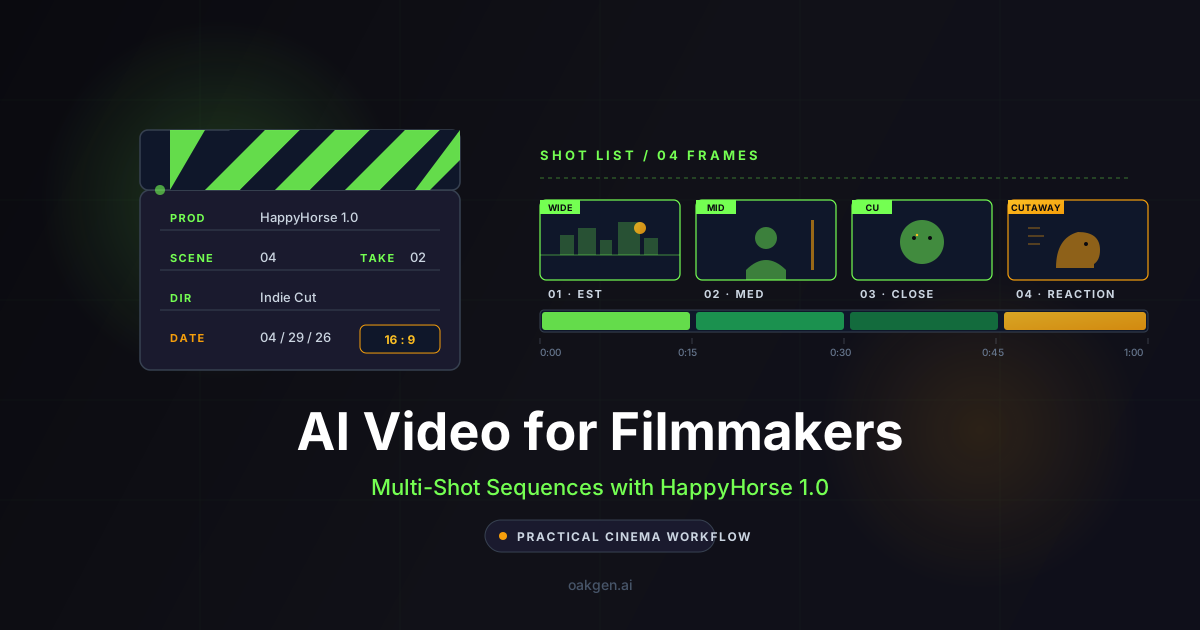
- Build a shot list. Write 4–6 shots, each 10–15 seconds, in classic coverage order: establishing → medium → close-up → reaction → (optional) cutaway. Every prompt re-uses a shared "preamble" — character, location, lighting, lens, grade — identical across all shots.
- Run image-to-video for every shot. Feed the relevant keyframe into Kling v3 Pro image-to-video with audio turned on. Same image as anchor for shots that need to match.
- Layer dialogue post-hoc. Generated audio suits ambient sound, but for narrative dialogue with full performance, generate the speech separately with ElevenLabs (or MiniMax Speech 2.8 HD) on Oakgen and lay it in your editor. Trying to coax long monologues out of any AI video model right now is a losing fight.
- Cut. Edit the shots together. The 15-second ceiling is not a constraint — film cuts every 3–8 seconds anyway. You will trim more than you keep.
The whole pipeline lives inside one Oakgen account: image models, video model, voice model, all on the same credit balance.
Shot list: a 60-second short
Here is a worked example. The premise is a single-room scene — a woman receives a letter that changes her morning. Four shots, ~58 seconds total.
Setting (used in every prompt's preamble):
"A small Brooklyn kitchen at 7:14 AM. White subway tile, brass fixtures, a single window above the sink throwing soft cool morning light from camera-left. A wooden table with a half-full ceramic mug, a folded newspaper, an open envelope, and a single sheet of paper. Anamorphic 35mm, muted teal-and-amber grade, gentle film grain, shallow depth of field."
Character (used in every prompt's preamble):
"A woman in her early thirties with cropped dark hair, a cream cable-knit sweater, no makeup, slightly tired eyes."
Shot 1 — Establishing (12s, image-to-video from location keyframe)
[Preamble: setting + character above]

Wide establishing shot of the kitchen. The woman stands at the counter
with her back three-quarter to camera, pouring coffee from a French press
into the ceramic mug. Slow 8-second locked-off frame holding the wide,
then a barely perceptible 4-second push-in toward the table where the
opened letter waits. She doesn't see it yet. Late winter morning,
soft cool window light from camera-left, warm tungsten fill from
the hood lamp camera-right.

Audio: the rasp of the French press plunger going down, distant traffic
through the window, a radiator clicking once. No music.
Image input: the location keyframe (the kitchen).
Shot 2 — Medium (14s, image-to-video from character keyframe)
[Preamble: setting + character above]

Medium shot, waist-up, the woman walking from the counter to the table
with the steaming mug in her right hand. She sets the mug down,
notices the open envelope, picks up the single sheet of paper, and
begins to read. The camera is on a slow 14-second dolly-right, ending
in a clean three-quarter angle on her face as she reads. Same cool
window light from camera-left, same warm tungsten fill camera-right,
same anamorphic 35mm, same grade.

Audio: the mug setting on wood with a soft ceramic-on-wood thunk,
paper rustling once, the radiator continuing. No music.
Image input: the character keyframe.
Shot 3 — Close-up (13s, image-to-video from character keyframe)
[Preamble: setting + character above]

Tight close-up on the woman's face as she finishes reading. Locked-off
85mm portrait framing, eyes slightly downcast on the paper for the
first 6 seconds, then she lifts her gaze just past the lens — not at
camera, but past it, as if seeing the room differently for the first
time. Her expression doesn't break. A single slow exhale. The light
on her face is unchanged: cool from camera-left, warm fill camera-right.

Audio: her single quiet exhale, the radiator hum, paper held still,
no other movement. No music.
Image input: the character keyframe.
Shot 4 — Reaction (15s, image-to-video, planned reverse angle)
[Preamble: setting + character above]

Shot-reverse-shot reaction frame. Same medium-close framing as the
previous shot. Keep the camera on the same side of the established
action axis. Use the approved room map to choose an over-the-shoulder
view toward the window and the empty room she just took in. She lowers the paper
slowly to the table over 8 seconds, picks up the mug with her left
hand, and takes a single slow sip. She does not speak. The unread
newspaper is visible on the table. Keep the window in its established room position and let its direction
in the image follow the chosen camera view. Same 35mm lens language and grade.

Audio: the paper settling on the table, ceramic mug lifting, a single
soft sip, the radiator clicking off. No music.
Image input: the character keyframe.
That is the full sequence: 12 + 14 + 13 + 15 = 54 seconds of generated material, which after editorial trim lands near the 50-second mark — a tight one-minute scene with no dialogue, full ambient atmosphere, and a clean dramatic beat. On Kling v3 Pro with audio, 54 seconds costs about 3,080 credits on Oakgen (57 credits per second as of 2026-10-25), or about 2,050 without audio (38 per second). Rerolls add to that, so budget for two takes of each shot.
Plan reverse angles before generating
For conventional continuity, establish an action axis between the participants or between the person and the object of attention. Put both camera positions on the same side of that axis. Preserve screen direction and match the gaze toward the other subject; a reverse angle is not a blanket instruction to cross the line or mirror the entire image.
Keep windows, doors and props anchored to a room map. Their positions within each frame can change with the viewpoint, but the physical lighting setup should remain coherent. Approve the still frames together before generating motion. See our worked AI shot–reverse-shot guide for the scene map and acceptance checks. This is shot-planning guidance, not a guarantee of a model's spatial accuracy.
Which Oakgen video model fits which shot?
These are the specs and credit prices from Oakgen's model configs and pricing code, as of 2026-10-25. We have not run a side-by-side quality test.
| Feature | Kling v3 Pro | Seedance 2.5 | Seedance 2.0 |
|---|---|---|---|
| Shot length on Oakgen | 3-15 s | 4-30 s | 4-15 s |
| Max resolution on Oakgen | 1080p | 1080p | 4K |
| Generated audio | Optional | Optional | No |
| Keyframe or reference input | Start frame, optional end frame; Motion Control mode | Start image; reference mode with images, videos and audio | Start image; reference images, videos and audio |
| Credits per second | 38 (no audio), 57 (audio) | 75 (480p), 160 (720p), 394 (1080p) | 46 (480p), 103 (720p), 230 (1080p), 526 (4K) |
A practical split: Kling v3 Pro image-to-video for most coverage, Seedance 2.5 Reference for the shots where a reference clip has to set the camera move, and Seedance 2.0 at 4K for the one hero shot that needs it. Google's Veo 3.1 is not on Oakgen; the Veo 3.1 Preview in the Gemini API shut down on 2026-10-22, and the GA Veo 3.1 is still on Vertex AI. Working on Oakgen means one credit balance for all three models.
Build Your First Multi-Shot Sequence
Where the pipeline actually breaks
Anyone selling AI video as a finished-cut filmmaking tool today is overselling. The failure modes you will hit, in roughly the order you will hit them:
Character drift between shots. Even with a fixed image keyframe fed in, the same character generated four times will have four slightly different faces. Hair length wanders. Eye color shifts. The cable-knit sweater gains a button. The fix is editorial: cut faster, stay on motion, hide the seams. The bigger fix is a reference system such as Seedance 2.5 Reference, which takes several character images at once.
Set continuity drift. The mug is not in exactly the same spot in shot one and shot two. The newspaper is folded slightly differently. AI models render objects fresh every time. The defense is to never cut between two static shots of the same set — cut on motion or on the actor's face, where the eye does not police background details.
No long dialogue. Generated audio in a video model is fine for ambience and a short line, not for a 30-second monologue. Generate dialogue separately with ElevenLabs and use a lip-sync tool or cut away from the mouth.
Text-only camera direction is a gamble. With plain image-to-video you are writing prompts and hoping the model interprets "slow handheld push-in" the same way twice. It often does. It does not always. For exact camera moves, give Seedance 2.5 Reference a reference clip of the move you want.
1080p ceiling. Kling v3 Pro and Seedance 2.5 top out at 1080p on Oakgen. For festival-spec deliverables, use Seedance 2.0 at 4K for key shots or run the video upscaler.
This is previs, not final cut. The honest pitch for AI video in narrative filmmaking right now is proof-of-concept and pre-visualization. You can build a complete short film from AI clips and it will look impressive on a phone. It will not yet replace a real director of photography. AI video is the storyboard that moves — and that alone is enough to change how indie projects pitch, develop, and iterate.
Earn 30% for 12 months on every referral.
Share Oakgen, get paid every month they stay.
What to read next
If you are building toward a longer piece, these guides go deeper on the adjacent problems:
- Kling 3 character consistency across multiple shots. Keeping one character stable across a sequence.
- Seedance 2.5 prompt guide. How to write prompts for Seedance 2.5.
- What happened to HappyHorse 1.0. The model earlier versions of this guide used, and why it is no longer on Oakgen.
Models change fast, so check the AI video generator for the current lineup. What will not change is the underlying lesson: AI video at sequence length is not a prompt problem, it is a continuity problem. Filmmakers who treat it that way — keyframes first, shot list second, prompts third — are shipping work right now. Those chasing one-shot magic are not.