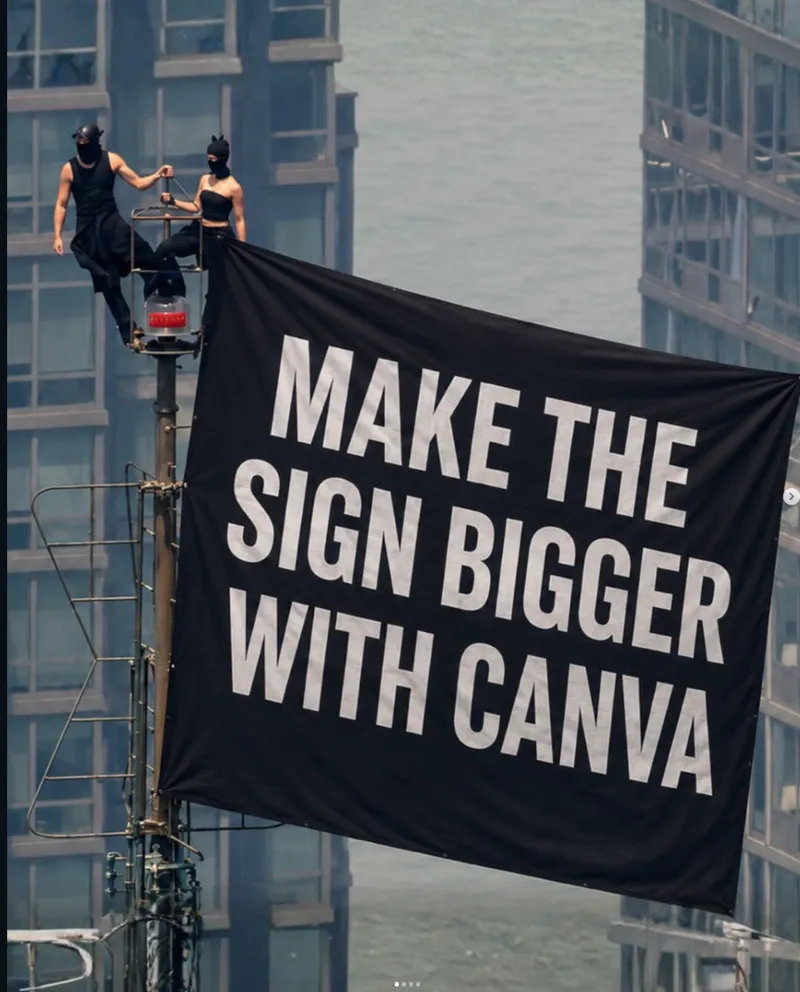
On July 1, 2026, Angela Nikolau and Ivan Beerkus climbed the Empire State Building spire, unfurled a peace banner, and appeared to get engaged above New York. News outlets including People, ABC7NY, and The Guardian covered the arrests and charges that followed.
The image looked unreal enough that people immediately started asking whether it was AI. Then creators started making AI versions of it.
This guide shows how to make a safe, fictional, cinematic version in Oakgen's Image Generator using GPT Image 2. The point is not to copy the news photo. The point is to capture the visual idea: impossible height, New York skyline, wind, proposal, dramatic scale.
This tutorial is for AI image generation only. Do not climb buildings, bypass restricted areas, imitate unsafe behavior, or publish images that imply a real event happened if it did not.
What you are making
The clean version of the trend is:
- a fictional couple,
- on a fictional NYC-style spire or observation platform,
- with the Empire State Building mood rather than a copied news frame,
- shot like a movie still, poster, thumbnail, or editorial illustration.
That framing keeps the output useful for social content without pretending you own the original photo.
Step 1: Open GPT Image 2 in Oakgen
Open Oakgen Image Generator. Choose GPT Image 2 if it is available in your model picker.
Use these settings as a starting point:
- Aspect ratio:
16:9for YouTube thumbnails or blog hero images - Aspect ratio:
9:16for Reels, Shorts, and TikTok covers - Style: photorealistic cinematic still
- Prompt length: specific, but not overloaded
- Number of images: generate 2-4 variants, then pick the best composition
If the output looks too literal or too close to news footage, change the camera angle, wardrobe, time of day, or building details.
Step 2: Start with a safe base prompt
Use this as your first prompt:
A cinematic fictional scene inspired by a viral skyscraper proposal in New York City. A fictional couple stands safely on a dramatic art-deco observation spire high above Manhattan at dusk, wind moving their clothing, city lights below, one person kneeling with a ring, the other reacting emotionally. Wide telephoto camera angle from a nearby rooftop, realistic scale, moody blue-orange evening light, editorial photography style, no real people, no logos, no news watermark, no unsafe climbing instructions.
Why this works:
- Fictional scene prevents exact news-photo copying.
- Safely on an observation spire keeps the image from becoming an instruction.
- Wide telephoto angle gives the compressed dramatic skyline look.
- No logos, no watermark keeps it clean for your content.
Step 3: Make it look like New York without copying the photo
GPT Image 2 will often make the scene more believable if you give it visual constraints instead of asking for "the exact viral image."
Add details like:
- art-deco metalwork,
- warm window grids below,
- haze between buildings,
- a helicopter far in the distance,
- evening wind,
- long-lens compression,
- a tiny human scale against a huge skyline.
Avoid:
- naming the real people in the prompt,
- copying their exact outfits,
- asking for the exact Instagram/news frame,
- using the real banner text unless you are intentionally quoting the news story in an editorial context.
For more prompt structure, use the GPT Image 2 skyscraper prompt guide.
Step 4: Create three versions
Version A: Cinematic movie still
Fictional cinematic movie still of a romantic proposal high above Manhattan, two fictional adults on a secure art-deco rooftop platform near a needle-like spire, skyline dropping far below, dusk haze, dramatic wind, one person kneeling, emotional reaction, shot on a 100mm lens from a neighboring rooftop, realistic photography, no logos, no real people, no text.
Version B: YouTube thumbnail
High-contrast YouTube thumbnail image, fictional couple proposal on a dramatic New York skyscraper spire, huge city depth below, golden dusk sky, readable empty space on the left for headline text, emotional but tasteful, photorealistic, crisp faces but not based on real people, no watermark, no brand logos.
Version C: Editorial blog hero
Editorial hero image for an article about AI recreations of viral news moments, fictional NYC skyline, tiny proposal silhouette near the top of a stylized art-deco tower, cinematic dusk, clean negative space, premium magazine photography style, not a real news photo, no text, no logos.
Step 5: Fix common problems
| Problem | Prompt fix |
|---|---|
| The people look too large | Add: tiny human scale, shot from far away, enormous tower, long-lens city view |
| The building looks fake | Add: art-deco metalwork, believable antenna structure, realistic Manhattan skyline |
| The scene looks unsafe or instructional | Add: fictional, secure observation platform, no access details, no climbing instructions |
| The image copies the news photo too closely | Change time of day, angle, wardrobe, framing, and remove real banner text |
| The banner text is messy | Use GPT Image 2 with short text, or generate without text and add typography later |
Step 6: Publish it responsibly
If you post the image, make the caption clear:
AI-generated cinematic recreation inspired by the Empire State Building proposal news story. Not a real photo.
That one sentence saves confusion and makes the work more trustworthy.
The fast Oakgen workflow
- Open Oakgen Image Generator.
- Select GPT Image 2.
- Paste the base prompt.
- Generate 2-4 options.
- Pick the cleanest composition.
- Iterate with camera angle, lighting, and safety language.
- Use the result as a blog image, thumbnail, poster, or Reel cover.
Make your safe AI skyscraper scene
Use GPT Image 2 inside Oakgen to create cinematic, fictional images inspired by viral moments without copying news photos or risking anything in real life.
Related guides
Next, read GPT Image 2 prompt guide for viral skyscraper images, how to make news-inspired AI images without copying, and Empire State Building AI image ideas.