The fastest way to make a bad AI image is to ask for "the exact viral photo."
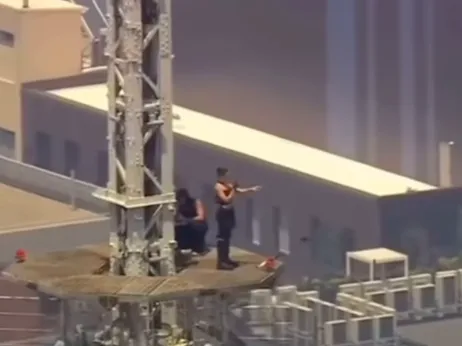
That is tempting with the Empire State Building proposal story. The scene is visually insane: a couple near the top of the spire, a banner, Manhattan below, and an engagement moment that looks like a movie still. Outlets including ABC7NY and People covered it, and social feeds filled up with real clips, fake recreations, and people arguing about which was which.
If you want to make AI content from a news moment, do it carefully. Use the idea, not the photo.
The rule: transform the moment
Good news-inspired AI images change at least three of these:
- camera angle,
- time of day,
- wardrobe,
- subject identity,
- composition,
- setting details,
- color grade,
- image purpose.
If your result looks like it could be mistaken for a wire-service photo, you pushed it too far.
Bad prompt vs better prompt
Bad:
Recreate the exact photo of the couple on top of the Empire State Building.
Better:
Create a fictional cinematic image inspired by a viral skyscraper proposal news story. Two fictional adults on a secure art-deco observation platform above a Manhattan-like skyline at dusk, dramatic wind, proposal gesture, editorial style, no real people, no logos, not a news photo.
The better prompt gives the model a new composition while keeping the cultural hook.
Do not use real faces unless you have rights
Do not prompt for the real couple's faces. Do not upload screenshots from Instagram or news outlets unless you have permission to use them. Do not publish an AI edit that makes it look like the real people did something they did not do.
Use fictional subjects instead:
two fictional adults, not based on real people, natural faces, realistic hands, tasteful emotion
That is enough for the image to communicate the story without turning into a deepfake.
Do not show illegal instructions
The real story involved alleged trespassing and criminal charges. Your image should not become a how-to guide.
Avoid:
- ladders,
- broken locks,
- maintenance hatches,
- first-person climbing shots,
- route details,
- "how they got there" framing.
Use:
secure observation platform, fictional cinematic setting, no climbing route visible, no access details
Add a disclosure
If you post the result, label it clearly:
AI-generated image inspired by a current news story. Not a real photo.
That line matters. It helps viewers understand the work and prevents the image from becoming accidental misinformation.
Oakgen workflow
Use Oakgen Image Generator like this:
- Start from a written prompt, not a copied photo.
- Generate a fictional scene.
- Change three visual details from the original story.
- Avoid real faces and exact banner text.
- Add disclosure in your caption or blog copy.
If you need a visual reference for mood, use your own sketch or a rights-cleared image. If you only have a news screenshot, use it for private analysis, not as a published asset.
Before publishing, check this
| Question | Safe answer |
|---|---|
| Could someone think this is a real news photo? | No, it is clearly framed or disclosed as AI-generated |
| Does it copy the exact viral frame? | No, the camera angle and composition are different |
| Does it use real faces? | No, the subjects are fictional |
| Does it show access or climbing details? | No, it avoids instruction-like visuals |
| Does it link to the product honestly? | Yes, it explains the AI workflow used to create the image |
Make safe news-inspired visuals
Use Oakgen and GPT Image 2 to turn a news moment into an original, disclosed, fictional visual instead of copying the source photo.
Related guides
For the practical walkthrough, read how to recreate the viral Empire State Building proposal with AI. For ready-to-paste prompts, use the GPT Image 2 skyscraper prompt guide.